Binding function to layer
Download
Modo Foco
Tamanho da Fonte
This document describes how to bind a layer in the Serverless console.
Directions
1. Log in to the Serverless console and select Function Service on the left sidebar to enter the Function Service list page.
2. Select the function ID for layer management to enter the function management page.
3. Select the Layer Management tab and click Bind as shown below:
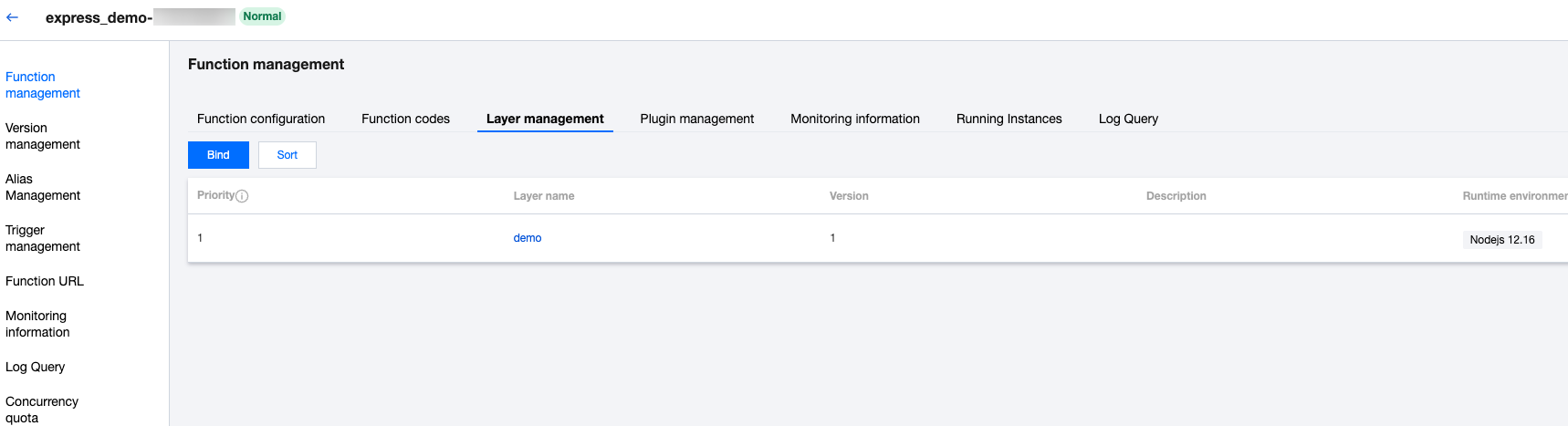
4. In the Bind Layer window that pops up, select the corresponding Layer Name and Layer Version as shown below:
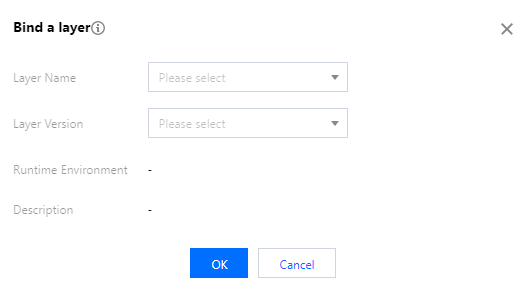
5. Click OK.
Ajuda e Suporte
Esta página foi útil?
Você também pode entrar em contato com a Equipe de vendas ou Enviar um tíquete em caso de ajuda.
comentários