This document describes how to eliminate an isolated TencentDB for PostgreSQL instance in the console.
Overview
You can manually eliminate an instance when you confirm that the instance is no longer needed.
Note:
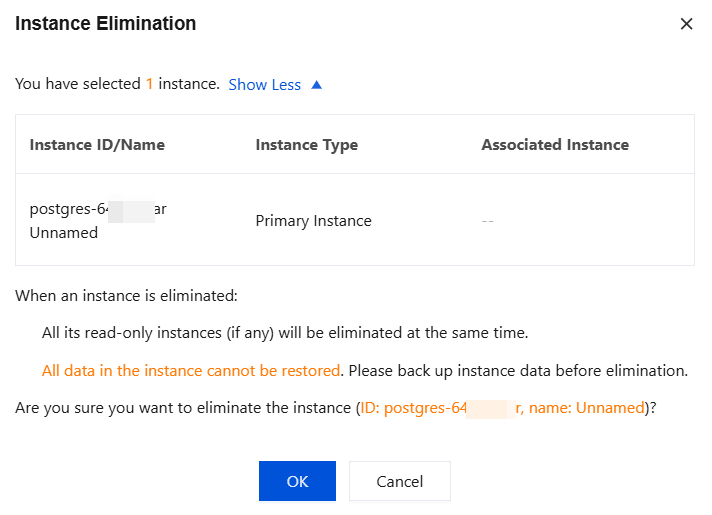
After the instance is eliminated, its data and backup files will also be deleted and cannot be restored in the cloud. Please store your backup files safely elsewhere in advance.
If a primary instance has one or more read-only instances which are running normally, the read-only instances will be eliminated along with the primary instance. To prevent instances from being eliminated due to overdue payment, please pay attention to the instance expiration information.
Directions
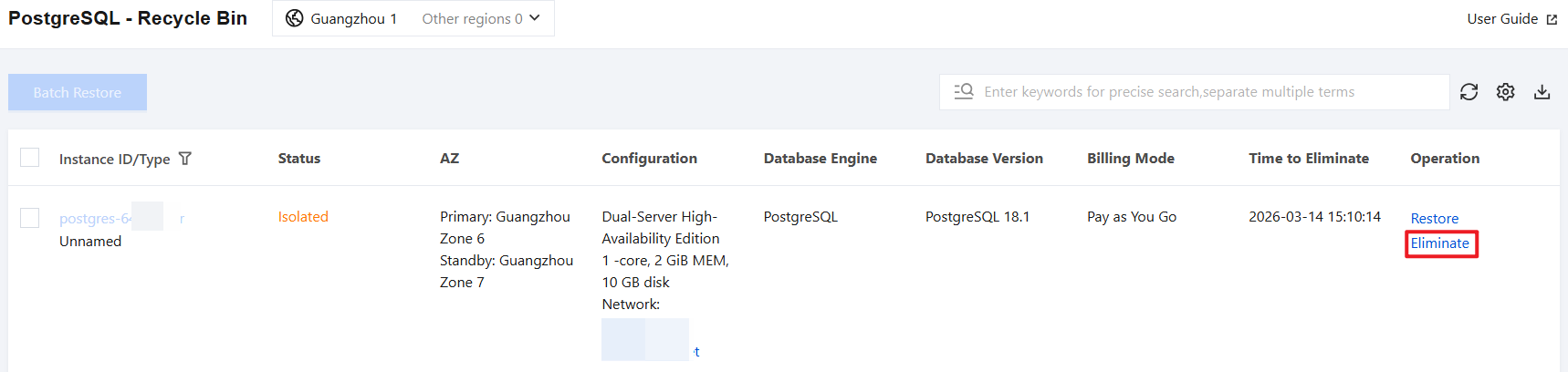
1. Log in to the TencentDB for PostgreSQL console, locate the desired instance in the recycle bin list, and click Eliminate in the Operation column.
2. In the pop-up dialog box, confirm that everything is correct and click OK.