Image Rendering
TCMG is preconfigured with a remote image rendering server, so you can use the image rendering capabilities without performing any additional operations. This document lists common use cases of image rendering.
Prerequisites
1. Log in to the TCMG console.
2. In the instance list, find the target instance and click the Grafana icon 
3. Enter your Grafana account and password and click any dashboard in Grafana.
Sharing Dashboard
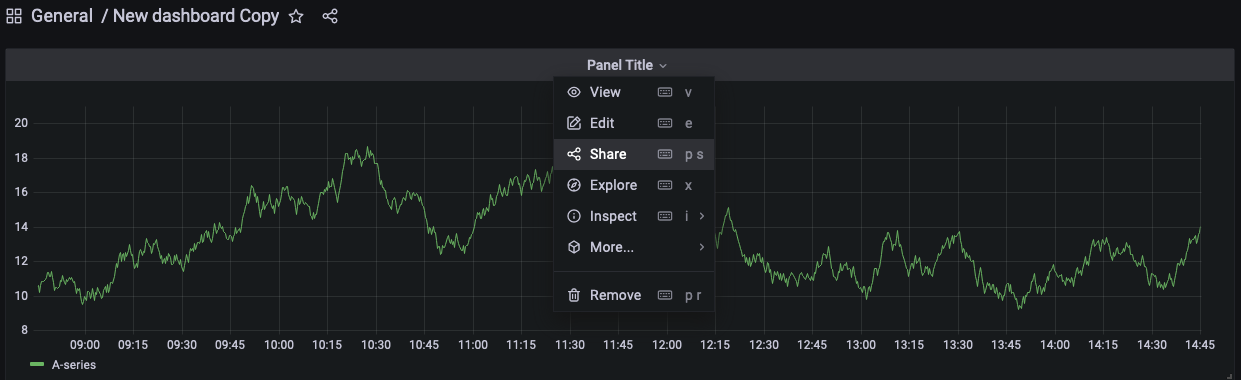
1. On any dashboard, click Title and select Share in the pop-up window.
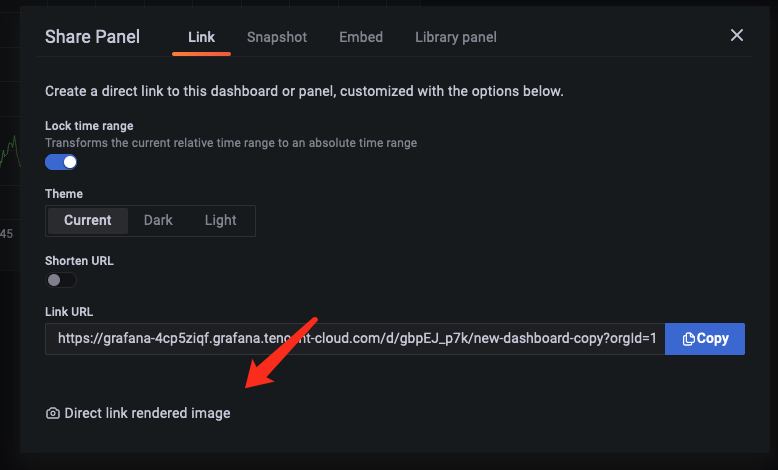
2. Click Direct link rendered image at the bottom of the pop-up window.
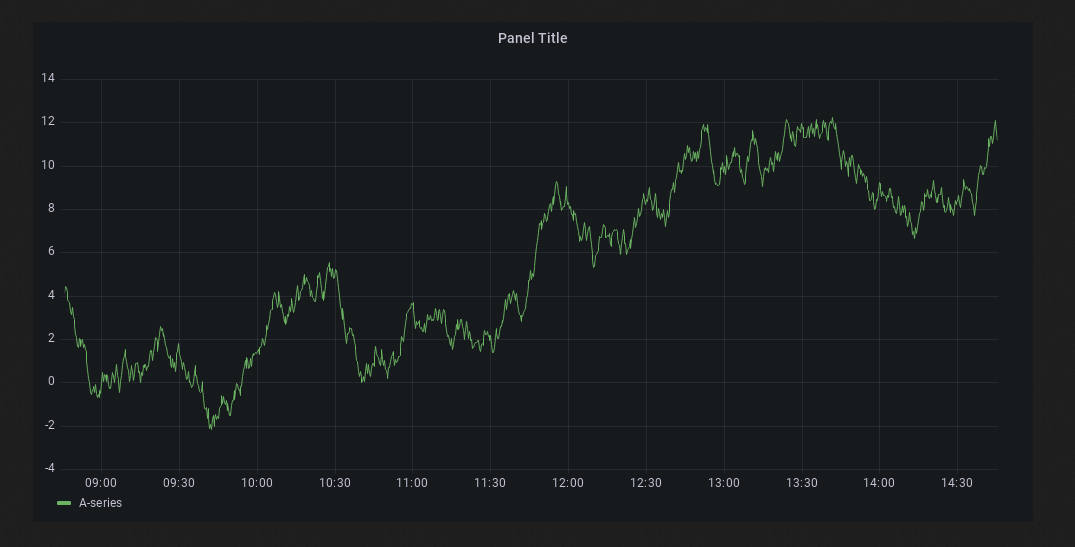
3. Get the address of the dashboard rendered as an image and share it.
Setting Alarm
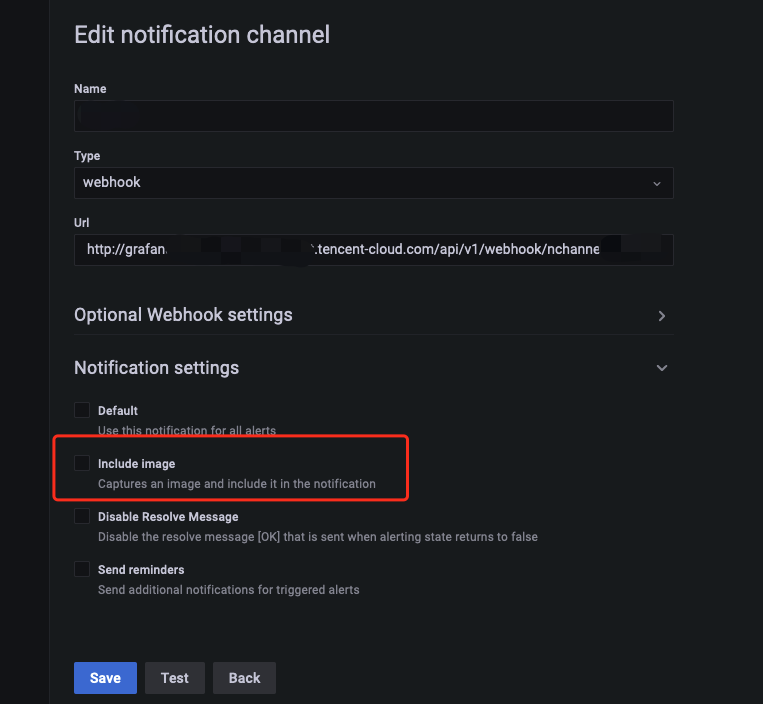
Similarly, you can select Include Image in Notification settings to render the alert dashboard as an image as shown below:
Note:
Remote image rendering is not supported for dashboards with data sources of the
Browser type.Ajuda e Suporte
Esta página foi útil?
Você também pode entrar em contato com a Equipe de vendas ou Enviar um tíquete em caso de ajuda.
comentários