3. Enter the TMP instance management page through the instance list.
4. Manage recording rules as instructed in Overview.
Directions
Creating a Rule
1. On the instance management page, select the instance on which you want to perform the pre-aggregation operation, and enter the instance details page.
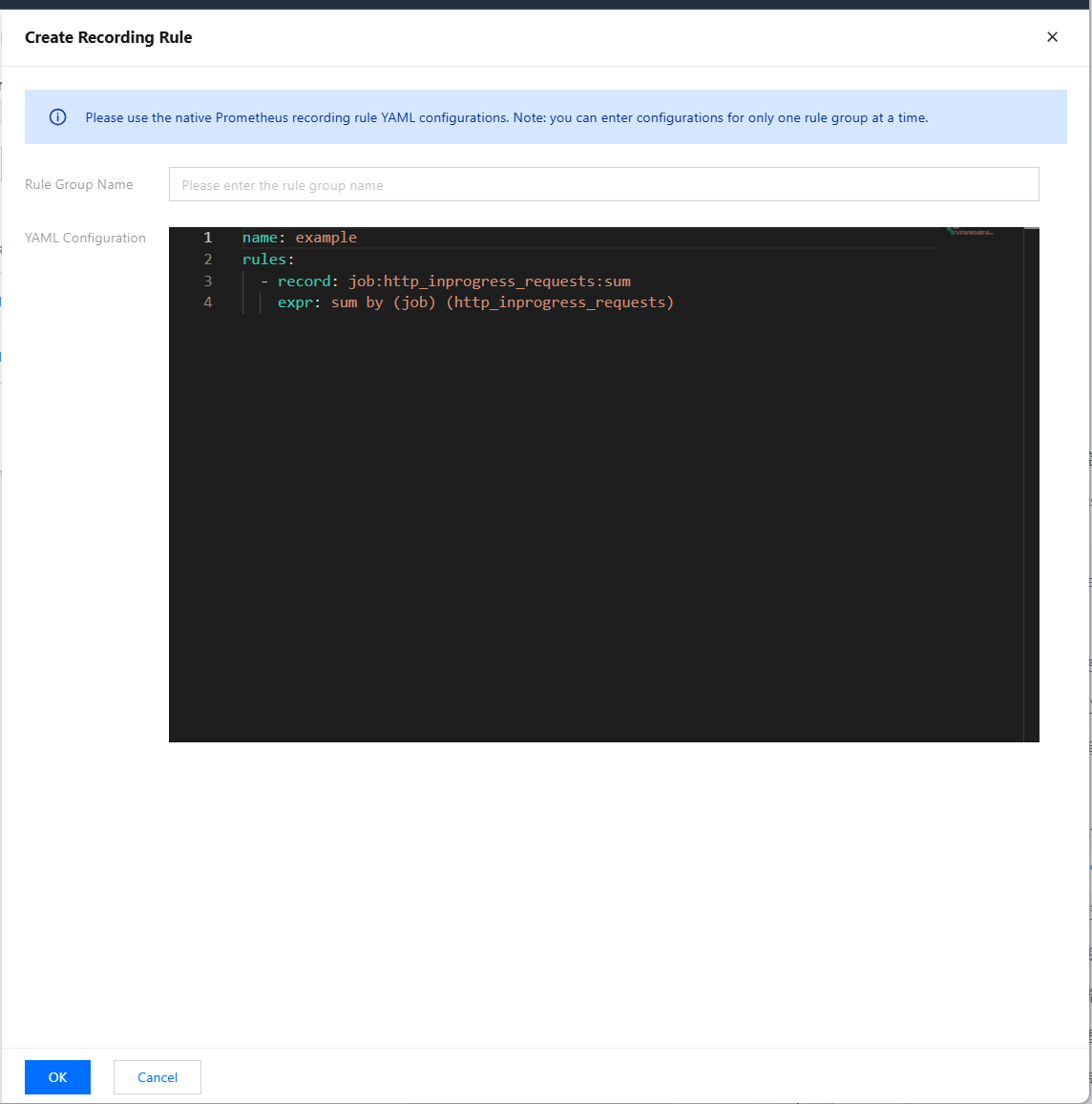
2. In the navigation bar at the top, choose Recording Rule > Create Recording Rule to go to the rule creation page. Adjust the expression and the new metric name to be generated according to your actual needs, as shown below. For specific terms, see Overview.
3. Click OK.
Managing a Rule
In the rule list, you can temporarily Disable rules or enable rules that are not enabled. Once disabled, a rule will stop working, and the collection of related recording metrics will also stop.
Deleting a Rule
1. You can delete rules that are no longer used.
2. Select the rule to be deleted in the list and confirm in the pop-up window. Once deleted, a rule will stop working.