tencent cloud

Tencent Cloud Agent Development Platform

Release Notes and Announcements
Release Notes
Product Announcement
Product Introduction
Product Overview
Advantages
Use Cases
Model Introduction
Purchase Guide
Package Subscription
Previous Version
Getting Started
Agent Application and Its Three Modes
Creating a "Content Summary Assistant" in Standard Mode
Creating a “Webpage Scraping Assistant” in Single Workflow Mode
Creating a “Stand-up Comedy Content Creation Assistant” in Multi-Agent Mode
Operation Guide
Application Development
Workflow
Multi-Agent
Knowledge Base
Widget
Plugin Marketplace
Model List 
Prompt Templates
Application Templates
Platform Management
Business, Workspace and Permissions
API Documentation
History
API Category
Making API Requests
Atomic Capability APIs
Operation Optimization APIs
Document Library APIs
Q&A Database APIs
Knowledge Tag APIs
Application Management APIs
Enterprise Management APIs
Billing APIs
Release Management APIs
Dialogue Endpoint APIs
Data Statistics APIs
Data Types
Error Codes
Application API Documentation
Dialogue API Overview
Dialog API Documentation (WebSocket)
Dialog API Documentation (HTTP SSE)
Image Chat or File Chat (Real-time Document Parsing + Chat)
Offline Document Upload
Tencent Cloud Agent Development Platform Operation COS Guide
ADP Document Parsing Protocol
FAQs
Product FAQs
Technical FAQs
Related Agreements
Tencent Cloud Agent Development Platform Service Level Agreement
Tencent Cloud Agent Development Platform Service Specific Terms
Tencent Cloud Agent Development Platform Privacy Policy
Tencent Cloud Agent Development Platform Data Processing and Security Agreement
Open-Source License Statement
Lighthouse OpenClaw Connector Plugin Service Agreement
Contact Us
Glossary

Publish the Application to LINE

PDF
Modo Foco
Tamanho da Fonte
Última atualização: 2026-04-07 10:52:31
You can release the built Agent on LINE. After release, LINE can use the Agent to respond to user messages, which can be applied to scenarios such as customer service.

Use Limits

Please confirm that the application has been deployed.

Step 1: Obtain LINE information

1. Access the LINE Official Account Manager and register Business ID.
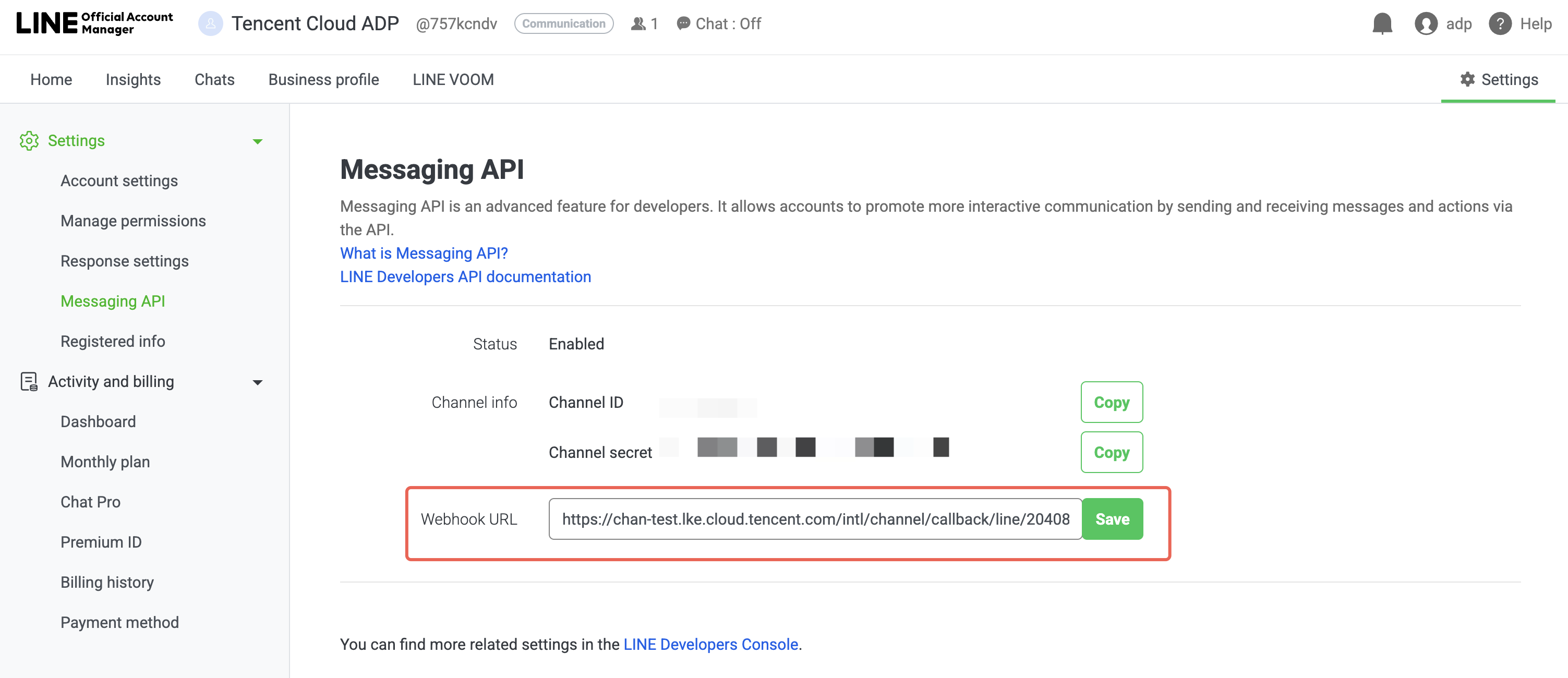
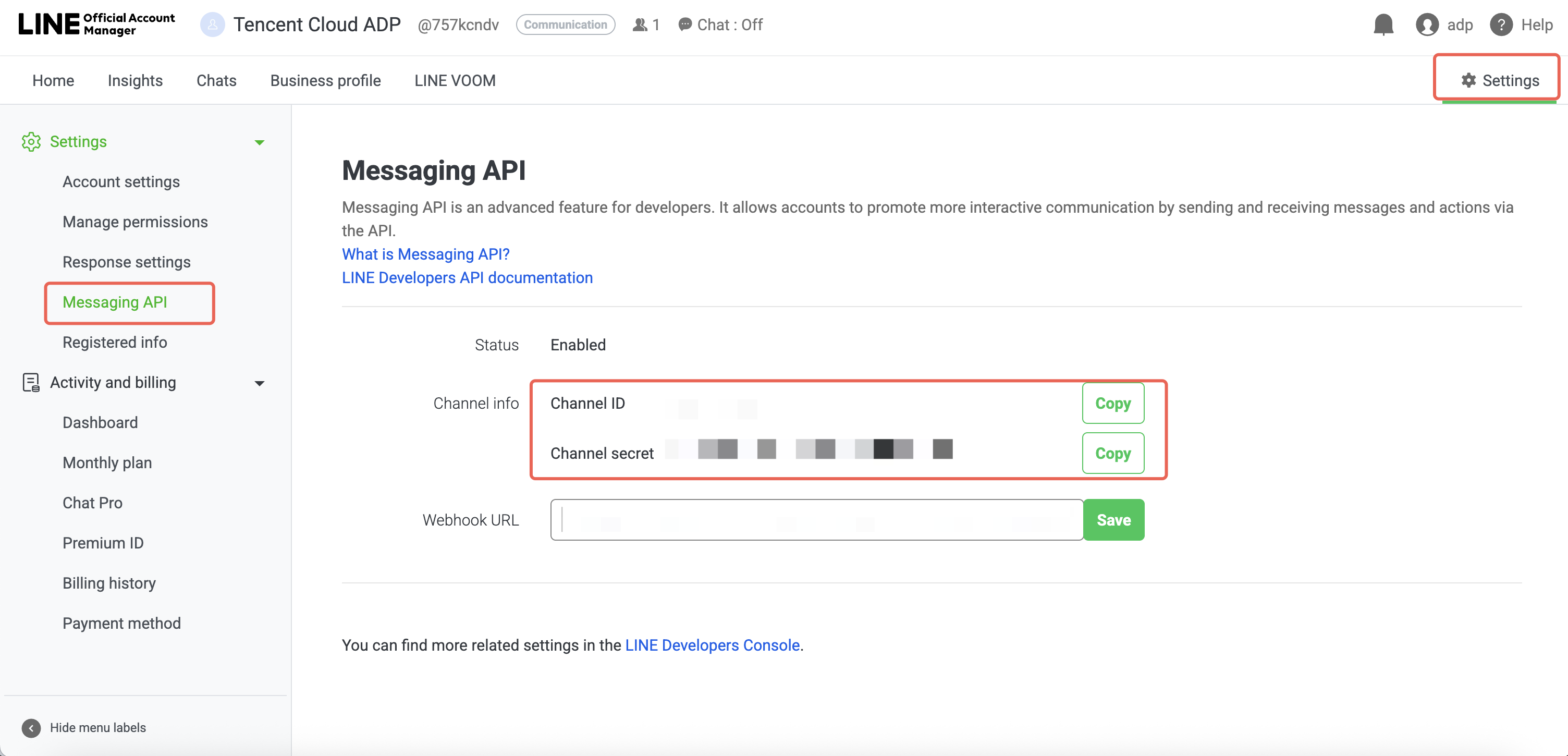
2. Go to LINE Official Account Manager > Settings > Messaging API and enable Messaging API.
3. Obtain Channel ID, Channel Secret.


Step 2: Create a LINE publishing channel

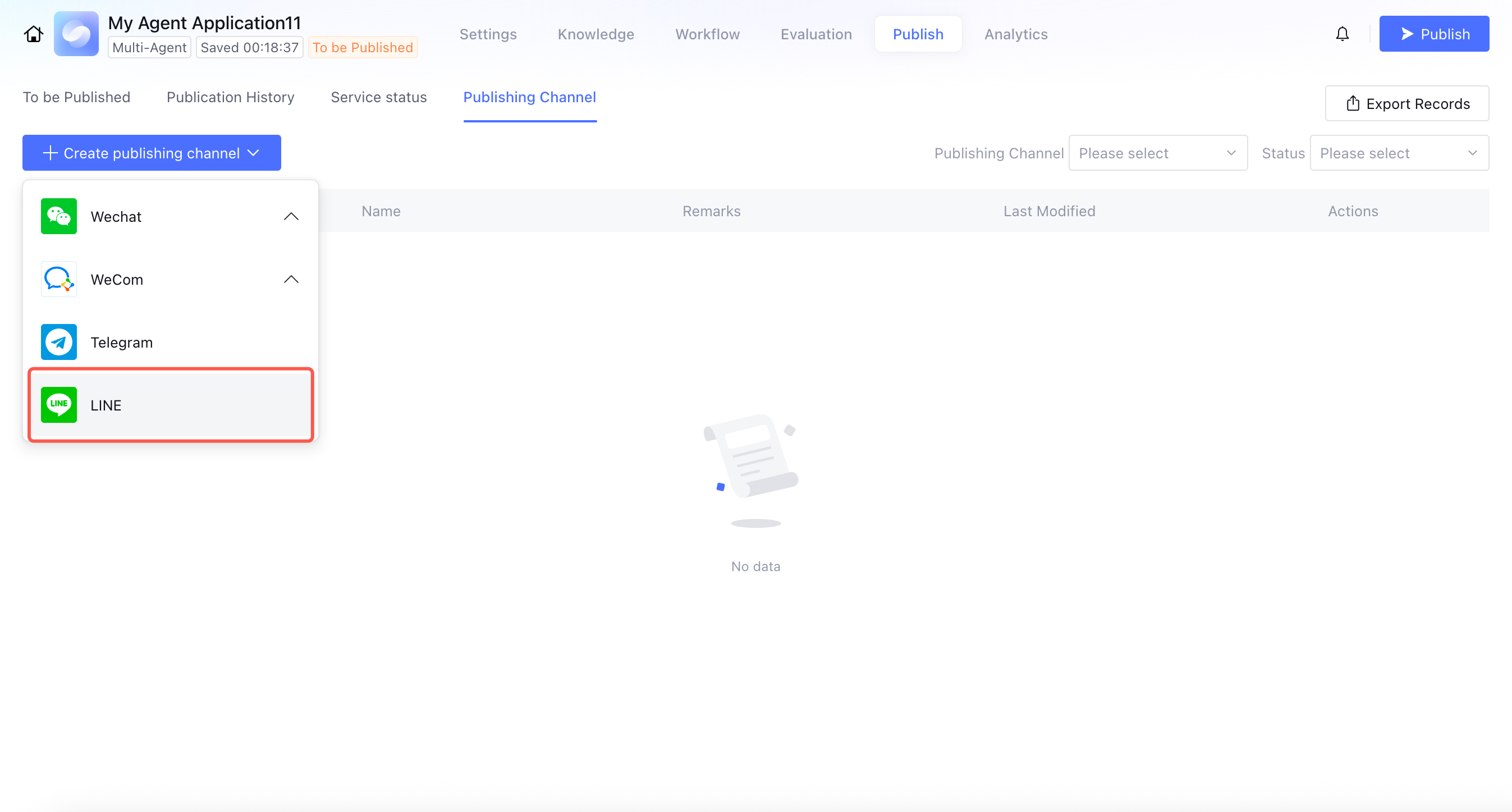
1. Go to the Tencent Cloud Intelligent Development Platform Application Release page, click Create Release Channel > LINE.

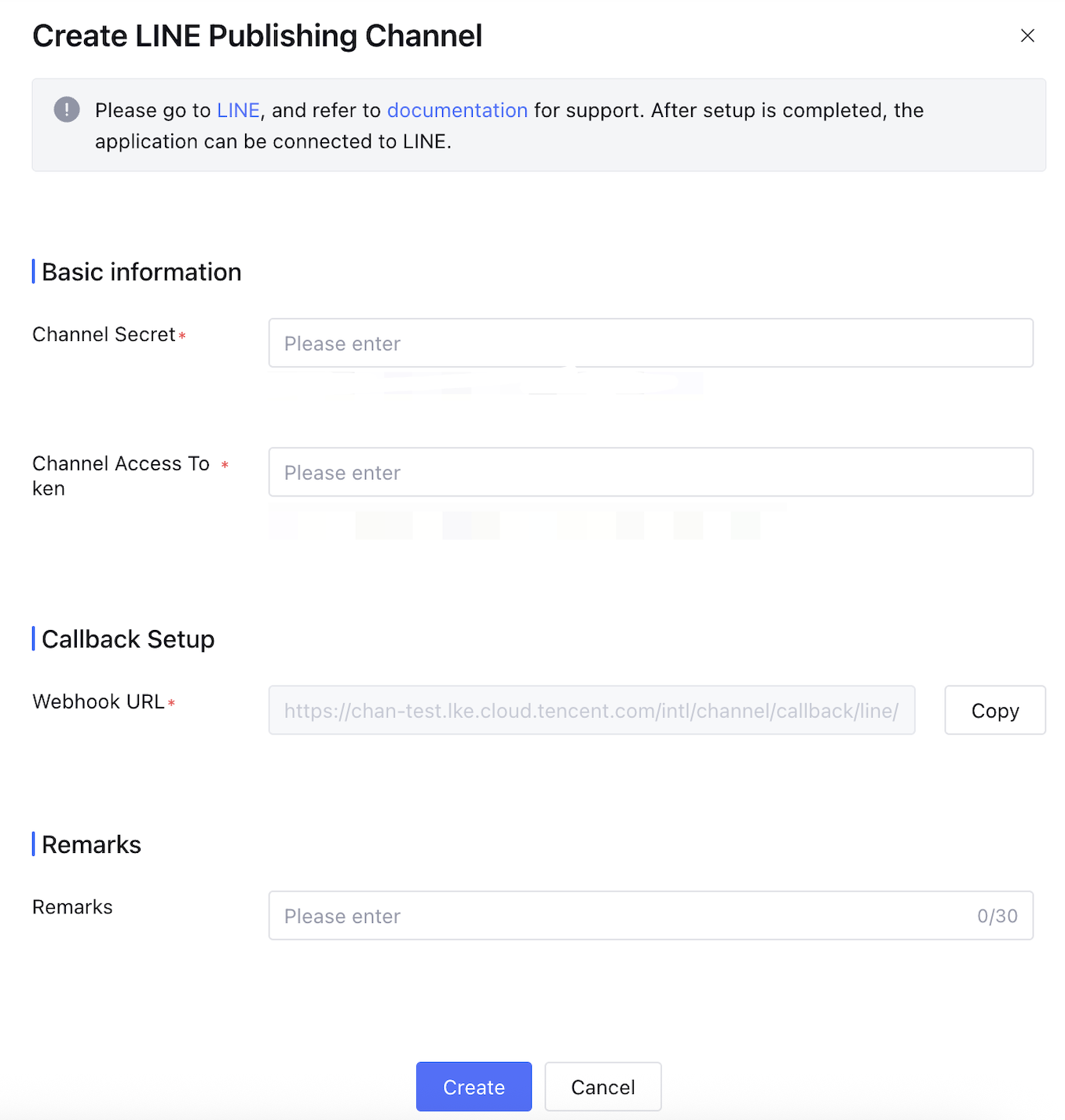
2. Enter the Channel Secret and Channel Access Token obtained in Step 1.

3. Fill in the Webhook URL information from the callback settings into the LINE Messaging API settings.

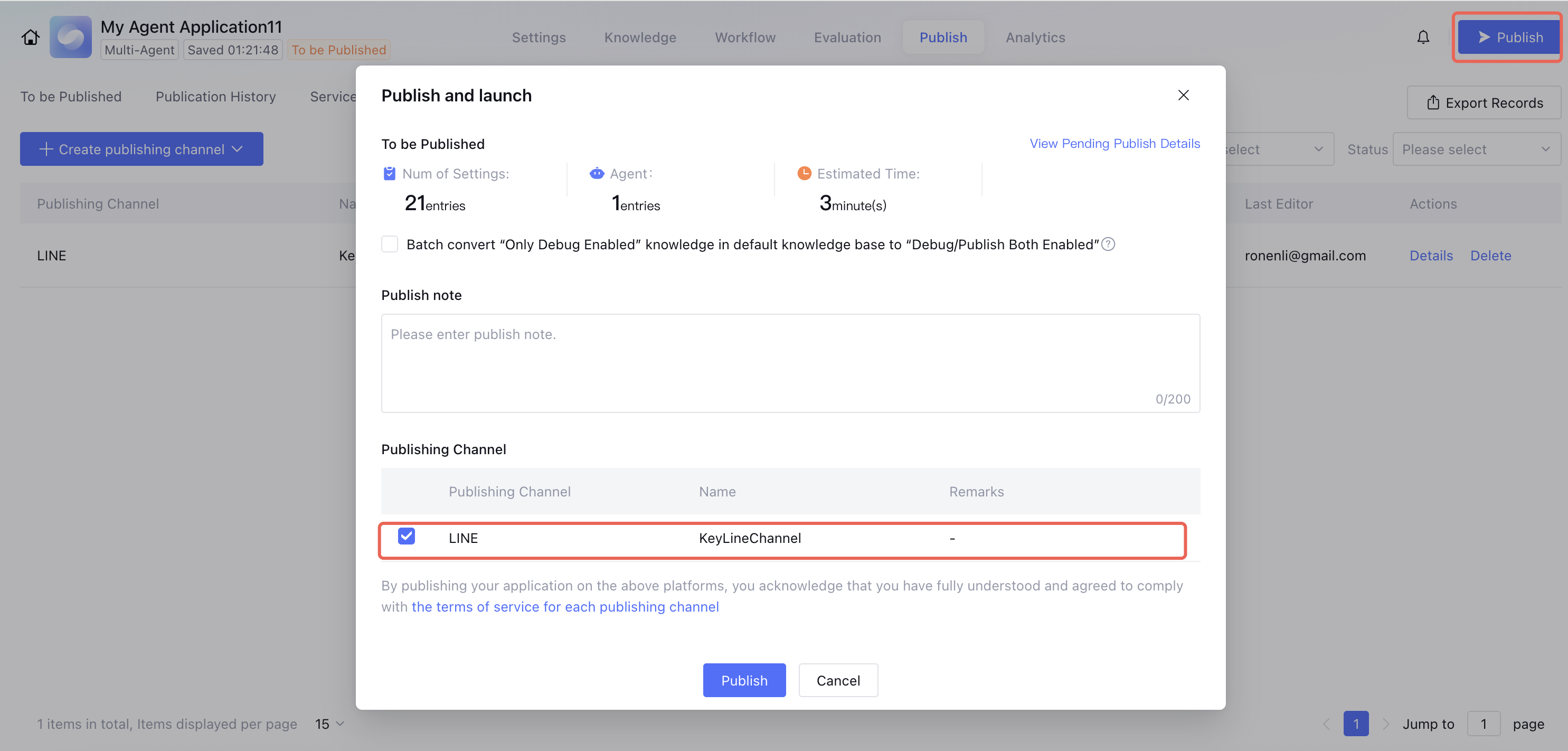
4. When publishing the application, select the LINE channel. After successful publication, you can access LINE to interact with the agent.


Built-in shortcut commands

Currently, the following commands are supported and will take effect upon input in the LINE dialog.
Command
Description
/new
Start a new conversation.
/clear
Clear the current conversation context.


FAQs

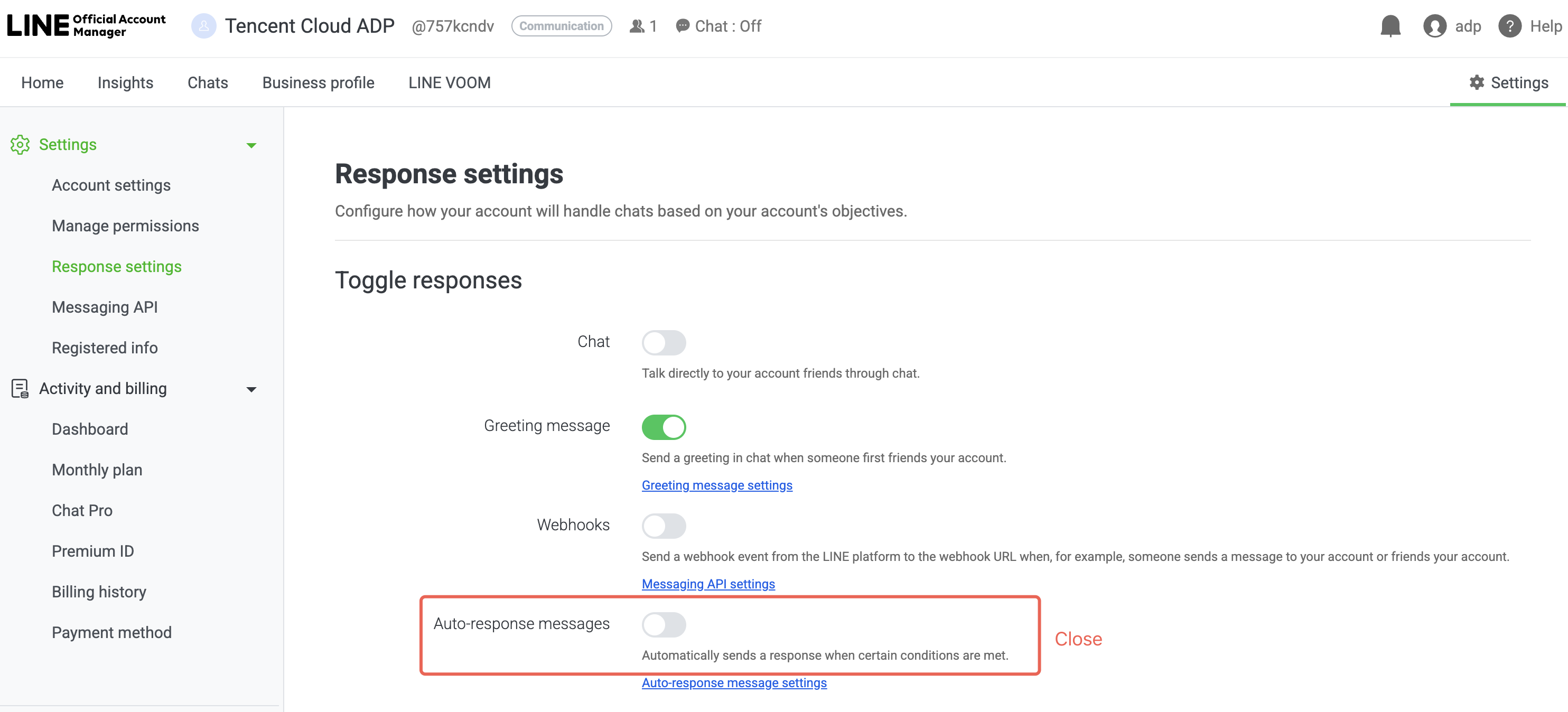
1. LINE sends auto-replies every time, which get mixed with the agent's responses. How to disable auto-reply?

Disable auto-reply messages in Settings > Response Settings.


Ajuda e Suporte

Esta página foi útil?

comentários