Viewing Quality Traffic Packages
Baixar
Modo Foco
Tamanho da Fonte
You can view the usage of quality traffic packages and the resources within the packages. This allows you to accurately verify public network traffic consumption at any time, quickly locate resources with abnormal traffic usage, and reduce the risk of exceeding the budgeted cost.
Directions
1. Log in to the Quality Traffic Package console.
2. On the quality traffic package page, select a region in the upper-left corner to view the list of quality traffic packages. The list includes information such as ID/Name, Status, Usage, Creation Time, and Expiration Time.

3. View the following 4 statuses of a quality traffic package: Valid, Exhausted, Expired, and Returned. The description of each status is as follows:
Valid: The traffic package is within its validity period, and the traffic has not been exhausted or returned.
Exhausted: The traffic in the traffic package has been exhausted.
Expired: The traffic package has expired.
Returned: The traffic package has been returned.
4. Click the ID of the instance you want to view or View Consumption in the Operation column on the right to view the consumption details of the quality traffic packages.
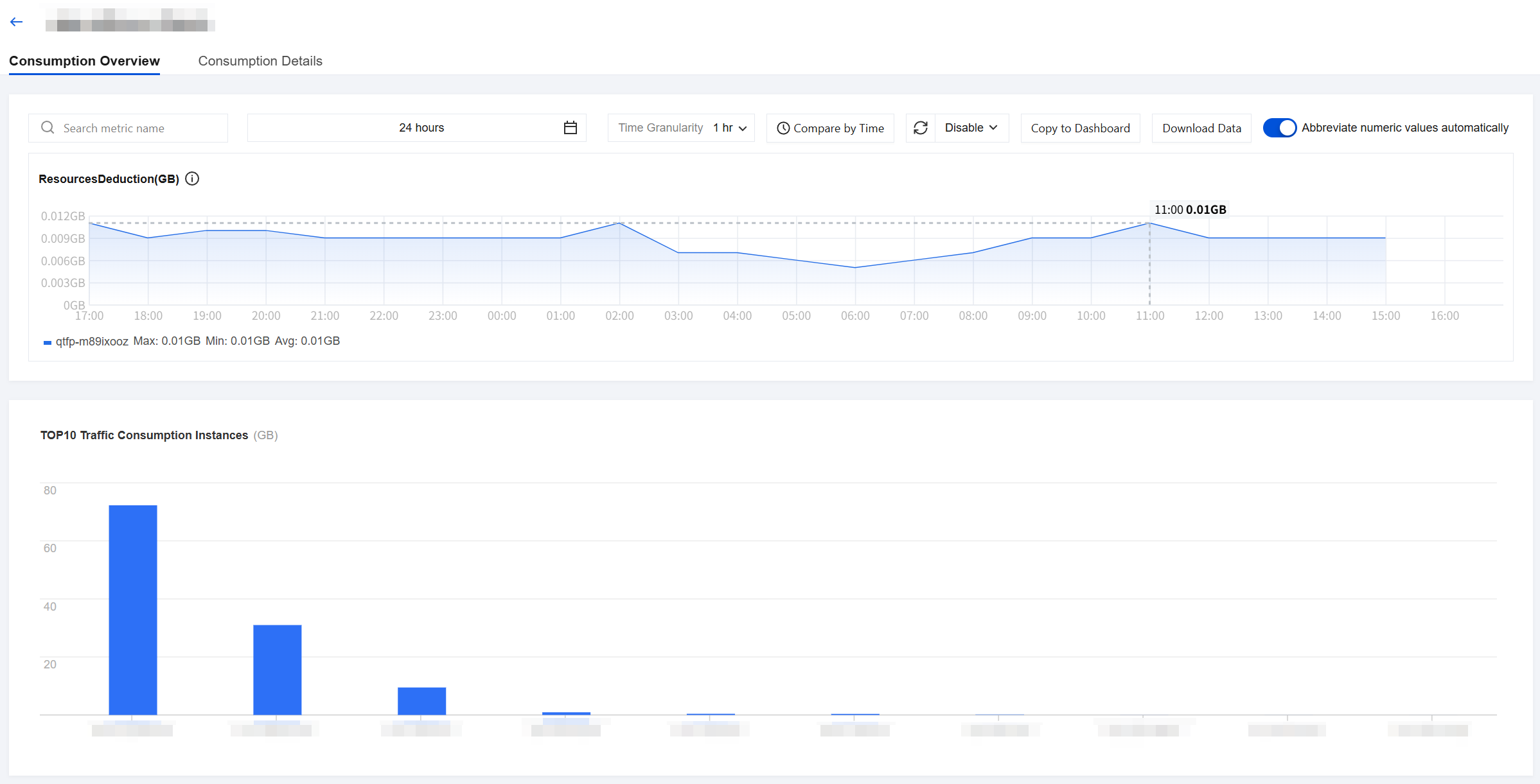
5. On the consumption overview page, select a time period and view the consumption of the quality traffic packages and the top 10 traffic-consuming instances for that period.
Note:
The consumption data for the quality traffic packages is updated once per hour.
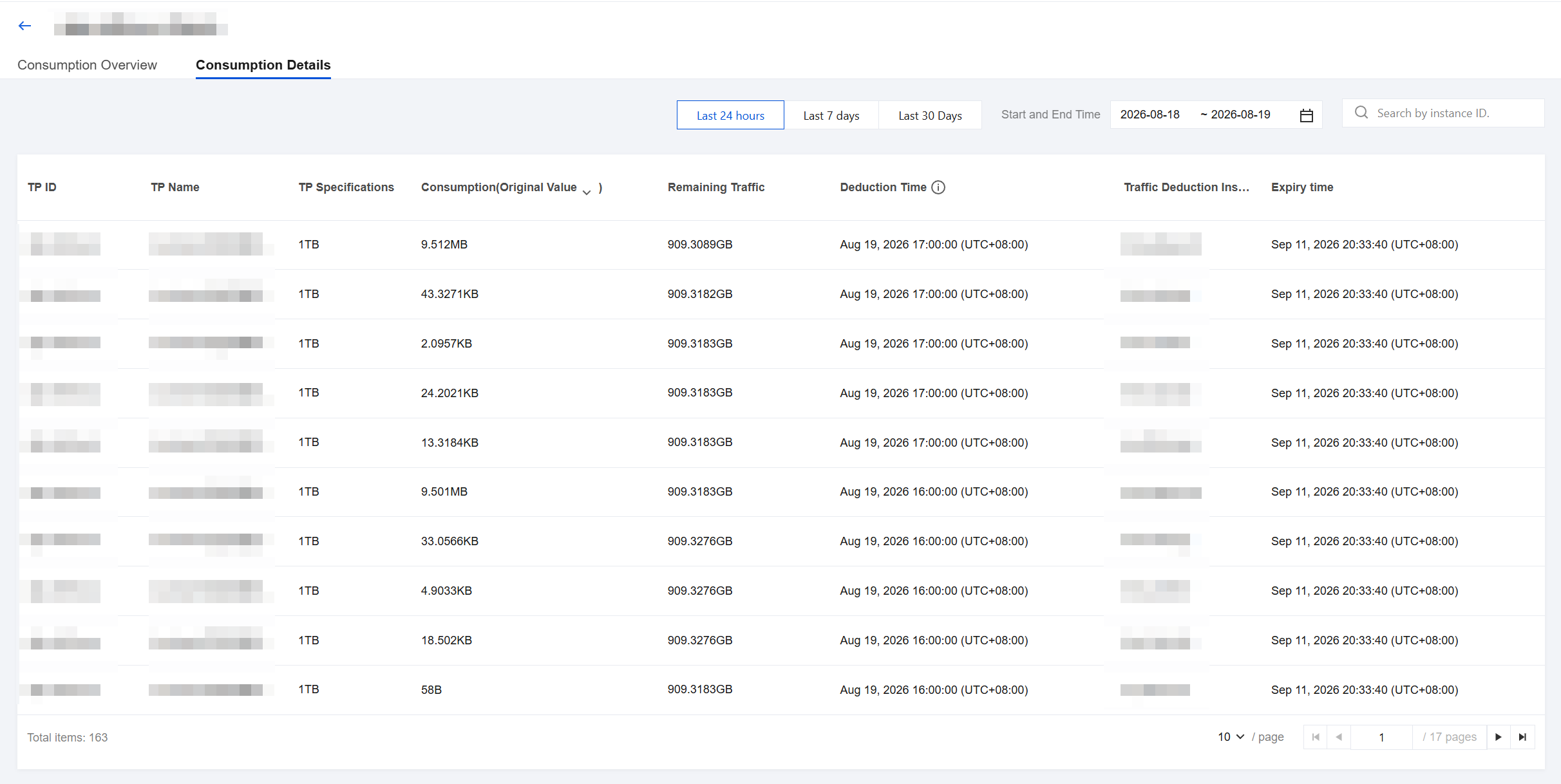
6. Click the Consumption Details tab to view the consumption details of the quality traffic packages. You can query the details by time or deducted instance ID.
Ajuda e Suporte
Esta página foi útil?
Você também pode entrar em contato com a Equipe de vendas ou Enviar um tíquete em caso de ajuda.
comentários