iTerm Client Displaying Unrecognizable Characters to Mac Users During Ops
Modo Foco
Tamanho da Fonte
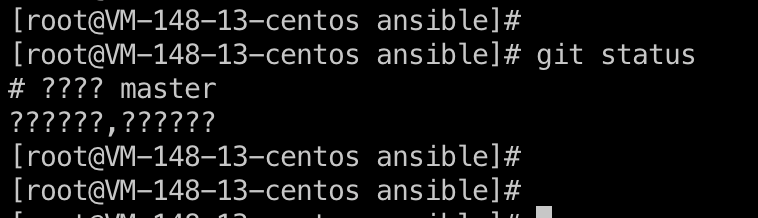
Phenomenon Description
When a Mac system uses the iTerm client to access a Linux server, Chinese characters appear garbled, as shown below:
Possible Causes
An issue with the SSH configuration file on the Mac system.
Solutions
Modify the ssh_config file on the Mac system.
Directions
1. Open the terminal on the Mac system and enter the command:
vi /etc/ssh/ssh_config.2. Modify the configuration at SendEnv LANG to
SendEnv LANG LC_* .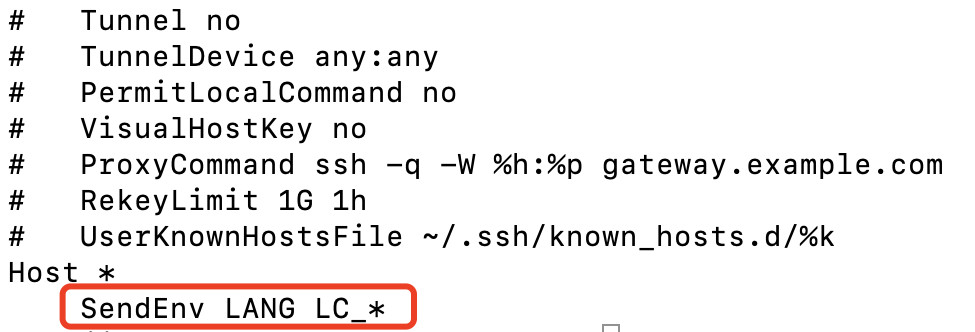
3. Close the iTerm client, use the BH to access the target device again, and check whether the garbled text issue has been resolved.
Ajuda e Suporte
Esta página foi útil?
Você também pode entrar em contato com a Equipe de vendas ou Enviar um tíquete em caso de ajuda.
comentários