Linux Resource Login via Mac Prompting No Matching Host Key Type Found
Modo Foco
Tamanho da Fonte
Phenomenon Description
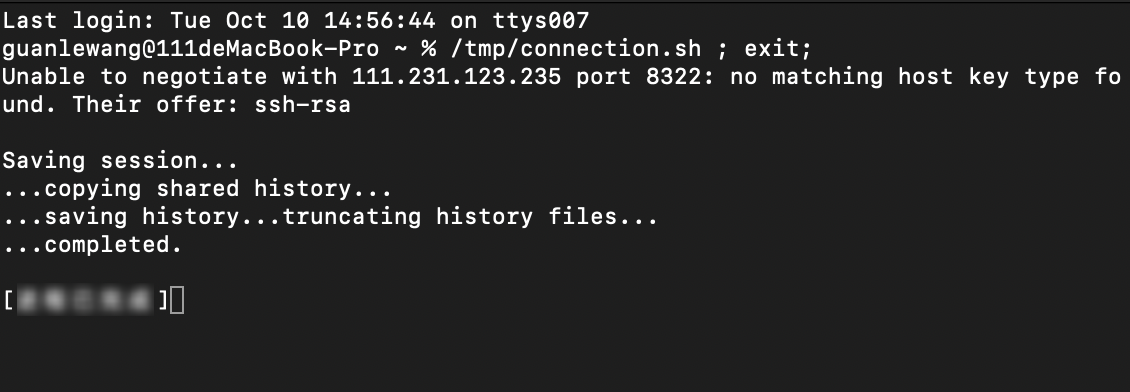
When you log in to a Linux server through a Mac system, the prompt "no matching host key type found" appears.
Possible Causes
Starting from OpenSSH 8.8, the default configuration no longer supports ssh-rsa.
Solutions
Modify the sshd file to add the algorithm.
Directions
1. Execute the following command on your local computer:
sudo vim /etc/ssh/ssh_config
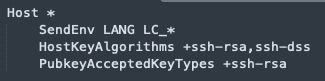
2. Append the following lines at the end of the sshd file (ensure proper indentation):
HostKeyAlgorithms +ssh-rsa,ssh-dssPubkeyAcceptedKeyTypes +ssh-rsa
3. Log in again to the Linux server.
Ajuda e Suporte
Esta página foi útil?
Você também pode entrar em contato com a Equipe de vendas ou Enviar um tíquete em caso de ajuda.
comentários