Step 1: Create a VPN Gateway
Baixar
Modo Foco
Tamanho da Fonte
1. Log in to the VPC console.
2. Click VPN Connections > VPN Gateway in the left directory to enter the admin page.
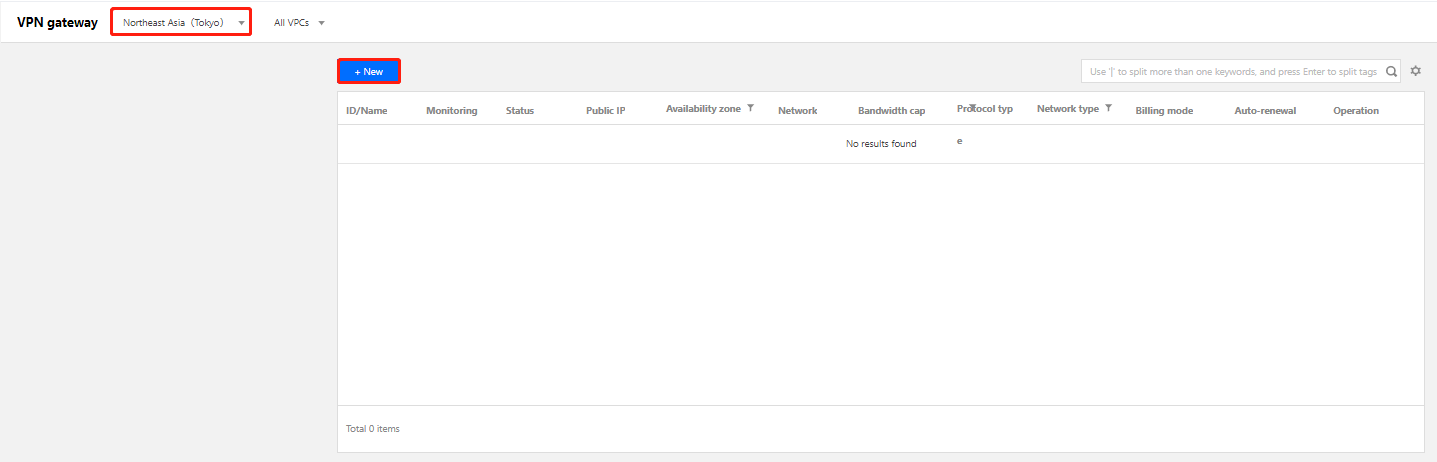
3. Choose a region (Tokyo in this example), and click +New.
Note:
If the +New button is grayed out and “No VPC available” is displayed when the mouse hovers over it, create a VPC as instructed in Creating VPCs before creating the VPN gateway.
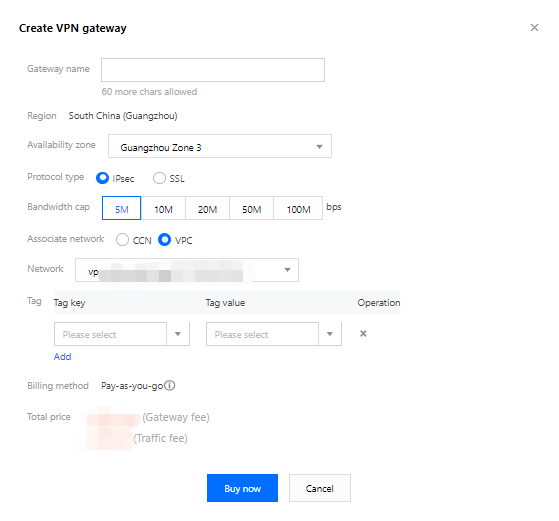
4. In the pop-up dialog box, enter the VPN gateway name (such as VPN1), choose VPC as the associated network, choose VPC1 as the network it belongs to, and select the bandwidth cap and billing method.
Note:
If the VPN gateway uses 200Mbps, 500Mbps, 1,000Mbps, or 3,000Mbps bandwidth, AES128+MD5 is recommended for VPN tunnel encryption.
5. Click Create. After the VPN gateway is created, the system randomly assigns it a public IP address such as
119.29.147.109.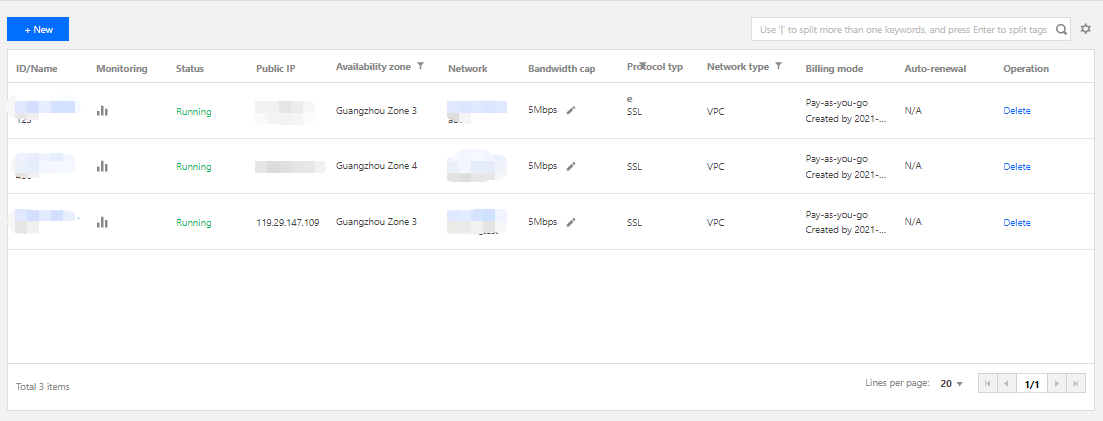
Ajuda e Suporte
Esta página foi útil?
Você também pode entrar em contato com a Equipe de vendas ou Enviar um tíquete em caso de ajuda.
comentários