Configure Alarms
다운로드
포커스 모드
폰트 크기
Configuring CLS Shipping to CKafka Task Alarm
1. Log in to the TCOP console.
2. In the left navigation bar, select Alarm Management > Alarm Configuration > Alarm Policy, and click Create Policy.
3. Configure alarm policy. For detailed configuration instructions, see Creating Alarm Policy.
Enter policy name.
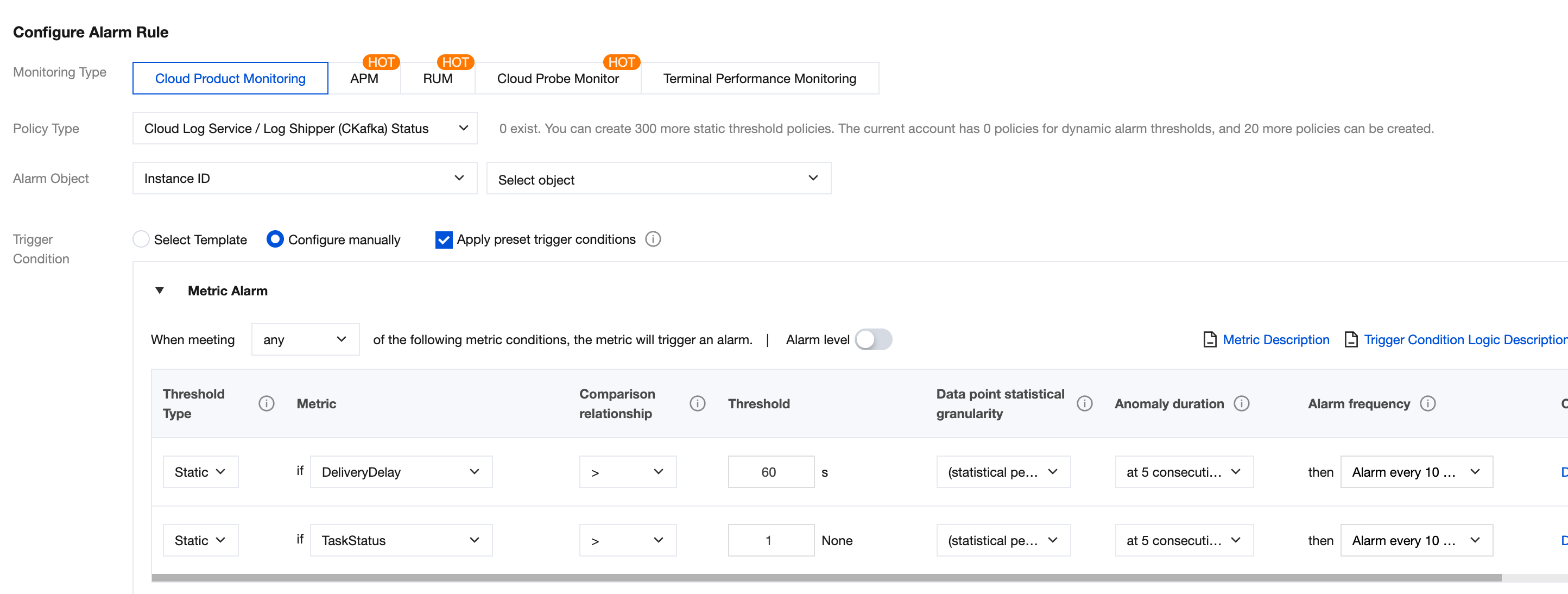
Monitoring Type: Select Cloud Product Monitoring.
Policy Type: Select Cloud Log Service / Log Shipper(CKafka) Status Monitoring.
Alarm Object: Select the log topic shipping to CKafka.
Note:
When the delivery task status equals 1, it means the task is running properly. If exceptions occur in jobs (can be viewed in the delivery task exception record), the exception status code starts from 20001. Therefore, use "delivery task status >1" for monitoring.
Configuring CKafka Instance Alarms
In actual production, CKafka instances reaching full disk capacity is also one of the main reasons for delivery task failure. Hence, we recommend concurrent configuration of alarms for instance disk utilization.
Enter policy name.
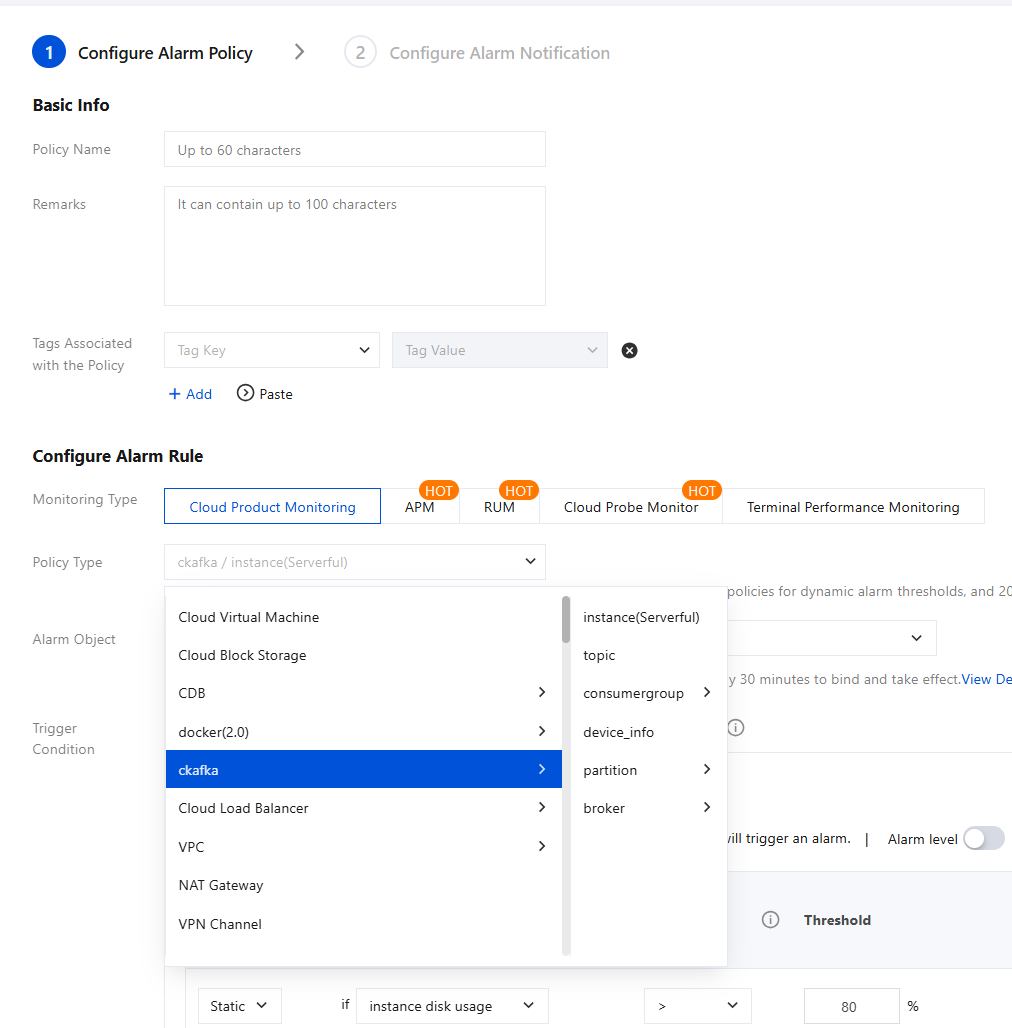
Policy Type Select the CKafka/instance. The form (serverful/serverless) of the instance can be checked in the Instance List under the Basic Info of the instance.
Alarm Object: Select your CKafka instance.
Trigger Condition: The preset trigger condition is shown in figure. You can modify it.
피드백