Configuring Custom SSL Certificates
Download
포커스 모드
폰트 크기
Feature Overview
When a CKafka instance uses the SASL_SSL access method, data transmission between the client and the CKafka instance is encrypted with SSL/TLS. This reduces the risk of data being eavesdropped on, tampered with, or hijacked during network transmission.
CKafka supports integration with Tencent Cloud SSL Certificates. You can configure custom SSL certificates for your instances to meet secure access requirements in scenarios such as public network access, cross-VPC access, financial compliance, and multi-tenant isolation. This document describes how to configure a custom SSL certificate for a CKafka instance and use it for secure connections via SASL_SSL access points.
Typical Scenarios
Public network secure access: When your business needs to access a CKafka instance via a public network, you can use the SASL_SSL access method to encrypt the transmission link.
Cross-VPC or cross-environment access: When your business needs to access a CKafka instance across VPCs, data centers, or clouds, you can use SSL/TLS encryption to reduce link transmission risks.
Highly sensitive data transmission: In scenarios involving highly sensitive data such as finance, log auditing, and transaction flows, you can use SSL/TLS encryption to enhance transmission security.
Enterprise compliance and auditing: Custom certificates can be used to meet internal security policies, auditing, and compliance requirements.
Constraints and Limitations
1. Edition Capabilities
Different kernel versions support different capabilities for custom SSL Certificates, as detailed below:
Kernel Version | Default Certificate | Custom Server Certificate | |
| | One-way Authentication | Two-Way Authentication |
2.4 | Supported | Supported | Not supported |
2.8 | Supported | Supported | Supported |
3.2 | Not supported | Not supported | Not supported |
2. Encryption algorithm of custom certificates.
Currently, only certificates with the following encryption algorithms are supported.
RSA | | ECC | |
2048 | 4096 | prime256v1 | secp384r1 |
3. Domain name verification.
CKafka currently does not support domain name verification for custom certificates. When connecting to an instance using a custom certificate, the client must disable domain name verification.
4. Certificate Hosting and Purchase
Before using a custom SSL Certificate, complete certificate hosting or purchase in the Tencent Cloud SSL Certificates console.
Configuration Process
Step 1: Preparing an SSL Certificate
CKafka supports loading certificates hosted in Tencent Cloud SSL Certificates. First, complete self-signed certificate hosting or purchase a certificate in the Tencent Cloud SSL Certificates console. For detailed steps, see SSL Certificates Quick Start.
Step 2: Configuring a Custom SSL Certificate
After clicking an instance to go to its details page, click the SSL Management page on the left. You can set up a custom certificate on the current page. For detailed steps, see Setting Up a Custom Certificate.
Step 3: Enabling an SASL_SSL Access Point
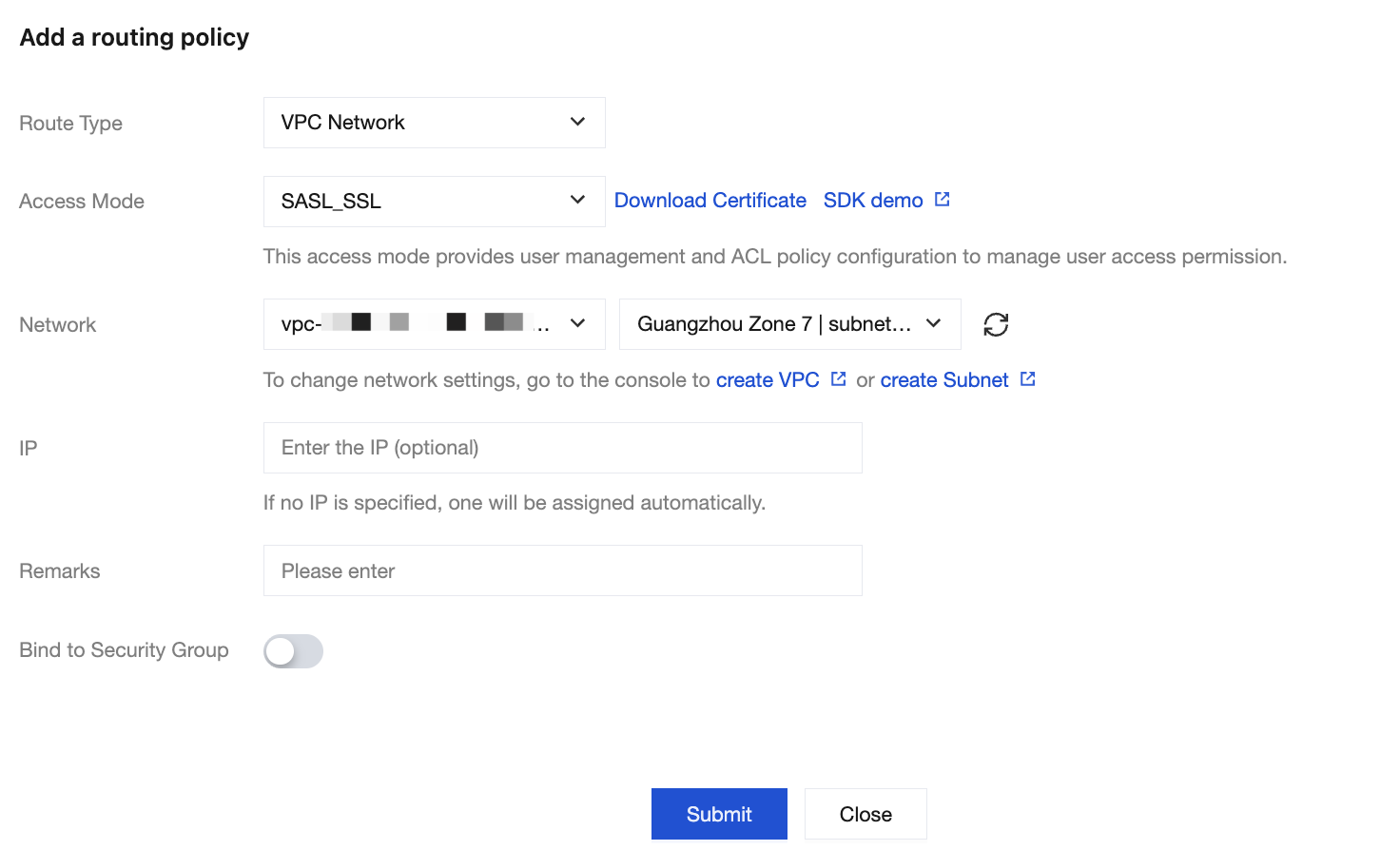
When adding a VPC or public network routing policy, select SASL_SSL as the access method. For detailed steps, see Configuring VPC and Configuring Public Network Access.
Step 4: Using a Client to Send and Receive Messages
Update the client connection configuration based on the authentication mode enabled for the instance. This includes information such as the access address, username, password, certificate file, and truststore. After the client is configured, you can produce and consume messages through the SASL_SSL access point.
Must-Knows
Changing custom SSL Certificates may affect client connections. Perform the operation during off-peak hours and verify the client certificate configuration in advance.
If the client does not disable domain name verification, the connection may fail due to a mismatch between the certificate domain name and the access domain name.
Certificate expiration may prevent clients from establishing SSL connections. Monitor the certificate validity period promptly.
피드백