Binding function to layer
다운로드
포커스 모드
폰트 크기
This document describes how to bind a layer in the Serverless console.
Directions
1. Log in to the Serverless console and select Function Service on the left sidebar to enter the Function Service list page.
2. Select the function ID for layer management to enter the function management page.
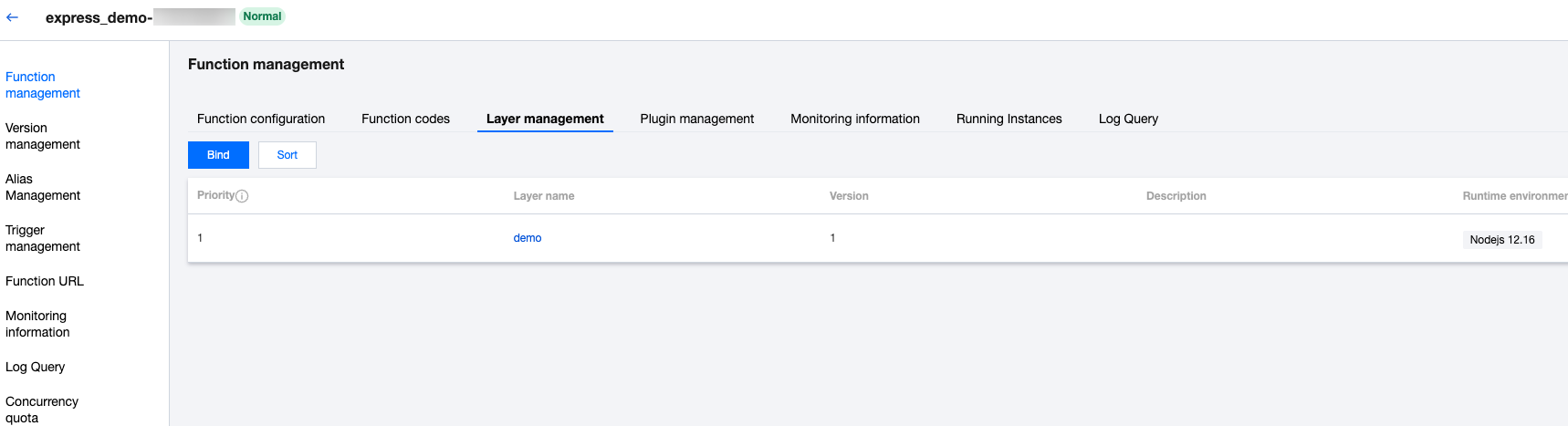
3. Select the Layer Management tab and click Bind as shown below:
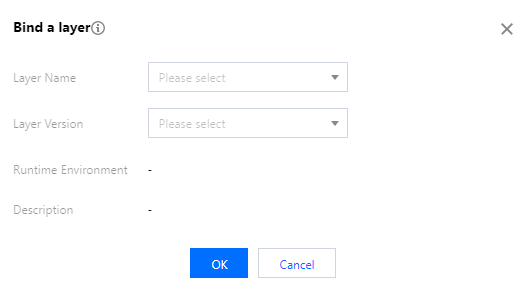
4. In the Bind Layer window that pops up, select the corresponding Layer Name and Layer Version as shown below:
5. Click OK.
피드백