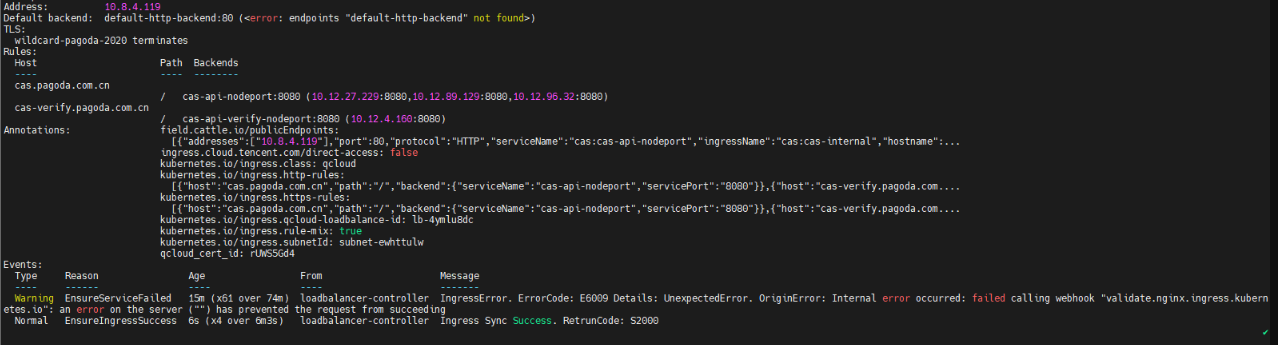
Error E6009 was reported when I created a CLB Ingress.
Possible Causes
ingress-nginx (Nginx Ingress community edition) versions earlier than v1.0.0 don't support validating webhook callbacks for resources of the networking.k8s.io/v1 type. You need to remove v1 resource validation from validation CRDs.
Solutions
You can solve this problem in the following ways:
Option 1. Cancel v1 resource validation
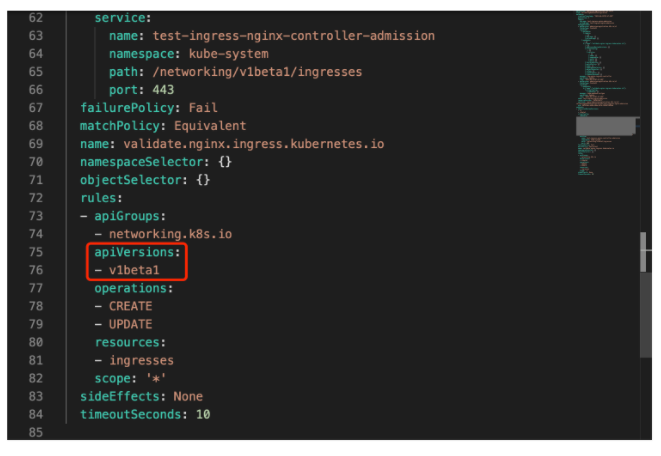
Change the apiVersions field in webhooks.rules of resources of the validatingwebhookconfigurations type to v1beta1.
1. Log in to the TKE console and select the region of your cluster.
2. On the Cluster Management page, click the name of the target cluster to enter its details page.
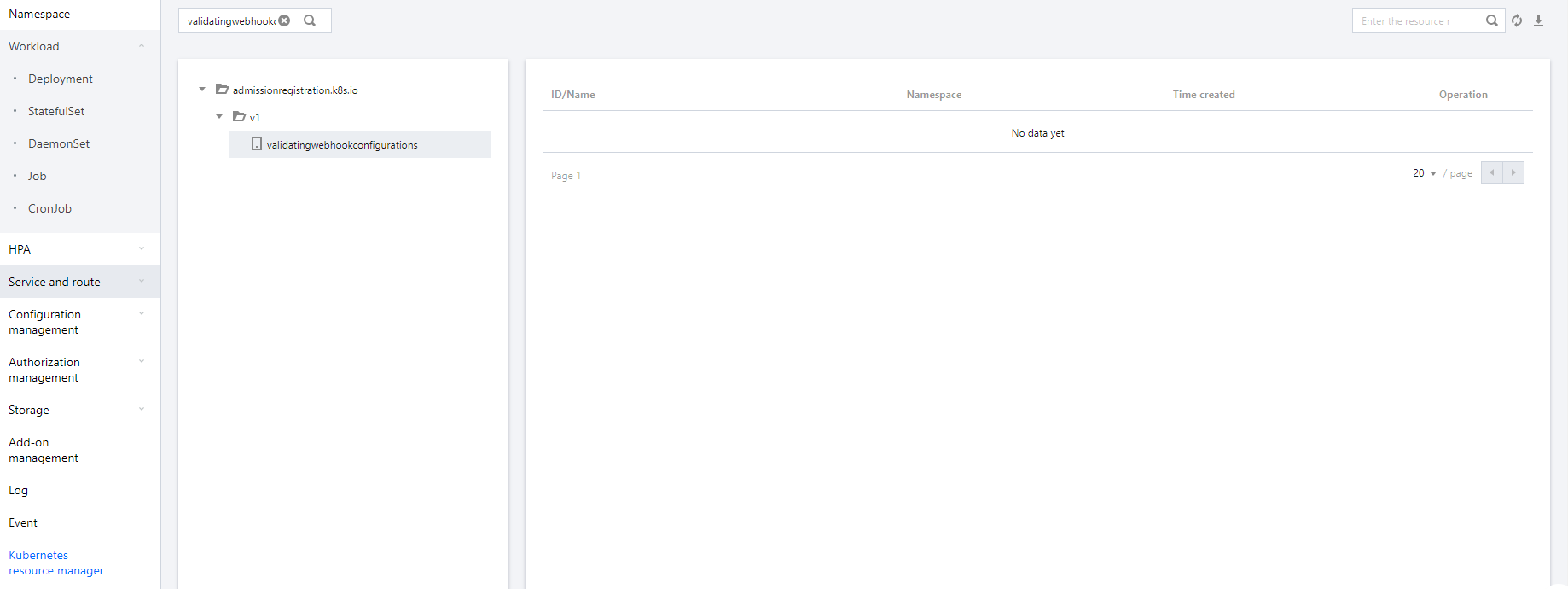
3. Select Kubernetes resource manager on the left sidebar and search for validatingwebhookconfigurations on the Resource Type page.
4. Select validatingwebhookconfigurations from the search results and click Edit YAML on the right of the resource object list to check whether the apiVersions field in webhooks.rules of each resource object is v1beta1.
5. Upgrade the add-on. The above steps solve the resource validation problem of an existing Nginx Ingress instance. To avoid similar problems with new instances, you need to upgrade the Nginx Ingress add-on as follows:
5.1 On the cluster details page, select Add-On Management on the left sidebar.
5.2 Click Upgrade on the right of Nginx Ingress to upgrade it to v1.1.0.
Option 2. Cancel resource validation
1. Log in to the TKE console and select the region of your cluster.
2. On the Cluster Management page, click the name of the target cluster to enter its details page.
3. Select Kubernetes resource manager on the left sidebar and search for validatingwebhookconfigurations on the Resource Type page.
4. Select validatingwebhookconfigurations from the search results and click Delete on the right of the resource object list.
5. Upgrade the add-on. The above steps solve the resource validation problem of an existing Nginx Ingress instance. To avoid similar problems with new instances, you need to upgrade the Nginx Ingress add-on as follows:
5.1 On the cluster details page, select Add-On Management on the left sidebar.
5.2 Click Upgrade on the right of Nginx Ingress to upgrade it to v1.1.0.