Disabling the Database Proxy
다운로드
포커스 모드
폰트 크기
This document describes how to disable the database proxy for an instance in the TencentDB for PostgreSQL console.
Note:
Before disabling the database proxy, confirm that your client does not access the database through the database proxy address. After the database proxy is disabled, all proxy nodes and VIP addresses will be released and cannot be recovered.
Prerequisites
Operation Steps
1. Log in to the TencentDB for PostgreSQL console.
2. Locate the target instance in the instance list, click the Instance ID, and go to the instance management page.
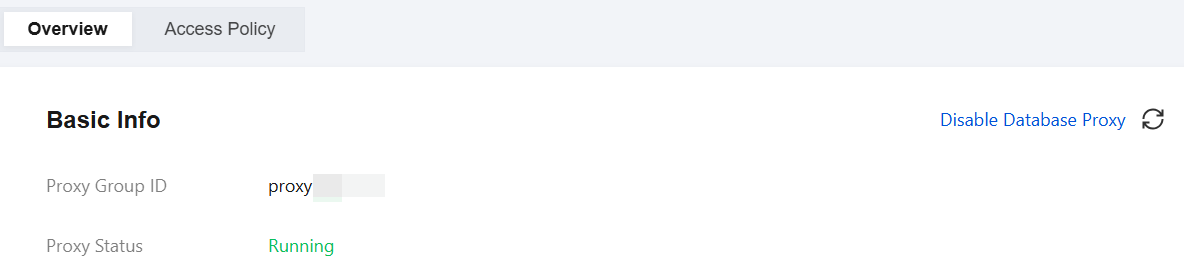
3. On the instance management page, select the Database Proxy tab. Under the Overview tab, click Disable Database Proxy.
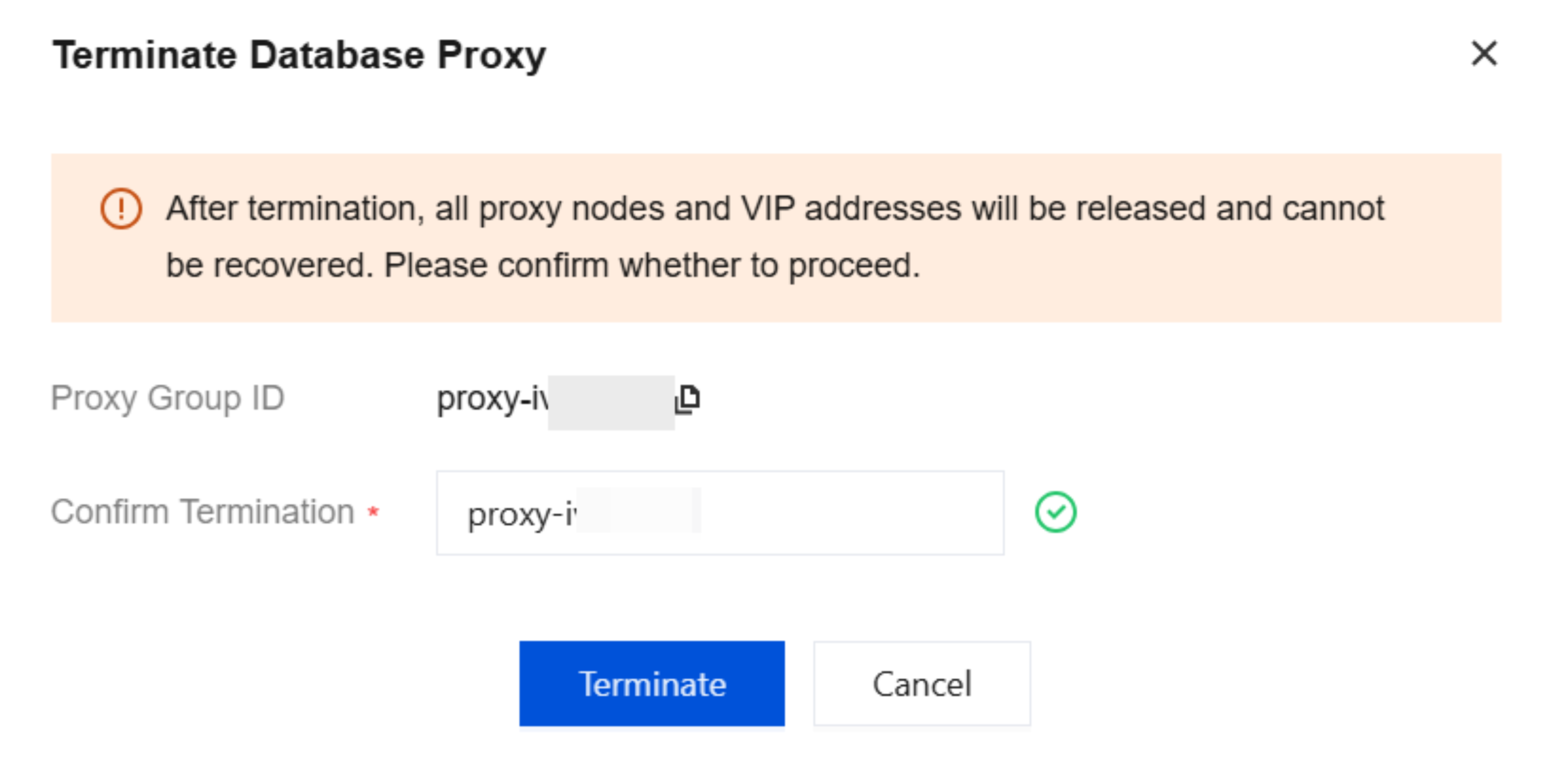
4. In the dialog box that appears, enter the proxy group ID. After confirming that the information is correct, click Terminate to terminate it.
피드백