Editing Tag
다운로드
포커스 모드
폰트 크기
You can edit resource tags by the following steps.
Editing the Tag of a Single Instance
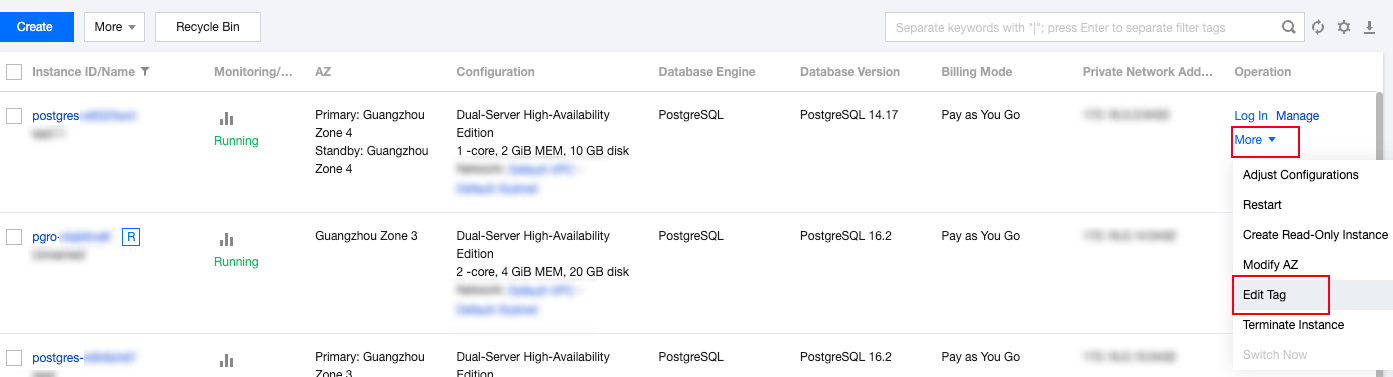
1. Log in to the TencentDB for PostgreSQL Console, locate the desired instance in the instance list, and click More > Edit Tag in the Operation column.
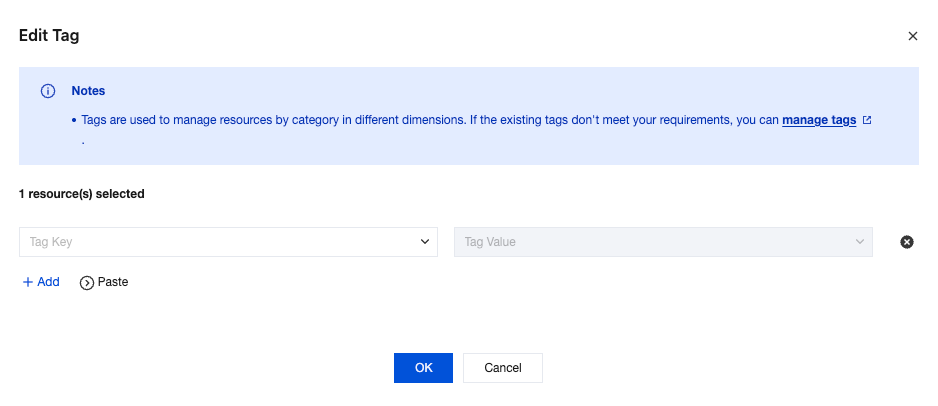
2. In the pop-up dialog box, add, modify, or delete a tag, and click OK.
Editing the Tags of Multiple Instances
1. Log in to the TencentDB for PostgreSQL Console, select desired instances in the instance list, and click More > Edit Tag at the top.

2. In the pop-up dialog box, add, modify, or delete tags, and click OK.
피드백