Logging out from All Devices
Download
聚焦模式
字号
Scenarios
If your account login behavior is uncontrollable and you suspect a current login security risk, you can deactivate all logins, including the currently logged-in session.
Note
Before performing the operation to be taken offline, it is advisable to go to the Security Setting webpage to replace the account password.
Operation Steps
1. Log in to the Tencent Cloud console and enter the security settings page.
2. In the Login Status Management section, click Sign out all login sessions.
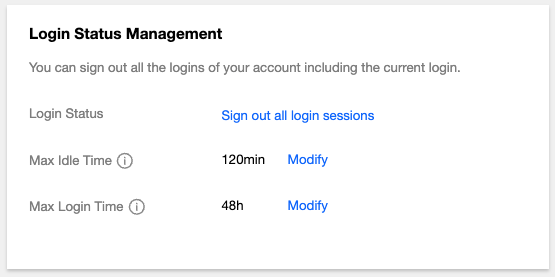
3. In the pop-up identity verification window, complete the authentication process according to the prompts.
Note:
If the current authentication method is unavailable, you can click to use the alternative verification method to verify identity.
If there is no alternative verification method, contact us or submit a ticket to obtain support.
4. In the pop-up dialog box, click Deactivate Now.
文档反馈