Environment management supports the users in creating different environment variable groups, where each variable group can contain different environment variables. During performance testing, environment variables can be used in performance testing scripts.
Environment Management
PTS supports creation, read, update, and deletion operations for environment configuration.
Environment Creation
Log in to the TCOP console, select PTS > Environment Management in the left navigation bar, click Create Environment , create the environment and variables, and save the settings.
Environment Editing
Log in to the TCOP console, select PTS > Environment Management in the left navigation bar, select the ID of the target environment, click
to edit the existing environment.
Environment Deletion
Log in to the TCOP console, select PTS > Environment Management in the left navigation bar, choose the target environment ID, and click Delete. You will be prompted with the associated testing scenarios. Then click OK in the pop-up window to delete.
How to Use
After creating the environments and variables, you can reference them in simple test scenarios and JavaScript scripts.
Script Mode
1. Log in to the TCOP console, select PTS > Test Scenarios in the left navigation bar, and click Create Scenario.
2. Select Script Mode.
3. Perform performance testing configuration in the testing scenarios. For configuration details, see Stress Configuration .
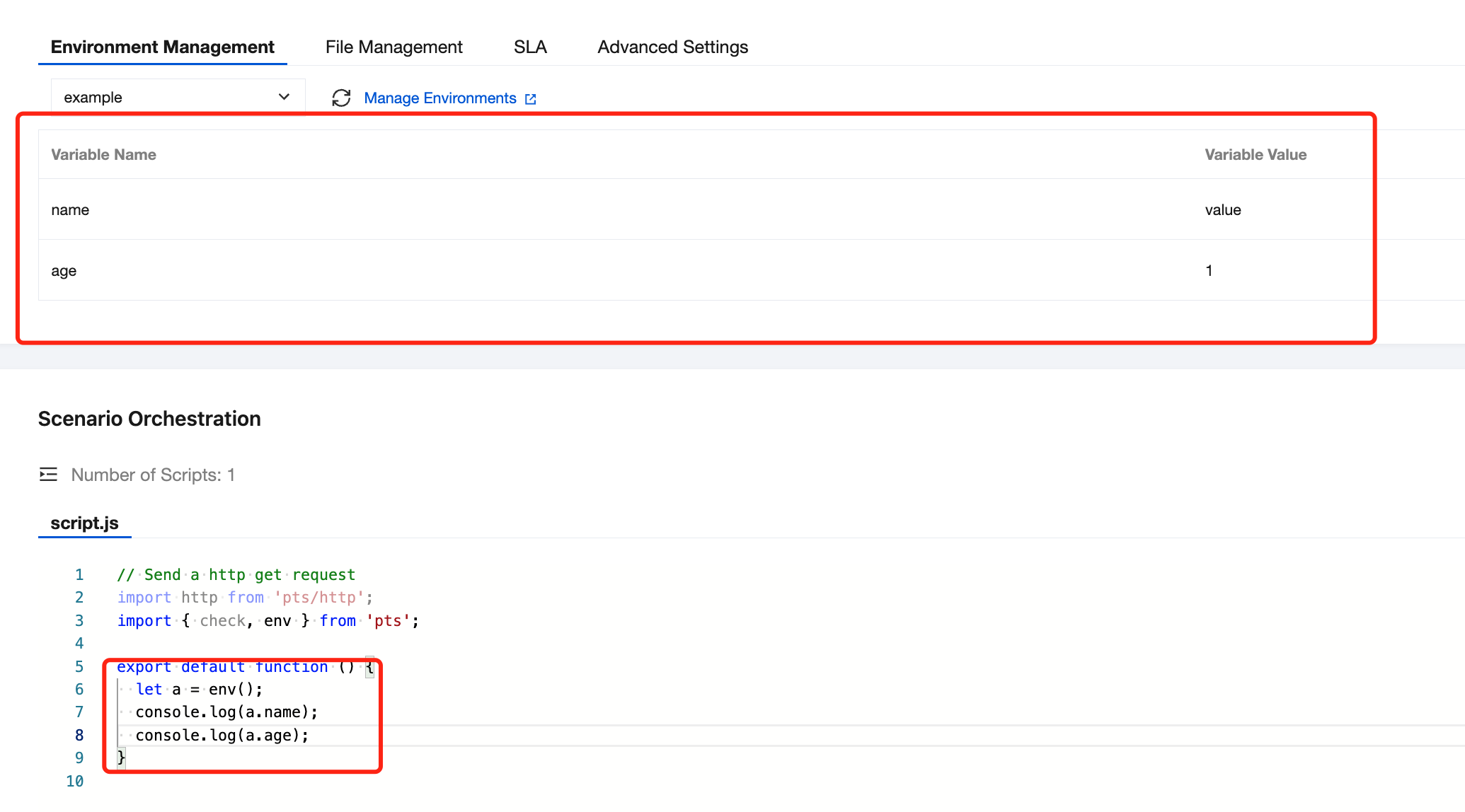
4. Click Environment Management to manage specific environments, then use the env function in the script.
import{env}from'pts'
let a =env()
console.log(a.name)
console.log(a.age)
Simple Mode
1. Log in to the TCOP console, select PTS > Test Scenarios in the left navigation bar, and click Create Scenario.
2. Select Simple Mode.
3. Perform performance testing configuration in the testing scenarios. For configuration details, see Stress Configuration .
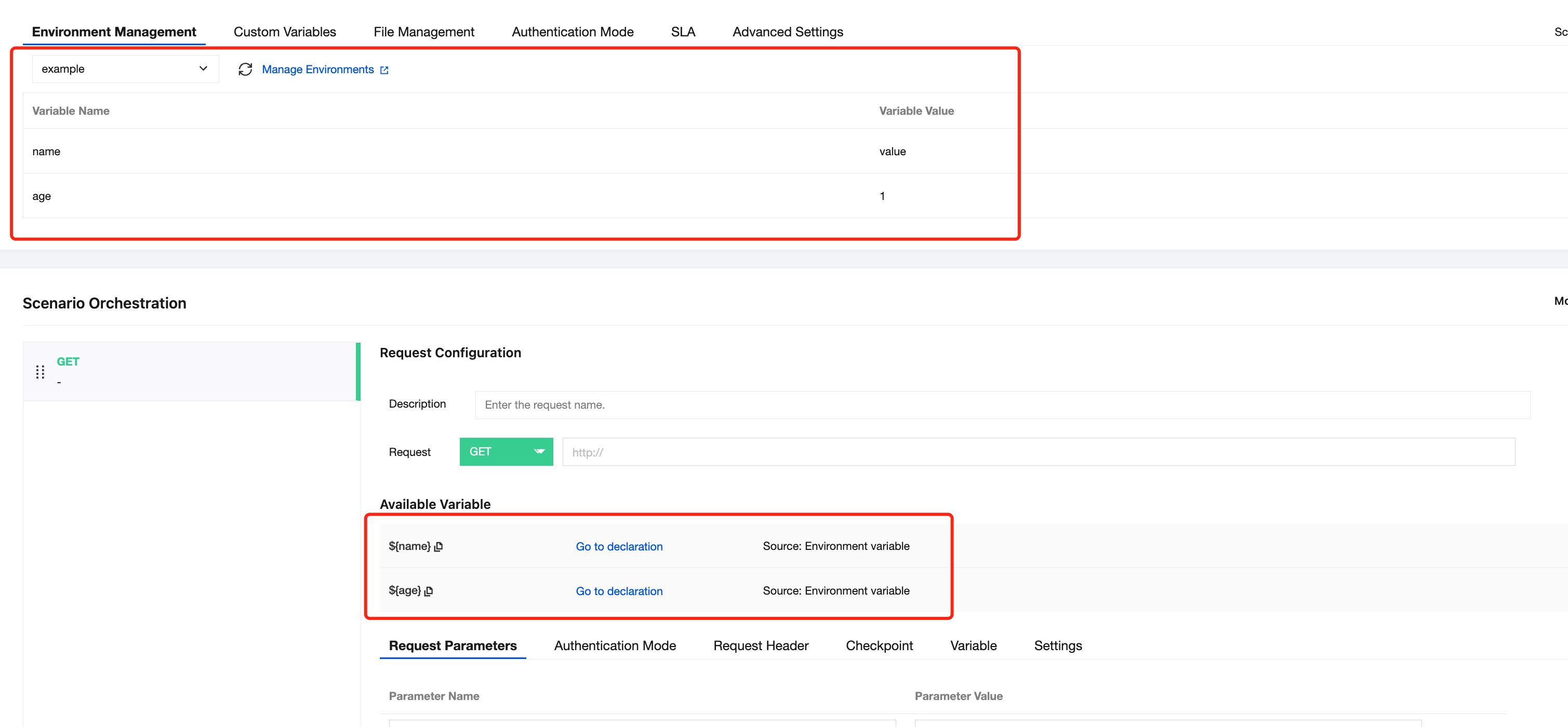
4. Click Environment Management to manage specific environments. In Simple Mode, variable references will be automatically generated and can be used directly.