This example shows you how to configure an alarm. Assume you want to send an alarm via SMS to the number 12345678888 when the CPU utilization of CVM instance ins-12345678 (in Guangzhou region) exceeds 80% for two consecutive 5-minute periods.
2. In the left sidebar, click Alarm Configuration -> Alarm Policy.
3. Click Add and configure the following items.
4. Configure the policy name and other items.
Policy Name: CPU alarm
Policy Type: Cloud Virtual Machine
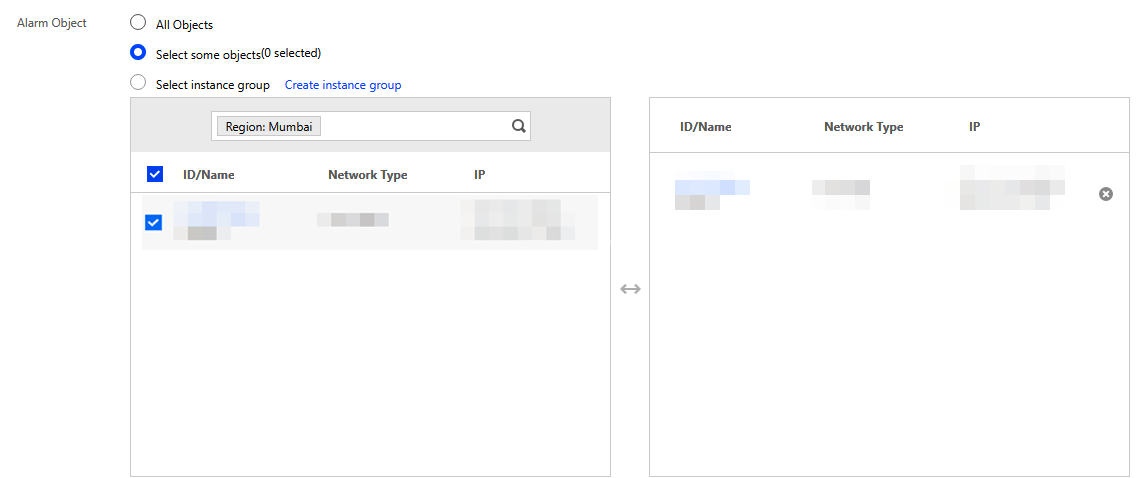
5. Configure the alarm object. In the “Alarm Object” module, choose “Select some objects” and select the CVM instance.
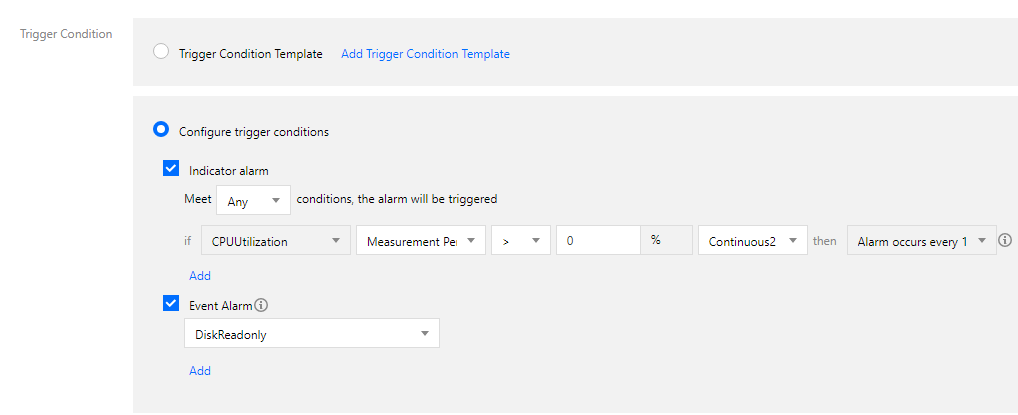
6. Configure the trigger condition. In the “Trigger Conditions” module, configure the following conditions.
Select “Configure trigger conditions”
Select “Indicator alarm”: CPU Utilization->80%5 minutes2 periods
Alarm repetition period: 15 minutes
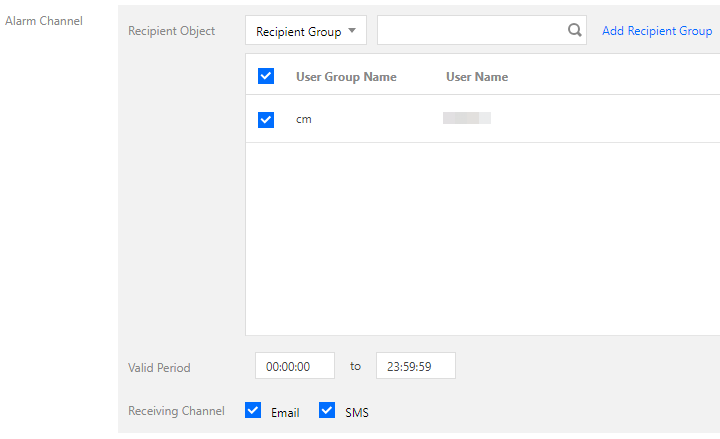
7. Configure the alarm channel. Add an alarm recipient group (click Add Recipient Group to create one if you have not already done so).
8. Click Complete to complete the alarm configuration.
9. If the CPU utilization of the instance exceeds 80% for two consecutive 5-minute periods, the number 12345678888 will receive an alarm via SMS from Tencent Cloud.