Message enhancement rules are a server-side configurable feature of MQTT. By setting rules, you can dynamically attach MQTT 5.0 properties to messages during publication based on configured conditions. You can flexibly configure and manage these rules through the console or TencentCloud API.
A message enhancement rule logically consists of two parts:
Conditions: The conditions that trigger the rule. For example, the message topic matches test/topic.
Actions: The operations to perform when conditions are met. For example, adding Message Expiry Interval = 30 to the message.
Restrictions and Limitations
Each cluster supports a maximum of 10 message enhancement rules. If you need a higher quota, contact us.
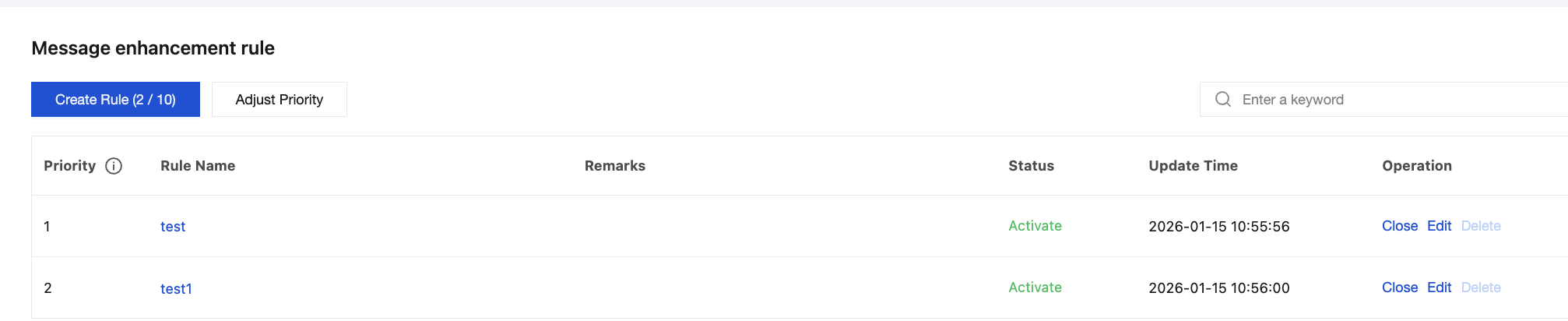
Rules have priority settings, where a smaller priority value indicates a higher priority. The server executes rules in the order listed on the message enhancement rule page. Higher-priority rules override the actions of lower-priority rules. If rule configurations conflict, the rule with the higher priority takes precedence.
If the field content exceeds the length or size limit after variable substitution, the server automatically truncates the excess portion.
Configuring Message Enhancement Rules
Creating Rules
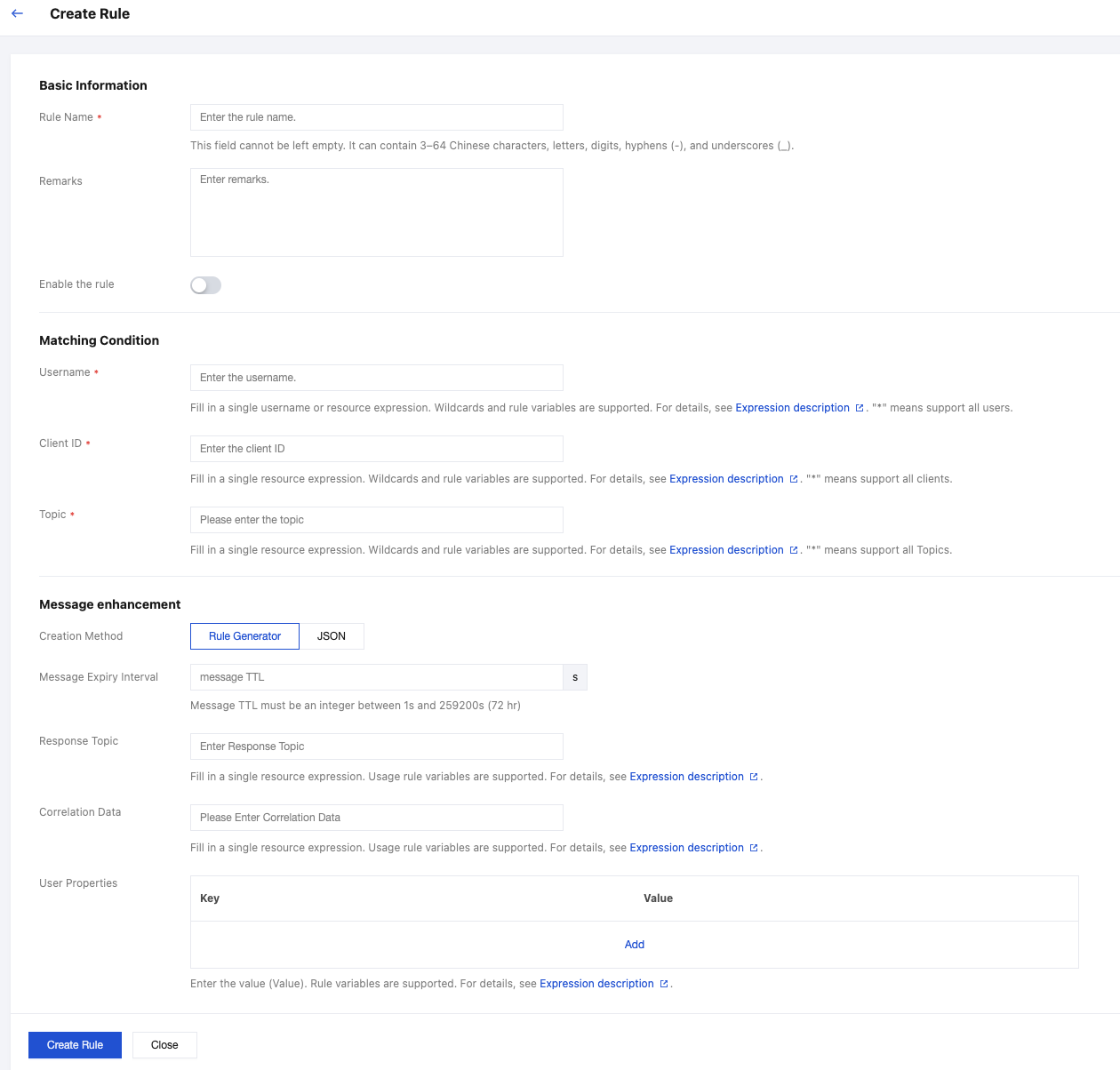
1. Log in to the TDMQ for MQTT console, and go to Cluster > Message Enhancement Rule. Click Create Rule in the upper-left corner to configure a message enhancement rule.
2. Configure the basic rule information, matching conditions, and enhancement rule settings as needed. For details about each field, see Field Descriptions below. After completing the configuration, click Create Rule. If the Enable Rule toggle in the basic information section is turned on during creation, the rule takes effect within 1 minute. If not enabled during creation, you can enable it on the list page after the rule is created.
3. Once created, rules can be viewed and managed on the list page. Rules in the Active state cannot be deleted.
Rule Priority
1. Click Adjust Priority to modify the execution order of rules. The server executes rules in the current list order. If rule configurations conflict, the rule with the higher priority takes precedence.
2. Drag the
icon in front of each rule to adjust the order.
Field Descriptions
Display Name
API Parameter
Description
Required
Example Value
Rule Name
RuleName
Set the rule name. It must comply with the naming rules: 3–64 characters, supporting Chinese characters, letters, numbers, hyphens (-), and underscores (_).
Yes
"rule001"
Description
Remark
Enter the rule description. It cannot exceed 128 characters.
No
"Set expiration time"
Username
username
Enter a single username or a single resource expression. Wildcards and rule variables are supported. Use * to match all usernames.
Yes
"user*"
Client ID
clientId
Enter a single resource expression. Wildcards and rule variables are supported. Use * to match all clients.
Yes
"sensor*"
Topic
topic
Enter a single resource expression. Wildcards and rule variables are supported. Use * to match all topics.
Yes
"home/room1/*"
Message Expiry Interval
messageExpiryInterval
Set the message expiration time in seconds. The value must be a positive integer ranging from 1 to 259200 seconds (up to 72 hours). The value 0 is not allowed.
No
3600 (indicating expiration after 1 hour)
Response Topic
responseTopic
Specify the response topic. It must be a valid UTF-8 string with a maximum length of 256 characters. Wildcard characters + and # are not allowed. Rule variable substitution is supported.
No
"client/response/123"
Correlation Data
correlationData
The data field used to correlate requests and responses. It must be a valid UTF-8 string with a total size not exceeding 8 KB. Rule variable substitution is supported.
No
"request-20251031"
User Properties
userProperty
Custom user property list. Values must be valid UTF-8 strings. Each property (key-value pair) must not exceed 8 KB in total size, with a maximum of 10 user properties. Rule variable substitution is supported.
The username parameter supports the following wildcards:
Wildcard
Semantics
?
Any single character.
*
Any number of characters.
client ID
The clientId parameter supports the following wildcards:
Wildcard
Semantics
?
Any single character.
*
Any number of characters.
Topic
The topic parameter supports the following wildcards:
Wildcard
Semantics
+
Consistent with the MQTT protocol topic filter wildcard.
#
Consistent with the MQTT protocol topic filter wildcard.
?
Any single character.
*
Any number of characters.
Variable Substitution
Usage Method
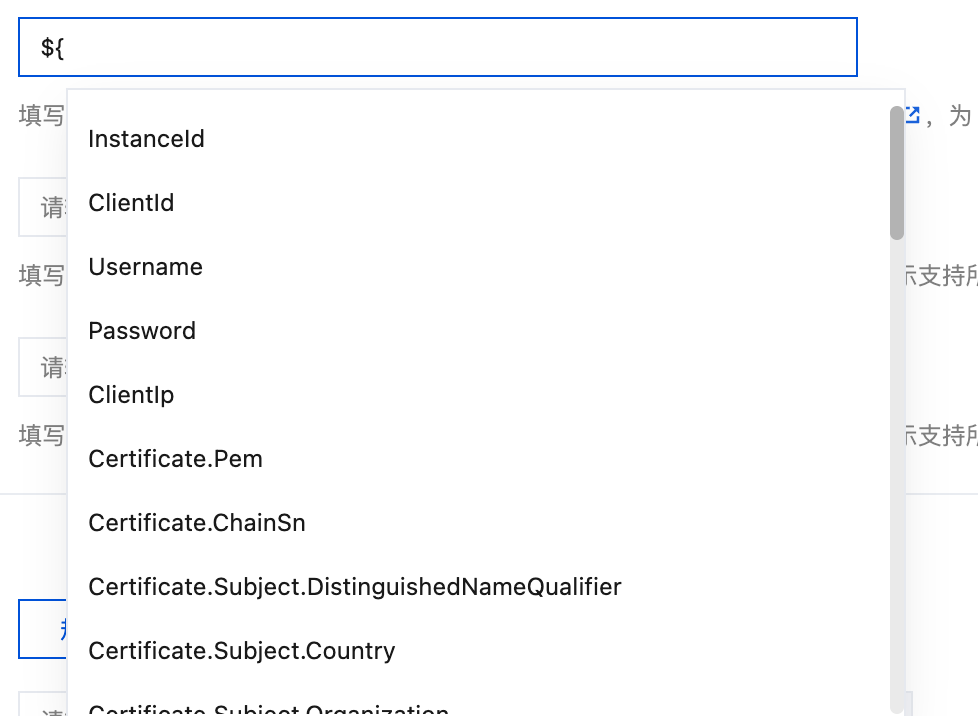
Enter ${ in the input field to automatically display the default list of rule variables.
Supported Parameters
The following parameters support rule variable substitution:
topic
clientId
username
responseTopic
correlationData
userProperty
Note:
During rule execution, ${Variable} is dynamically replaced with the corresponding actual value. If the variable does not exist, it is replaced with an empty string. Verify the variable validity before use.