During the use of MQTT, it may involve accessing other cloud product resources (Virtual Private Cloud (VPC), Cloud Virtual Machine (CVM), and so on) of the user, such as viewing information of the availability zone (AZ) where the user subnet resides. Therefore, you need to use the root account to grant a sub-account appropriate call permissions for other cloud products based on actual needs.
Prerequisites
A sub-account has been created for an employee using the Tencent Cloud root account. For detailed operations, see Creating a Sub-account. Operation Steps
Creating a Custom Access Policy for Other Cloud Products
2. In the left sidebar, select Policy and click Create Custom Policy. In the pop-up window for selecting a policy creation method, select Create by Policy Syntax to go to the Create by Policy Syntax page.
3. On the Create by policy syntax page, select Blank Template and click Next.
4. Referring to the call interface table and policy syntax below, you can grant the sub-account appropriate call permissions for other cloud products based on actual needs, generate a custom policy, and click Complete after filling in all information.
During the use of MQTT, calls to the following cloud products are involved. The root account needs to grant the sub-account separate authorization to ensure MQTT feature usage. In the custom policy, calls to cloud products involved in MQTT are as follows:
|
CVM | DescribeZones | Query AZs | Viewing the AZ of the subnet when creating a cluster |
VPC | DescribeVpcs | Query a VPC List | Selecting the VPC to which the instance access address belongs when creating a cluster |
VPC | DescribeSubnets | Query a VPC List | Selecting the subnet to which the instance access address belongs when creating a cluster |
Tencent Cloud Observability Platform (TCOP) (Monitor) | GetMonitorData | Pull metric monitoring data | Viewing monitoring data in MQTT |
TCOP (Monitor) | DescribeBaseMetrics | Pull a metrics monitoring list | Viewing a MQTT monitoring list |
TCOP (Monitor) | DescribeDashboardMetrics | Pull metric monitoring dimensions | Viewing monitoring dimensions in MQTT |
TCOP (Monitor) | DescribeMonitorProductByIds | Pull monitoring configuration | Querying a monitoring product list by ID |
TCOP (Monitor) | DescribeOneClickAlarmConfigs | Query one-click alarm configuration | Querying one-click alarm configuration |
Tags | DescribeResourceTagsByResourceIds | Query tags | Viewing tags of the cluster |
Policy Syntax Example:
{
"version": "2.0",
"statement": [
{
"effect": "allow",
"action": [
"cvm:DescribeZones",
"vpc:DescribeVpcs",
"vpc:DescribeSubnets",
"monitor:GetMonitorData",
"monitor:DescribeBaseMetrics",
"monitor:DescribeDashboardMetrics",
"monitor:DescribeMonitorProductByIds",
"monitor:DescribeOneClickAlarmConfigs",
"tag:DescribeResourceTagsByResourceIds",
],
"resource": [
"*"
]
}
]
}
Associating the Custom Policy with the Sub-account
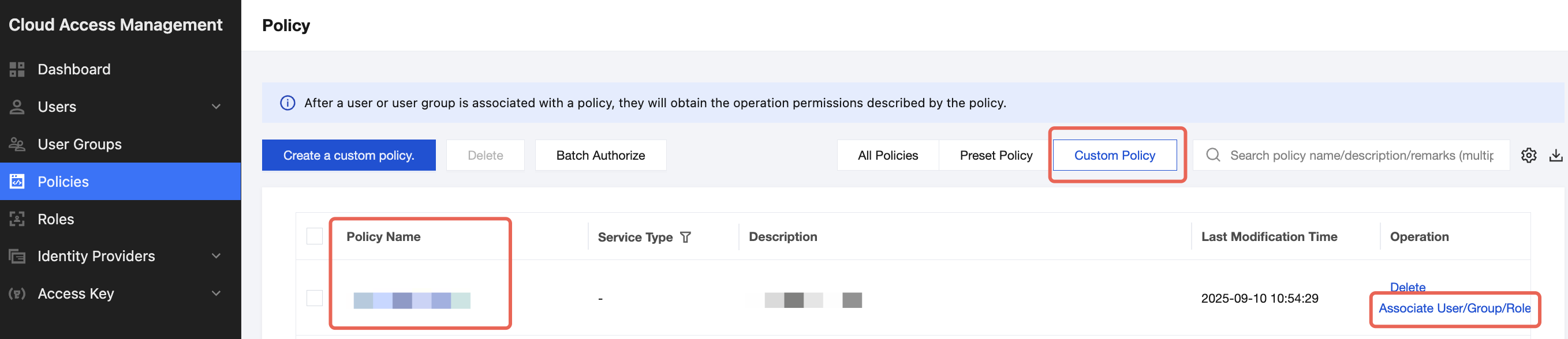
1. On the policy management list page, click Custom Policy for filtering, find the created custom policy, and click Associate User/Group/Role in the Actions column.
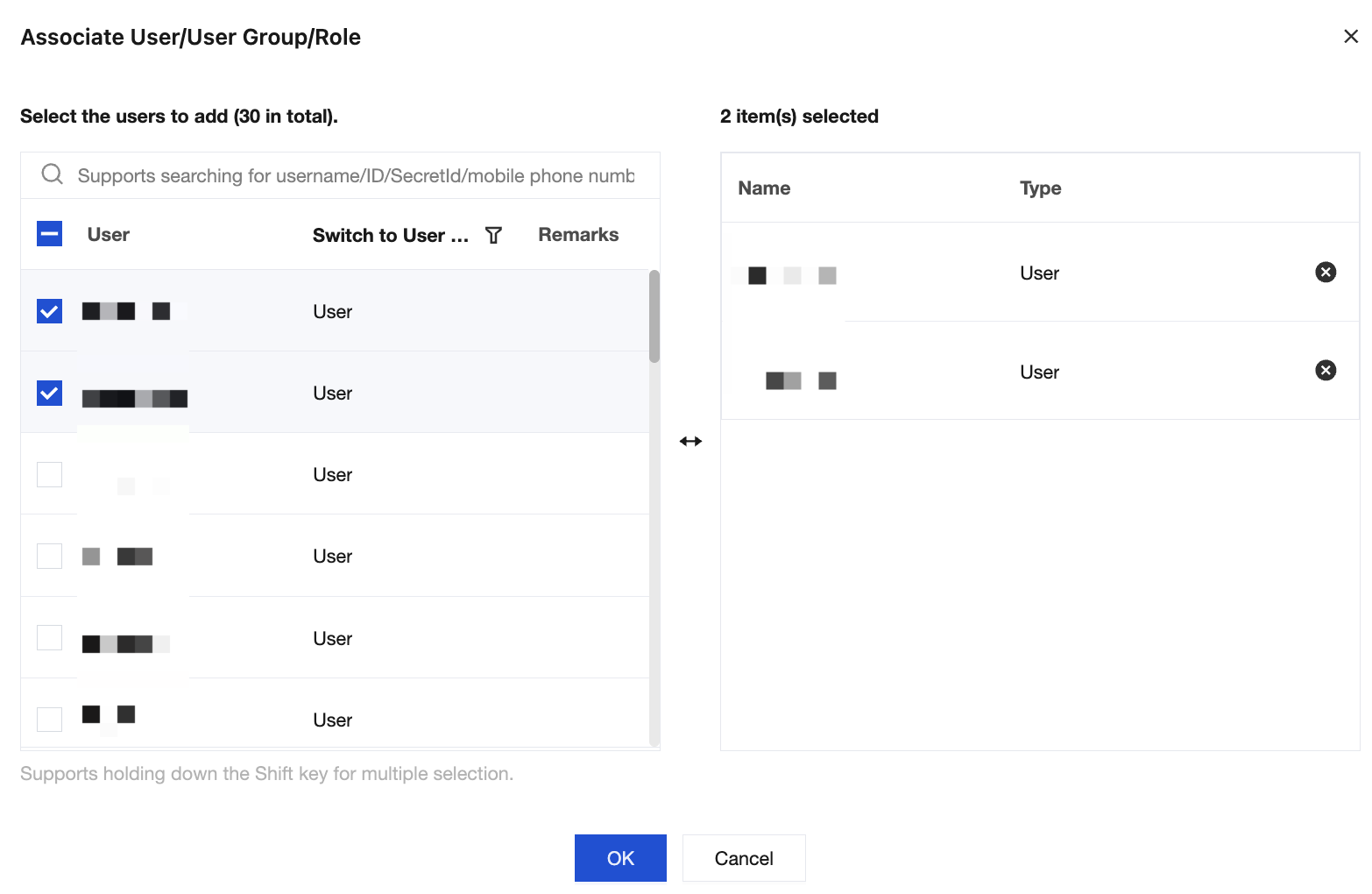
2. Select the sub-account to grant the permission, and click OK to complete authorization.
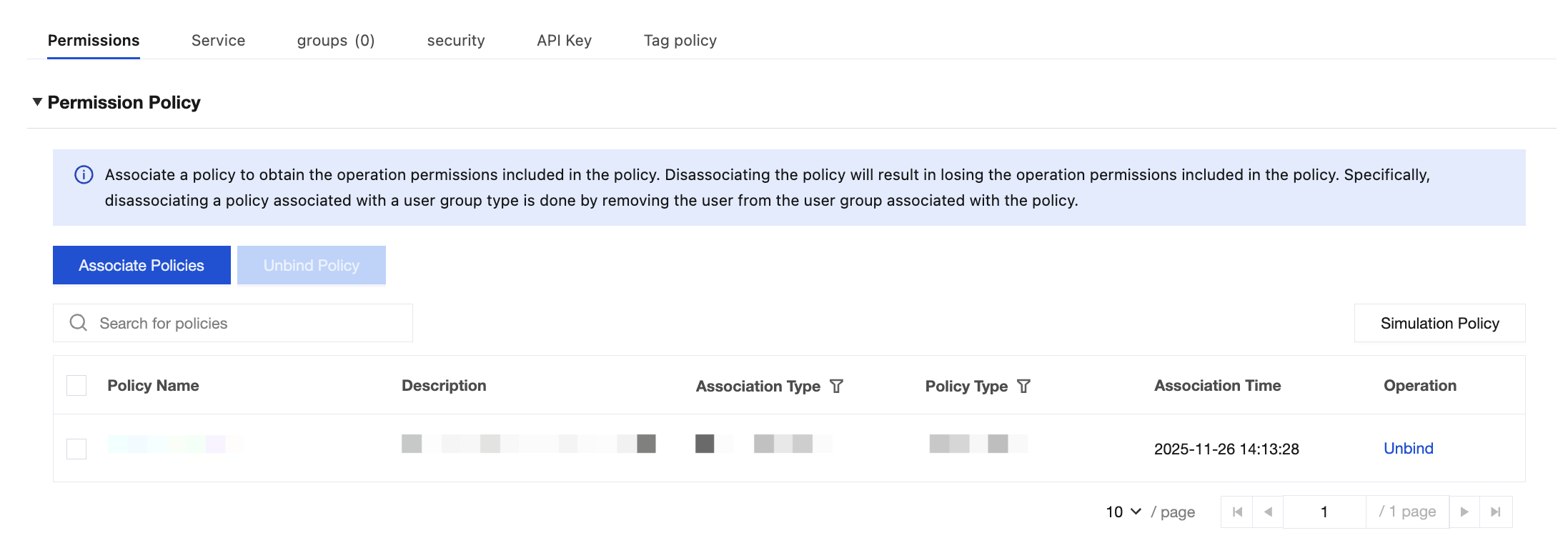
3. On the user list page, click the sub-account name to go to the user details page. The policy will appear in the user's policy list.