Running Logs
The running log interface supports viewing task running logs from the past 1 hour, 24 hours, and the past 7 days.
The real-time operation interface supports navigating from the task record list, click task name > running logs , to enter the running log interface.
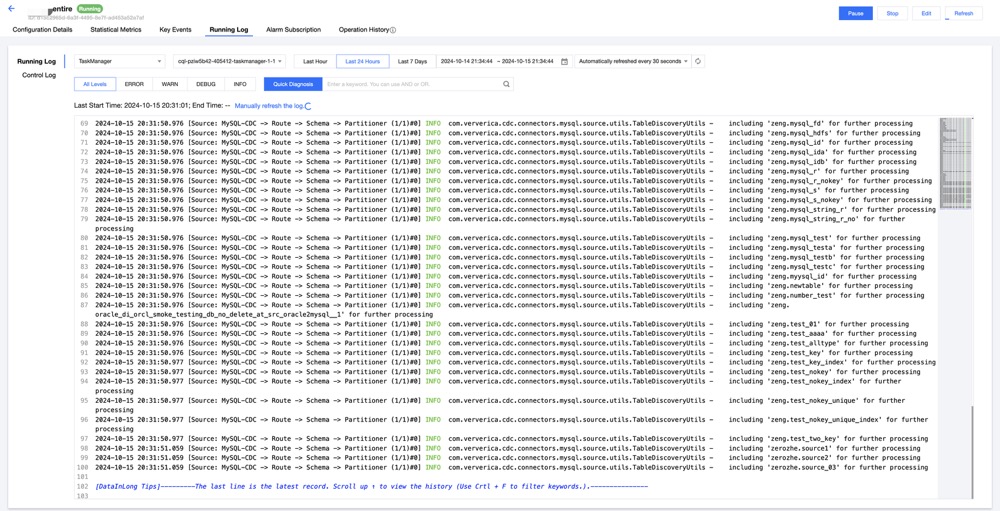
Parameters | Description |
JobManager/Task Manager | Supports switching between Jobmanager and TasManager instance information to view different instance logs. |
Time period | Supports filtering and retrieving log content by time, with quick click options for the past hour, day, and the past 7 days of logs. |
Refresh frequency | Supports setting the log refresh frequency. |
Log Level | All levels: Displays logs of all levels. ERROR: Displays only ERROR level logs. WARNG: Displays only WARNG level logs. DEBUG: Displays only DEBUG level logs. INFO: Displays only INFO level logs. |
Quick Diagnosis | Can quickly add commonly used problem keywords. 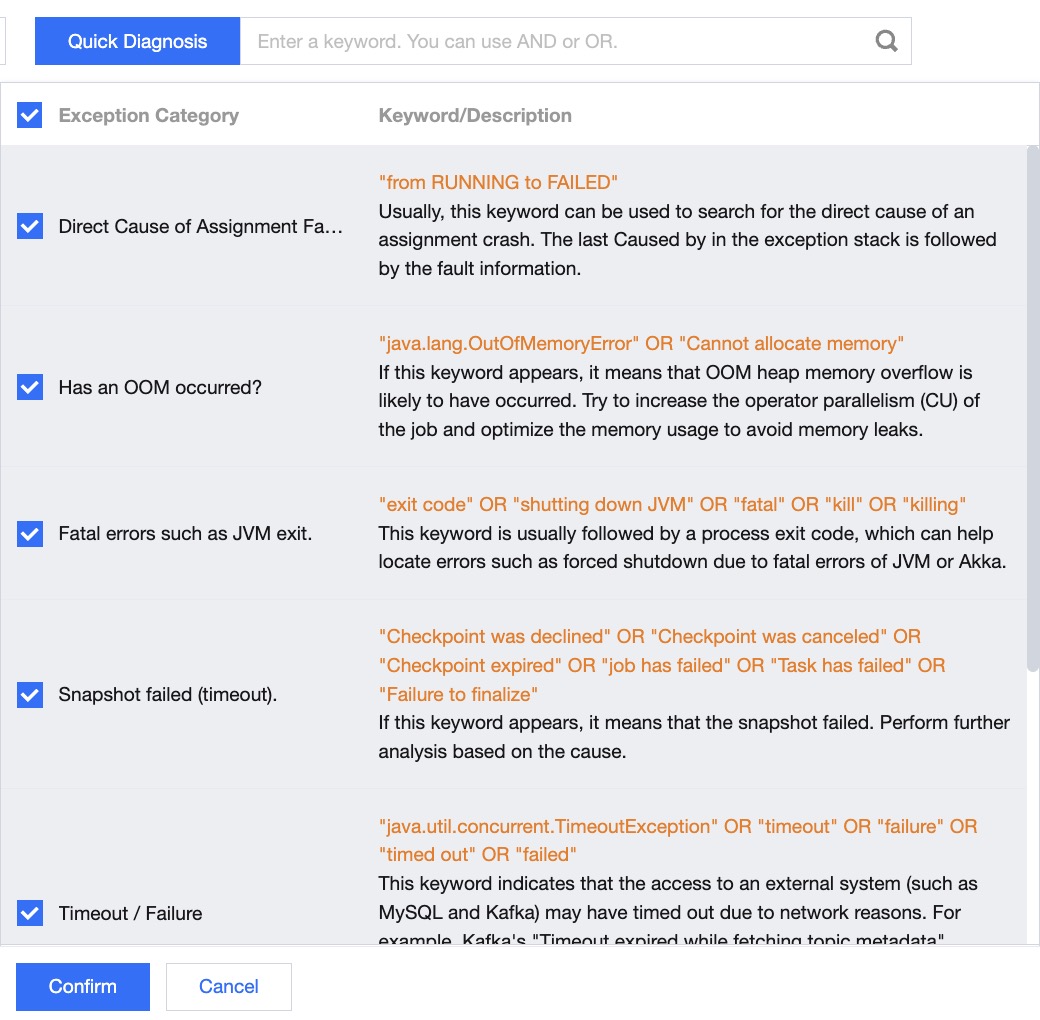 |
Keyword | User-Defined search keywords, supporting AND OR keyword concatenation. |
Log | Displays log content based on the selected time and level. |
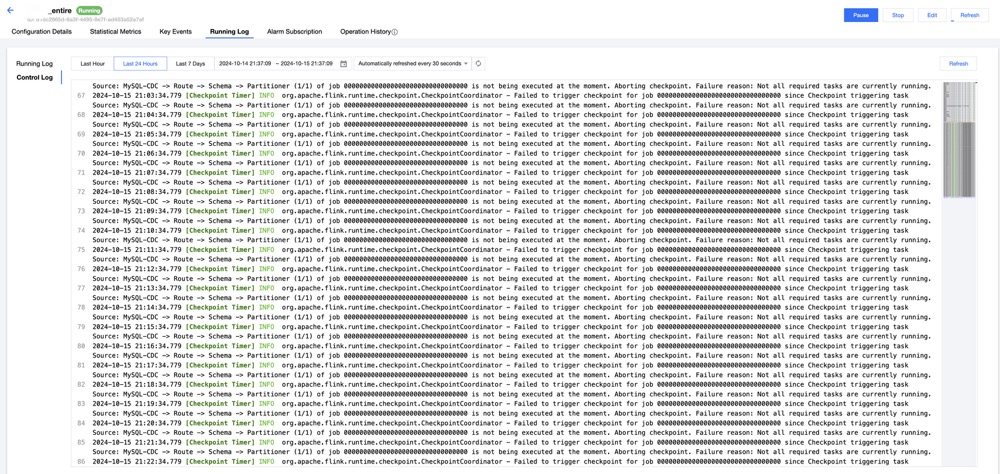
Parameters | Description |
Time | Supports filtering and retrieving log content by time, with quick click options for the past hour, day, and the past 7 days of logs |
Refresh frequency | Supports setting the log refresh frequency |
Log | Displays log content based on the selected time and level |
피드백