This document describes how to enable the camera. If your business needs to play back video from a camera, you can use the SDK to enable the camera feature.
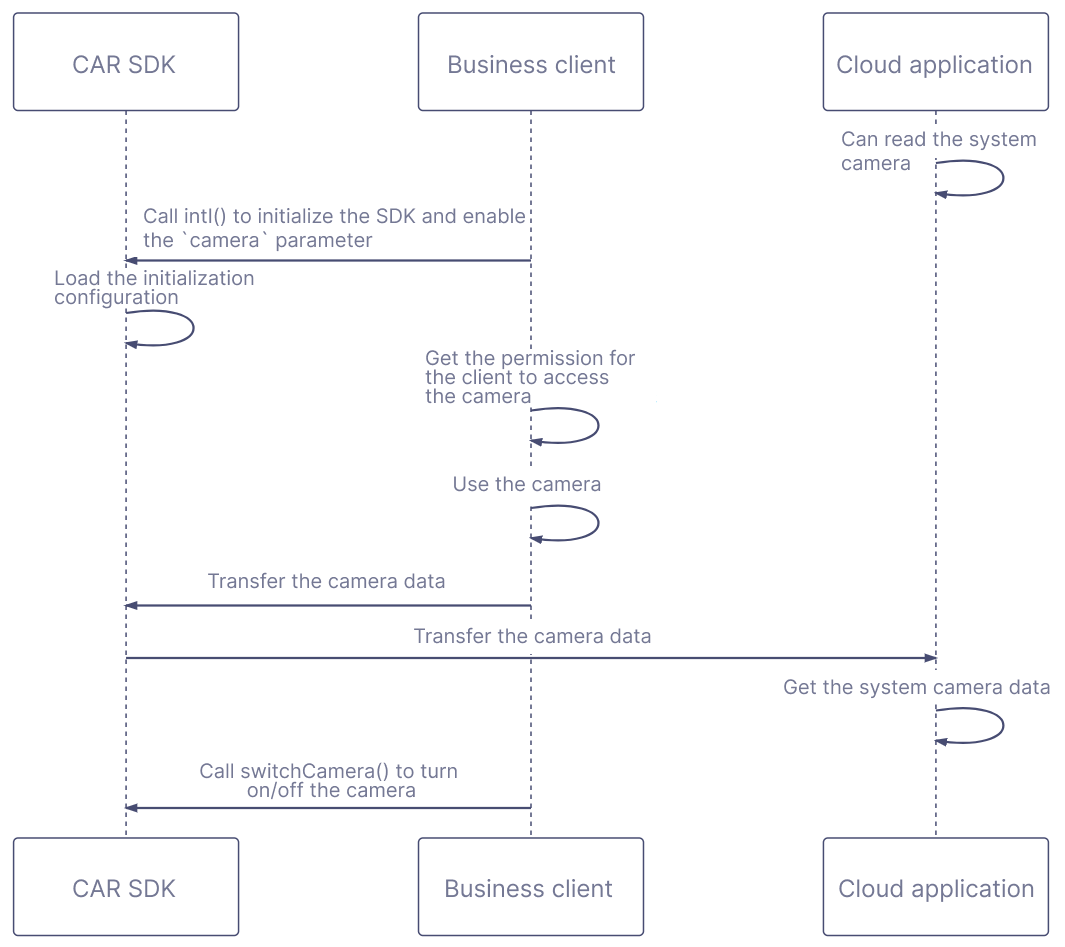
Sequence diagram
Directions
1. The cloud application can capture the video image of the system camera.
2. The business client calls the TCGSDK.init() API and sets the camera parameter to true to complete initialization.
3. The business client must be granted the permission to access the camera.
Note:
Taking a browser as an example, the system first needs to enable the camera permission of the browser. The browser then needs to enable the camera permission of the accessed page, so that the business client can enable the camera permission.
4. When the business client uses the camera, the data will be transferred to the cloud application through the SDK.
5. If the camera needs to be turned on/off during the connection, the business client can call TCGSDK.switchCamera() to do this.