Overview
If some or all pages or features of your website can be accessed only after login, we recommend you set a cookie to simulate website login for comprehensive vulnerability scan. Currently, VSS can simulate login by setting a cookie with the value of successful login, and the backend will periodically bring the set cookie to access the website, so as to ensure that the cookie won't expire.
Directions
Settings of simulated website login
1. Log in to the VSS console and click Asset Management on the left sidebar to enter the asset management page. 2. On the asset management page, click Website and find the asset for which to simulate a login.
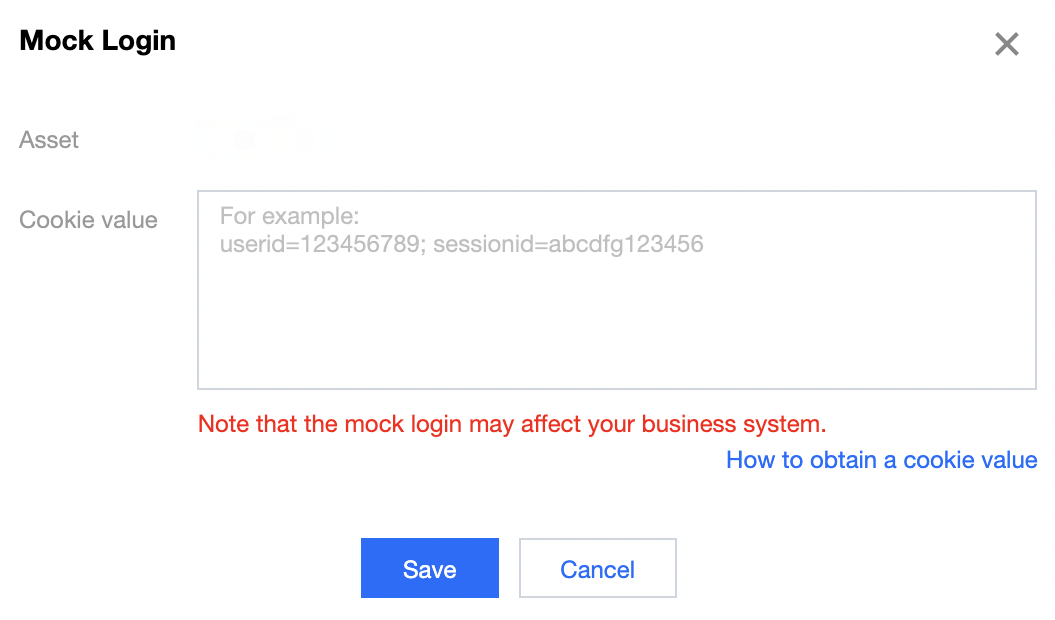
3. Click Set in the Simulated Login column of the target asset, and the Simulated Login window will pop up.
5. The simulated website login is successfully set.
1. Log in to your website in Chrome, access a page that requires login, and press F12 or right-click on the page and select Inspect.
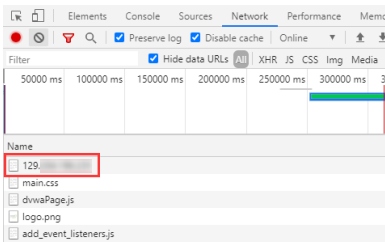
2. Select Network > All in DevTools that appears and refresh the page.
3. Click the first network request.
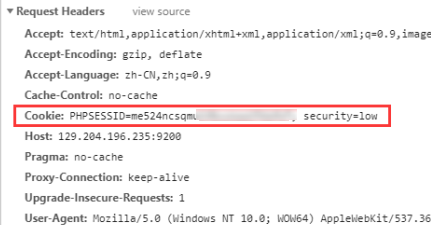
4. Find the Cookie item in Headers and copy the cookie value.