Activating HTTPDNS
다운로드
포커스 모드
폰트 크기
Overview
This document describes how to activate HTTPDNS.
Directions
Activating HTTPDNS
1. Log in to the HTTPDNS console.
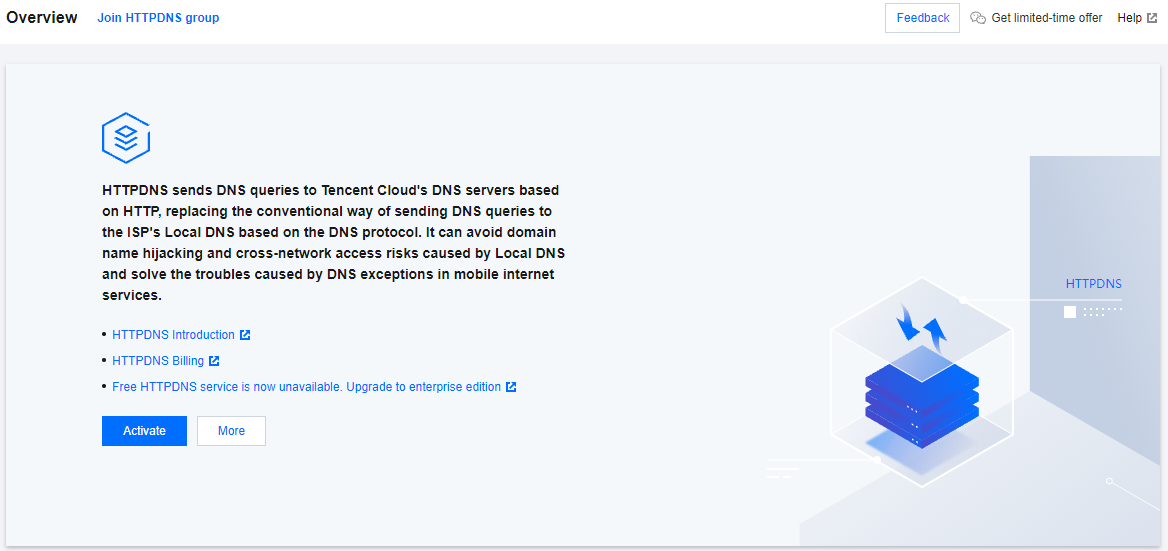
2. On the Overview page, click Activate.
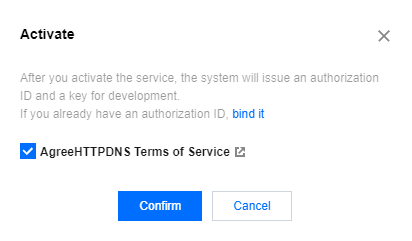
3. In the Activate pop-up window, indicate your agreement to HTTPDNS Terms of Service and click Confirm.
Note:
After activating the service, you will be assigned the authorization ID and key information, which can be viewed in the HTTPDNS console.
피드백