Setting High-Level Permissions for Database Instance Accounts
Download
포커스 모드
폰트 크기
This document introduces how to set high-level permissions for database instance accounts.
Setting via the Console
Tencent Cloud MySQL Console
1. Log in to the MySQL console. In the instance list, click the instance ID or click Manage in the Operation column to go to the instance management page.
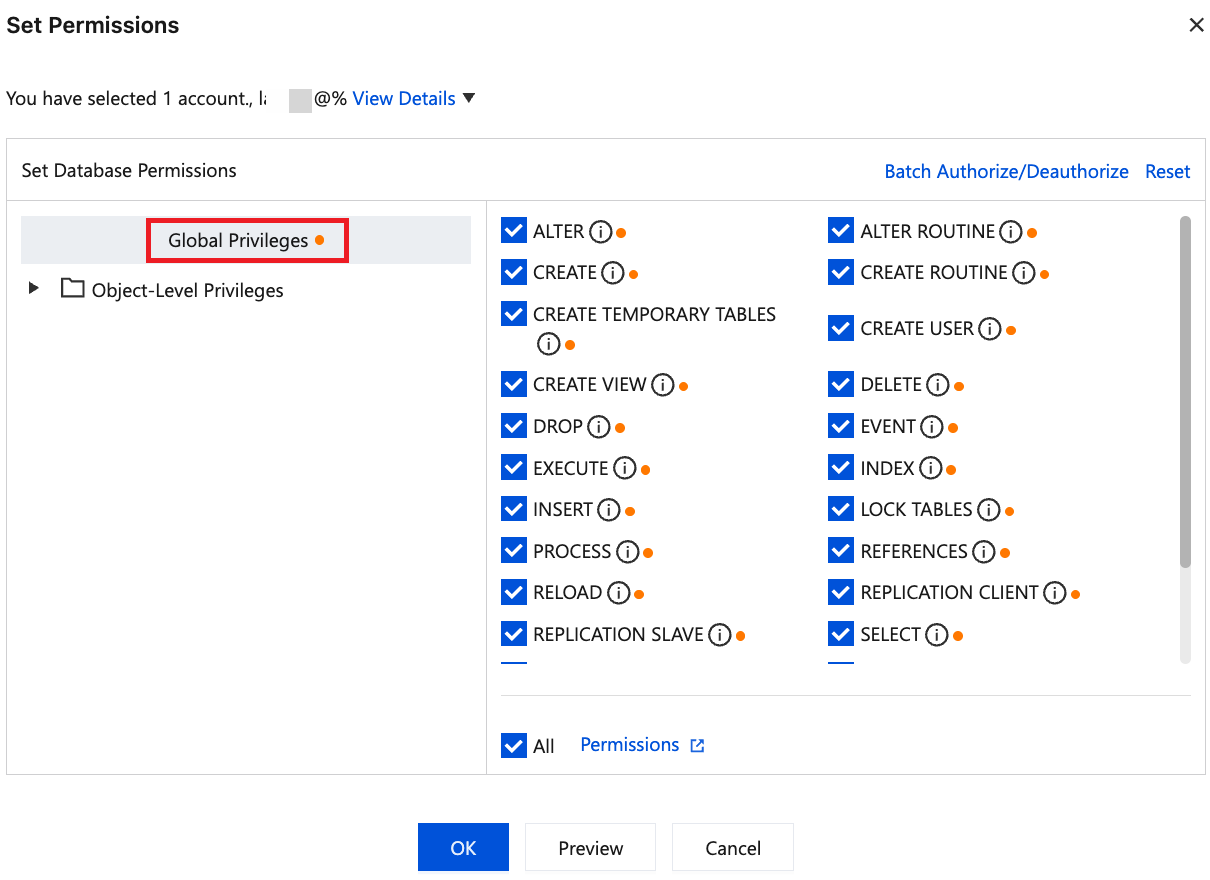
2. On the instance management page, select Database Management > Account Management, locate the account for which permissions need to be modified, and click Modify Permissions.

3. In the pop-up set permissions dialog box, select all operation permissions under global privileges. Global privileges grant the account full access to all databases under the instance. Click OK to apply the changes.
Tencent Cloud TDSQL-C for MySQL Console
1. Log in to the TDSQL-C for MySQL console.
2. Select a region at the top of the page based on your actual console view mode and perform corresponding operations.
Click the target cluster in the cluster list on the left to enter the cluster management page.

Find the target cluster in the left-side cluster list and click Cluster ID or click Manage in the Operation column to go to the cluster management page.

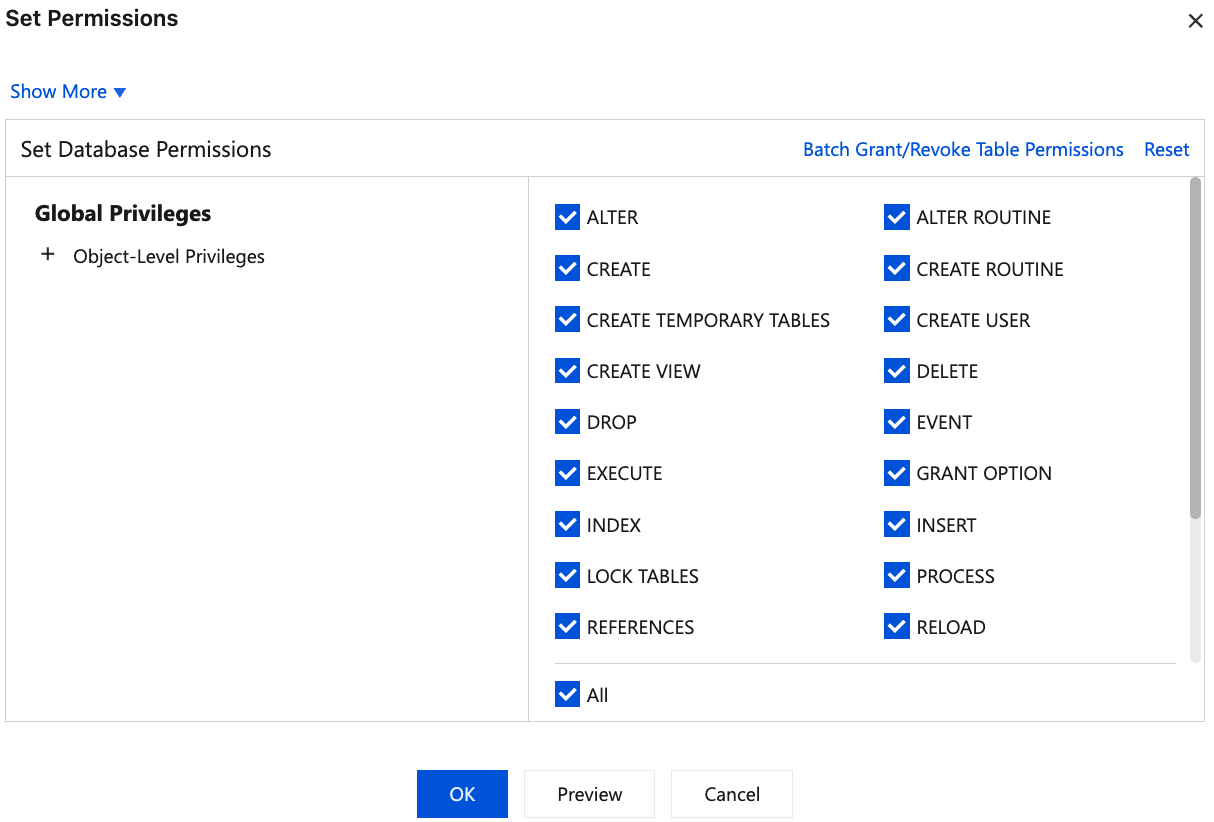
3. On the cluster management page, select the Account Management tab and click Modify Permissions in the Operation column.

4. In the pop-up dialog box, select all operation permissions under global privileges. Global privileges grant the account full access to all databases under the instance. Click OK to apply the changes.
Setting via the GRANT Statement
1. Log in to the database using the root user account or an account with sufficient permissions.
mysql -u root -p
2. You should create a database user if the user has not been created yet.
CREATEUSER'username'@'%'IDENTIFIEDBY'password';
'username': Username.
'%': Allow connections from any host. If you want to restrict access to a specific IP address or hostname, replace
% with the actual IP address or hostname.'Password': User password.
3. Grant high permissions to the user.
GRANTALTER, ALTER ROUTINE, CREATE, CREATE ROUTINE, CREATE TEMPORARY TABLES, CREATE USER, CREATE VIEW, DELETE, DROP, EVENT, EXECUTE, INDEX, INSERT, LOCK TABLES, PROCESS, REFERENCES, RELOAD, REPLICATION CLIENT, REPLICATION SLAVE, SELECT, SHOW DATABASES, SHOW VIEW, TRIGGER, UPDATEONdatabase_name.*TO'username'@'%';
database_name: Database name.
'username': Username.
'%': Allow connections from any host. If you want to restrict access to a specific IP address or hostname, replace % with the actual IP address or hostname.
'Password': User password.
4. If you are modifying account permissions, execute
FLUSH PRIVILEGES to apply the changes.FLUSH PRIVILEGES;
피드백