You can quickly migrate from your self-built Prometheus service to TMP.
Directions
Prometheus itself supports remote write to an external storage; therefore, you can add a remote write configuration pointing to TMP in the configuration file of your self-built Prometheus. The steps are as follows:
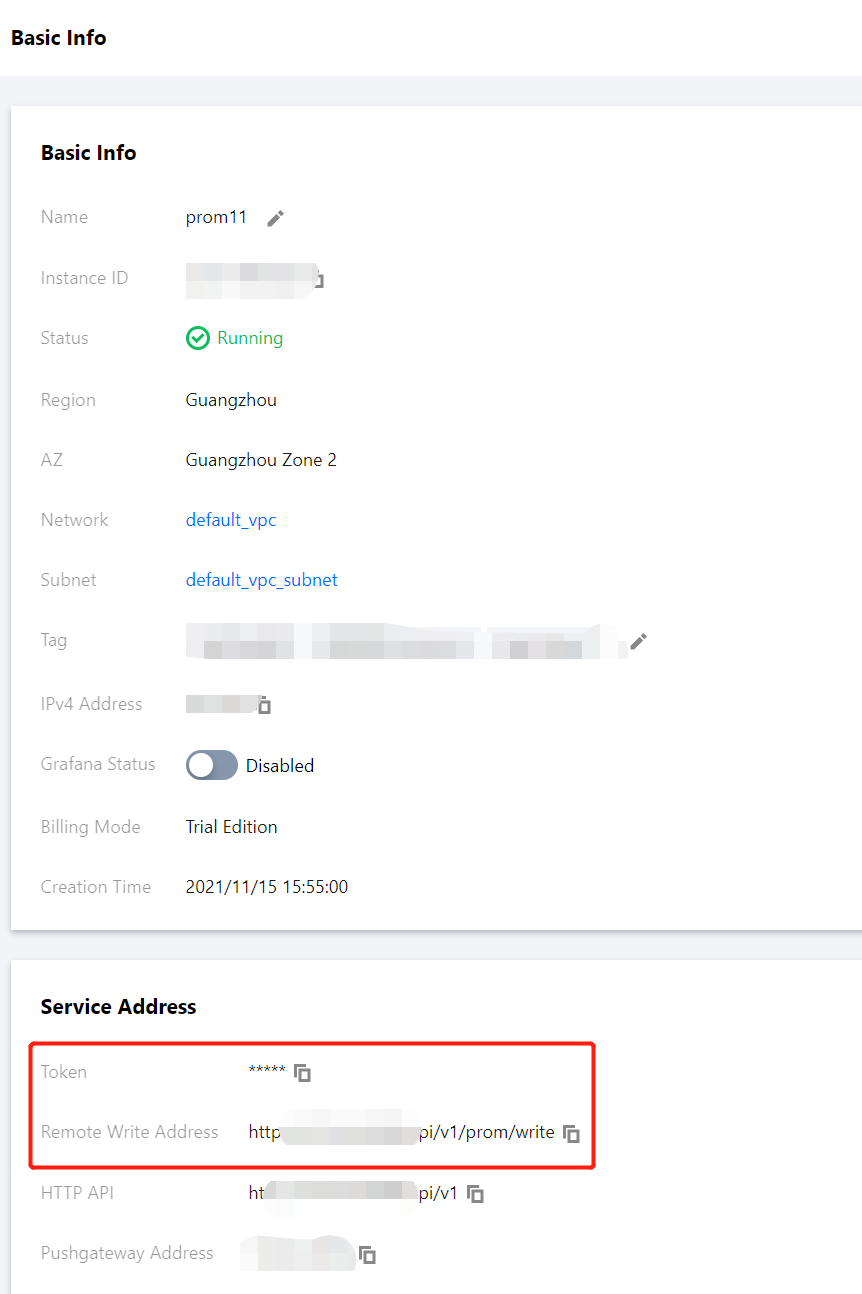
1. Get the remote write address and token of TMP through the basic information of the instance as follows:
2. Modify prometheus.yml and restart Prometheus. The specific configuration is as follows. For more information on the remote write configuration parameters, please see remote_write.
remote_write:
  - name: cm_prometheus # Remote write name    url: http://ip:port/api/v1/prom/write  # Get the remote write address from the basic information of the TMP instance    remote_timeout: 30s # Set according to the actual situation    bearer_token: k32*****trR # Get the token information from the basic information of the TMP instance
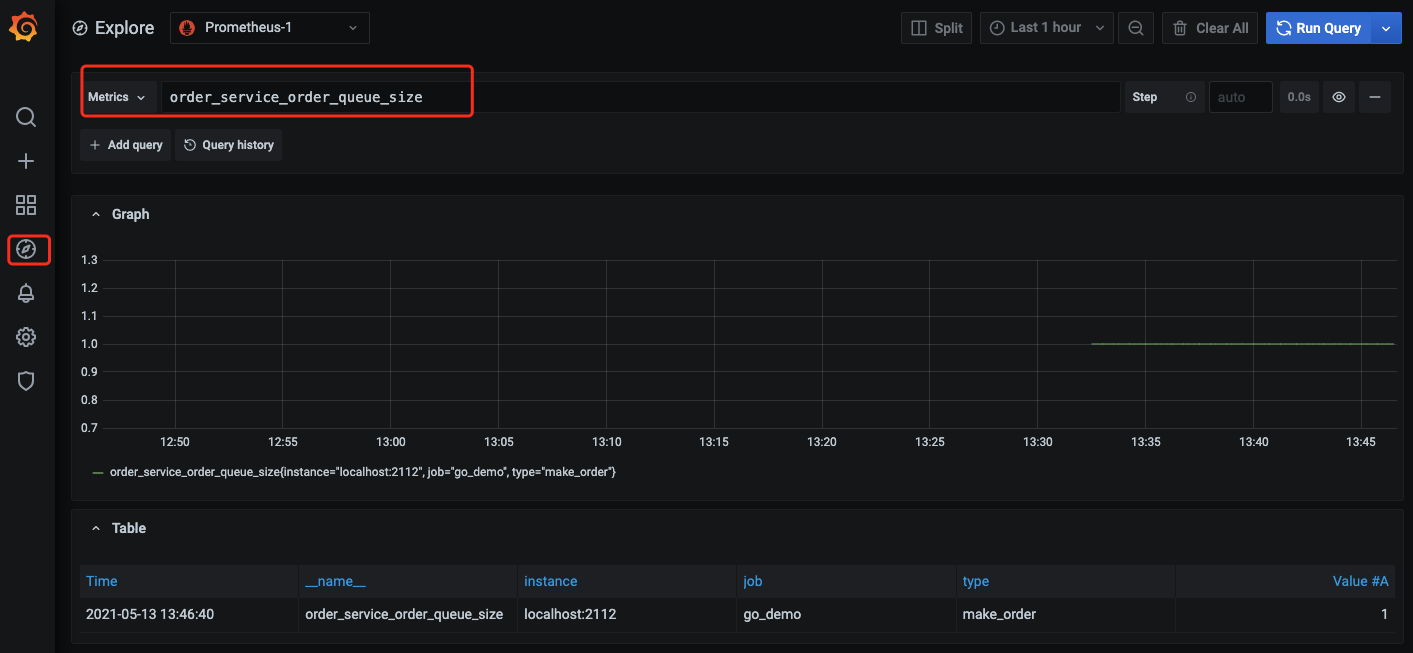
3. Open the Grafana service that comes with TMP and use Explore to verify whether the data is written successfully as shown below. You can also customize Grafana monitoring dashboards.
4. You can also use Prometheus APIs for self-built visualization. For more information, please see Monitoring Data Query.