Deleting the Topic
다운로드
포커스 모드
폰트 크기
Scenarios
When you no longer need a topic, you can manually delete it in the console.
Constraints and Limitations
After a topic is deleted, all configurations, relevant data, and unconsumed messages under the topic will be cleared. Exercise with caution.
Operation Steps
1. Log in to the TDMQ for RocketMQ console.
2. In the left sidebar, choose Resource > Cluster, select a region, and click the ID of the target cluster to go to the cluster basic information page.
3. On the cluster basic information page, select the Topic tab.
Batch Delete: On the Topic List page, select all topics to be deleted, click Batch Delete in the upper-left corner, and click Delete in the pop-up window.
Single Delete: On the Topic List page, locate the topic to be deleted, click Delete in the operation column, and click Delete in the pop-up window.
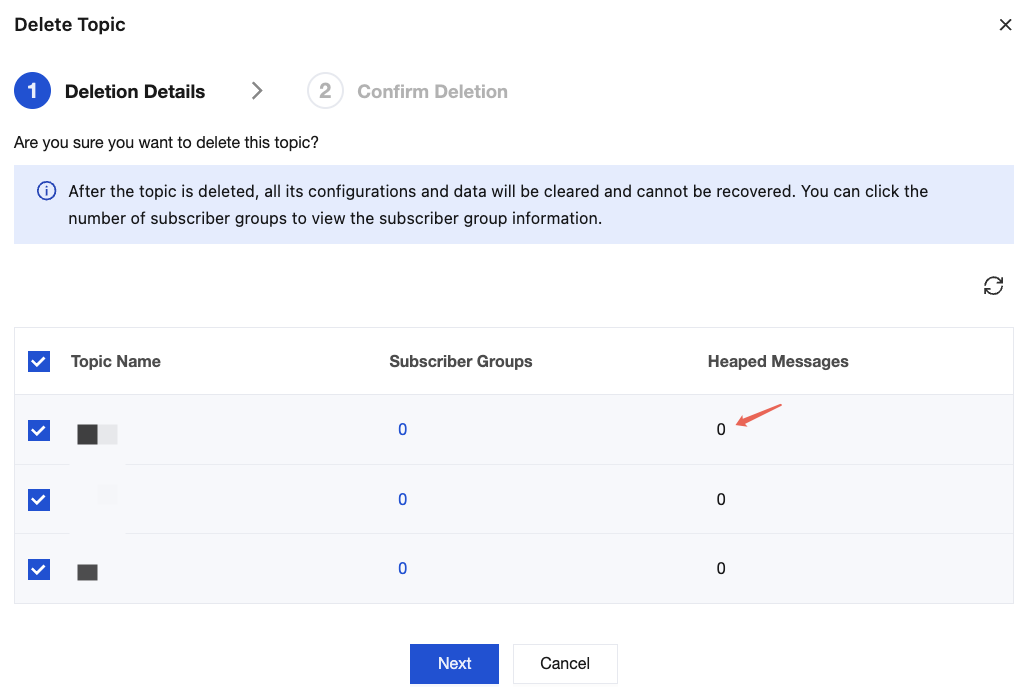
4. In the pop-up window, the console verifies the groups subscribed to the topic and backlogged messages. After confirming that the information is correct, click Delete.
피드백