SDK for Java
다운로드
포커스 모드
폰트 크기
Overview
This document uses the SDK for Java as an example to describe how to connect the client to TDMQ for CMQ and send/receive messages.
Prerequisites
Queue Model
Directions
1. Create a queue service in the console as instructed in Queue Management.
2. Import CMQ client dependencies.
<!-- cmq sdk --><dependency><groupId>com.qcloud</groupId><artifactId>cmq-http-client</artifactId><version>1.0.7</version></dependency><!-- TencentCloud API sdk --><dependency><groupId>com.tencentcloudapi</groupId><artifactId>tencentcloud-sdk-java</artifactId><version>3.1.423</version></dependency>
3. Send messages.
Account account = new Account(SERVER_ENDPOINT, SECRET_ID, SECRET_KEY);Queue queue = account.getQueue(queueName);String msg = "hello client, this is a message. Time:" + new Date();CmqResponse response = queue.send(msg);
Parameter | Description |
SERVER_ENDPOINT | API call address, which can be copied from Queue Service > API Request Address in the TDMQ for CMQ console. 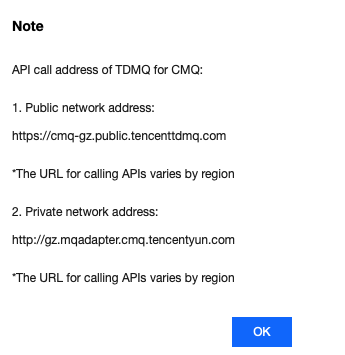 |
SECRET_ID, SECRET_KEY | TencentCloud API key, which can be copied on the Access Key > API Key Management page in the CAM console. 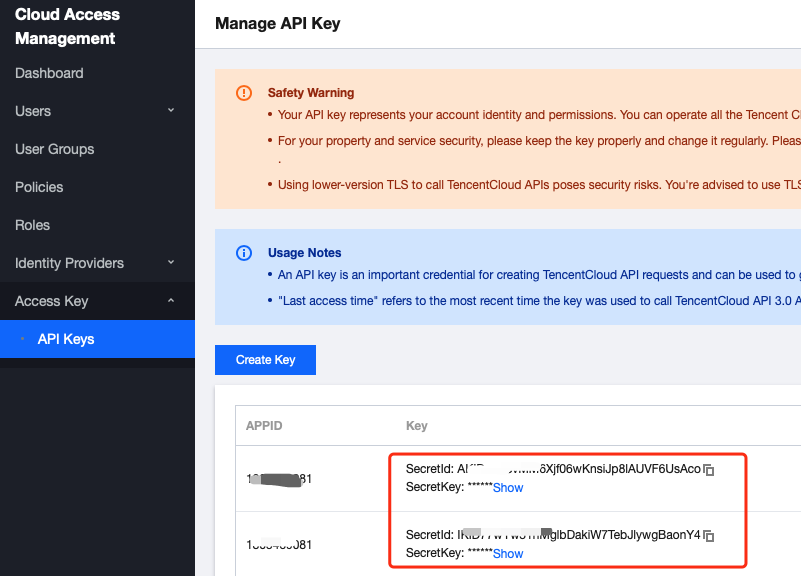 |
queueName |
4. Consume messages.
Account account = new Account(SERVER_ENDPOINT, SECRET_ID, SECRET_KEY);Queue queue = account.getQueue(queueName);Message message = queue.receiveMessage();// Successfully consumed messages are deleted. Retained messages can be delivered again after a certain period of timequeue.deleteMessage(message.receiptHandle);
Parameter | Description |
SERVER_ENDPOINT | API call address, which can be copied from Queue Service > API Request Address in the TDMQ for CMQ console. 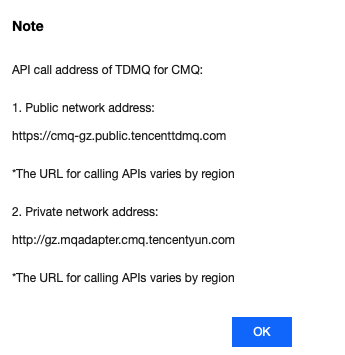 |
SECRET_ID, SECRET_KEY | TencentCloud API key, which can be copied on the Access Key > API Key Management page in the CAM console. 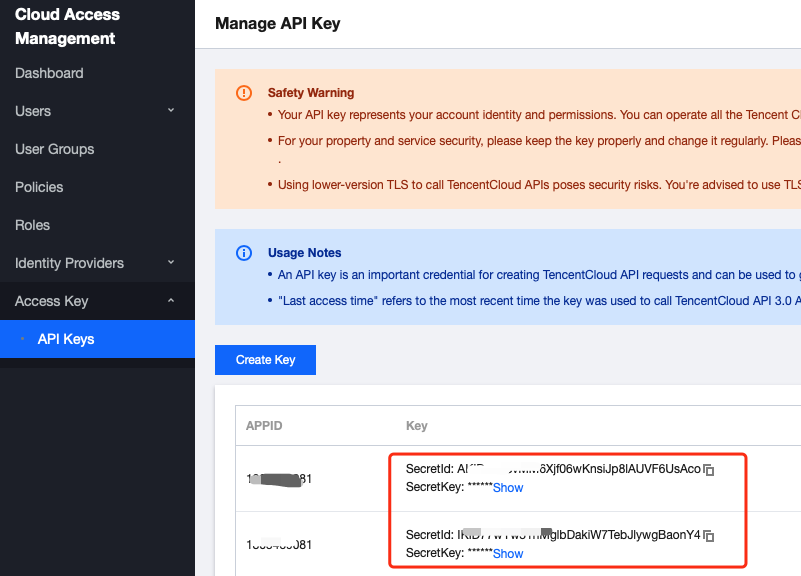 |
queueName |
Topic Model
Directions
1. Create resources in the console.
1.1 Create a topic in the console as instructed in Topic Management.
1.2 Create a subscriber for the topic as instructed in Subscription Management.
2. Import CMQ client dependencies.
<!-- cmq sdk --><dependency><groupId>com.qcloud</groupId><artifactId>cmq-http-client</artifactId><version>1.0.7</version></dependency><!-- TencentCloud API sdk --><dependency><groupId>com.tencentcloudapi</groupId><artifactId>tencentcloud-sdk-java</artifactId><version>3.1.423</version></dependency>
3. Create a topic object.
Account account = new Account(SERVER_ENDPOINT, SECRET_ID, SECRET_KEY);Topic topic = account.getTopic(topicName);
Parameter | Description |
SERVER_ENDPOINT | API call address, which can be copied from Queue Service > API Request Address in the TDMQ for CMQ console. 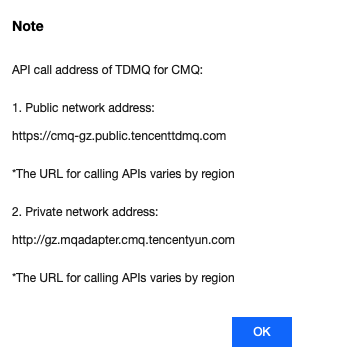 |
SECRET_ID, SECRET_KEY | TencentCloud API key, which can be copied on the Access Key > API Key Management page in the CAM console. 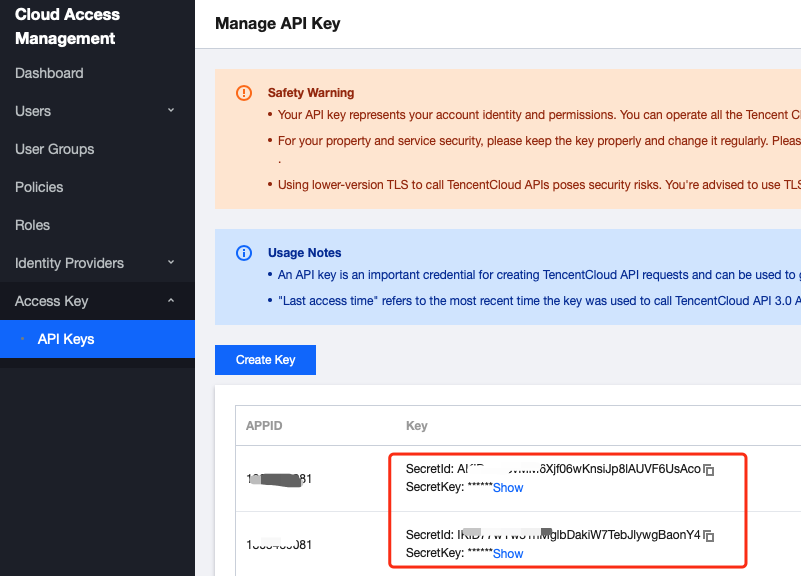 |
topicName | Topic subscription name, which can be obtained on the Topic Subscription page in the TDMQ for CMQ console. |
4. Send tag messages.
String msg = "hello client, this is a message. tag=TAG1. Time:" + new Date();List<String> tags = Collections.singletonList("TAG1");String messageId = topic.publishMessage(msg, tags, null);
5. Send route messages.
String msg = "hello client, this is a message. route(abc) Time:" + new Date();String messageId = topic.publishMessage(msg, "abc");
6. Consume messages in the queue corresponding to the subscriber.
Account account = new Account(SERVER_ENDPOINT, SECRET_ID, SECRET_KEY);Queue queue = account.getQueue(queueName);Message message = queue.receiveMessage();// Successfully consumed messages are deleted. Retained messages can be delivered again after a certain period of timequeue.deleteMessage(message.receiptHandle);
Note:
Above is a brief introduction to message production and consumption in two models. For more information, see Demo.
피드백