Audit Logs
다운로드
포커스 모드
폰트 크기
The Data Security Audit audit logs module comprehensively records all database operations, including key traceability information such as SQL statements, operators, source IPs, and timestamps. It supports multi-dimensional precise search and detail viewing, providing full traceability for database operation behaviors.
Log Audit
1. Log in to the TDSQL-C for MySQL console and click Data Security Audit in the left sidebar.
2. On the DSAudit page, click Audit Logs > Log Audit.

3. On the audit logs page, operation records of synchronized database assets are displayed.
4. On the audit logs page, you can search logs by instance, database account, client IP address, client port, database name, table name, SQL statement, and SessionID.
SQL Statement Details
1. On the audit logs tag page, hover over the target log row and click Details in the SQL statement column of the target log.

2. On the SQL statement details page, you can view the complete SQL statement information.
Session audit
Session auditing helps you perform security analysis from the perspective of database connection sessions.
1. Log in to the TDSQL-C for MySQL console and click Data Security Audit in the left sidebar.
2. On the DSAudit page, click Audit Logs > Session Audit.
3. On the audit logs page, synchronized database session connection records are displayed.

Storage Settings
Note:
When the log volume or log retention period reaches the corresponding threshold, earlier logs are automatically archived as files.
During archiving, the earliest log units are archived first. A single log unit can contain up to 45 GB or 80 million logs.
After logs are successfully archived, the corresponding online logs are deleted, and archived logs must be restored before they can be viewed.
1. On the audit logs tag page, click Log Storage.

2. In the log storage settings window, you can enable/disable archived log storage and adjust the online log retention period, restored log retention period, and log lifecycle.
Log Shipping
Note:
Purchase a Ckafka instance: Go to the message queue console to purchase a Ckafka instance. The Pro Edition is recommended.
Enable network access: Follow the message queue CKafka documentation to enable VPC-based network access or public domain access.
1. Log in to the TDSQL-C for MySQL console and click Data Security Audit in the left sidebar.
2. On the DSAudit page, click Audit Logs.
3. On the audit logs page, click Log Shipping.

4. In the Log Shipping window, configure the log shipping information.
Parameter Name | Description |
Network Access Method | Select the access method for the message queue. Support environment access. Public domain access. |
Message Queue Instance | Select the message queue instance for log shipping. |
Network | Select the network to use. The PLAINTEXT type is supported. |
Username | Set the username. This field is required only for public network domain access. |
Password | Set the password. This field is required only for public network domain access. |
Topic ID/Name | Select the Topic for delivery. |
Archive Log Management
Note:
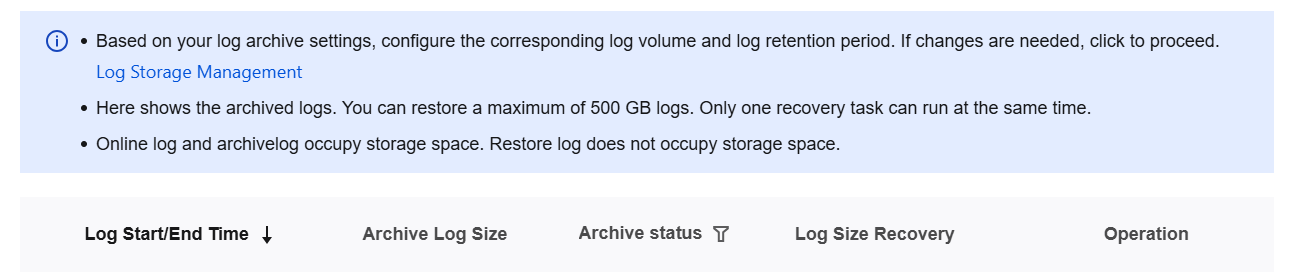
A maximum of 500 GB of logs can be restored.
Only one restore task can be performed at a time.
Online logs and archived logs occupy storage space, while restored logs do not.
1. Log in to the TDSQL-C for MySQL console and click Data Security Audit in the left sidebar.
2. On the CDS page, click Audit Logs.
3. On the audit logs page, click Archived Log.
4. In the Archived Logs window, all archived audit logs are displayed. You can delete or restore archived logs (restore them to online logs).
피드백