アラートを設定する
ダウンロード
フォーカスモード
フォントサイズ
CLSからCKafkaへの配信タスクのアラートを設定する
1. TCOPにログインします。
2. 左側のナビゲーションバーで、アラート管理 > アラート設定 > アラートポリシーを選択し、ポリシー作成をクリックします。
3. アラートポリシーを設定します。詳細な設定手順については、アラートポリシーの新規作成を参照してください。
ポリシー名を入力してください。
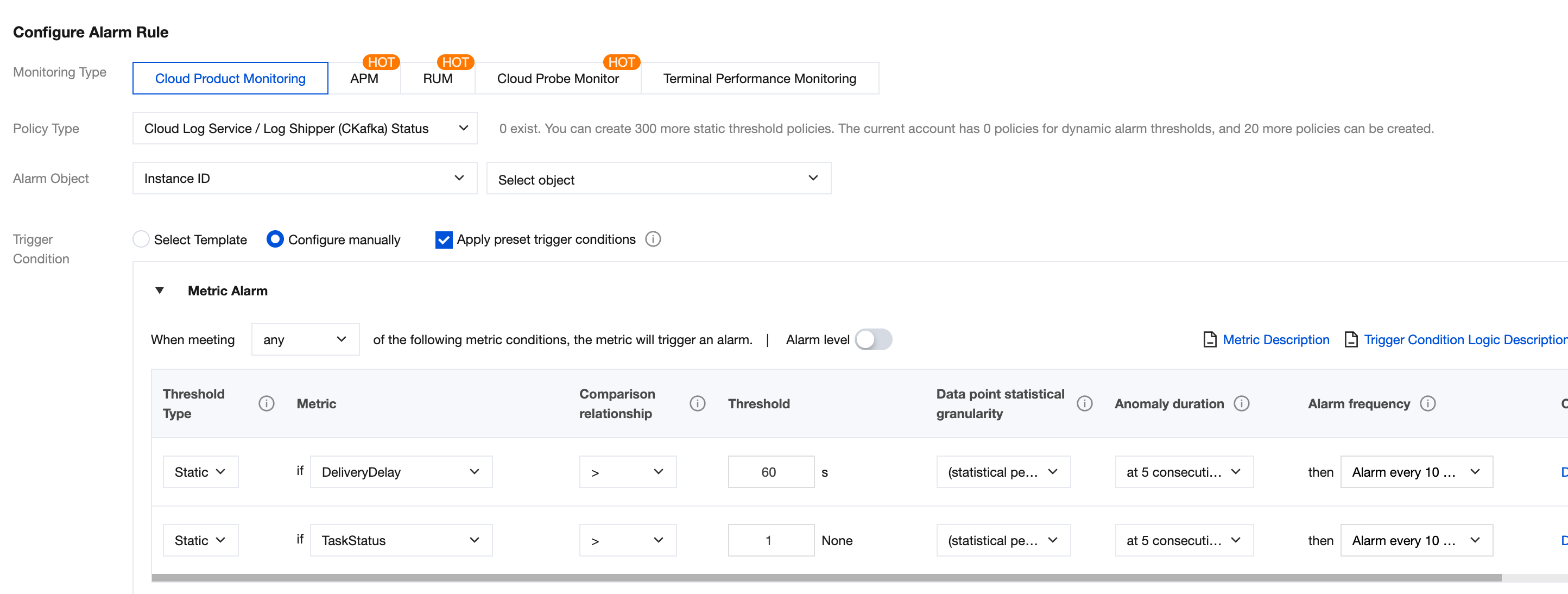
監視タイプでクラウド製品監視を選択します。
ポリシータイプでCLS/CKafka配信ステータス監視を選択します。
アラート対象で、CKafkaに配信するログトピックを選択します。
説明:
配信タスクのステータスが1の場合、タスクは正常に動作していることを示します。タスクに異常が発生した場合(配信タスクの異常記録で確認できます)、異常ステータスコードは20001から始まります。そのため、「配信タスクのステータスが1より大きい」を使用してタスクのステータスを監視します。
CKafkaインスタンスのアラートを設定する
実際の運用環境では、CKafkaインスタンスのディスク容量不足も配信タスクが失敗する主な原因の1つです。そのため、CKafkaインスタンスのディスク使用率のアラートも同時に設定することをお勧めします。
ポリシー名を入力してください。
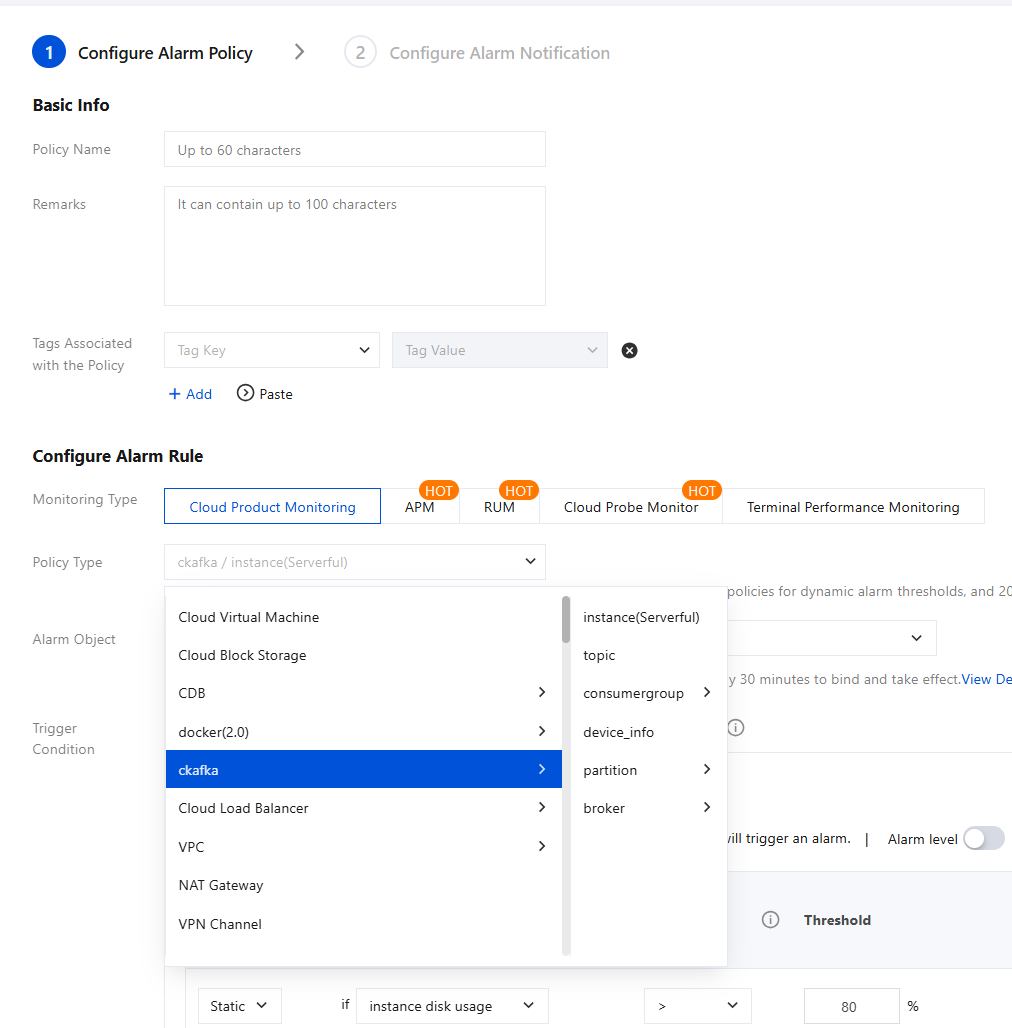
ポリシータイプでメッセージサービスCkafka/インスタンスを選択します。インスタンスの形態(serverful/severless)は、インスタンスリストに移動し、インスタンスの基本情報で確認できます。
アラート対象で、お客様のCKafkaインスタンスを選択します。
トリガー条件:図に表示されているのはプリセットのトリガー条件であり、変更できます。
フィードバック