Collecting Event Logs
ダウンロード
フォーカスモード
フォントサイズ
Scenarios
Kubernetes Events include the operation of Kubernetes clusters and the scheduling status of various resources, which is helpful for Ops personnel to monitor resource changes and troubleshoot issues. After the event persistence feature is enabled, related events can be exported in real time to the configured storage through Cloud Log Service (CLS).
Operation Steps
1. Log in to the Serverless Cloud Function (SCF) console. In the left sidebar, choose Data Engineering > Workflow.
2. On the Workflow page, click the service name to go to the workflow details page.
3. Select Log Management, and then click Enable on the right of the event log.
4. In the Enable Event Logs dialog box, select the log region and configure the log topic, as shown in the following figure:
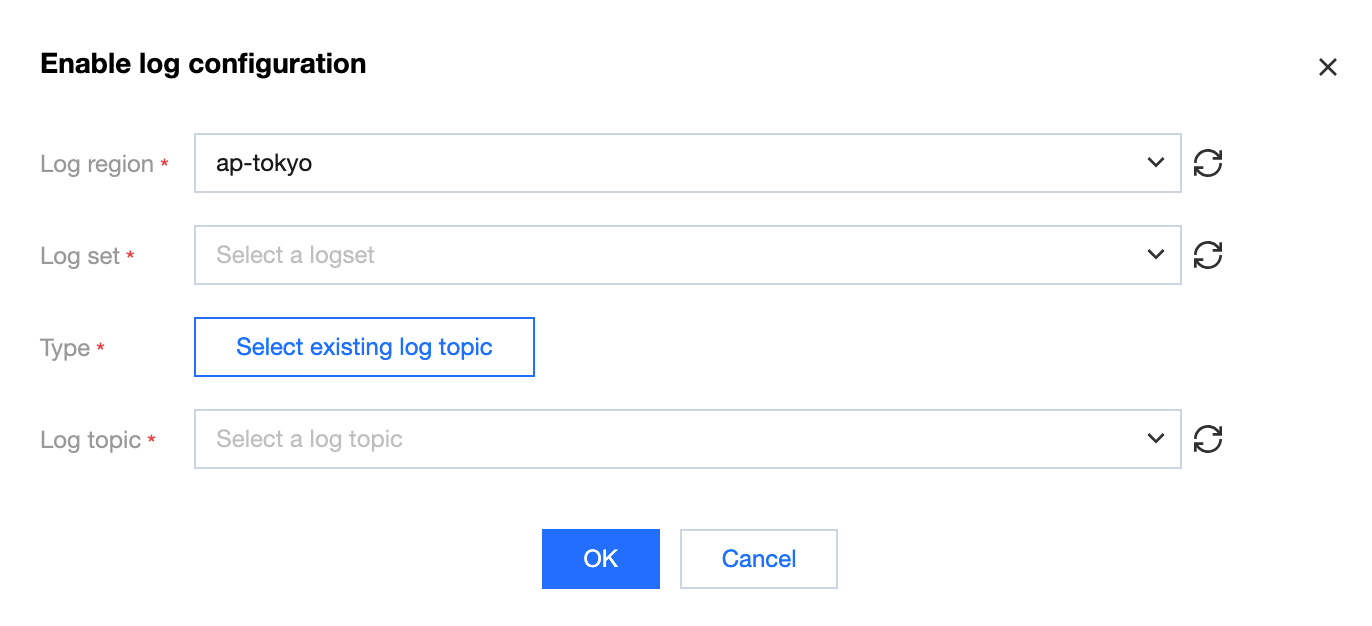
Log Region: CLS supports cross-region log shipping. Select the target region for log shipping from the drop-down list.
Logset: Based on the selected region, the system displays logsets you have created. If no existing logset is suitable, you can create a new one in the CLS console. For more information, see Creating a Logset.
Log Topic: Select the log topic under the selected logset. Automatically Create a Log Topic and Select an Existing Log Topic modes are supported.
5. Click Confirm to enable event logs.
Event Log Index Description
After you enable event logs, the following indexes are automatically written (and will override existing ones) under the selected topic. It is recommended to create a log topic to avoid sharing it with other online businesses.
Dictionary Name | Field Type | Delimiter | Chinese Characters Allowed | Enable Statistics (When Enabled, Statistical Analysis can be Performed on Field Values) |
clusterId | text | None | None | Enabled |
timestamp | text | None | None | Enabled |
event.type | text | None | None | Enabled |
event.reason | text | None | None | Enabled |
event.message | text | @&()='",;:<>[]{}/ \\n\\t\\r | None | Enabled |
event.count | long | None | None | Enabled |
event.source.component | text | None | None | Enabled |
event.source.host | text | None | None | Enabled |
event.involvedObject.kind | text | None | None | Enabled |
event.involvedObject.namespace | text | None | None | Enabled |
event.involvedObject.name | text | None | None | Enabled |
event.involvedObject.fieldPath | text | .{} | None | Disabled |
event.involvedObject.uid | text | None | None | Disabled |
event.firstTimestamp | text | None | None | Enabled |
event.lastTimestamp | text | None | None | Enabled |
フィードバック