Key Management
ダウンロード
フォーカスモード
フォントサイズ
Key management supports configuring image repository keys, Cloud Object Storage (COS) storage keys, function invocation keys, and custom keys.
Operation Steps
1. Log in to the Serverless Cloud Function (SCF) console. In the left sidebar, choose Data Engineering > Workflow.
2. On the Workflow page, click the service name to go to the workflow details page.
3. Select the Key Management tab and click Add Key, as shown in the following figure:

4. In the Add Key window, select the desired key type and add it.
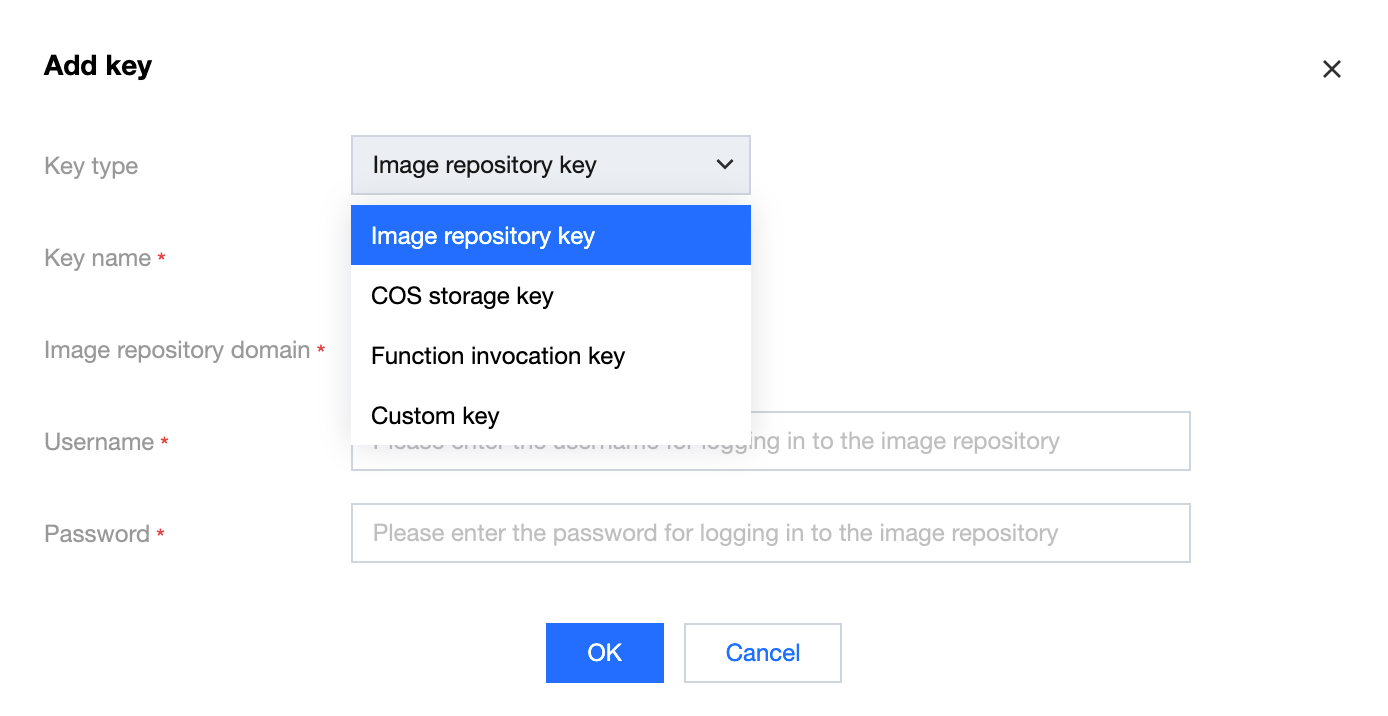
Image Repository Keys
Use Cases
To access a private image resource in the workflow YAML file, you need to configure long-term access credentials with image pull permissions here and declare the image repository key name in the YAML file. To enable long-term access credentials, see Managing User Accounts.
During workflow runtime, the platform pulls images using the declared key information and credentials.
When you use an image repository of the personal edition, cross-region access is supported.
When you use an image repository of the enterprise edition, if you need to pull images across regions, you can use either of the following methods:
Enable public network access for the image repository: Configuring Public Network Access Control.
Establish network connectivity between the image repository and the service cluster network: Using Custom Domain Name and CCN to Implement Cross-Region Private Network Access.
Parameter Description
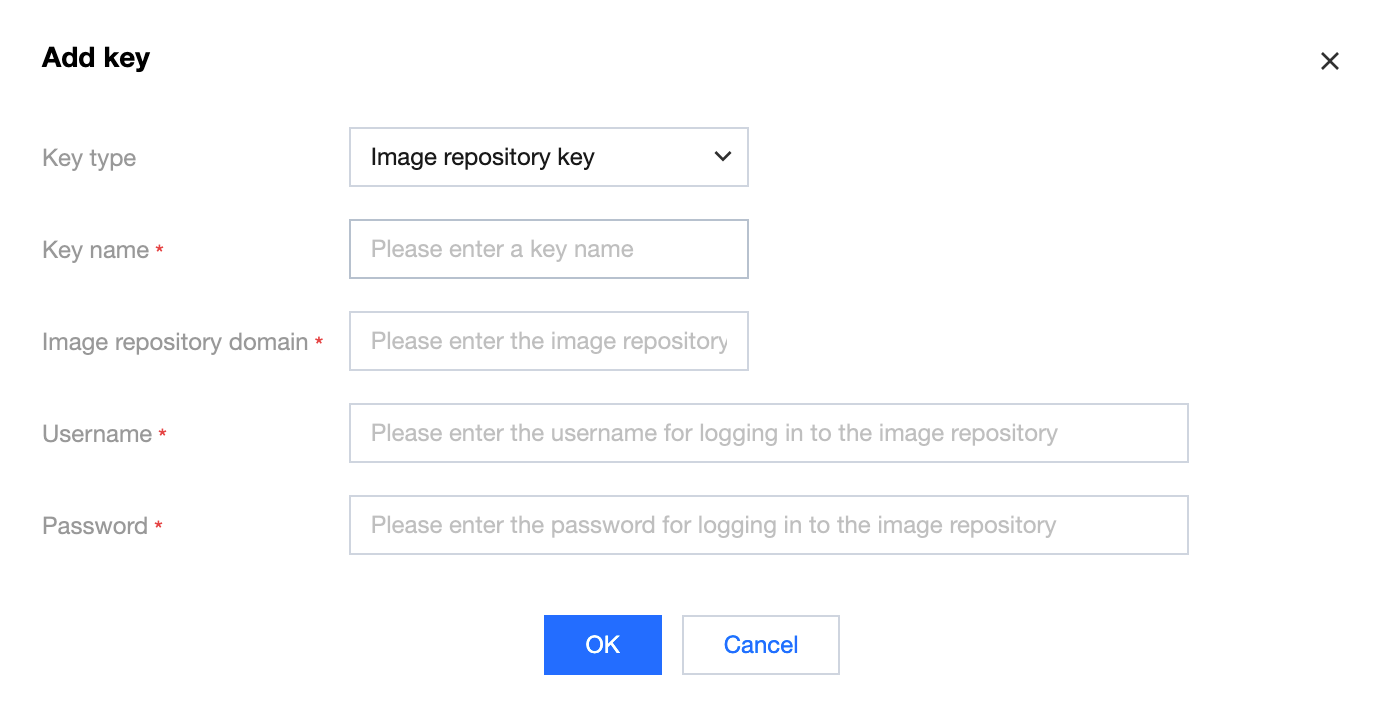
Key type: Select Image Repository Key.
Key name: Enter a custom key name. The name must be unique within the same workflow service.
Image repository domain: Domain name of the target image repository.
Username: Automatically generated username in the permanent access credential of the image.
Key: Automatically generated password in the permanent access credential of the image.
COS Storage Key
Use Cases
To mount a COS bucket for read or write operations in the workflow YAML file, you can configure API key information with the corresponding operation permissions here. This key will be used to create the COS bucket later.
Parameter Description
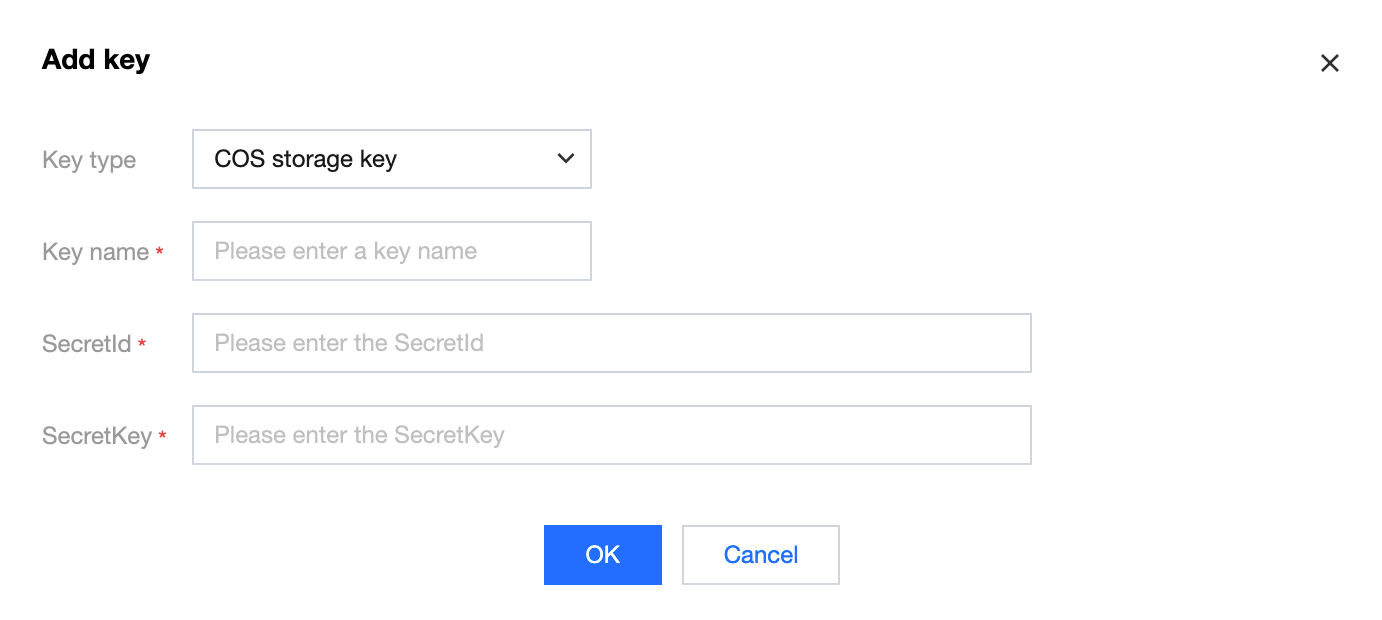
Key type: Select COS Storage Key.
Key name: Enter a custom key name. The name must be unique within the same workflow service.
SecretId: API SecretId.
SecretKey: API SecretKey.
Function Invocation Key
Use Cases
To directly orchestrate function resources or trigger a function execution in the workflow YAML file, you can configure an API key with the permissions described in the following figure and declare its use in the YAML file.
Parameter Description
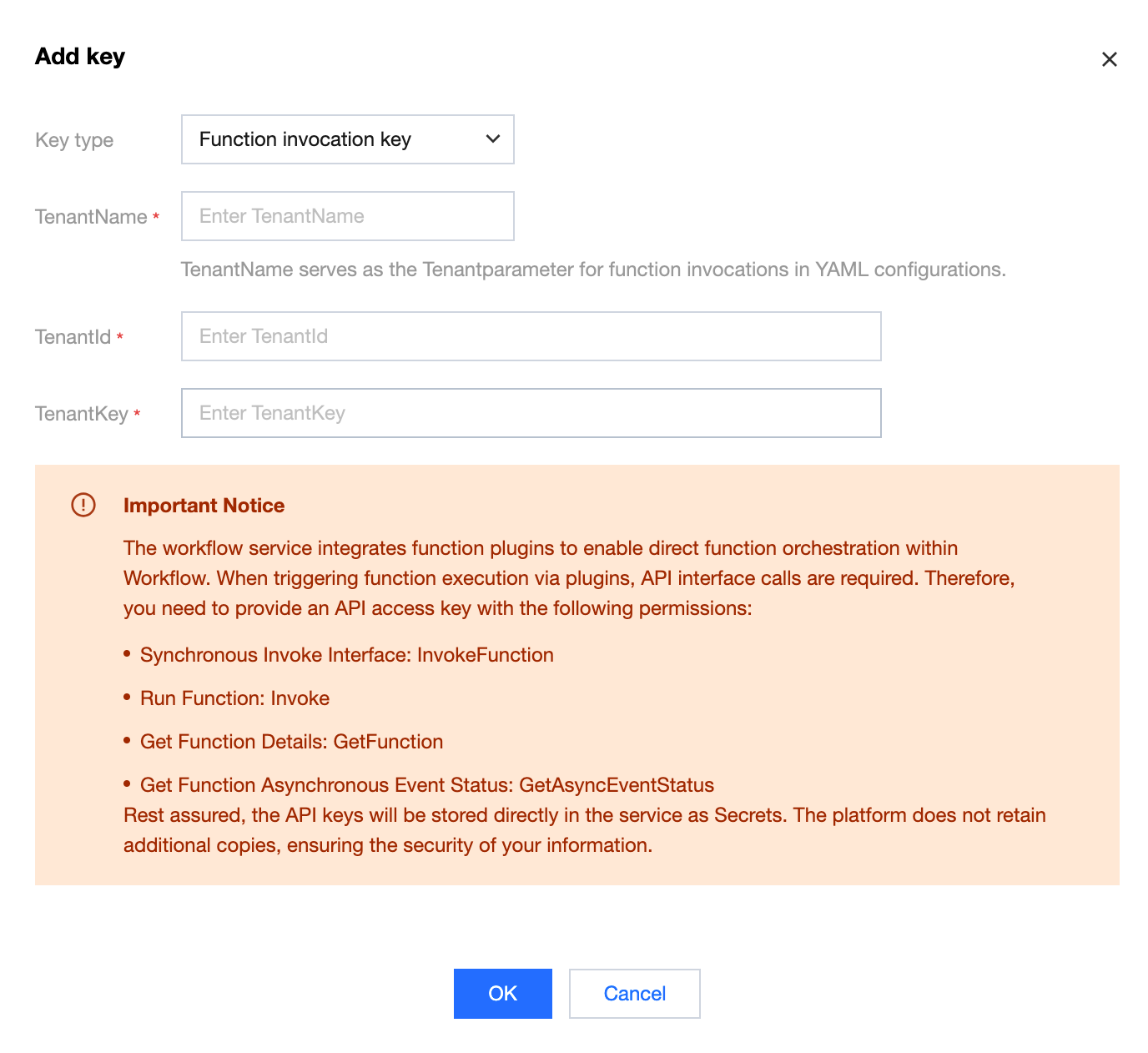
Key type: Select Function Invocation Key.
TenantName: Key name for accessing SCF. TenantName is used as the Tenant parameter for invoking functions in the YAML file.
TenantId: SecretId.
TenantKey: SecretKey.
Custom Key
Use Cases
To access cloud resources such as MySQL in the workflow YAML file, you can declare access information using a custom key and then declare the key name in the YAML file.
Parameter Description
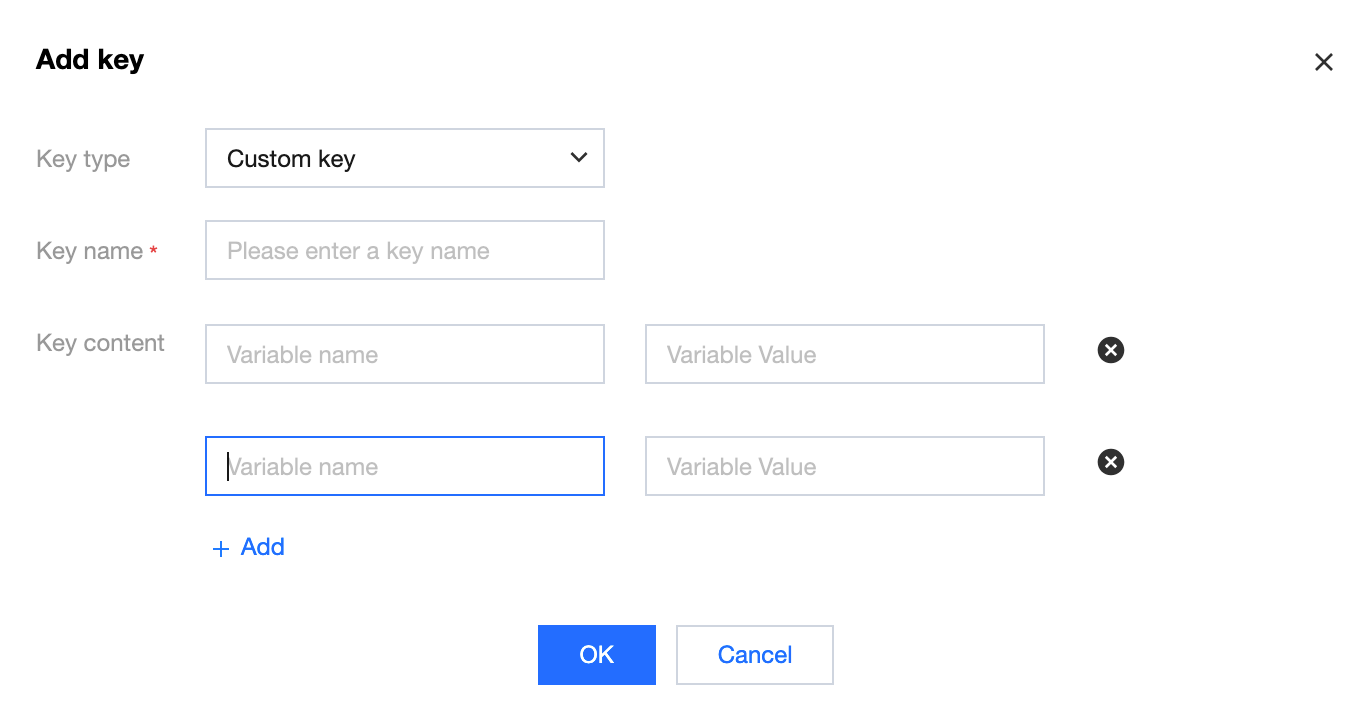
Key type: Select Custom Key.
Key name: Enter a custom key name. The name must be unique within the same workflow service.
Key content: Enter content in the format of Variable name - Variable value, as
Key - Value pairs.フィードバック