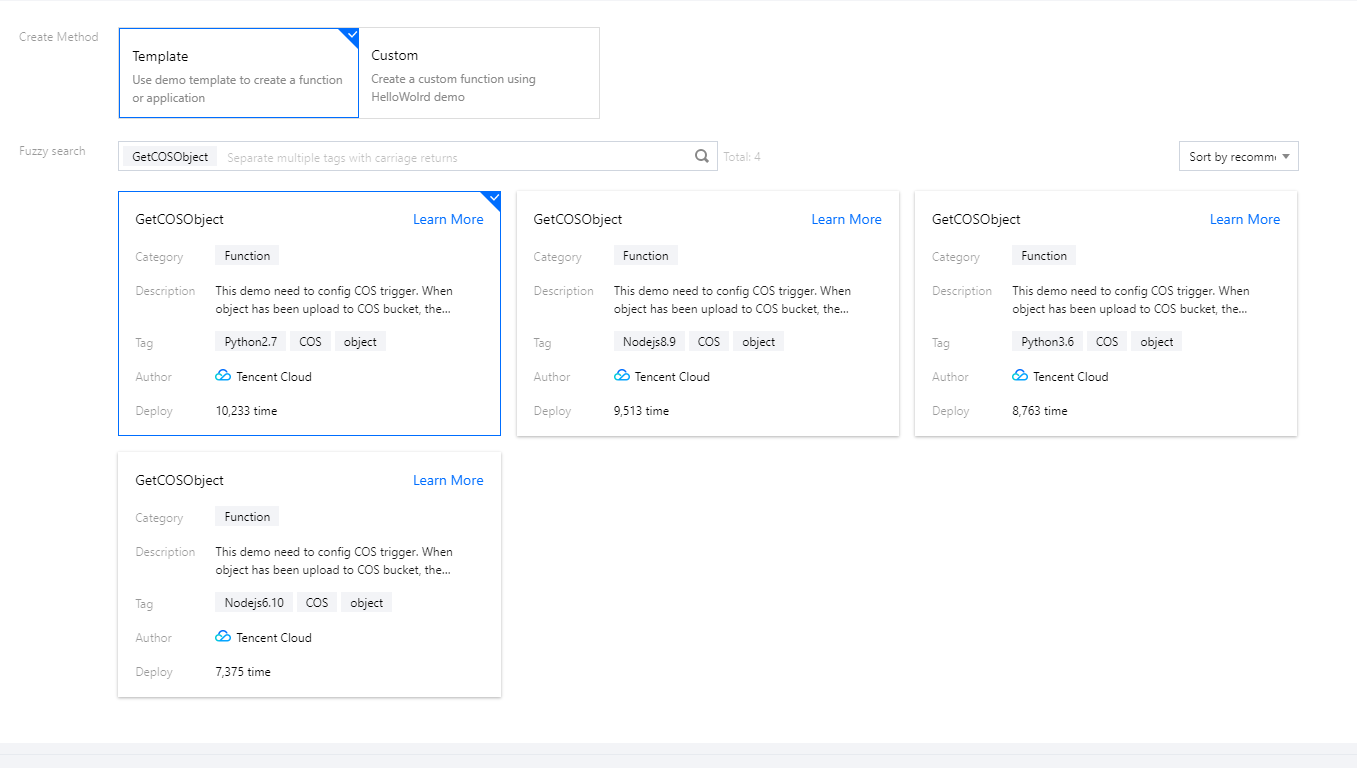
The following takes the COS sample template as an example to create a function project. In the default creation process with the template, a trigger is directly configured. In actual use cases, you can also configure a trigger after creating the function. Here, configuration after function creation is used as an example for description:
Step 2. Configure a trigger
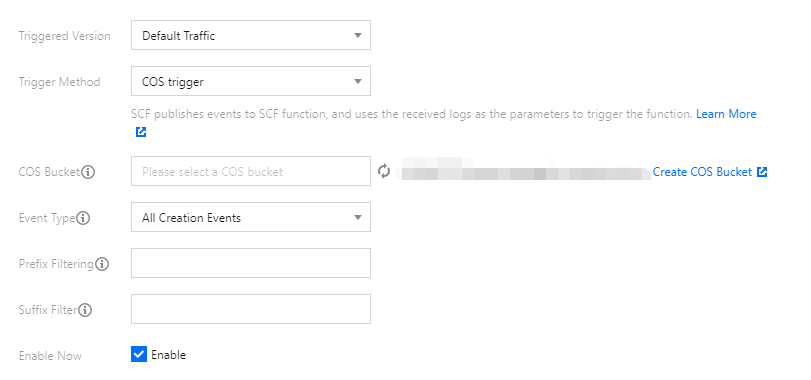
After selecting COS Trigger, configure the bucket, triggering event type, and other information as prompted to create a trigger:
Step 3. Manage the trigger
After successful creation, you can see the information of the created trigger on the Trigger Management page.