Overview
The TKE Ops Center provides the log add-on version upgrade feature. If you have enabled log collection, you can view the current add-on version and perform manual upgrades in Operation Management in the TKE console.
Upgrade Notice
The upgrade is an irreversible operation.
The add-on can only be upgraded to a later version. By default, it is upgraded to the latest version.
During the upgrade, the console will automatically upgrade the accompanying LogListener and Log-Provisioner and update the CRD resources in your cluster to get the latest log feature.
Directions
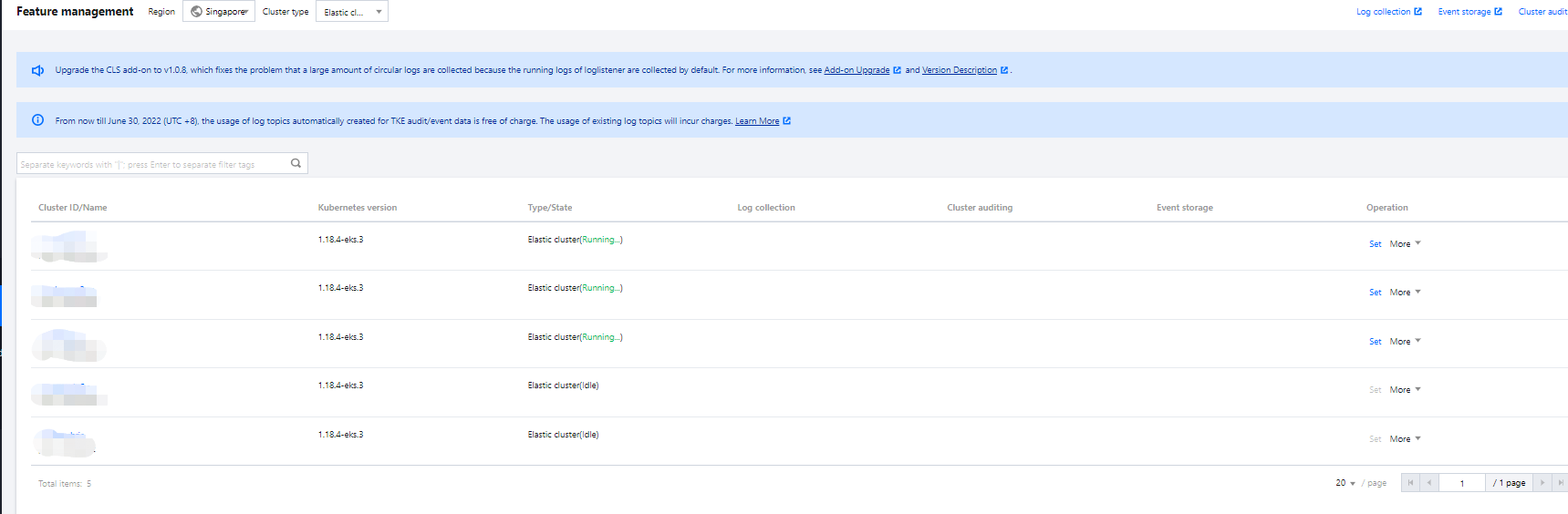
1. Log in to the TKE console and click Operation Management on the left sidebar. 2. On the Operation Management page, select the Region and Cluster Type at the top of the cluster list. If your cluster has log collection enabled and the add-on can be upgraded, the console will prompt "The add-on can be upgraded" as shown below:
3. Select your cluster, click Settings, and click Edit in the Log Collection column.
4. Click Upgrade Add-on in the Log Collection details.