This document describes how to extend a file system after logging in to the CVM instance. This method is suitable for scenarios where the file system is directly created without partitioning the cloud disk.
Directions
1. Run the following command to determine the file system type.
df -ihT
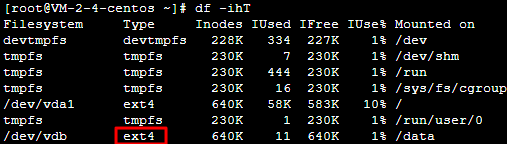
The following result shows an EXT file system.
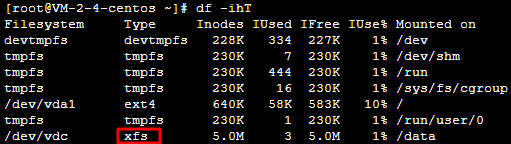
The following result shows an XFS file system.
2. Use the file system-specific command to extend the file system.
Note:
Note the following capacity limits for an EXT file system:
EXT3 supports up to 16 TB, and each file cannot exceed 2 TB.
EXT4 supports up to 1 EB, and each file cannot exceed 16 TB.
Expanding the EXT file system
Expanding the XFS file system
Run the following command to extend the EXT file system /dev/vdb.
resize2fs /dev/vdb
If the following command output is returned, the expansion is successful.
Run the following command to extend the XFS file system /dev/vdc.
xfs_growfs /dev/vdc
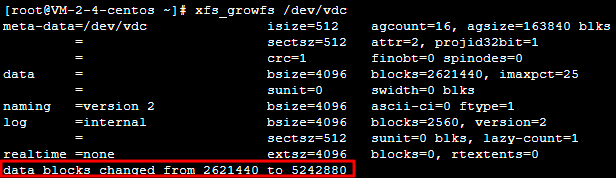
If the following command output is returned, the expansion is successful.
3. Run the following command to view the disk space of the file system.