Resetting Password
Download
Focus Mode
Font Size
The system supports resetting instance passwords. If you forget your database account password or need to change it while using the database, you can reset the password through the console.
Note:
To ensure data security, it is recommended that you regularly change your password, at intervals not exceeding 3 months.
Operation Steps
1. Log in to the TDSQL Boundless console. In the Instance List, click the Instance ID to go to the Instance Details page.
2. Select the Account Management tab. In the row of the account whose password needs to be reset, click Reset Password.

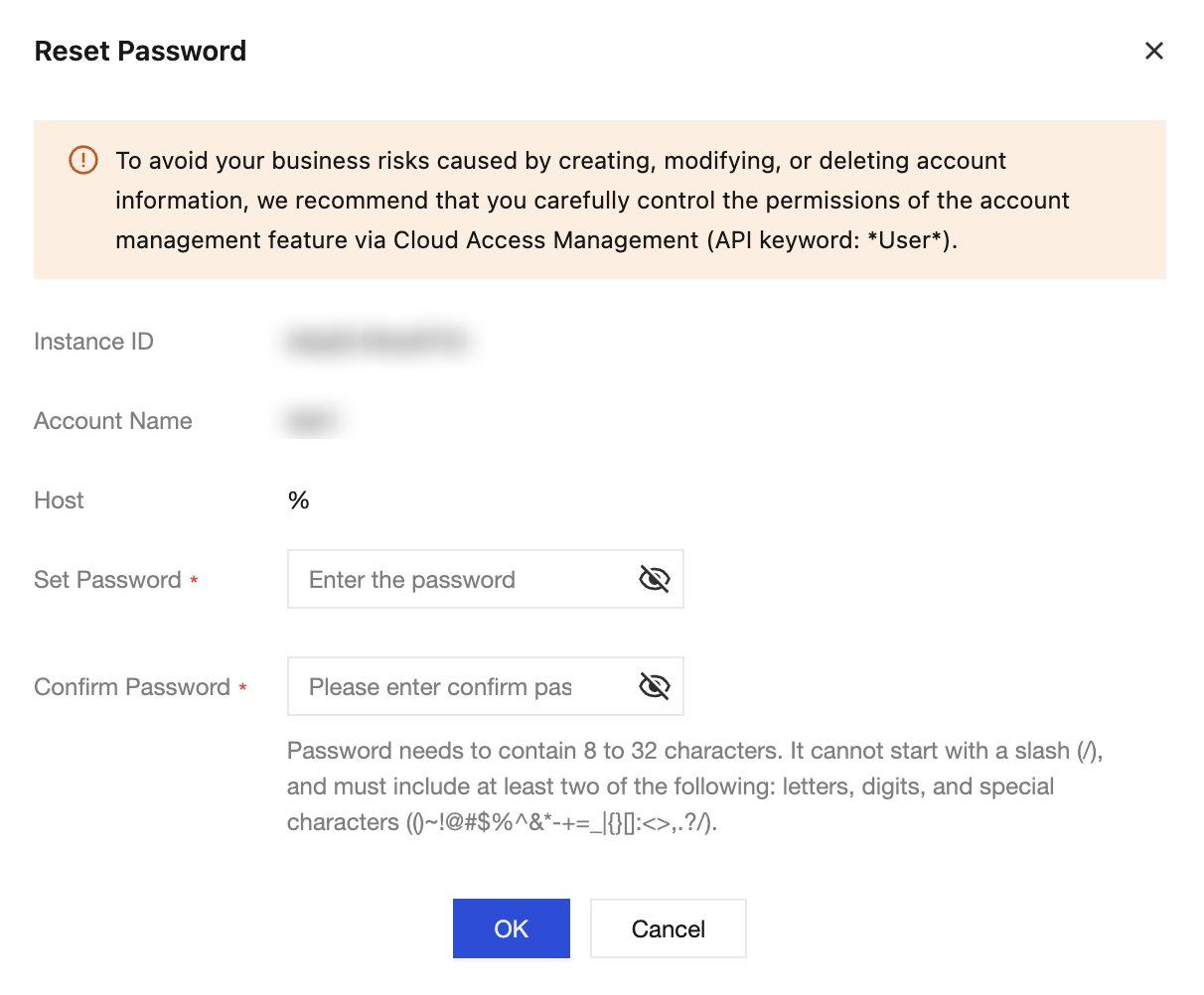
3. In the Reset Password dialog box, set the new user password and click OK.
The password requirements are as follows:
The password length must be between 8 and 32 characters. It is recommended to use a password with 12 or more characters.
It cannot start with
/.It must contain the following four items.
Lowercase letters a to z
Uppercase letters A to Z
Numbers 0 to 9
Special characters
()~!@#$%^&*-+=_|{}[]:<>,.?/
Help and Support
Was this page helpful?
You can also Contact sales or Submit a Ticket for help.
Help us improve! Rate your documentation experience in 5 mins.
Feedback