Change Password
ダウンロード
フォーカスモード
フォントサイズ
Feature Overview
Staff can change passwords on workspace.
Guide
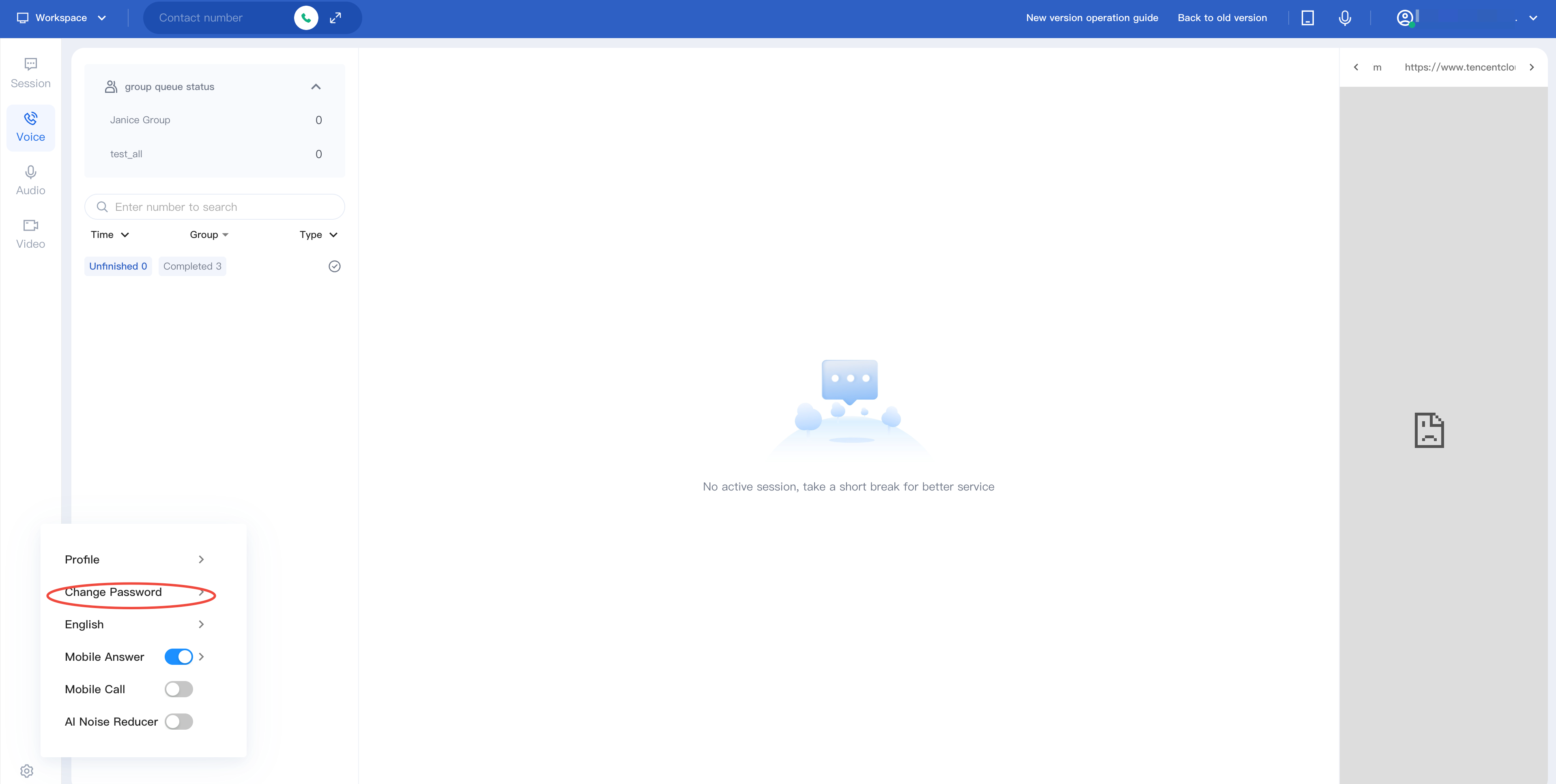
1. After staff log in to workspace, they can click the set button in the bottom-left corner and select Change Password .
2. Enter your current password, new password, and confirm it.
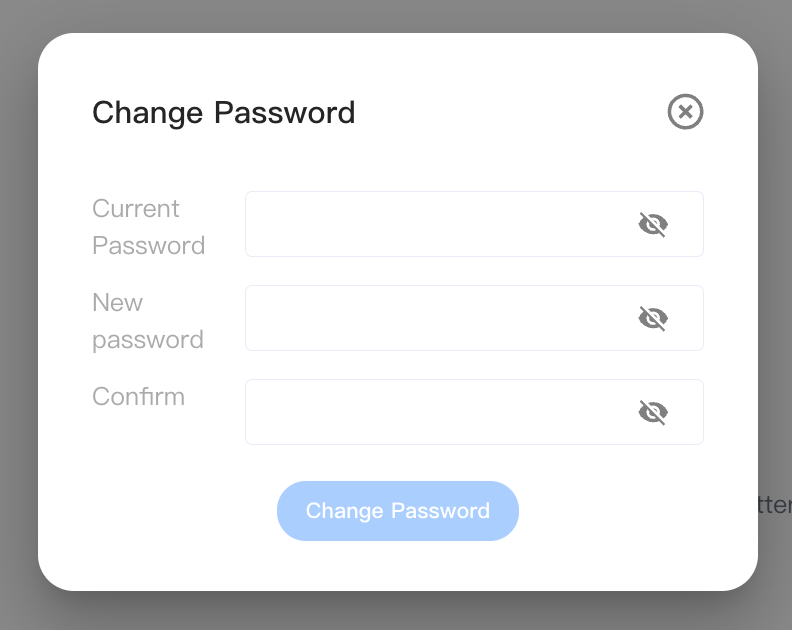
3. Click the Change Password then you can update password successfully.
Notes:
Password strength needs to meet the following conditions:
Password length: 8-20 characters.
It is required to contain numbers, letters, and special symbols (such as! @ # ¥ % ^ & * () etc. excluding spaces).
フィードバック