Voice Agent Login
ダウンロード
フォーカスモード
フォントサイズ
Account and Password
Login Account: use the email address you provided to admin or the one assigned by admin.
Password: once account is created, system will send an email with a random password to that mailbox.
First Time Login
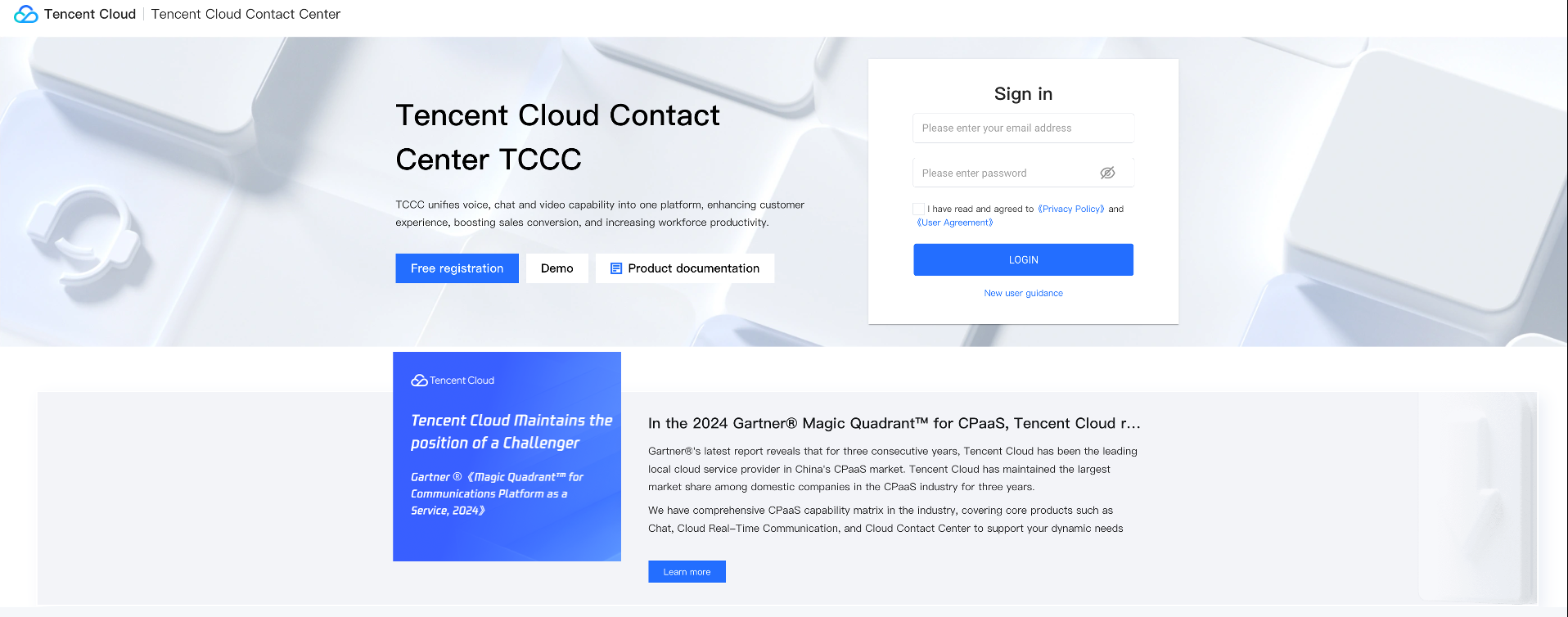
Step 1: Log in to Tencent Cloud Contact Center
Directly access Tencent Cloud Contact Center (TCCC), enter the email address and password to log in, as shown below:
Direct access: https://connect.tencentcloud.com/login
Email Address: registration email you provided to the admin.
Login Password: After added account, system will email agent a random password for first-time login.
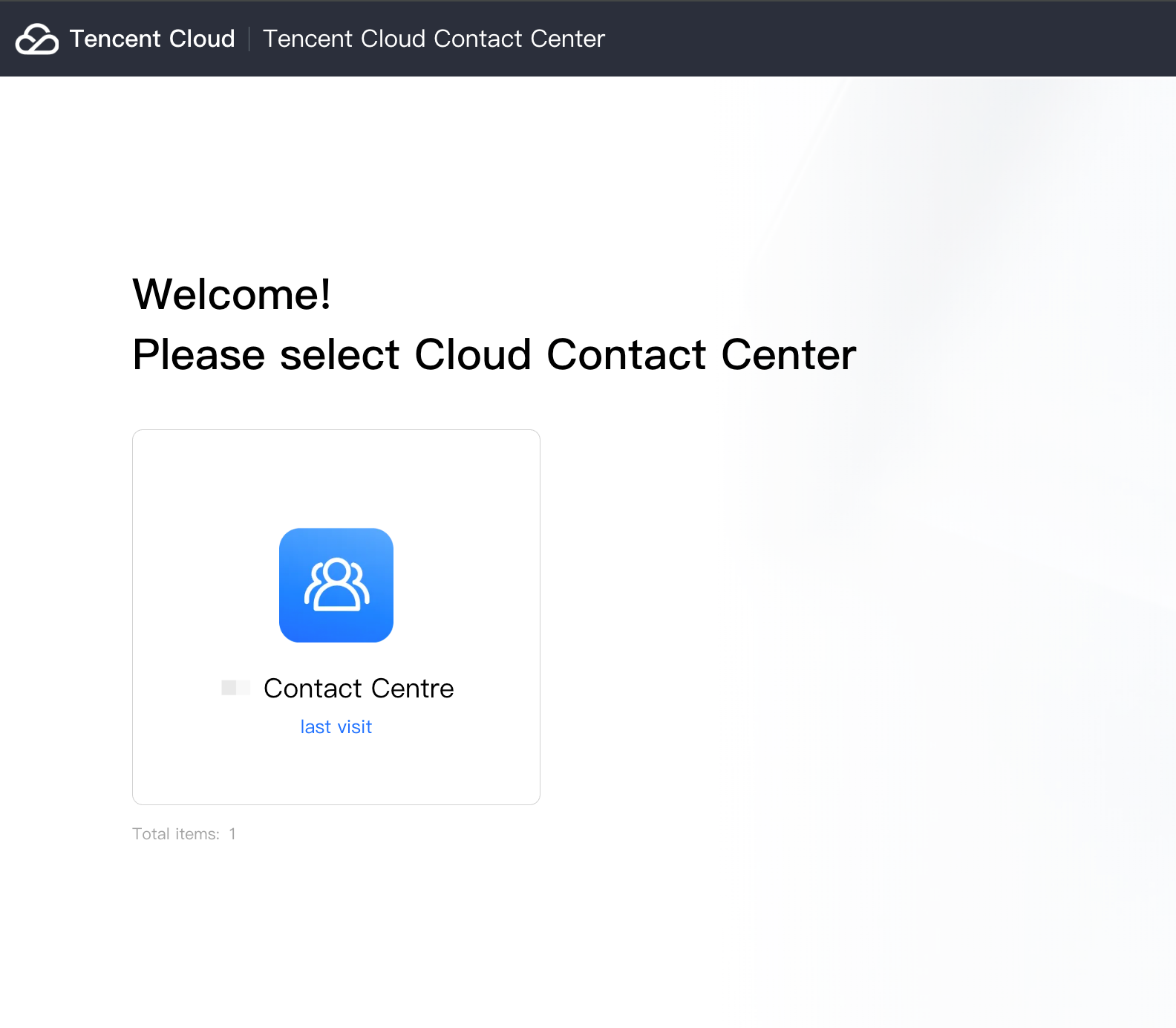
Procedure 2: Choose Target Application
First time authorization requires clicking to allow the use of the microphone before going online.
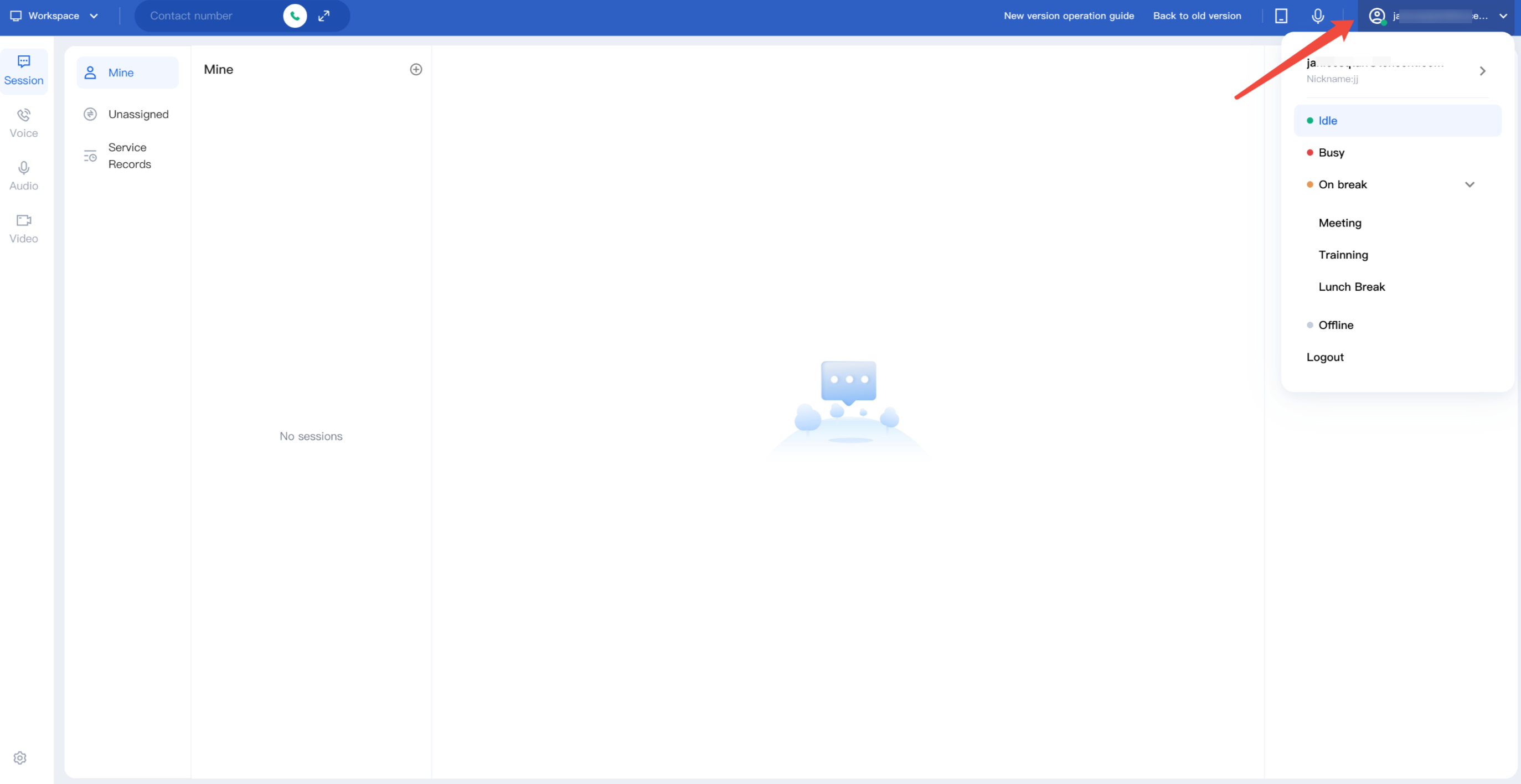
Procedure 3: Officially Go Live
Green dot means a successful login. Click avatar to switch status.
フィードバック