Create Shortcut
Download
フォーカスモード
フォントサイズ
How to create shortcut
Tap More "···" in the top-right corner, and find the Create shortcut in the bottom of the screen.
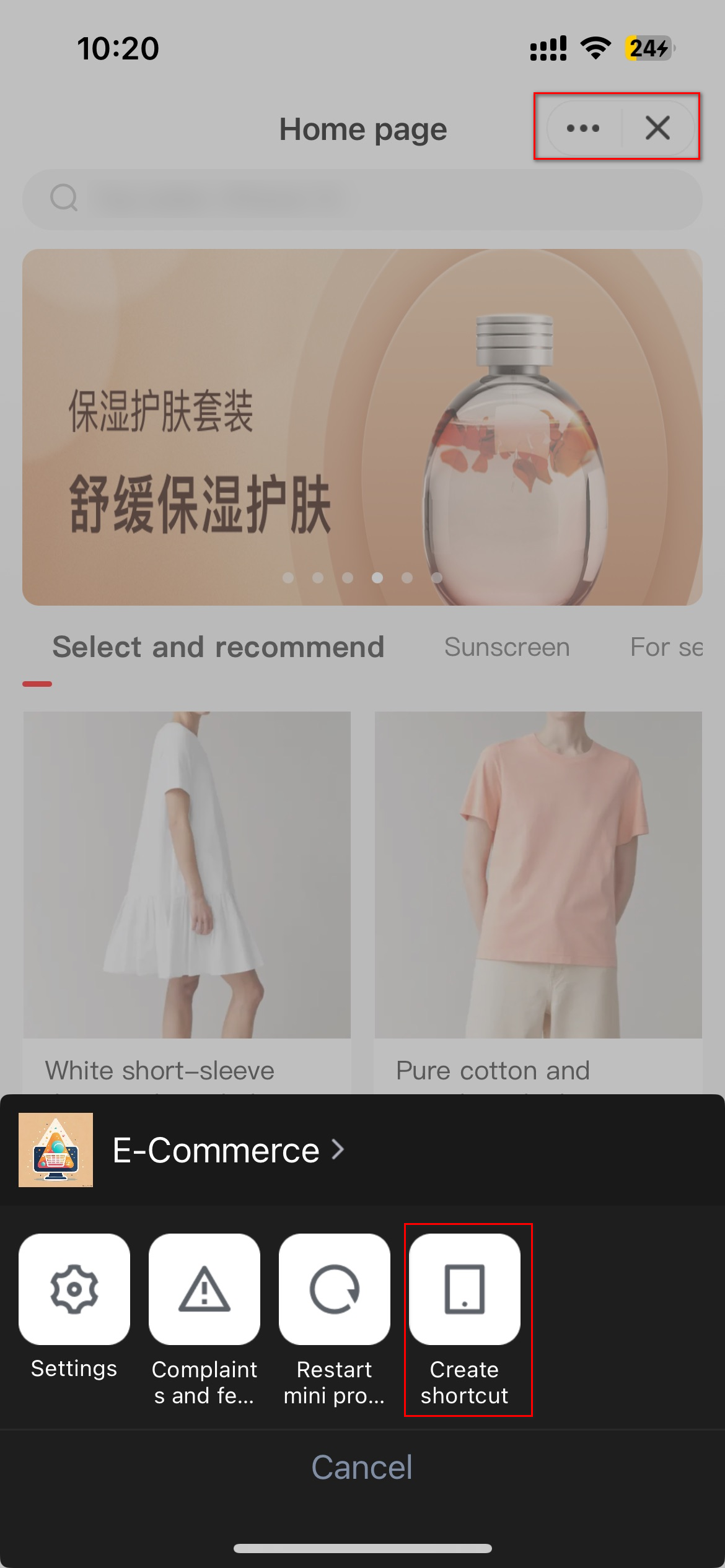
After tapping, it will redirect to the Safari page.
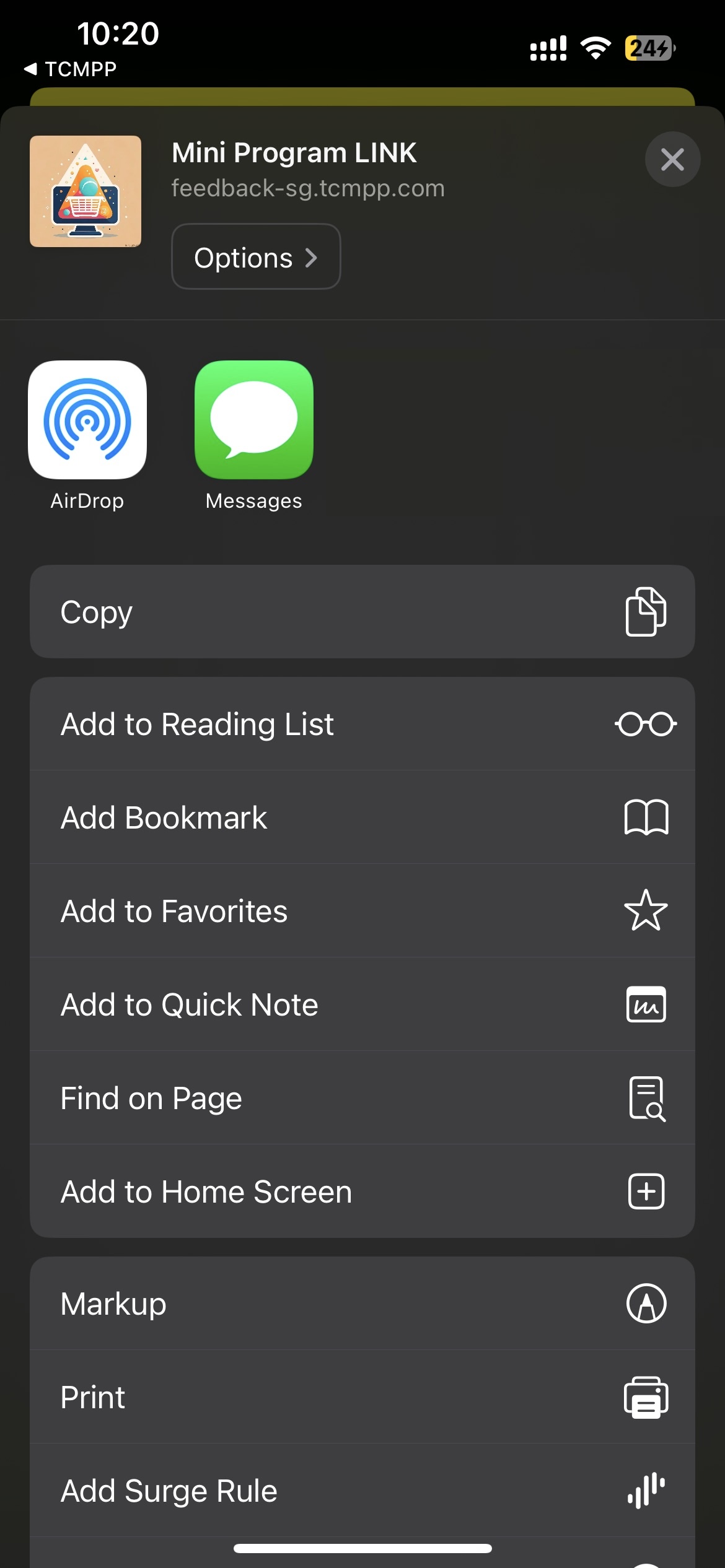
Tap Add to Home Screen to create a shortcut for the mini program.
Complete the configurations to use the feature
1. The client needs to return the scheme protocol name via the getAppScheme delegate method. Example code:
- (NSString *)getAppScheme{return @"xxx";}
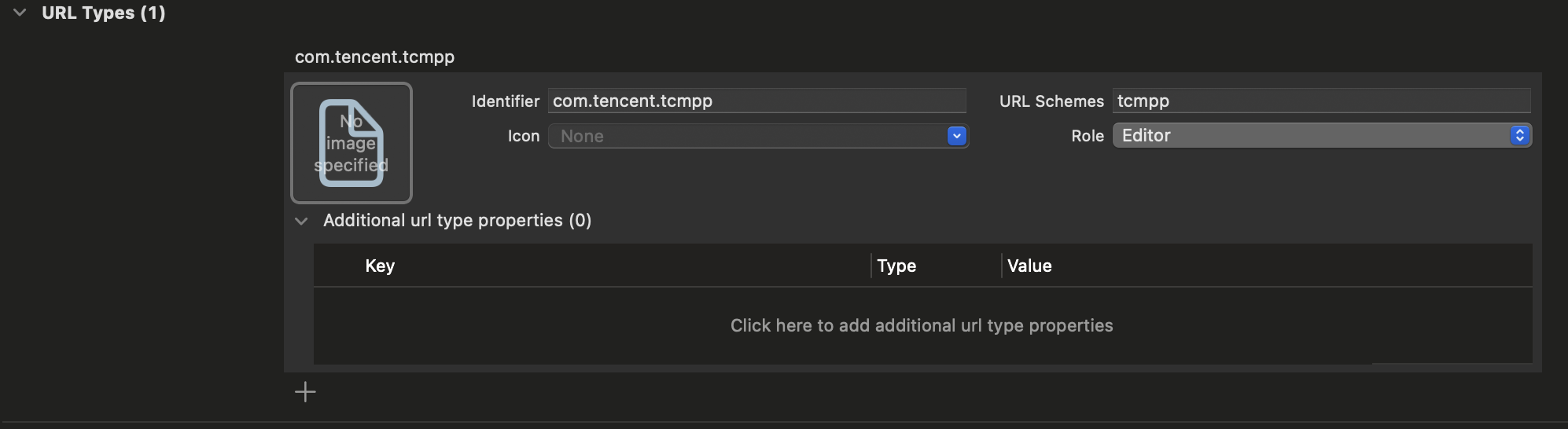
2. Configure the same scheme in the URL Types section of the main project's info.plist file.
3. Implement the handleOpenUrl method in the openUrl method. See the example below:
- (BOOL)application:(UIApplication *)app openURL:(NSURL *)url options:(NSDictionary<UIApplicationOpenURLOptionsKey, id> *)options {if ([[TMFMiniAppSDKManager sharedInstance] handleOpenUrl:url]){return YES;}return YES;}
Once completing the above steps, you can open the released version of the mini program by scanning the console QR code with the system camera.
フィードバック