DTS-Kafka Data Source
ダウンロード
フォーカスモード
フォントサイズ
DTS-Kafka Real-time Single Table Read Node Configuration
1. Click on the left side read, click to select DTS-Kafka node and configure the node information.
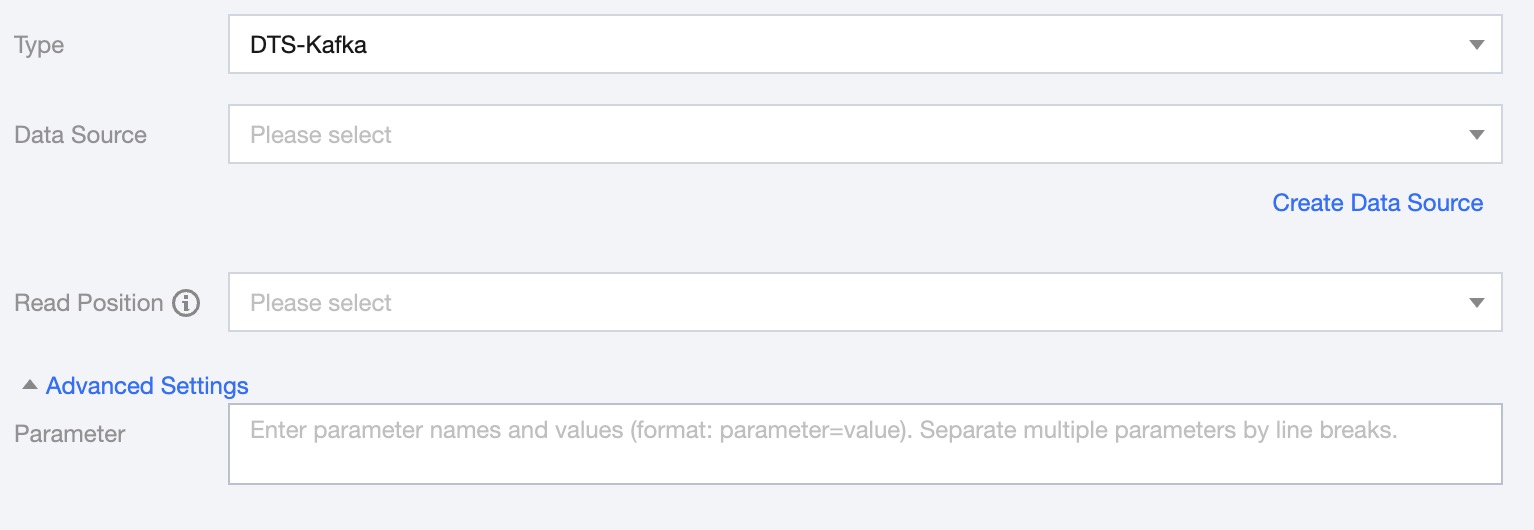
2. You can refer to the table below for parameter configuration:
Parameter | Description(Optional) |
Type | Select DTS-Kafka |
Data Source | Select the data source where the tables to be synced are located |
Read Position | Starting point for data synchronization when the synchronization task starts |
Advanced Settings | You can configure parameters according to business needs. |
3. Preview Data Fields, click Save.
フィードバック