2. Find the target instance in the instance list and enter its details page.
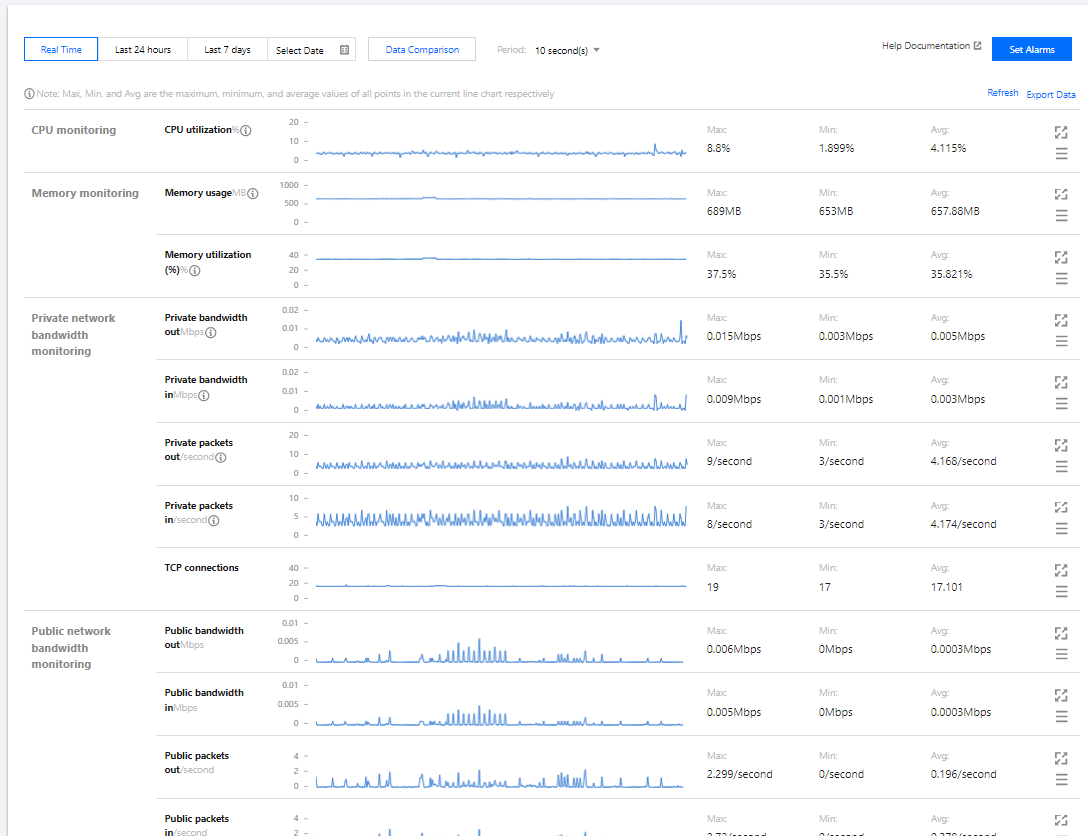
3. Select the Monitoring tab to enter the monitoring data page, where you can view the instance's monitoring data such as CPU, memory, private network bandwidth, public network bandwidth, and disk (system disk and data disk) usage as shown below:
Note:
If you want to set threshold alarms for the performance metrics of Lighthouse resources supported by Cloud Monitor, so that when an exception occurs, you can promptly receive a notification by WeChat, email, SMS, or phone call and take corresponding actions, you need to click Set alarm to create an alarm policy. For more information, see Creating Alarm Policy.
Related Operations
Getting CloudAudit operation records
Lighthouse supports CloudAudit. You can get operation records in the CloudAudit console in the following steps. For more information on CloudAudit operation records, see Viewing Event Details in Operation Record.
1. Log in to the CloudAudit console and select Operation Record on the left sidebar.
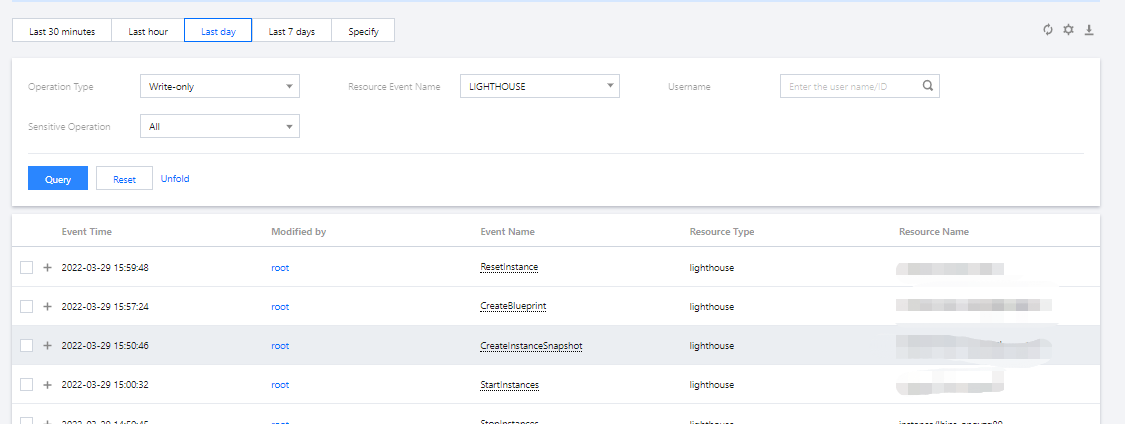
2. Select LIGHTHOUSE for Resource Event Name and click Query to view the logs as shown below: