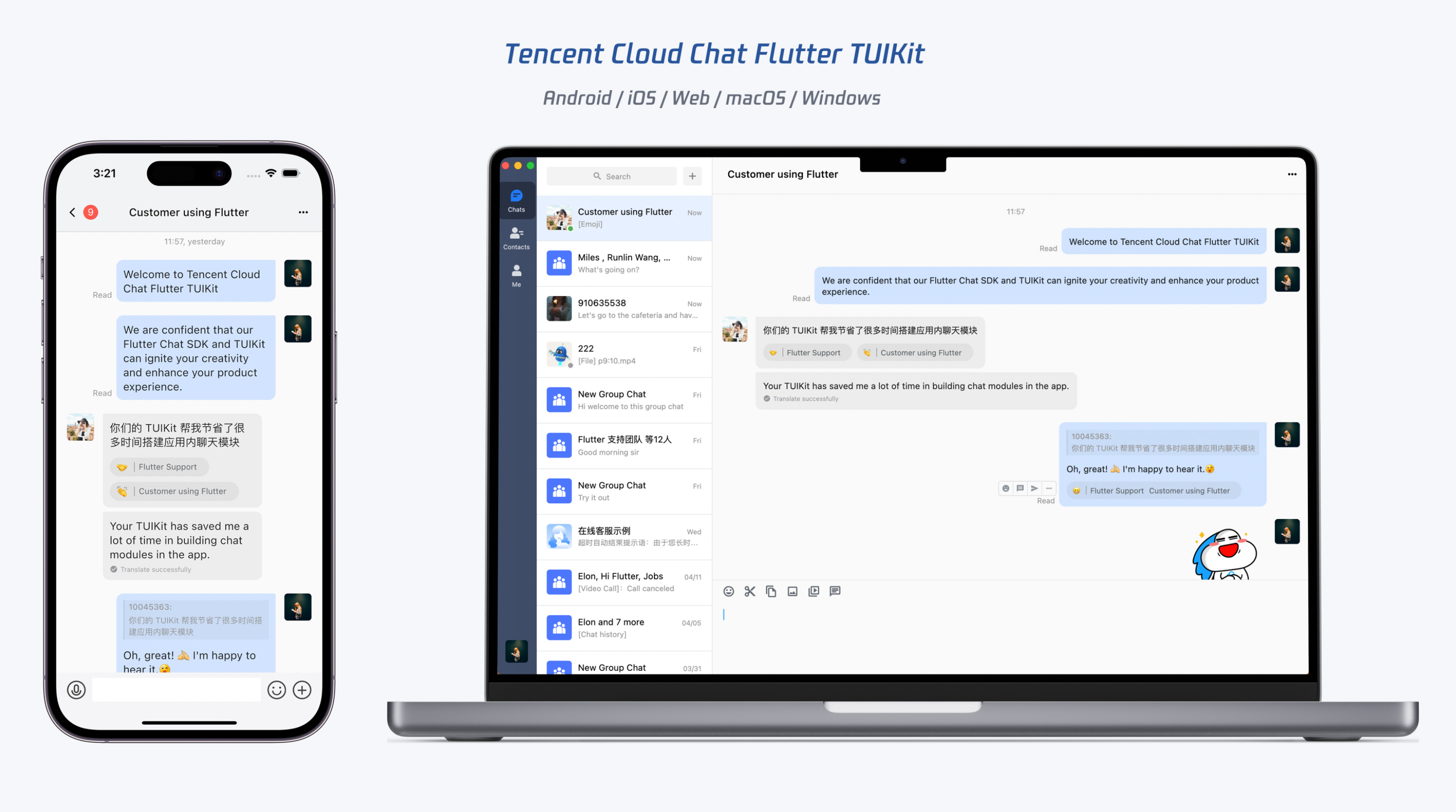
TUIKit is a UI component library based on the Tencent Cloud Chat SDK. It provides capabilities such as conversation, chat, search, contacts, group and audio/video call. With TUIKit, you can efficiently develop a UI-included instant messaging application for mobile and desktop platforms by integrating a single set of code.
TUIKit streamlines the application development process based on the Tencent Cloud Chat SDK. It helps developers efficiently implement UI features and supports calling corresponding APIs of the Chat SDK to implement instant messaging-related logic and data processing, allowing developers to focus on their own business needs or custom extensions.
TUIKit Components
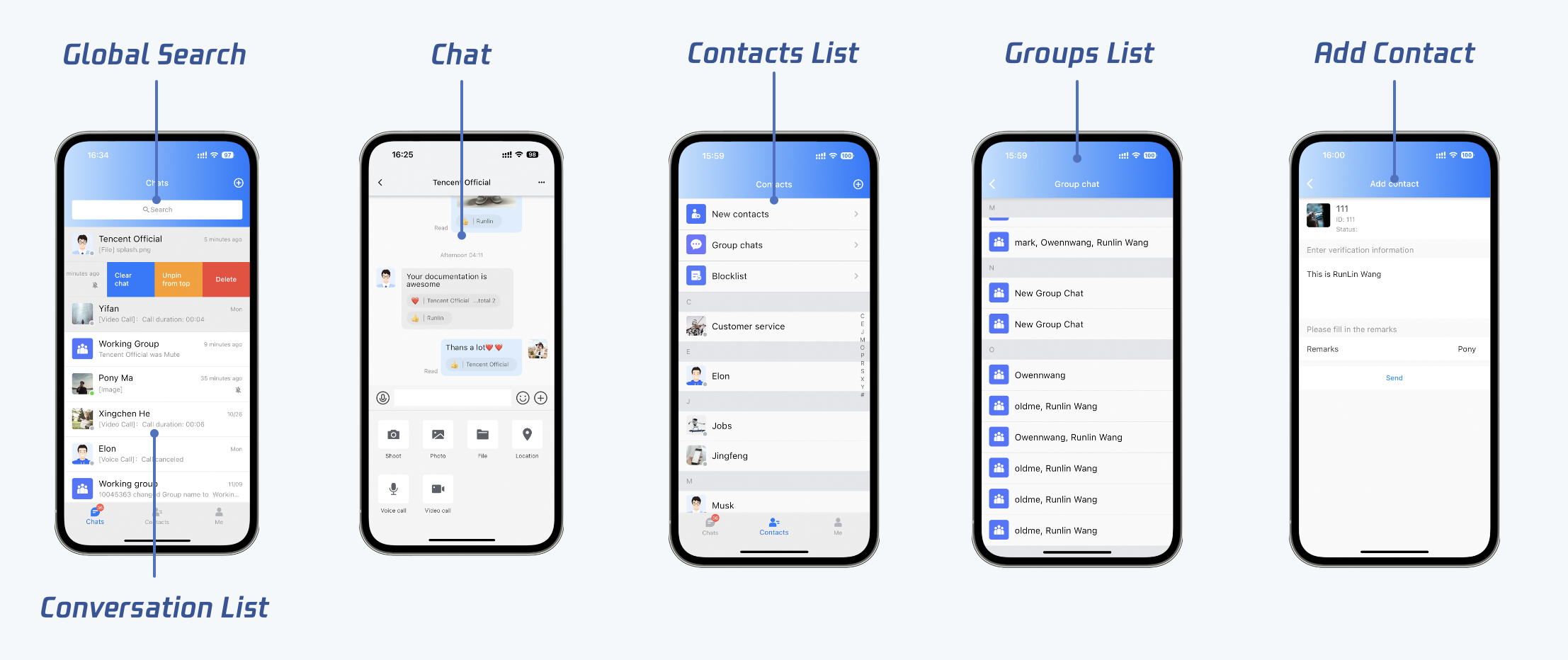
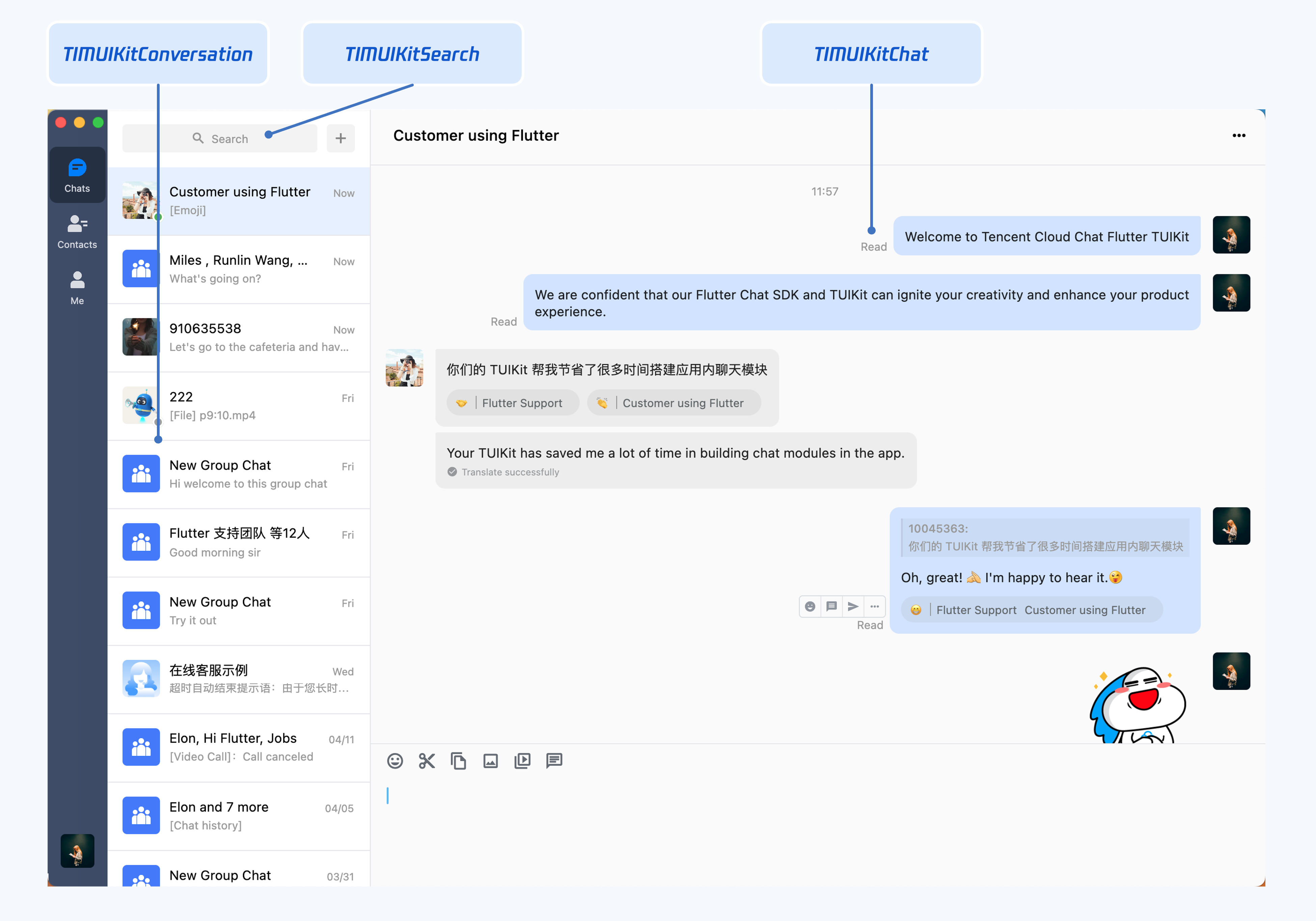
TUIKit provides various UI components for implementing features such as chat, conversation list, contacts management, user/group profile, search, and audio/video calls. Each UI components is responsible for implementing a different feature module.
These components are used in the same way on both mobile and desktop platforms. The TUIKit will be automatically adapted to different platforms.
The UI effect is as shown below:
Mobile
Desktop
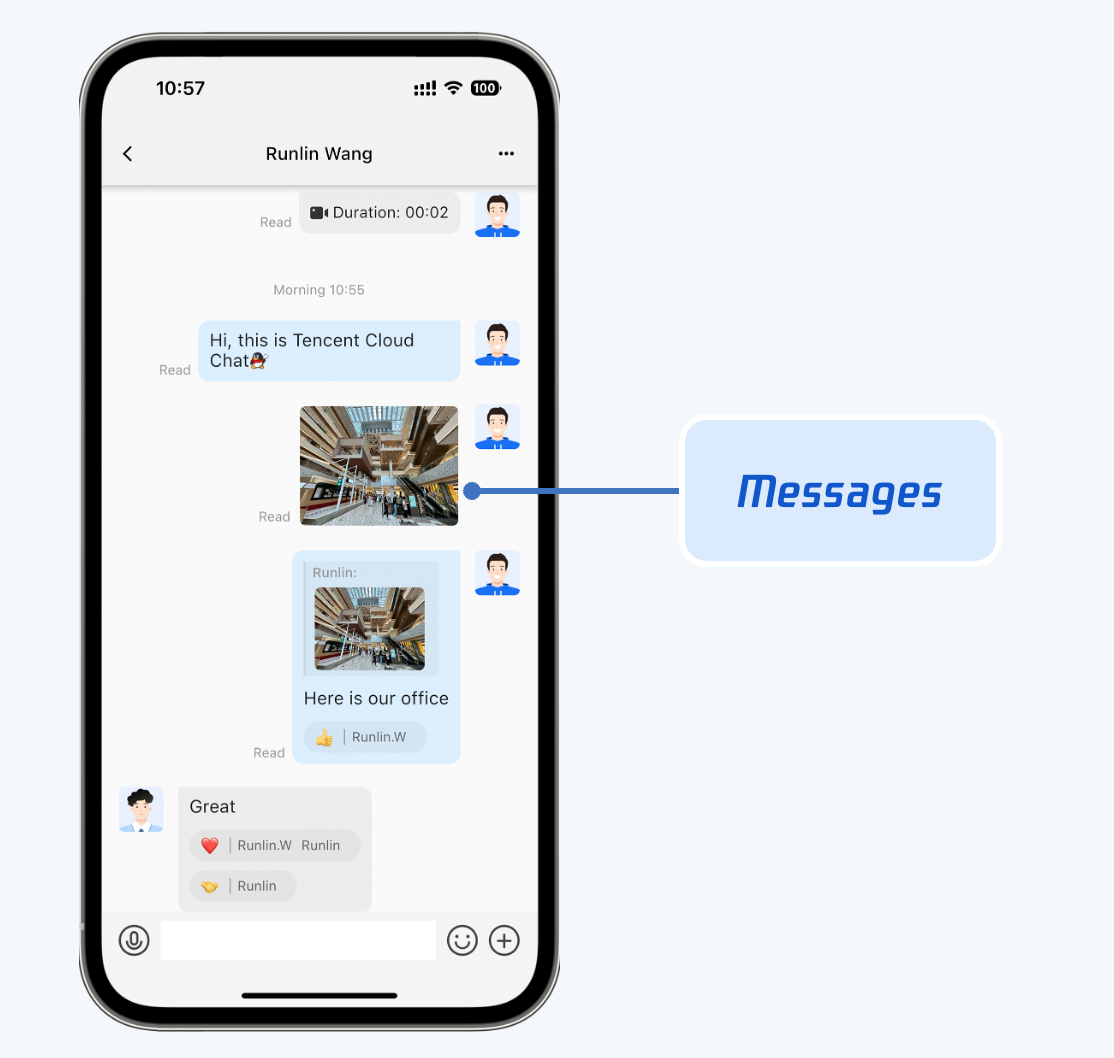
Chat component for message sending and receiving
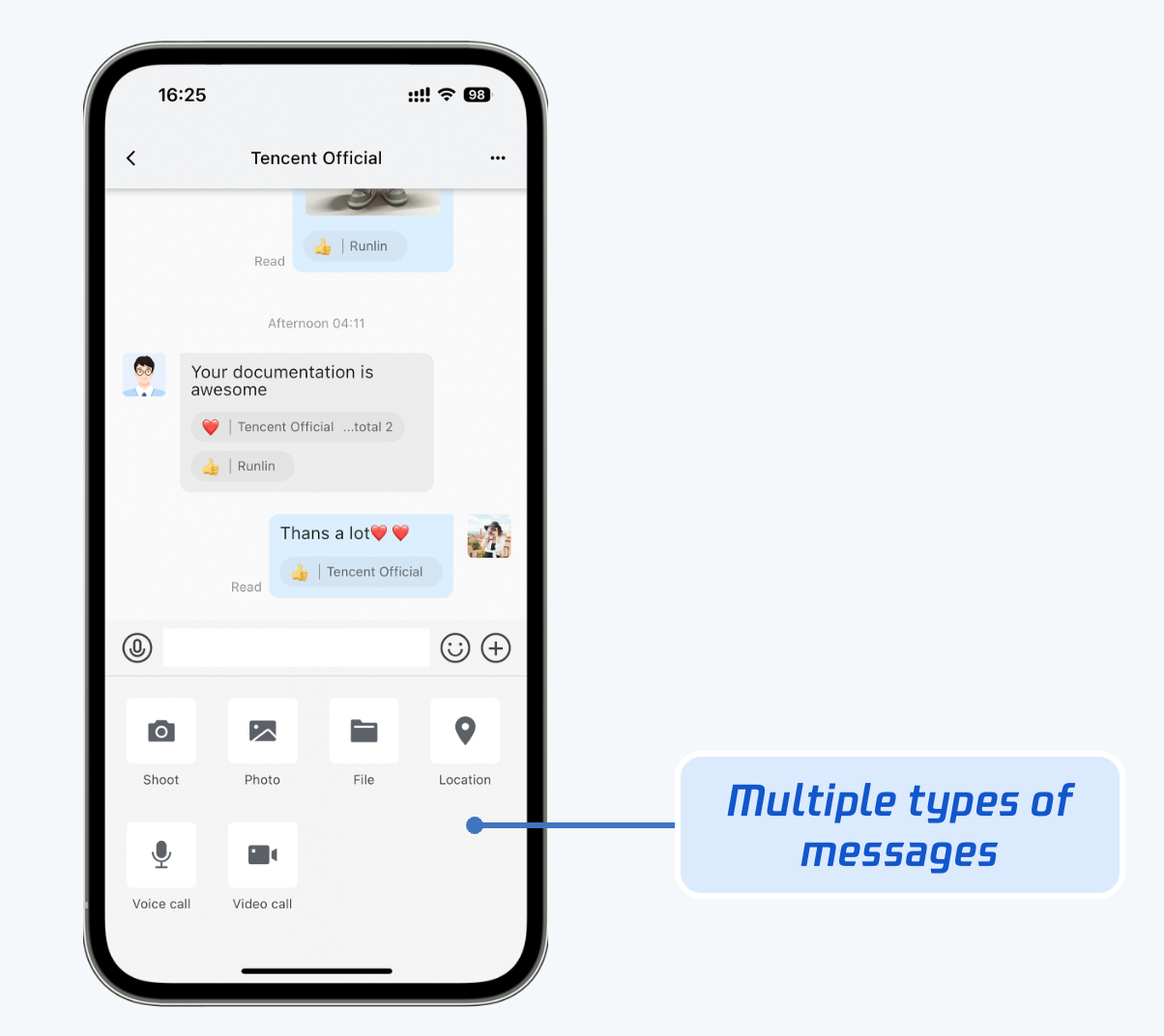
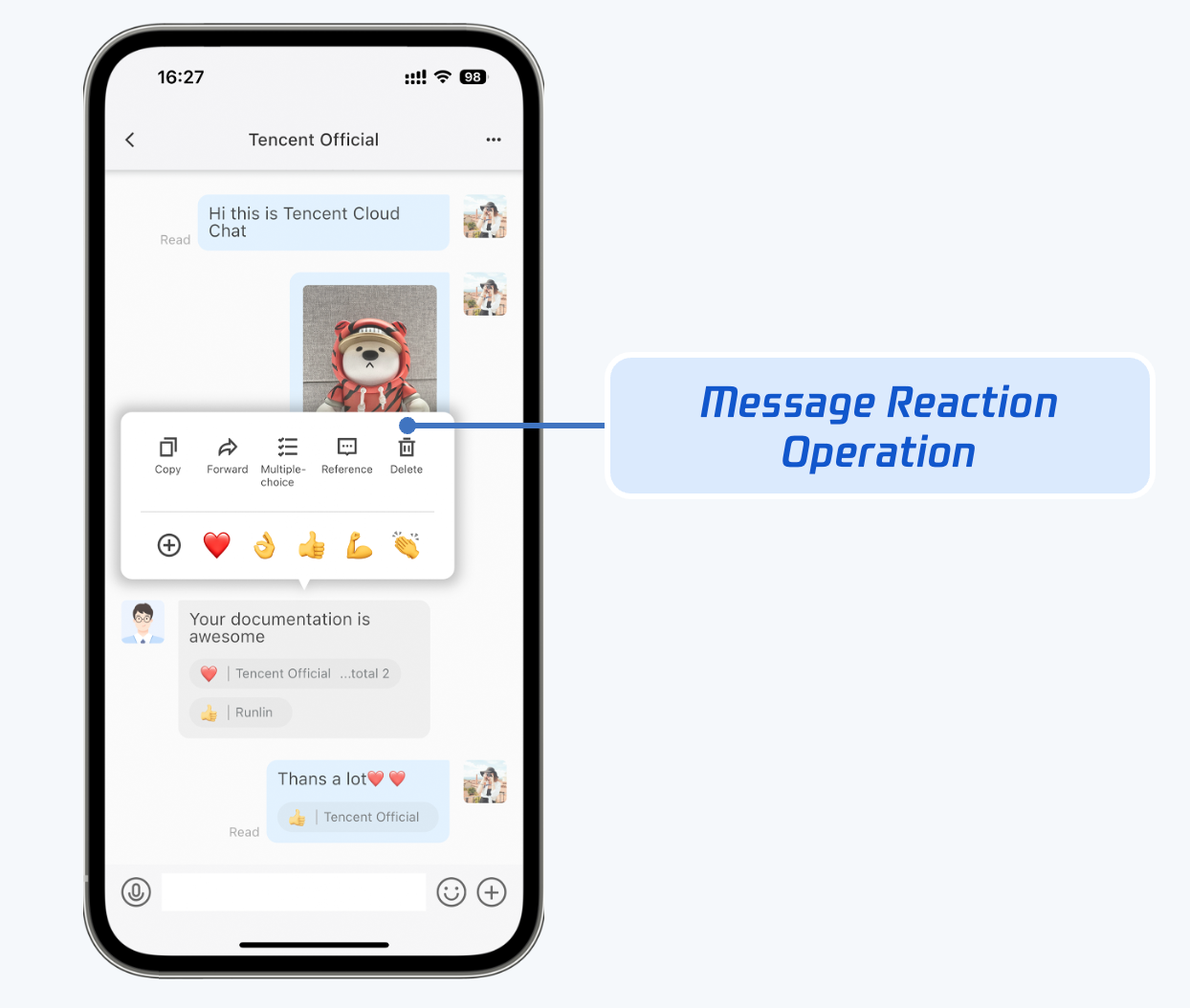
TIMUIKitChat is responsible for displaying message UI. You can use it to send different types of messages, reply with emojis, reply or quote messages, view message read receipt details, etc.
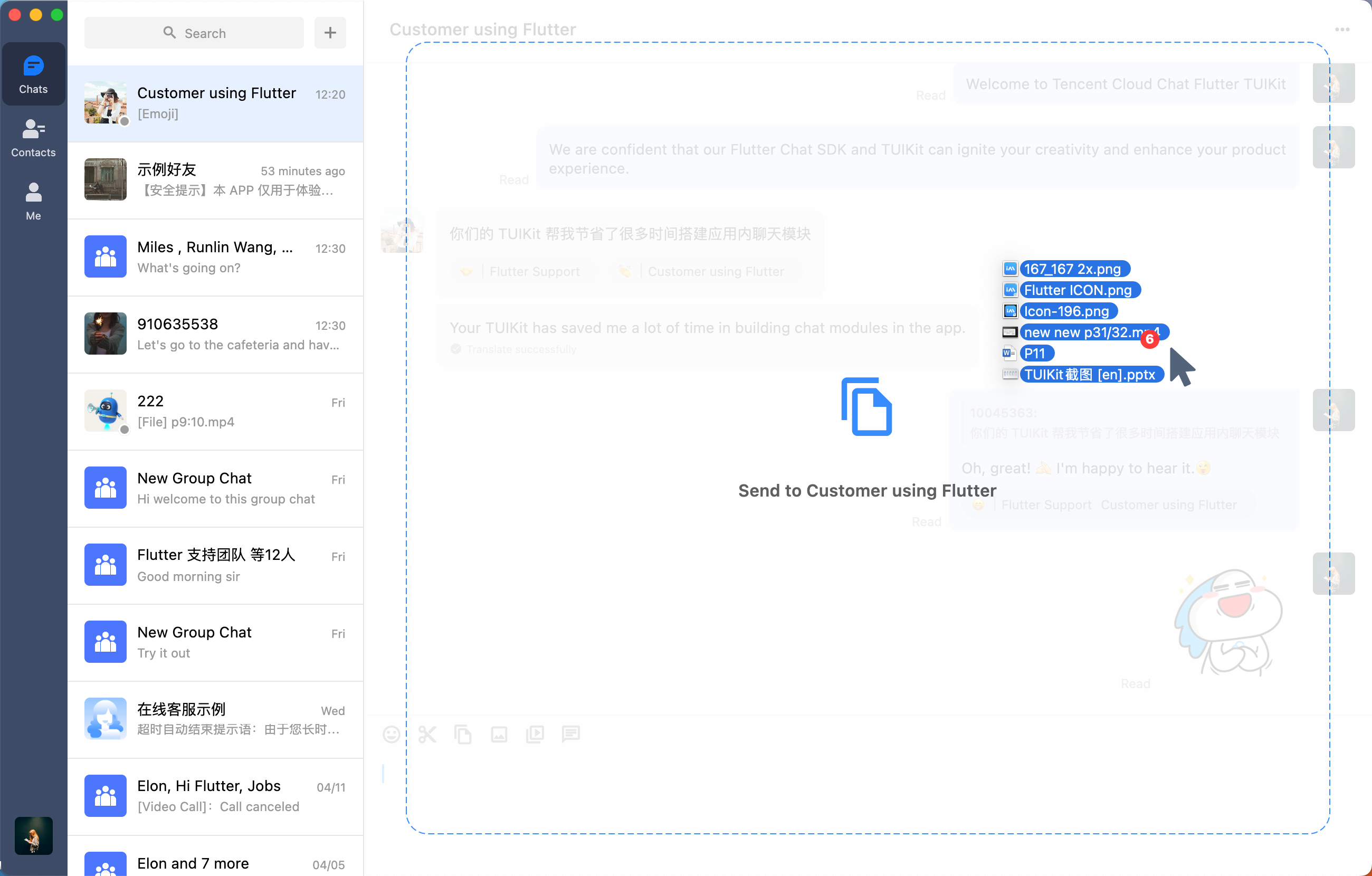
It also provides unique capabilities on Desktop, such as sending files by dragging and dropping, taking screenshots, pasting and sending images, and opening the directory where a file message is stored.
The UI effect is as shown below:
Mobile
Desktop
Message UI
Send multiple types of messages
Reply with emojis/reply/quote a message
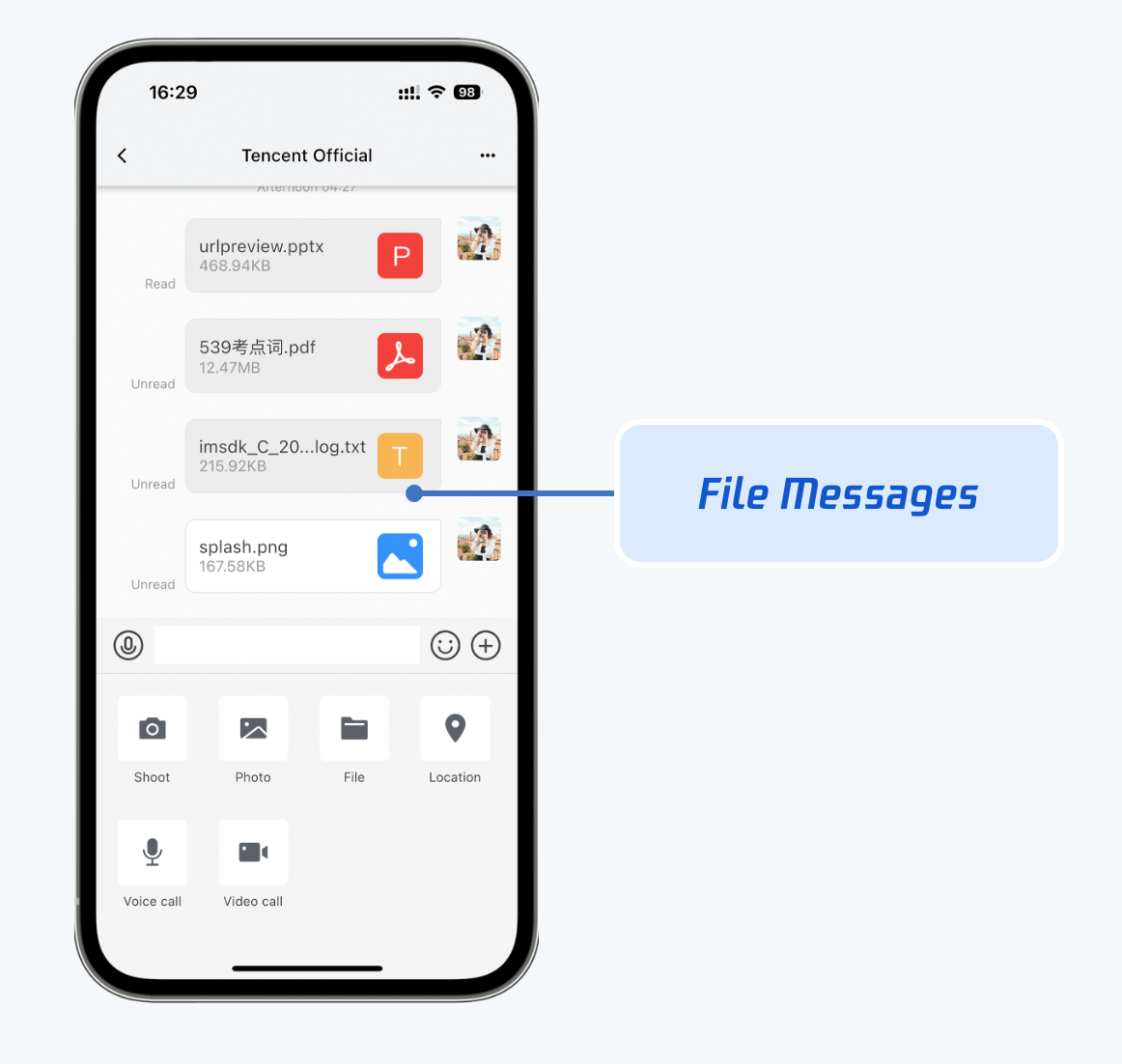
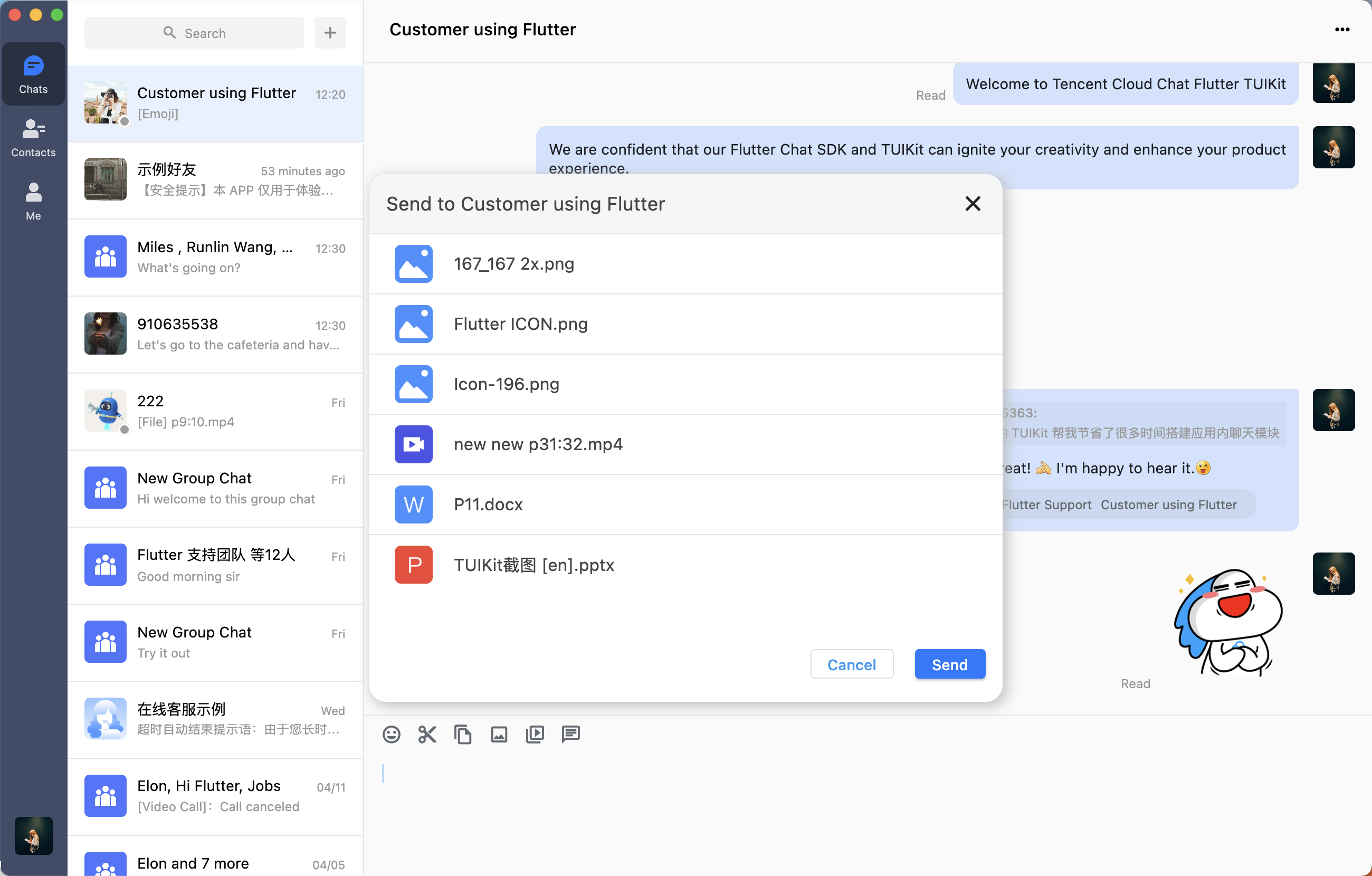
Automatic file icon matching
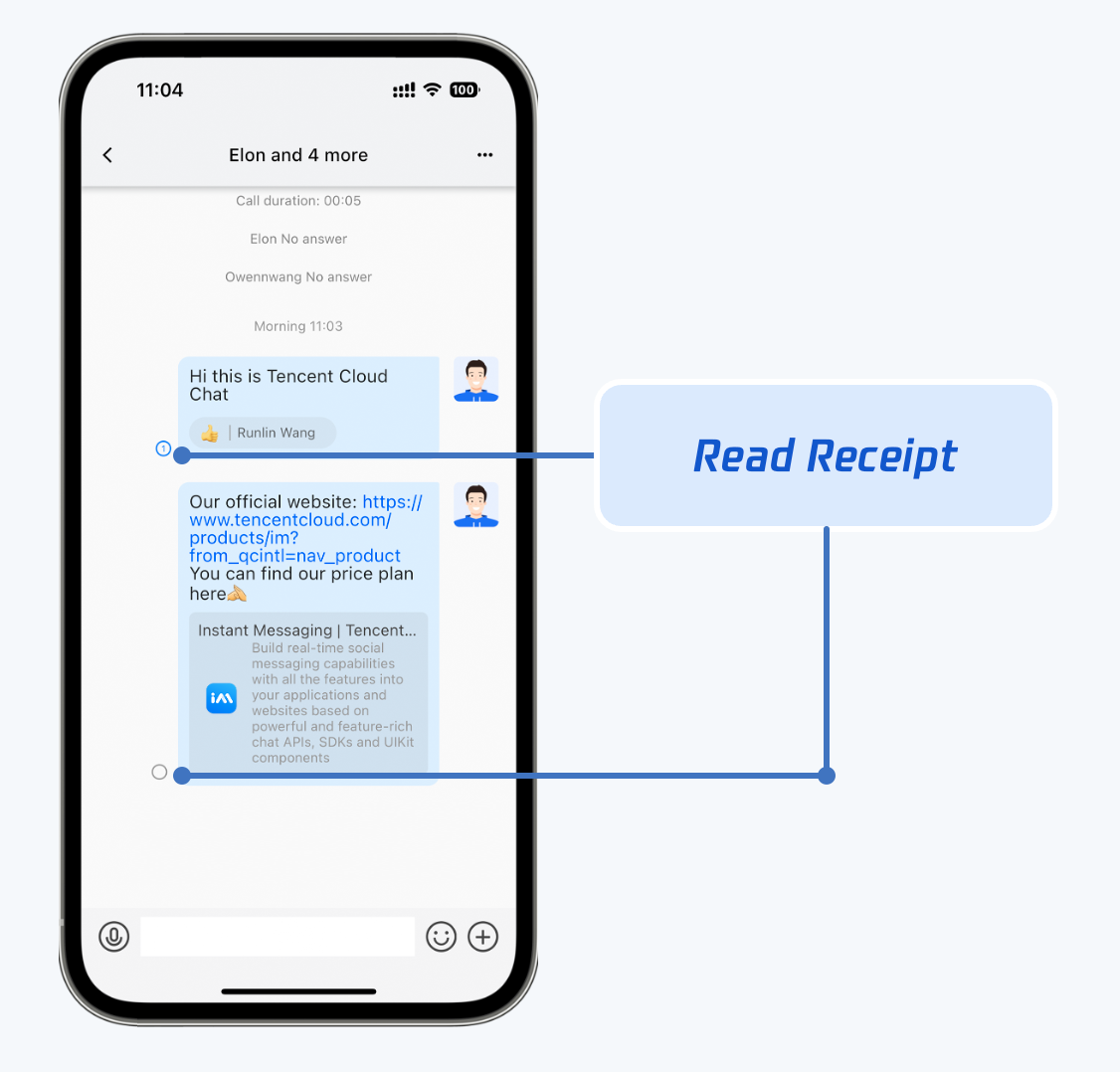
Message read receipt
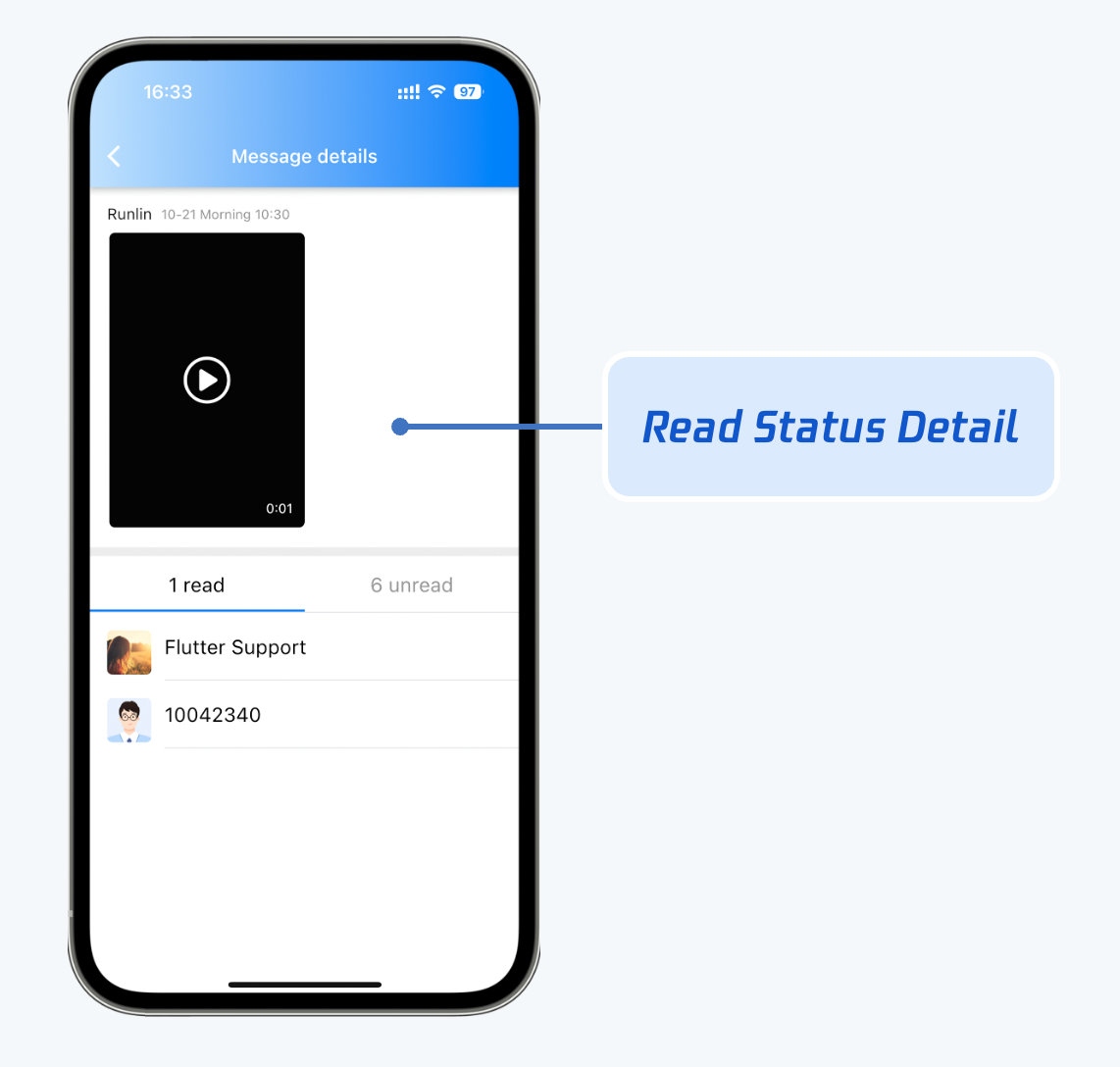
Read receipt details
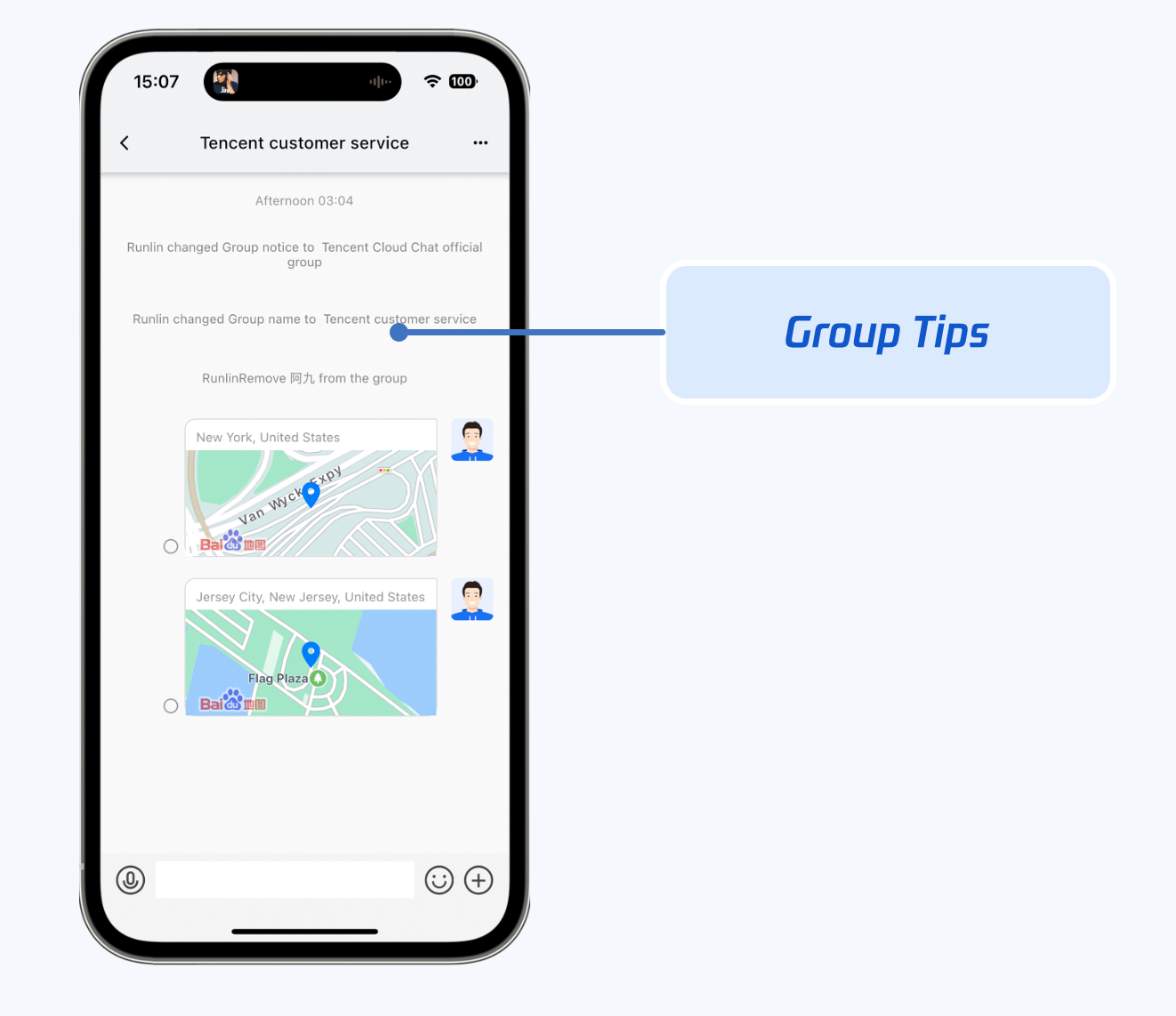
Group tip messages
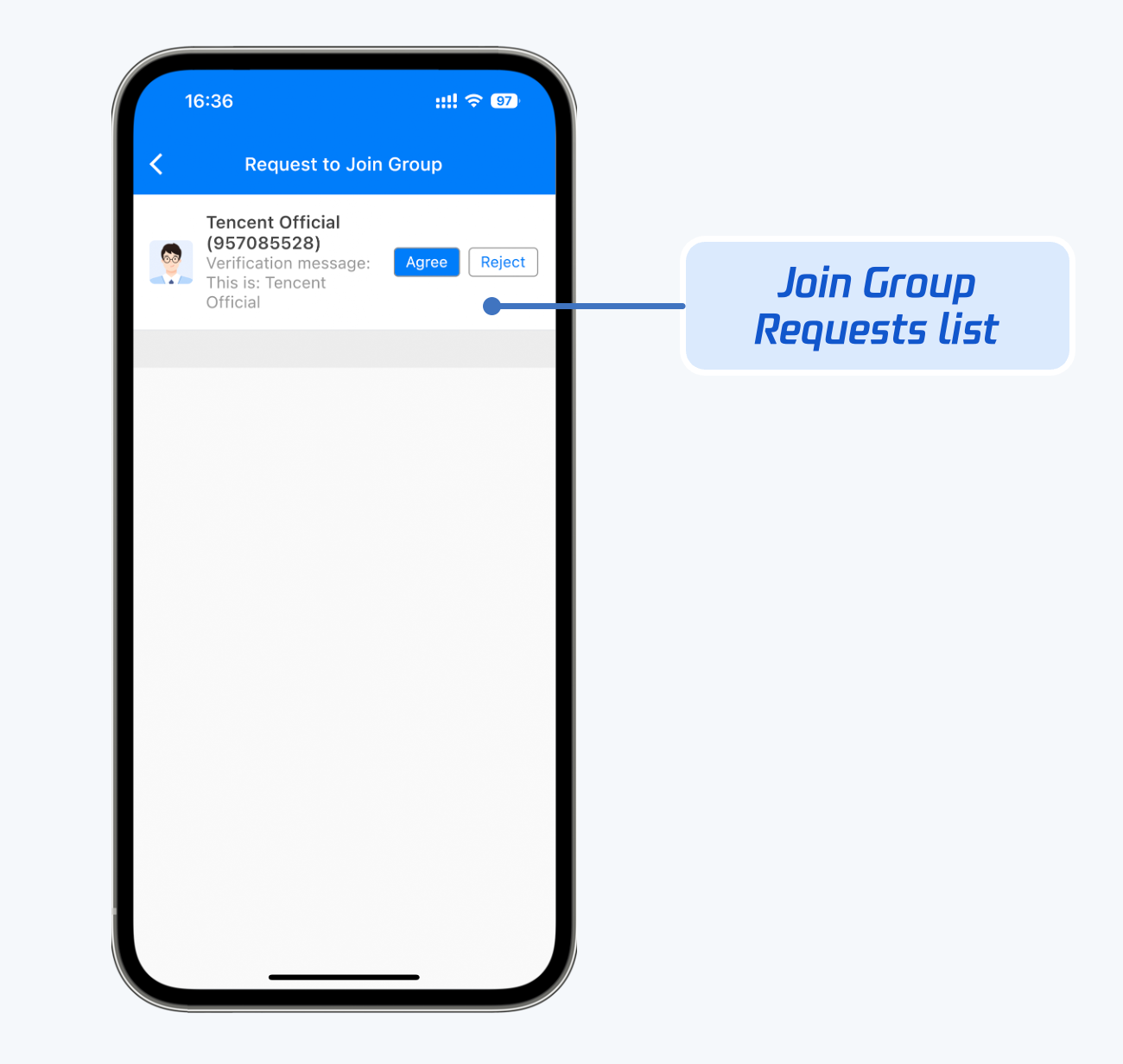
Group joining request approval
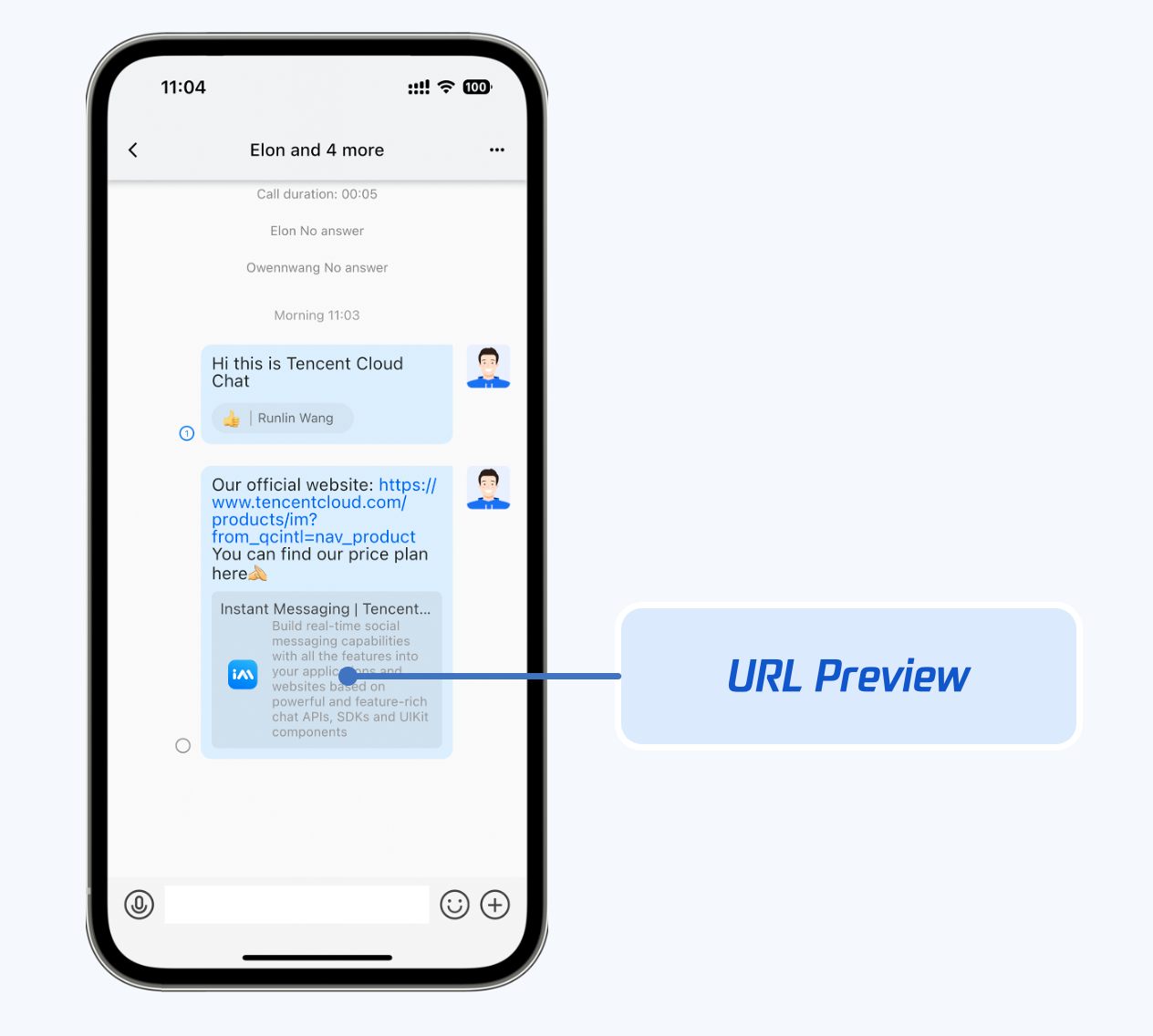
Link parsing preview
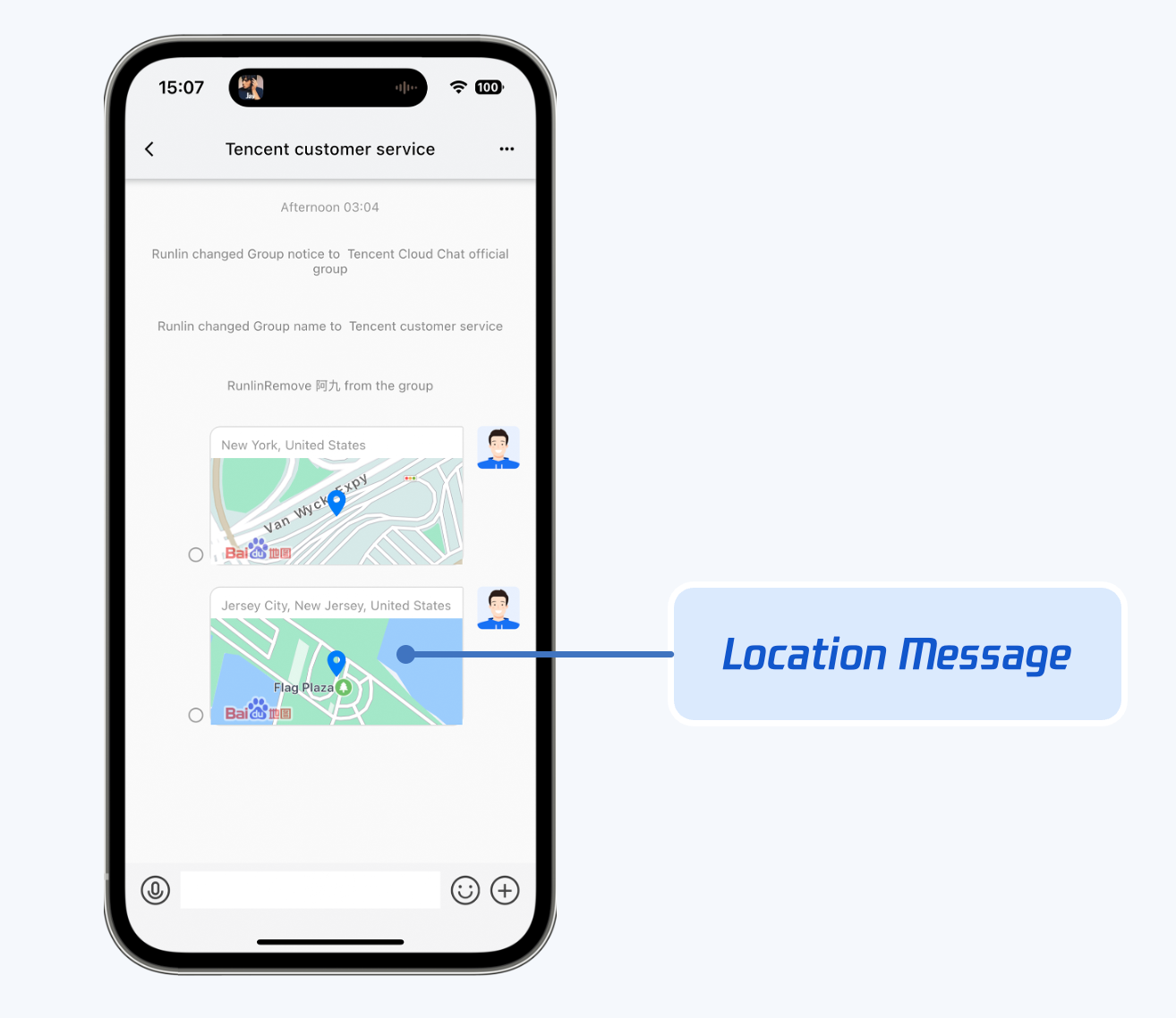
Geographical location message
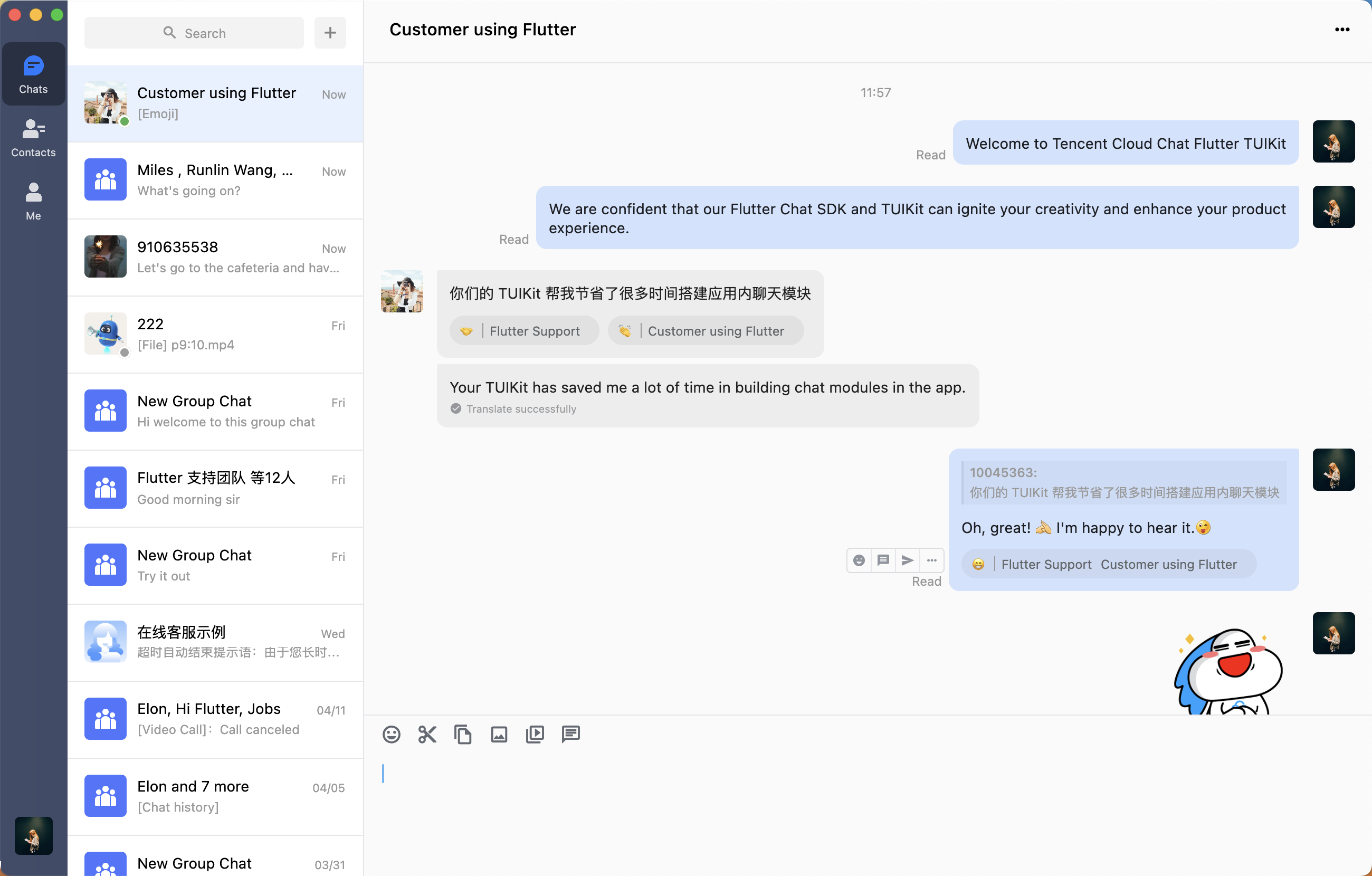
The message UI shows message sending and receiving interactions on Desktop.
In addition to features displayed on the Mobile tab, extra features are supported on Desktop, as shown below:
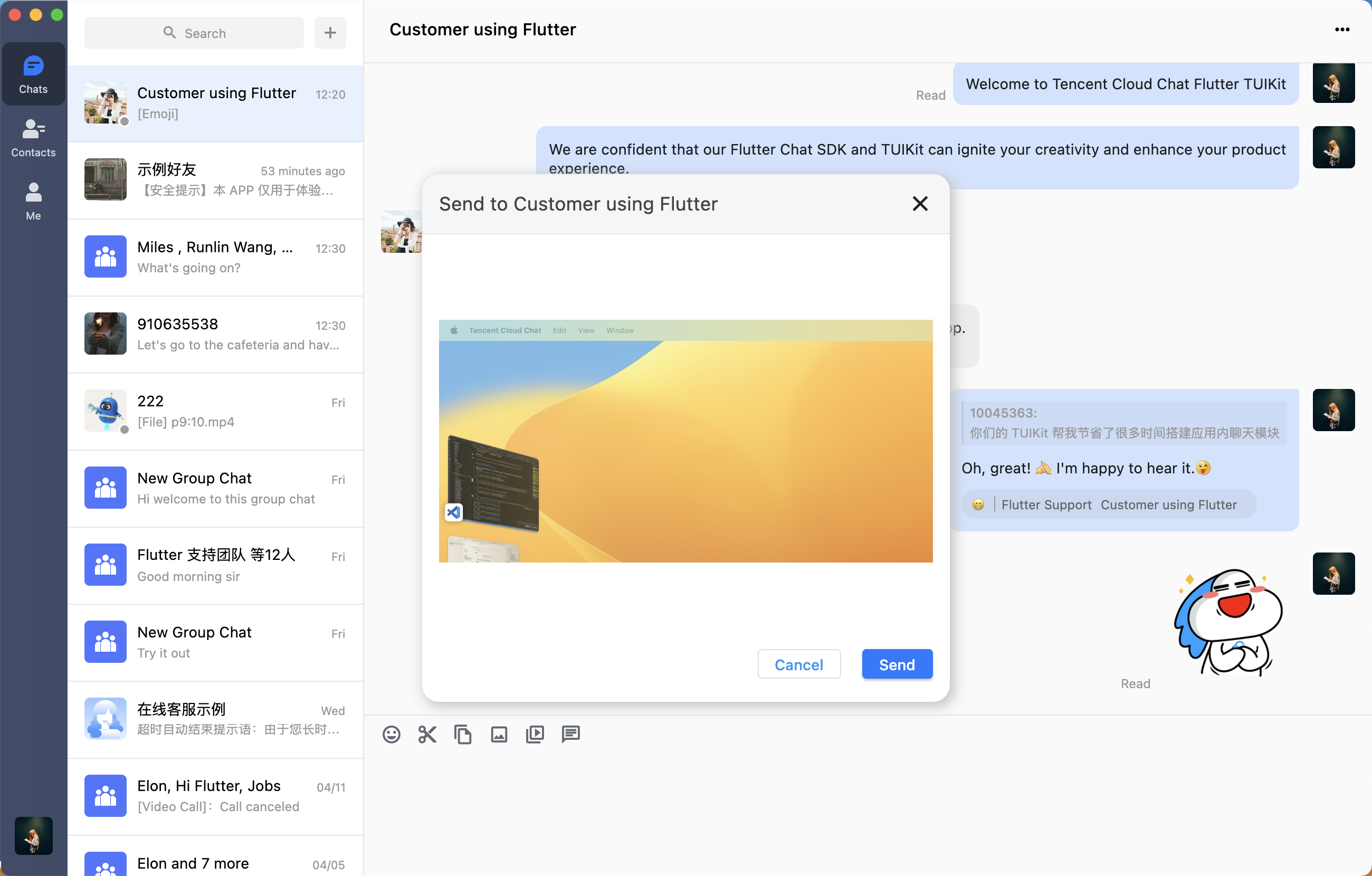
Take screenshots or paste an image in the message sending area to send images directly
Drag and drop multiple files to send
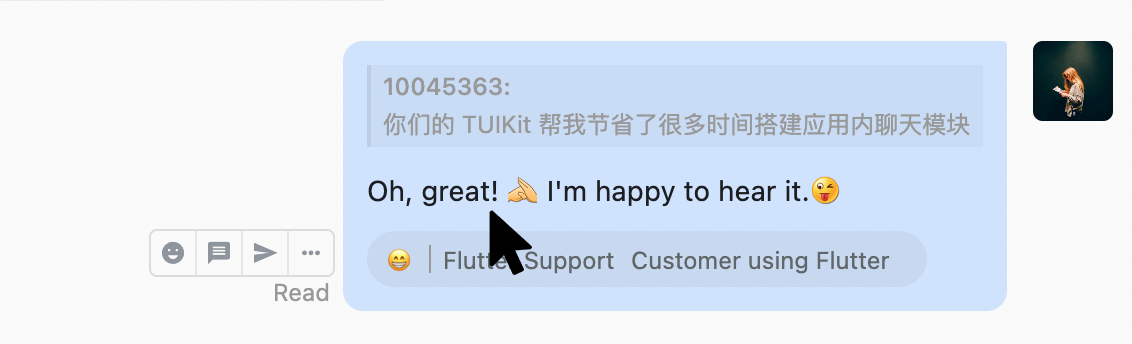
Hover over a message to perform operations such as replying with emojis, replying to a message, or forwarding a message.
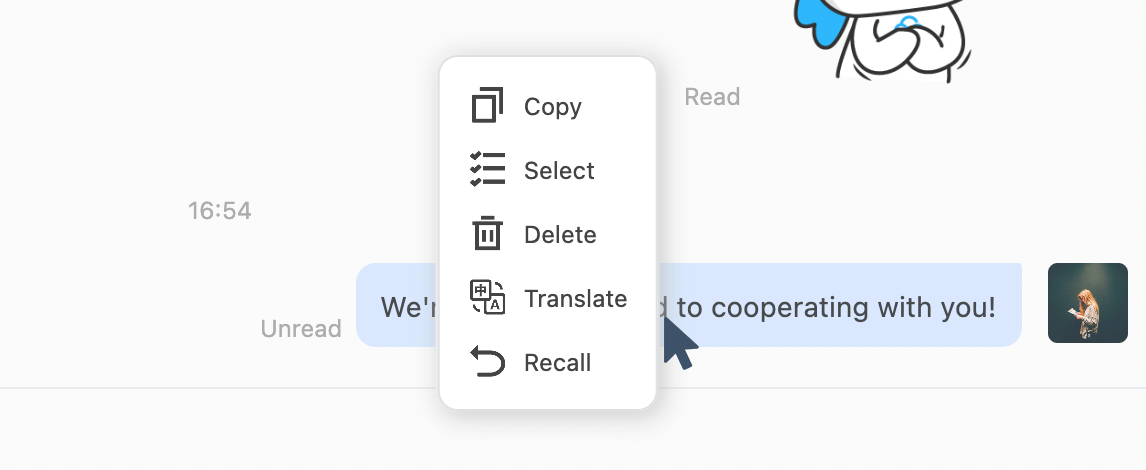
Right-click a message to perform operations such as copying, selecting, deleting, translating and recalling a message.
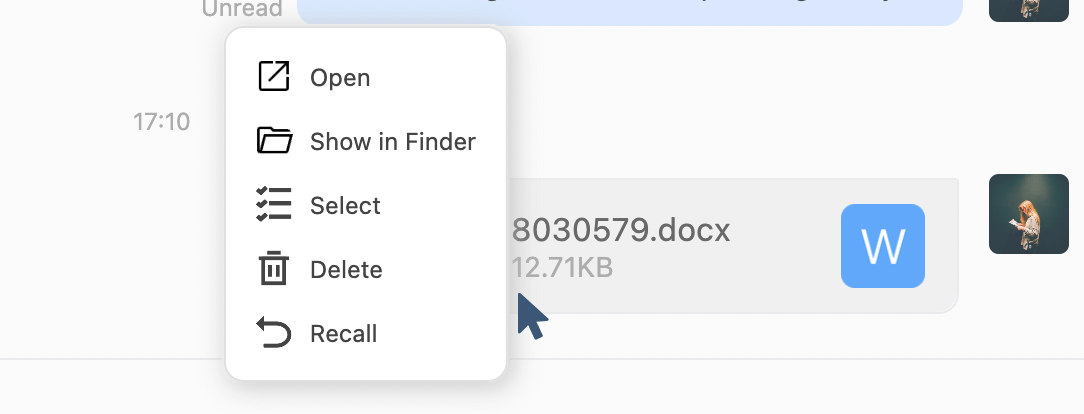
Right-click a file sent during chat to open the file directly or open the directory where the file is stored. Alternatively, click the file message itself to open it.
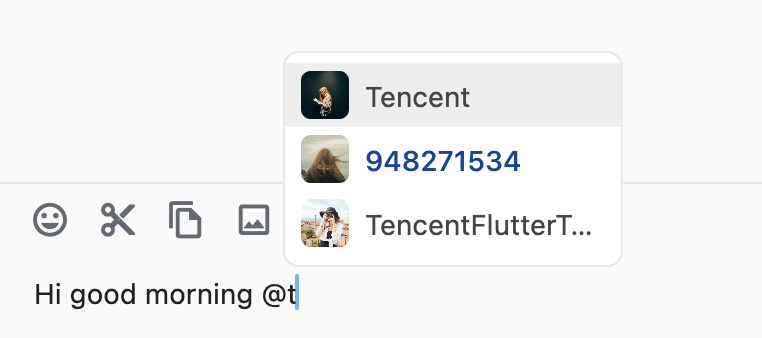
Mention (@) group members in a group. In the group member selection panel, search for group members by entering their name gradually and mention them. The mentioned members will receive notification.
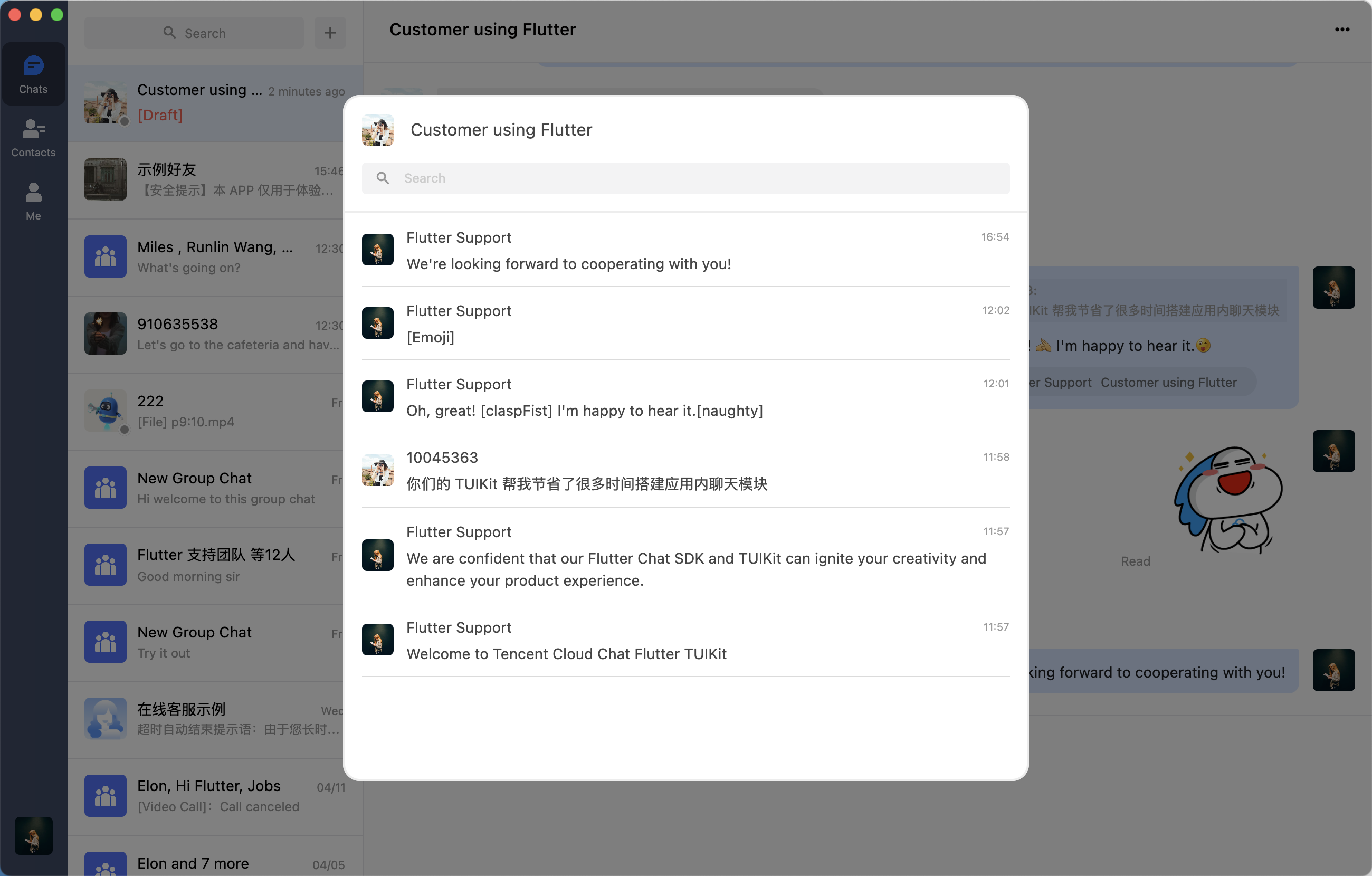
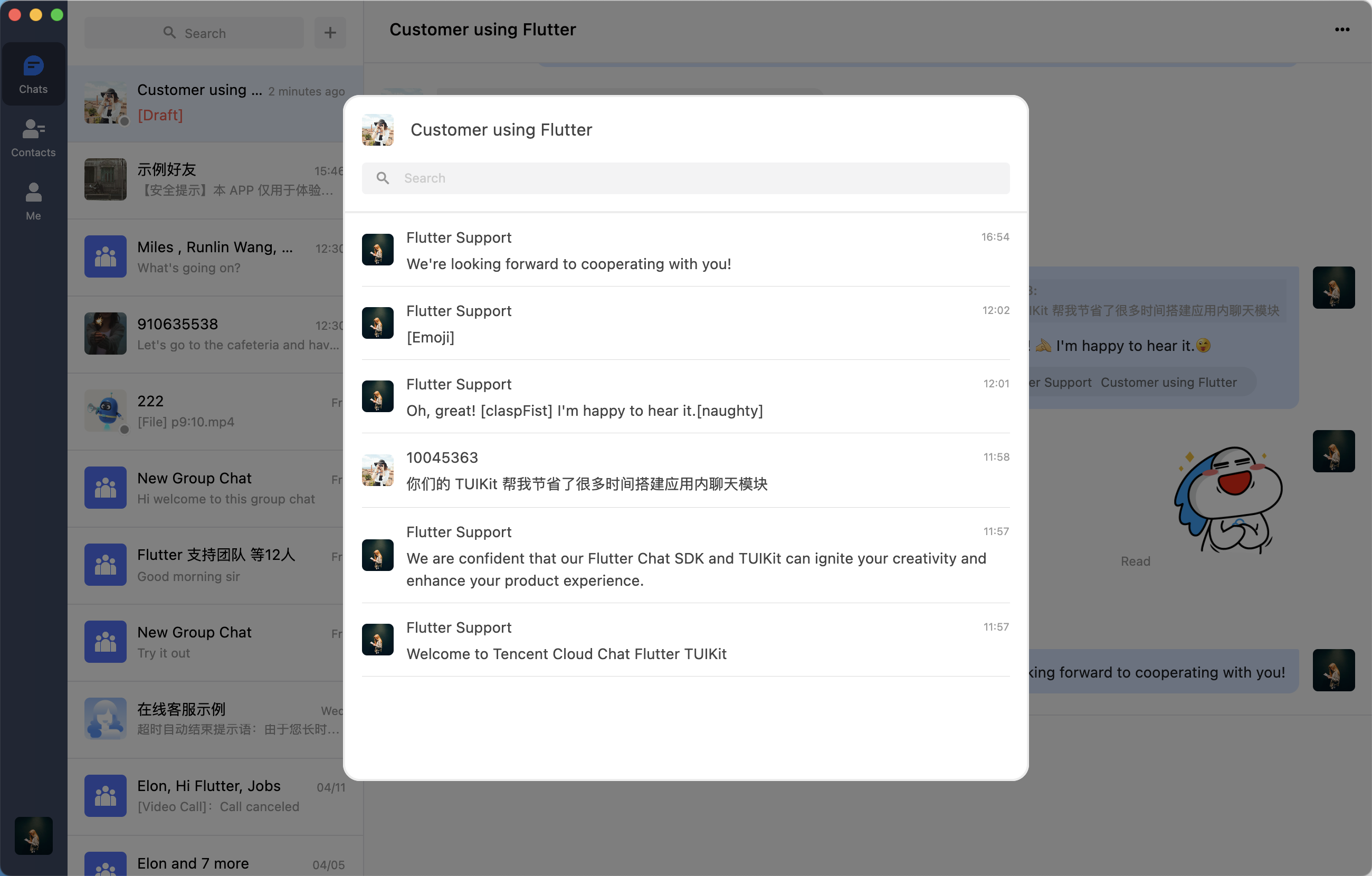
Historical message panel supports searching message history by keywords.
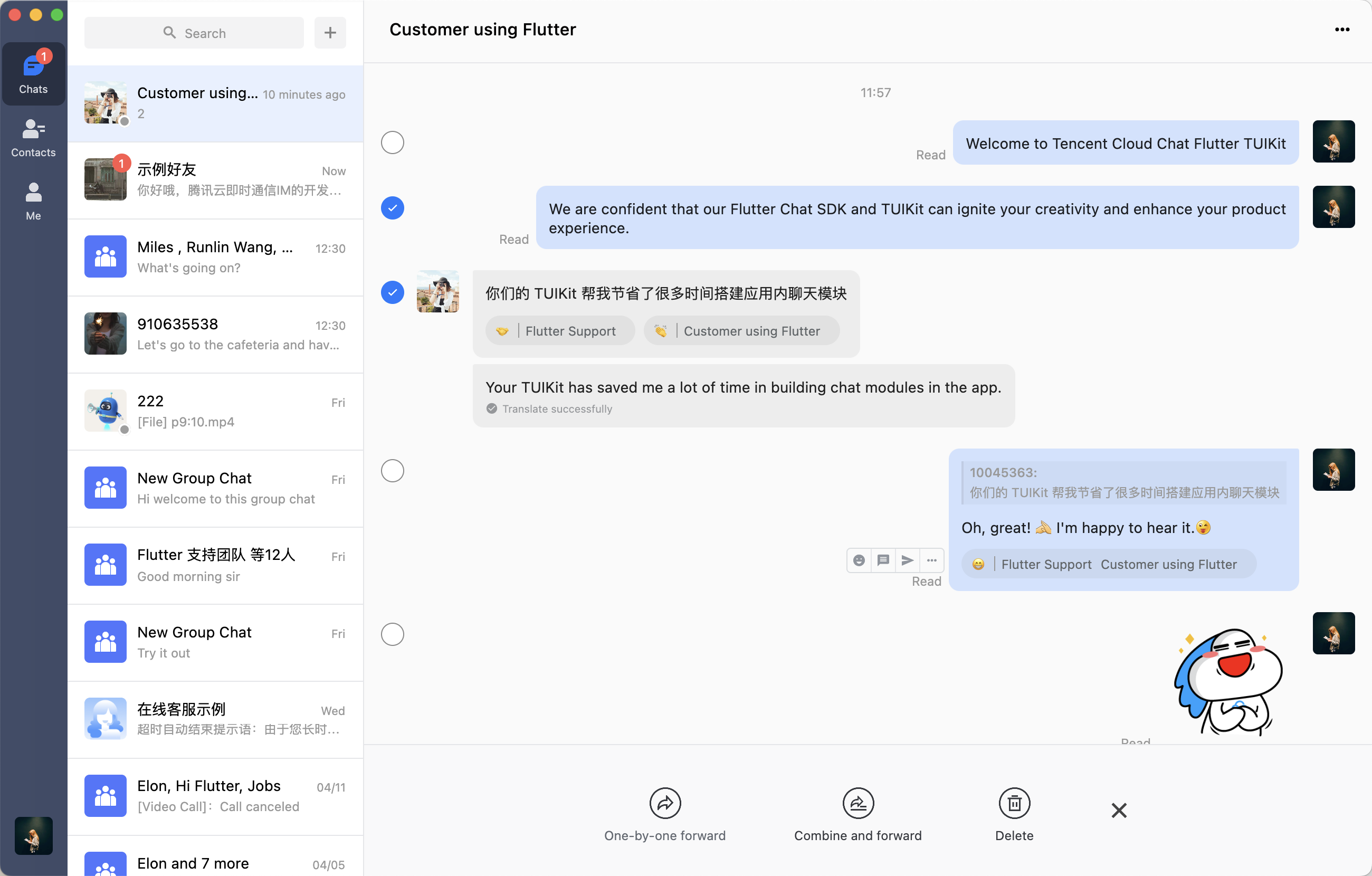
Select multiple messages in a conversation.
Contacts components
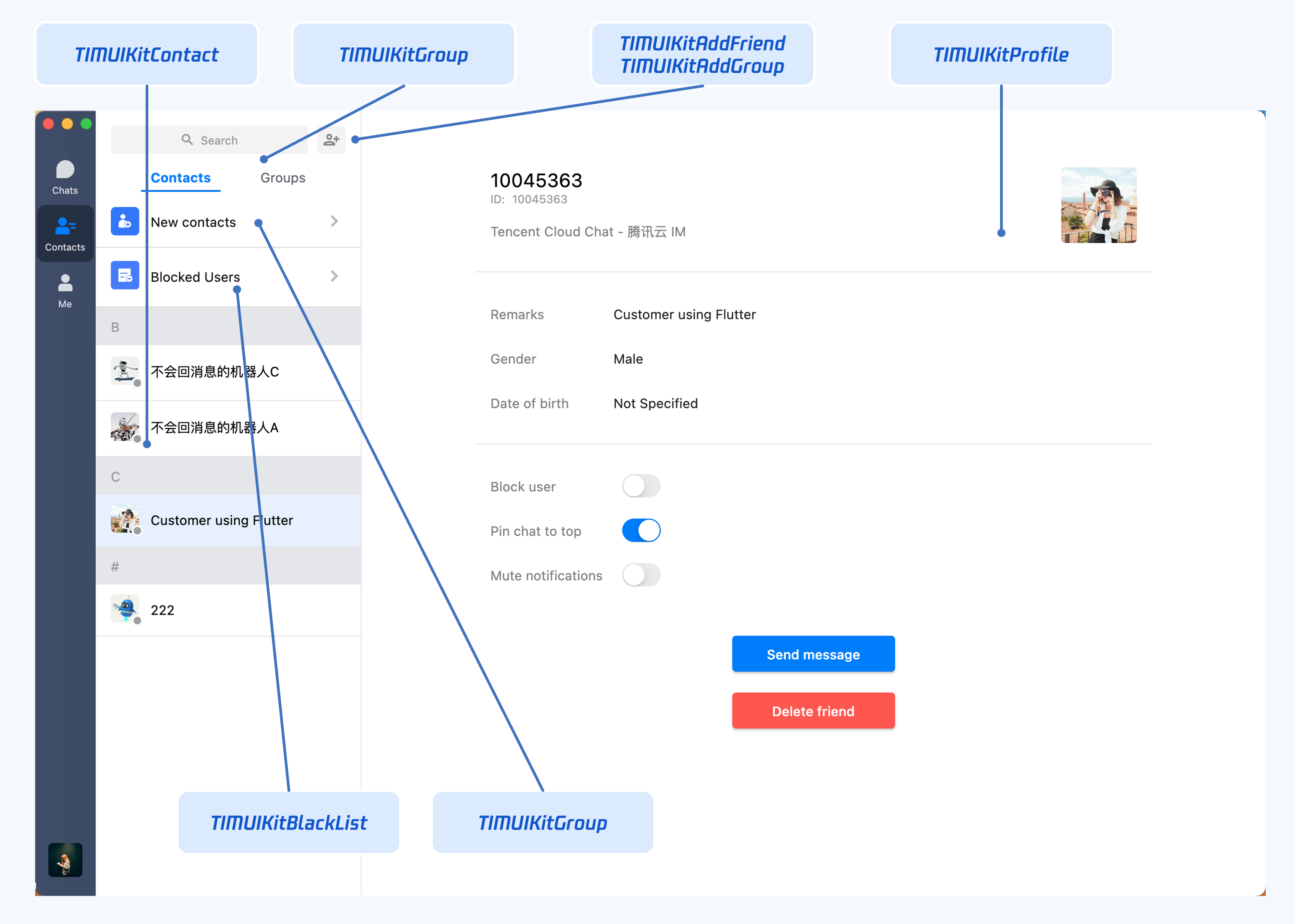
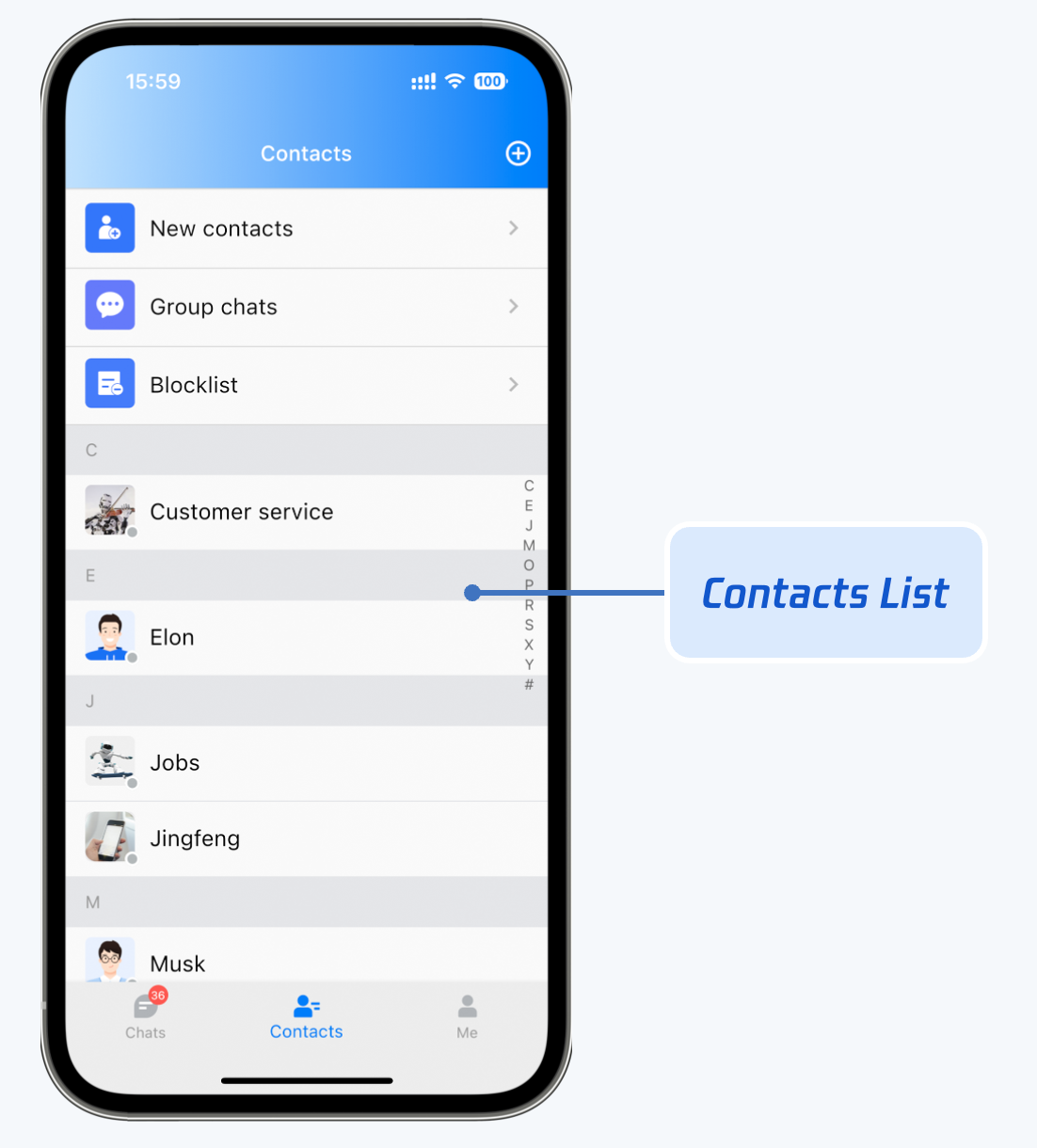
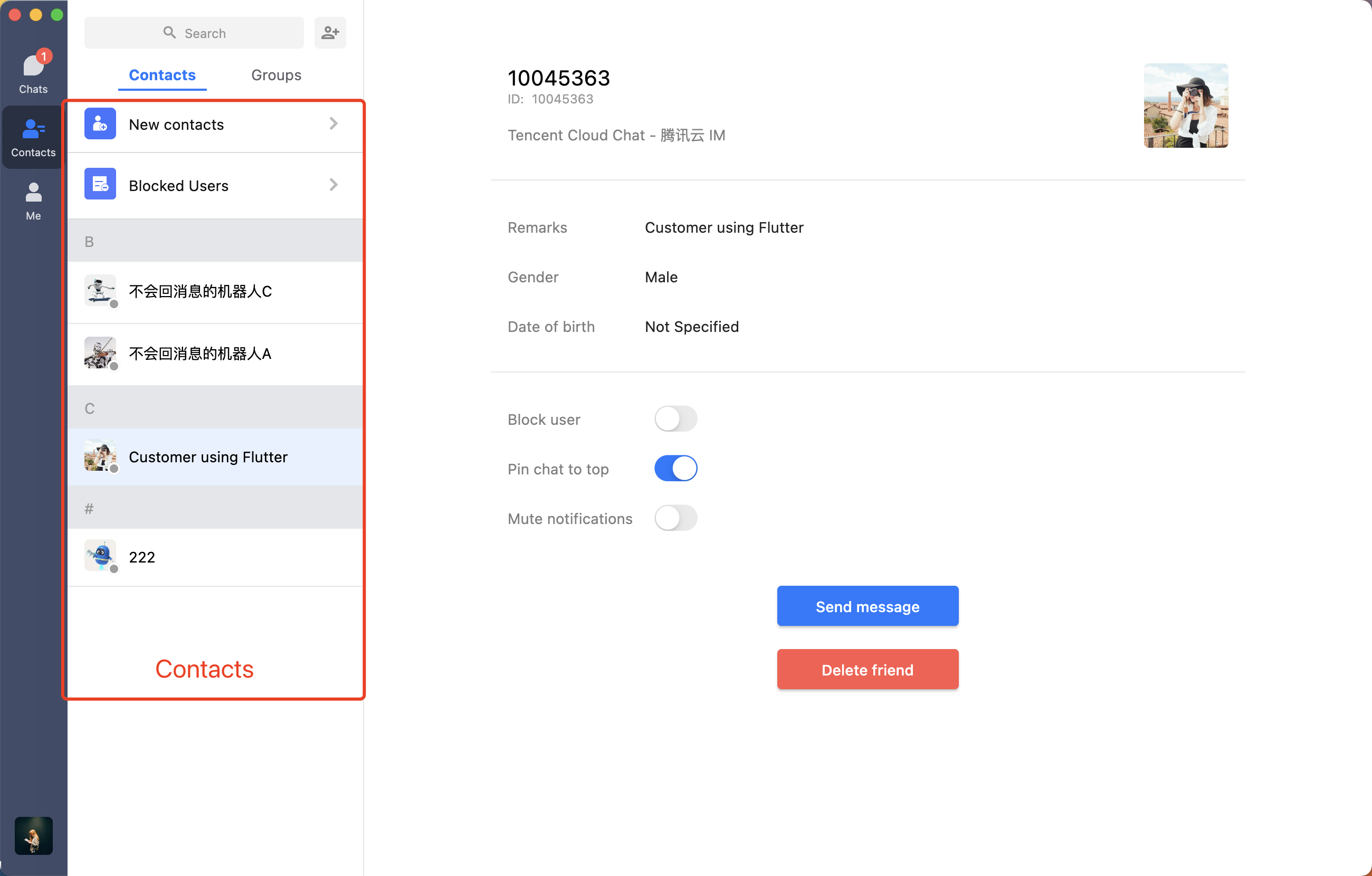
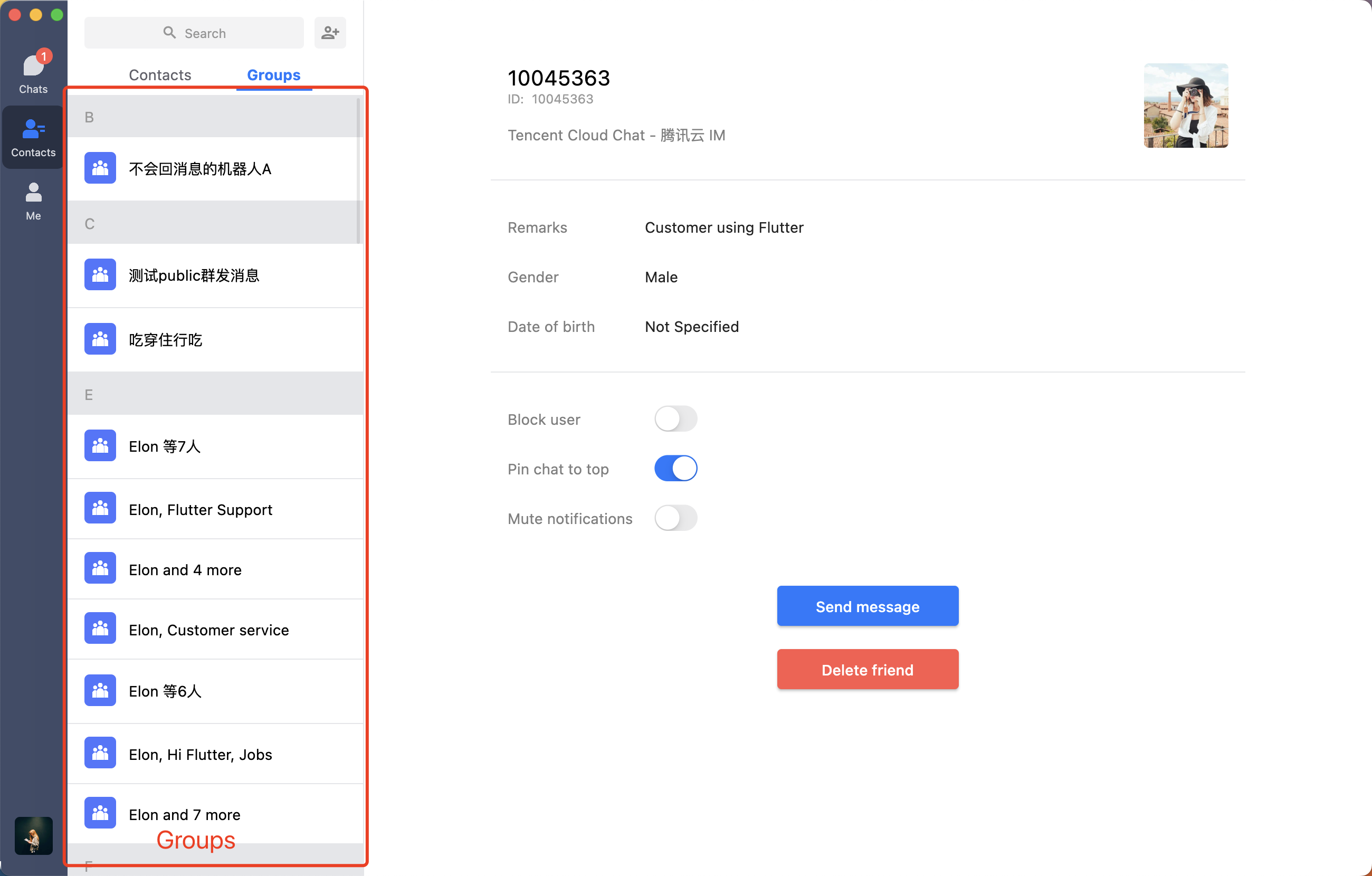
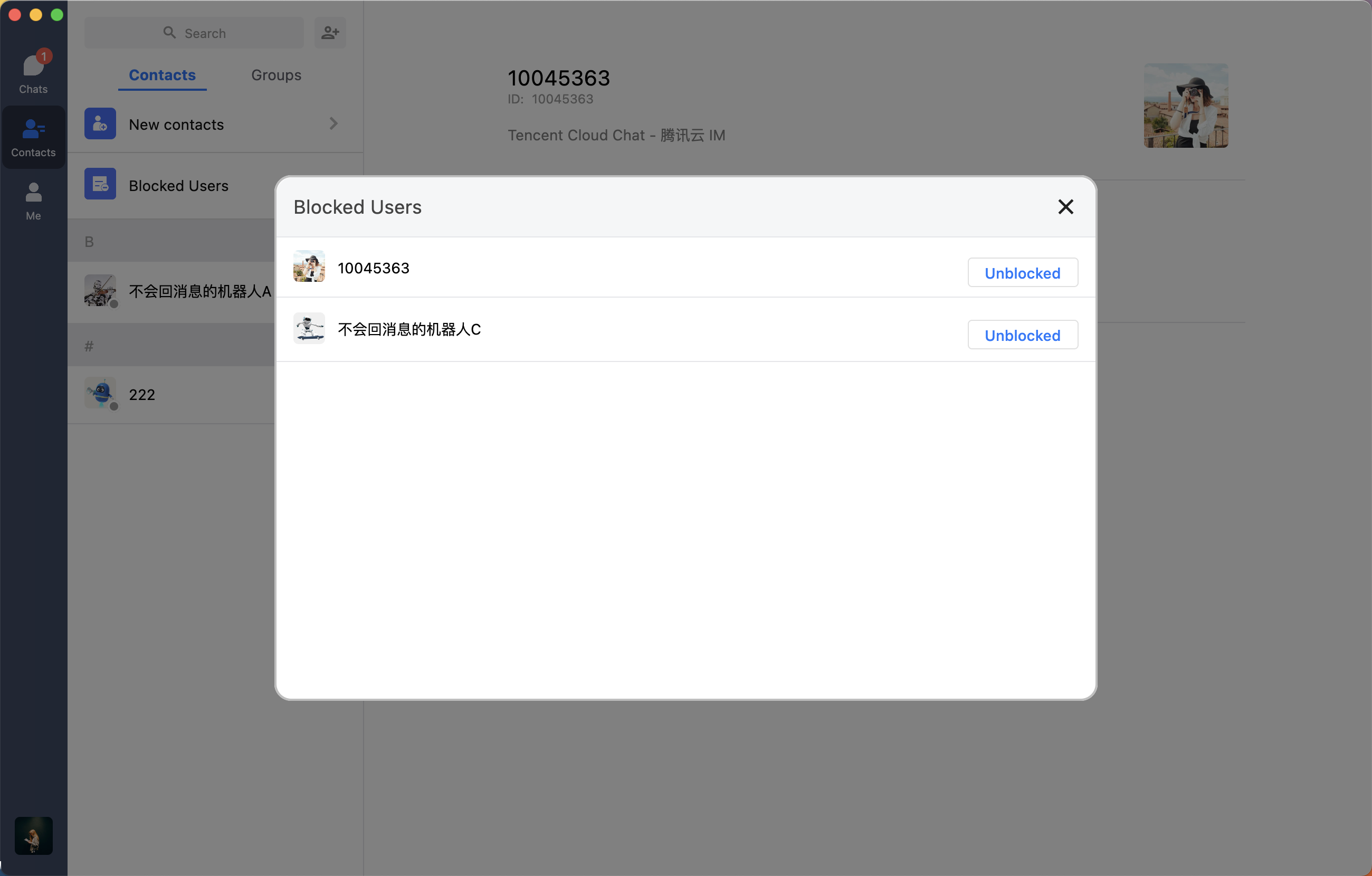
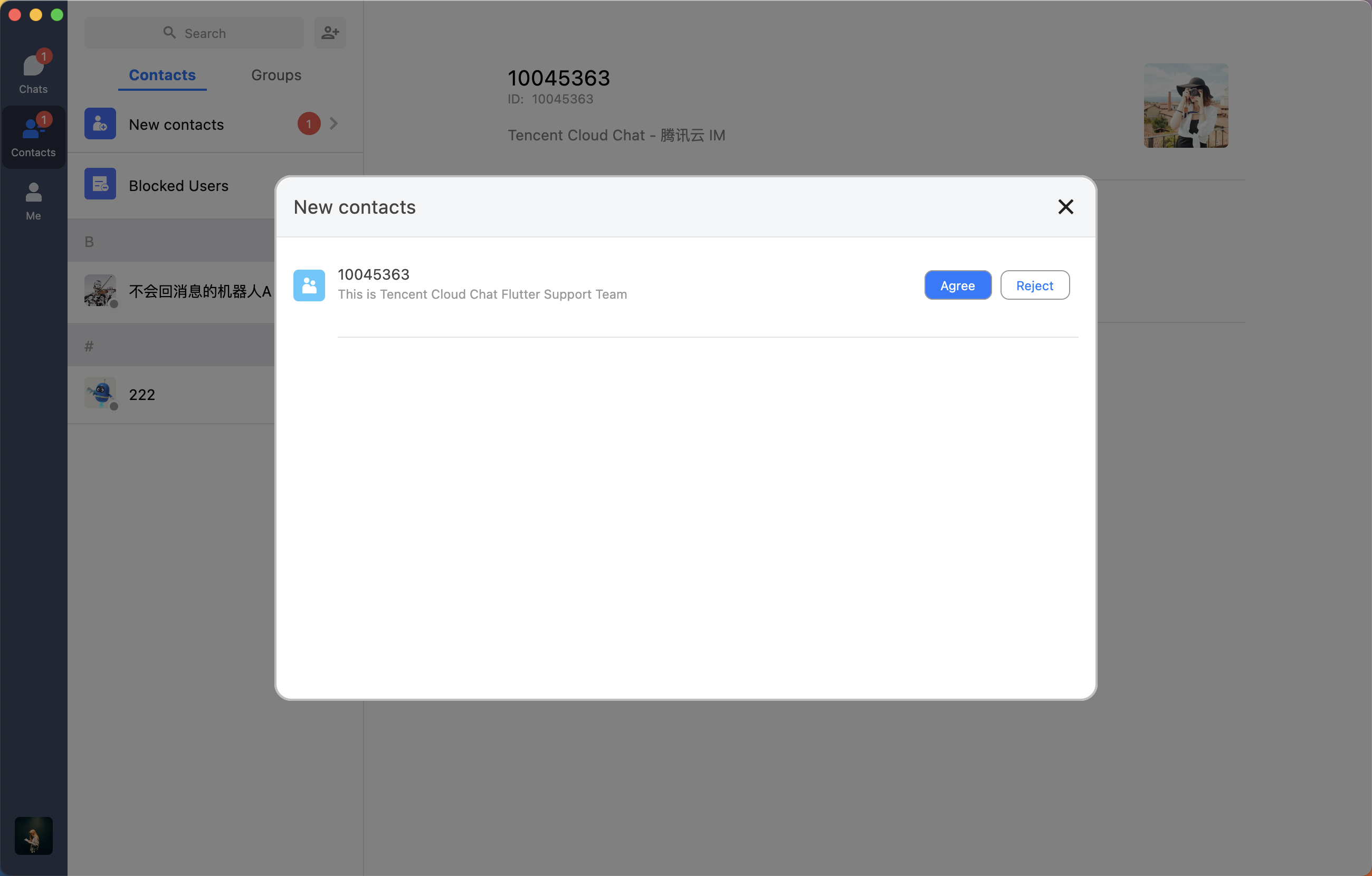
Contacts components are responsible for displaying the information of contacts, group chats, and blocklist of the current user.
Mobile
Desktop
Contacts (TIMUIKitContact)
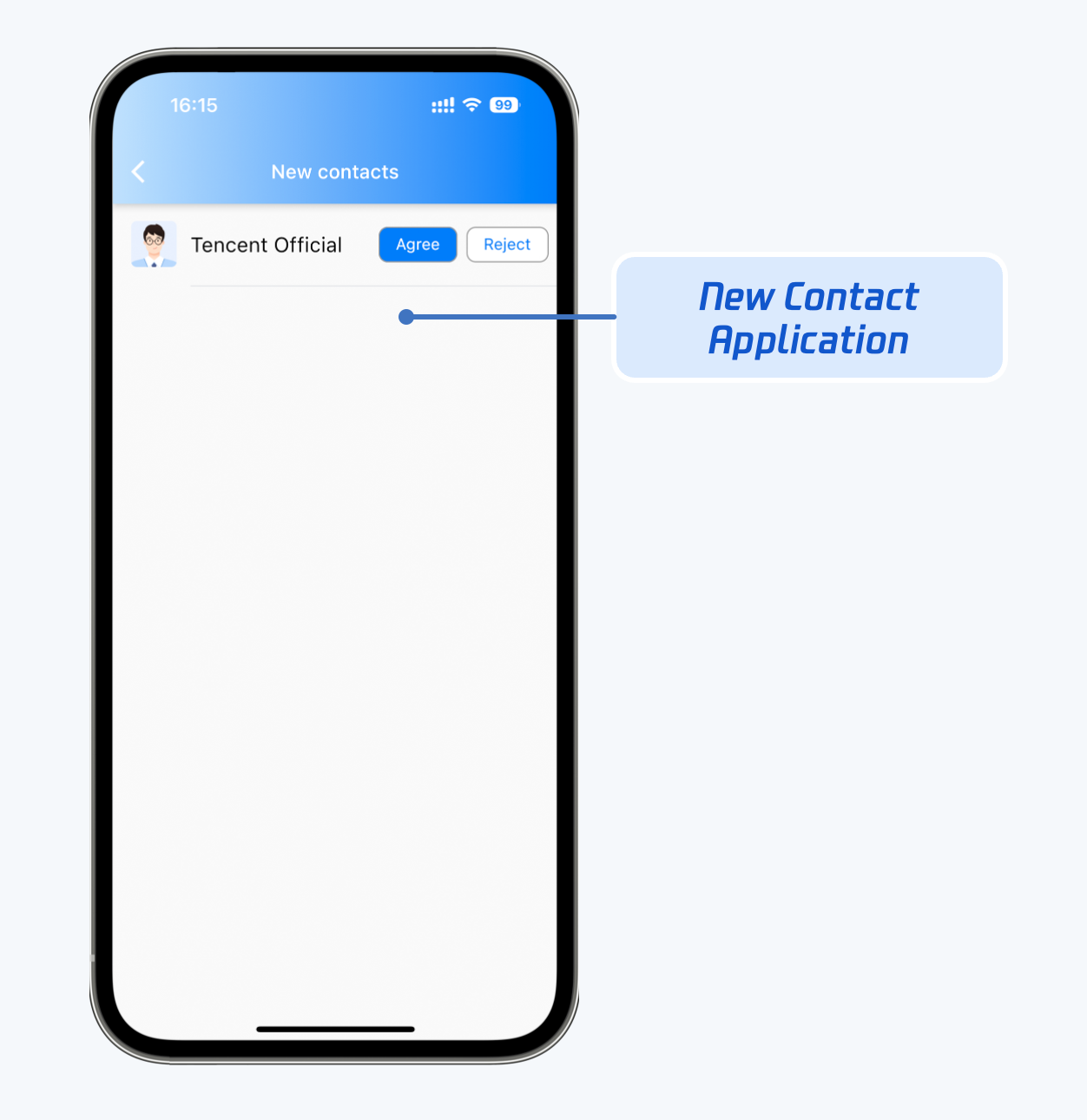
Friend request list (TIMUIKitNewContact)
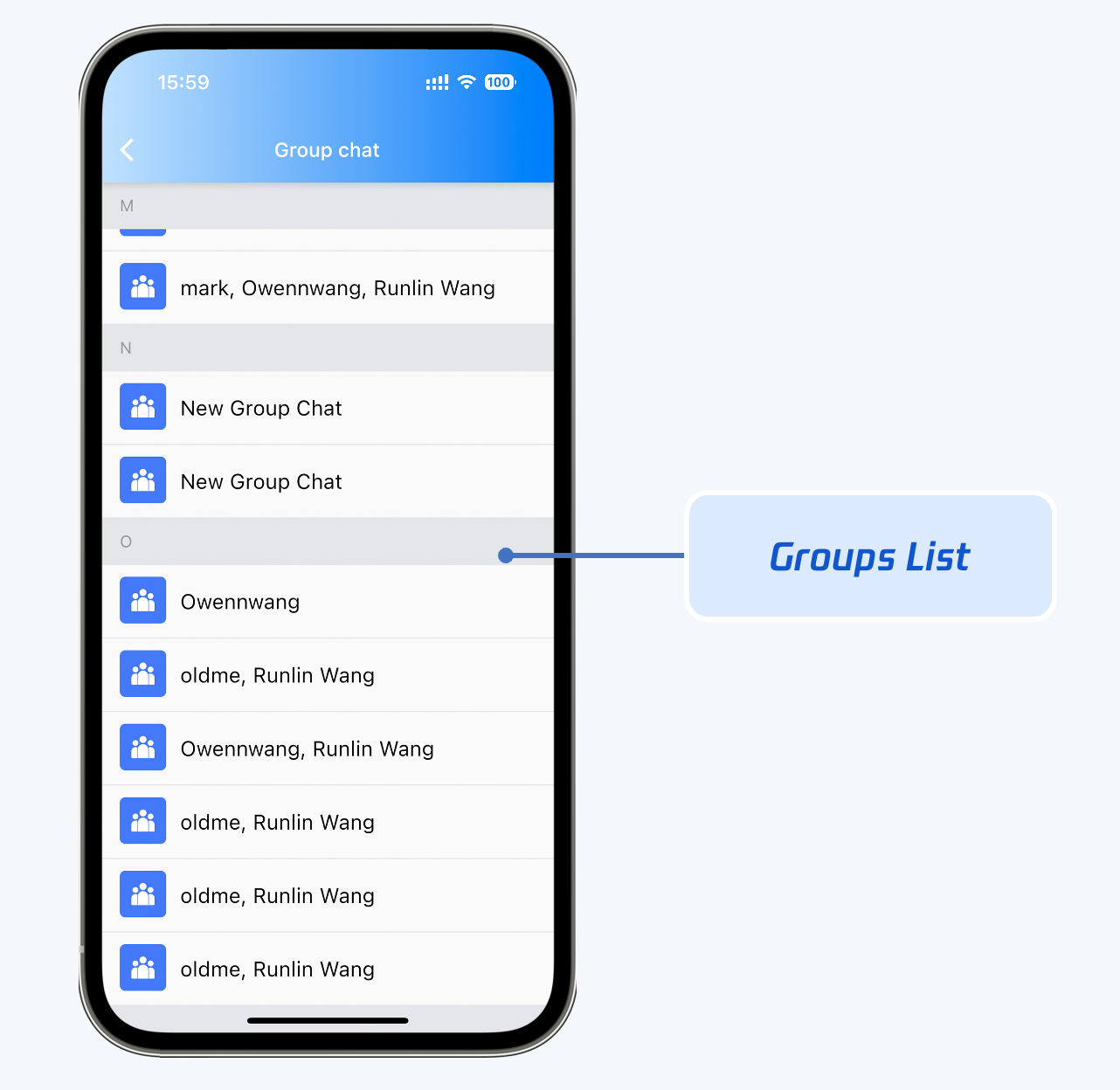
List of joined group chats (TIMUIKitGroup)
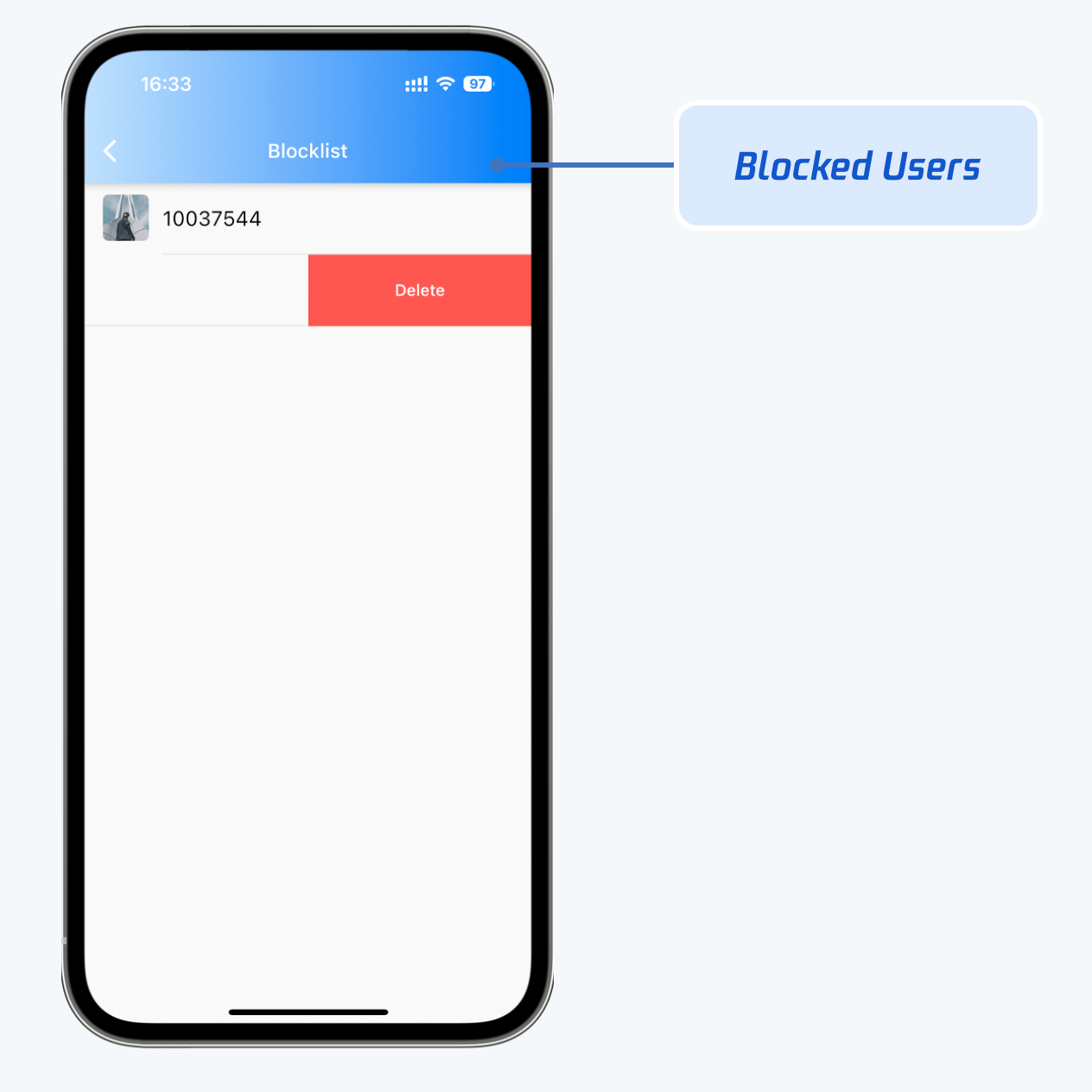
Blocklist (TIMUIKitBlackList)
Contacts - TIMTUIKitContact
Group list - TIMUIKitGroup
Blocklist - TIMUIKitBlackList
Friend request list - TIMUIKitNewContact
Conversation list components
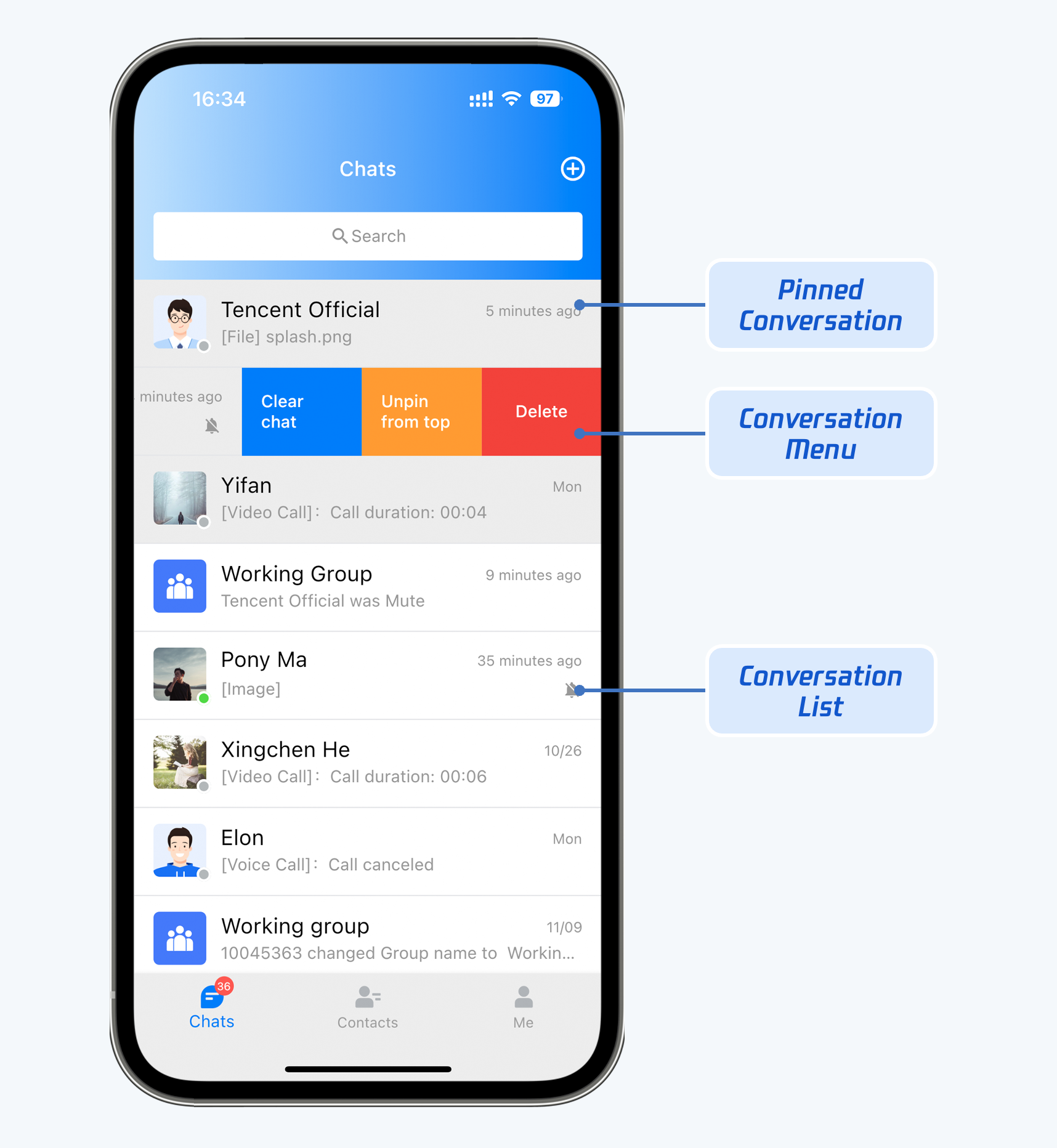
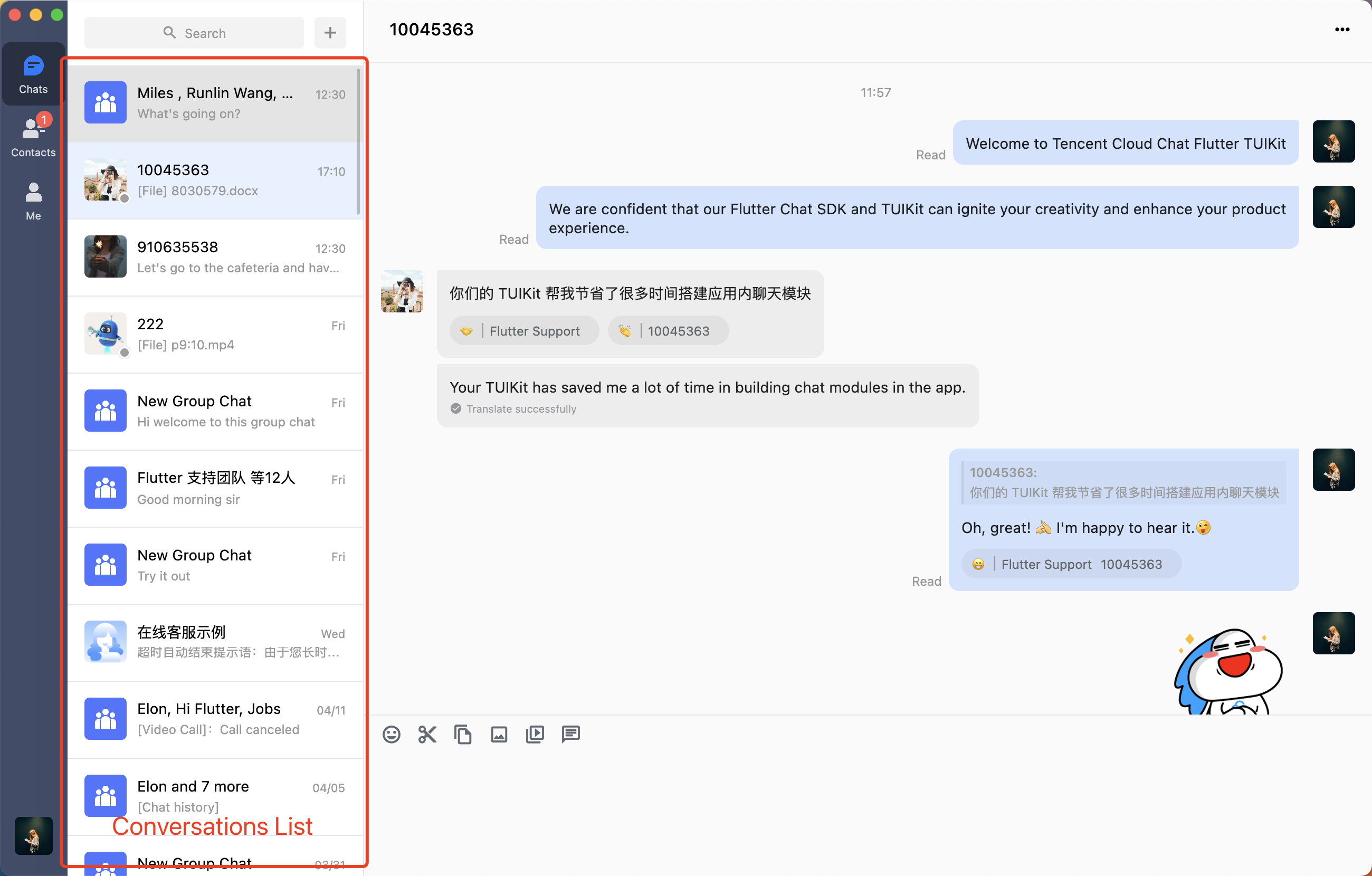
TIMUIKitConversation is responsible for displaying and editing conversation list.
Mobile
Desktop
Conversation list. The current conversation, pinned conversations and unselected conversations are displayed in different colors.
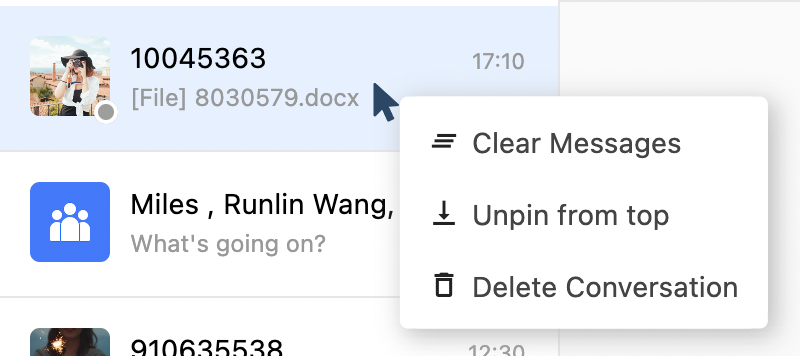
Right-click a conversation to perform operations such as clearing chat messages, pinning the conversation, and deleting the conversation.
User profile management component
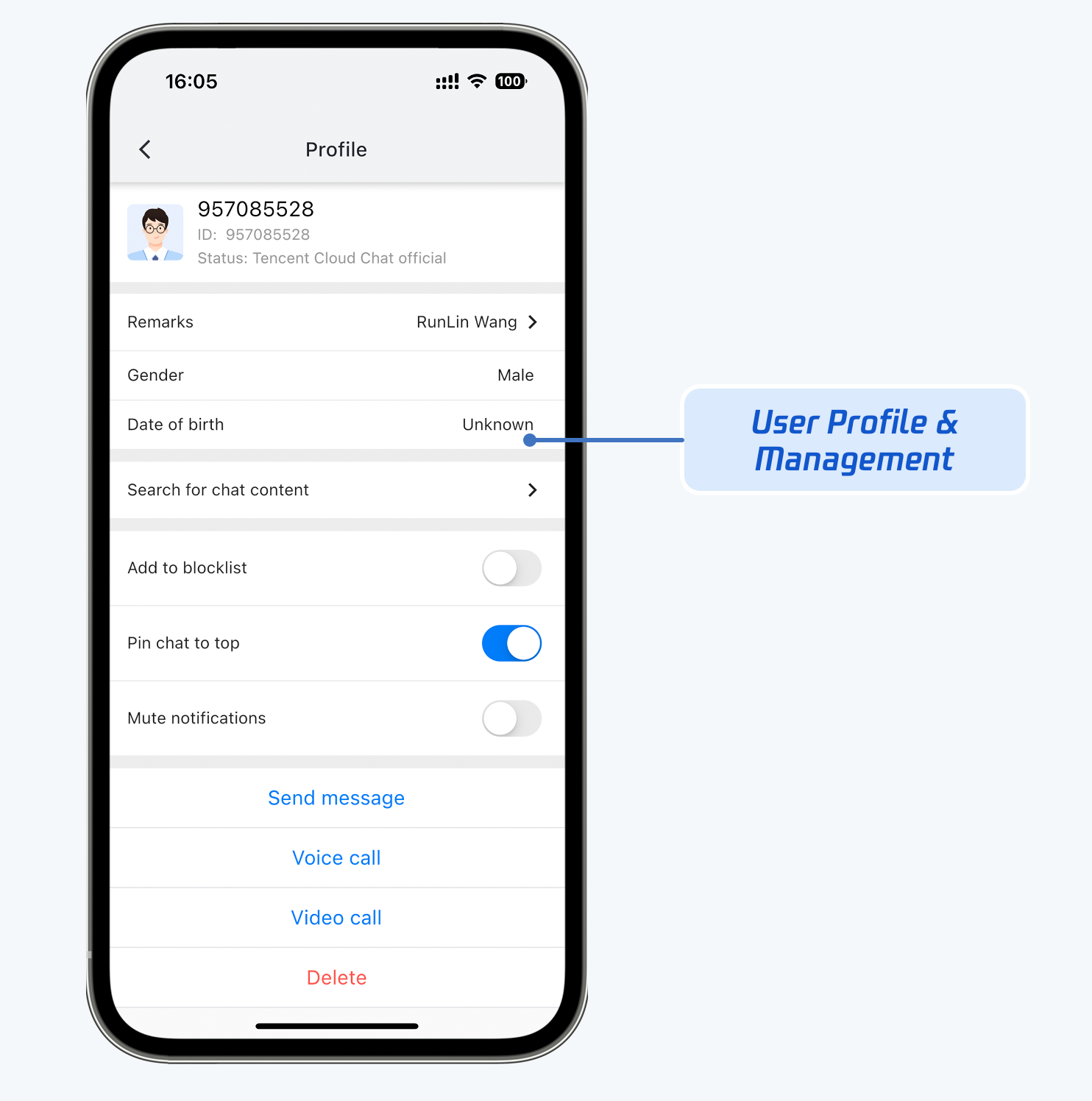
TIMUIKitProfile is responsible for contacts profile display and management.
Mobile
Desktop
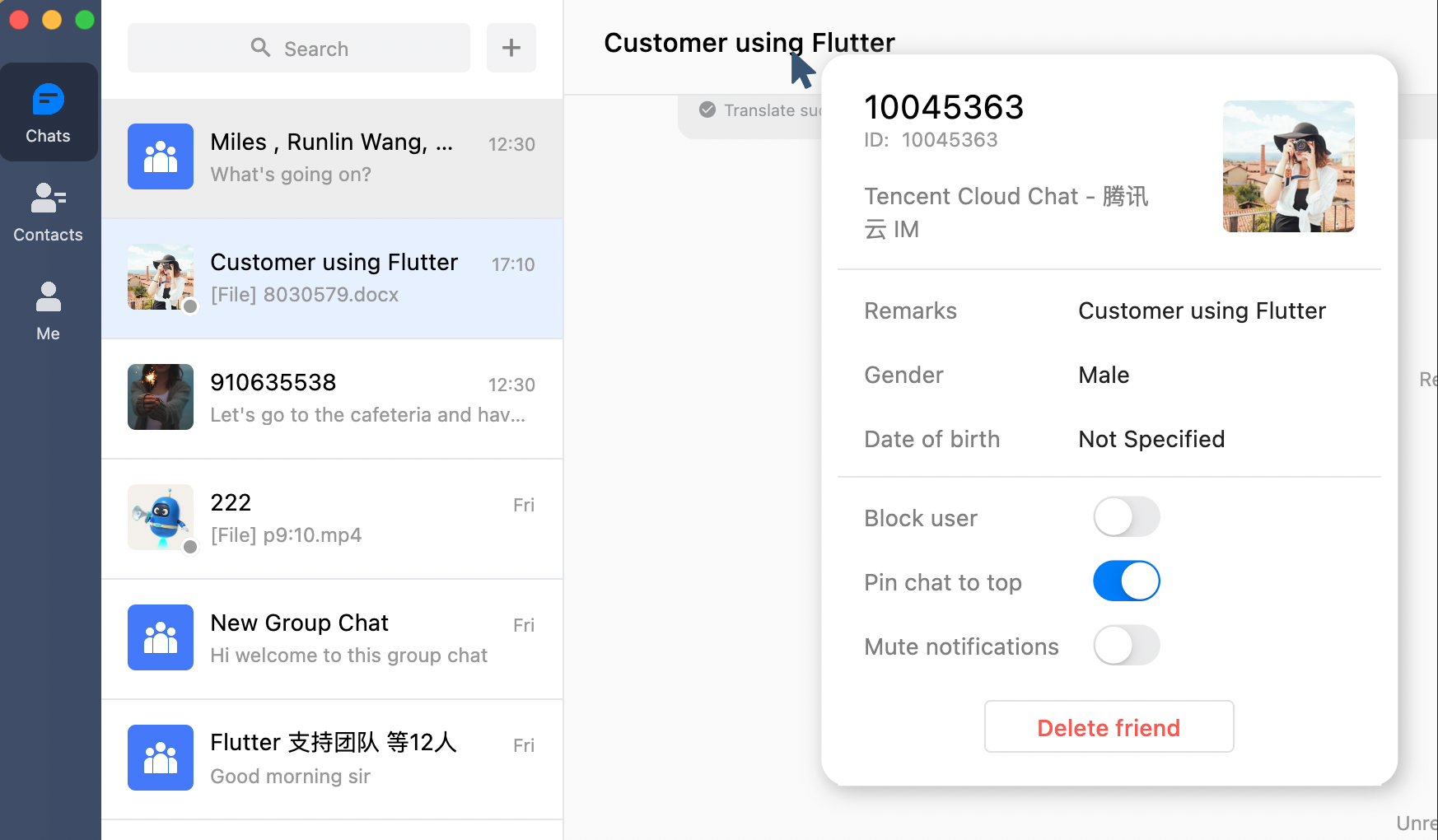
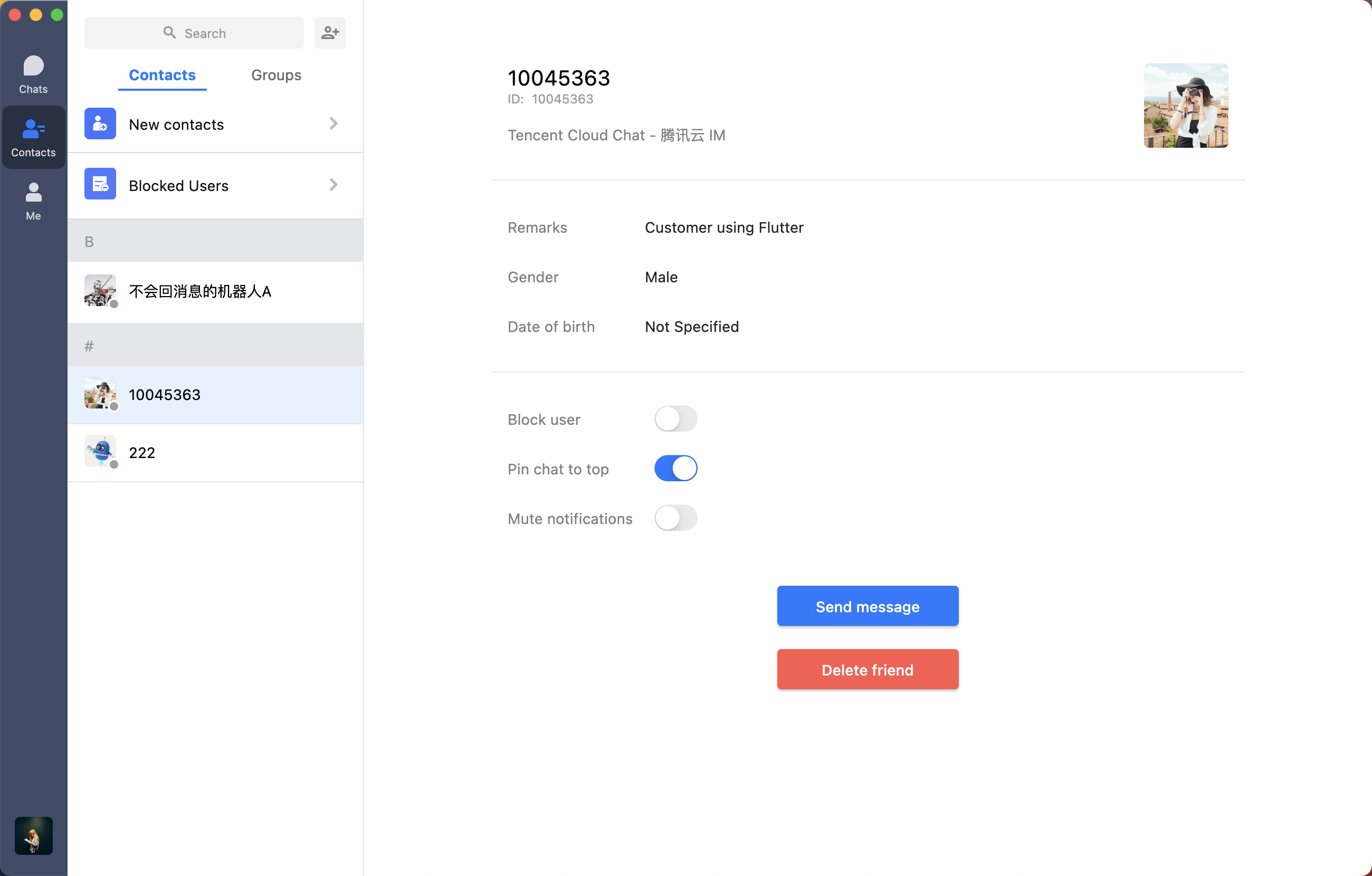
The TIMUIKitProfile component supports two display layouts on Desktop for different scenarios: profile card and profile detail page.
Profile card is displayed in various scenarios, such as a one-to-one chat title is clicked or when a member profile photo in group chats is clicked.
Profile detail page
Friend adding and group joining components
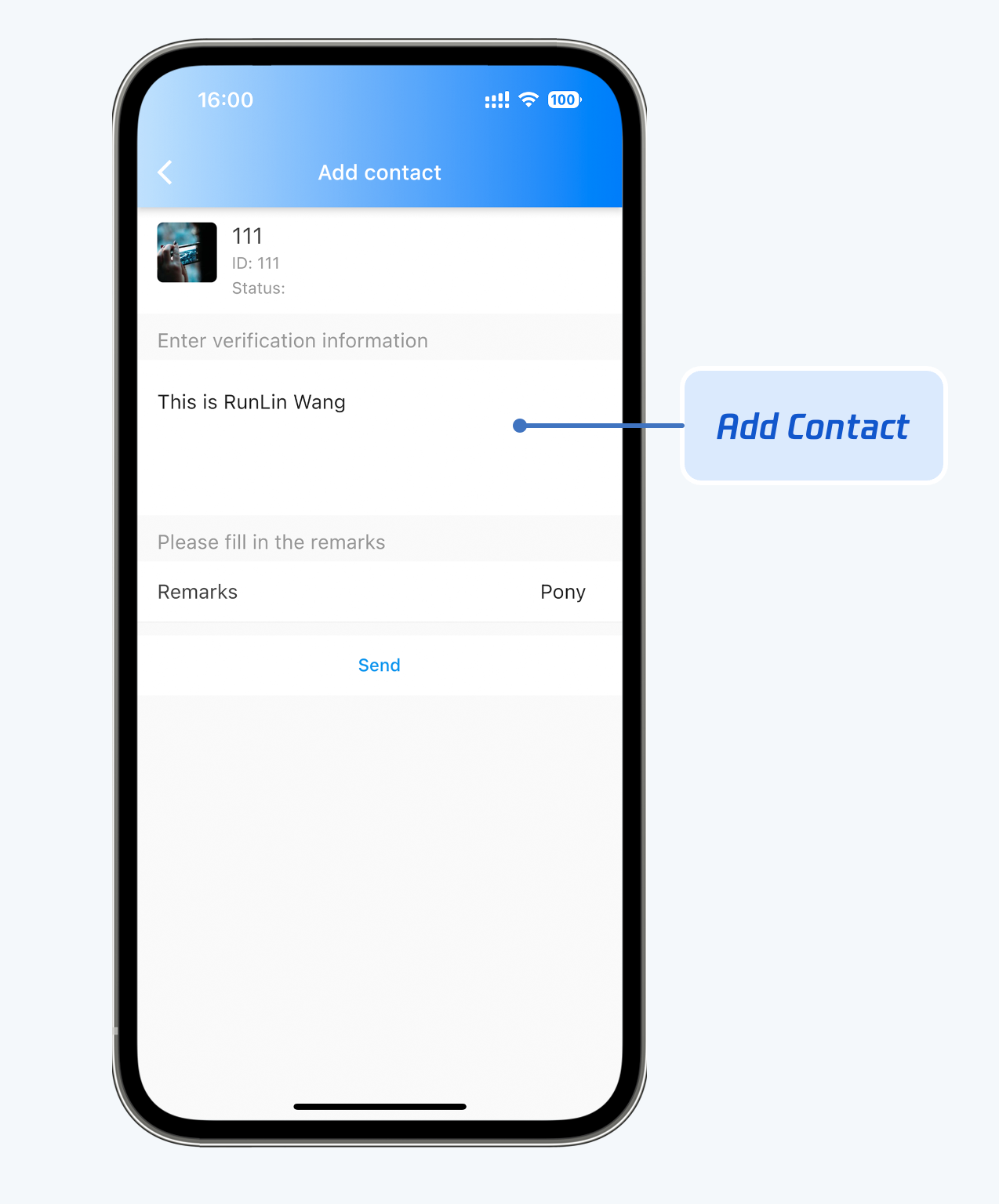
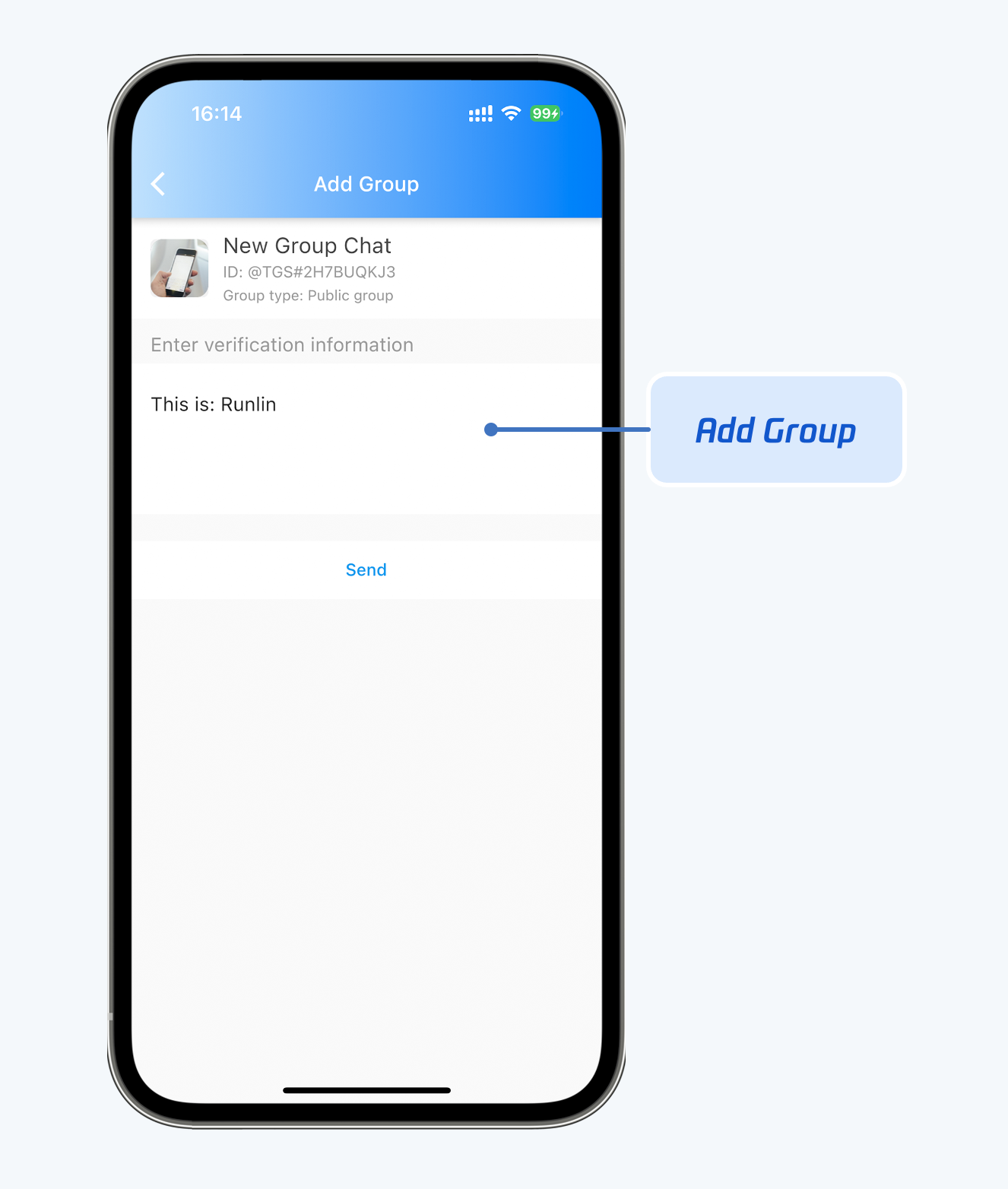
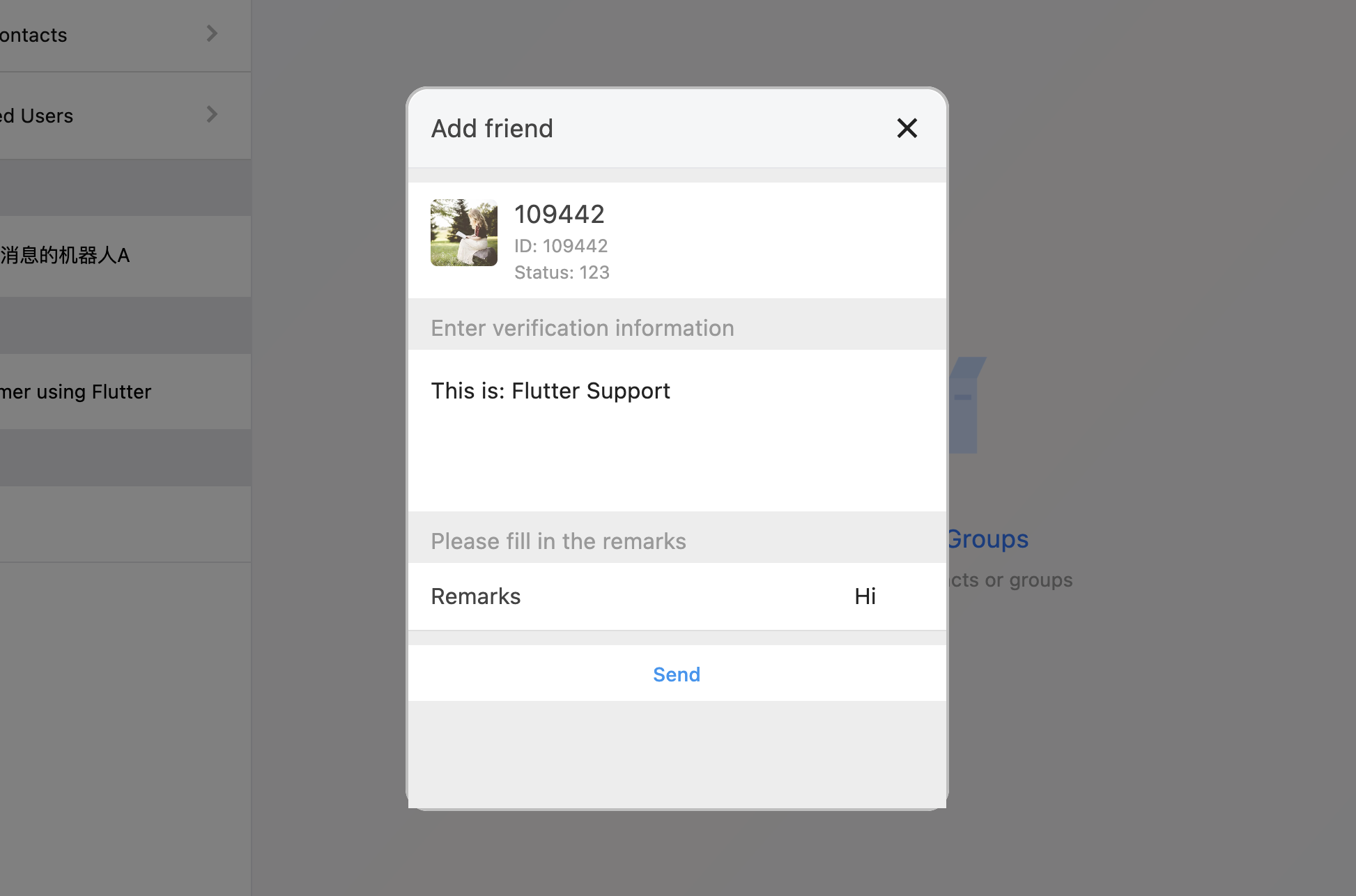
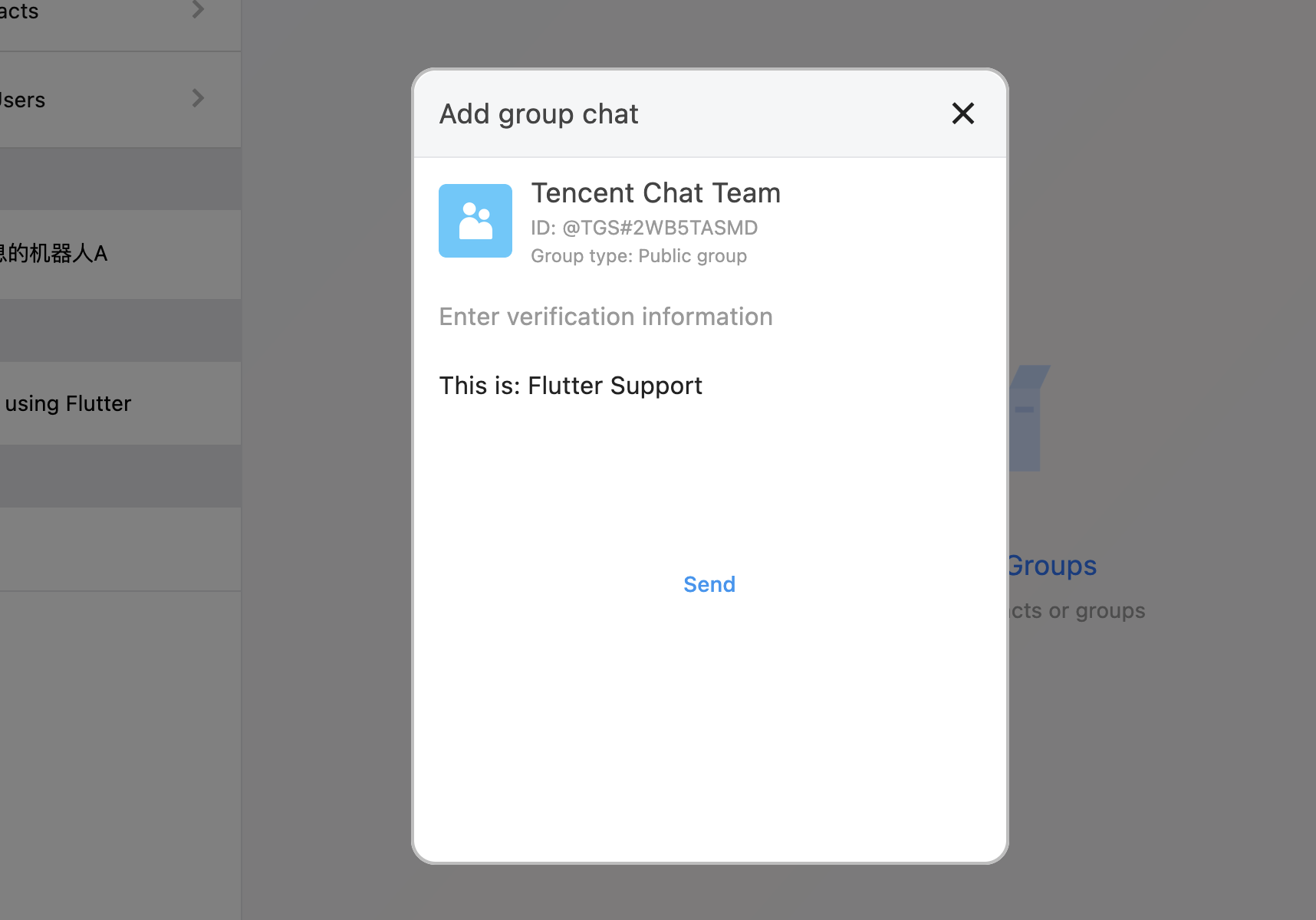
TIMUIKitAddFriend is a friend adding component. TIMUIKitAddGroup is group joining component.
Mobile
Desktop
Friend adding page (TIMUIKitAddFriend)
Group joining page (TIMUIKitAddGroup)
Add friends - TIMUIKitAddFriend
Join groups - TIMUIKitAddGroup
Group profile management component
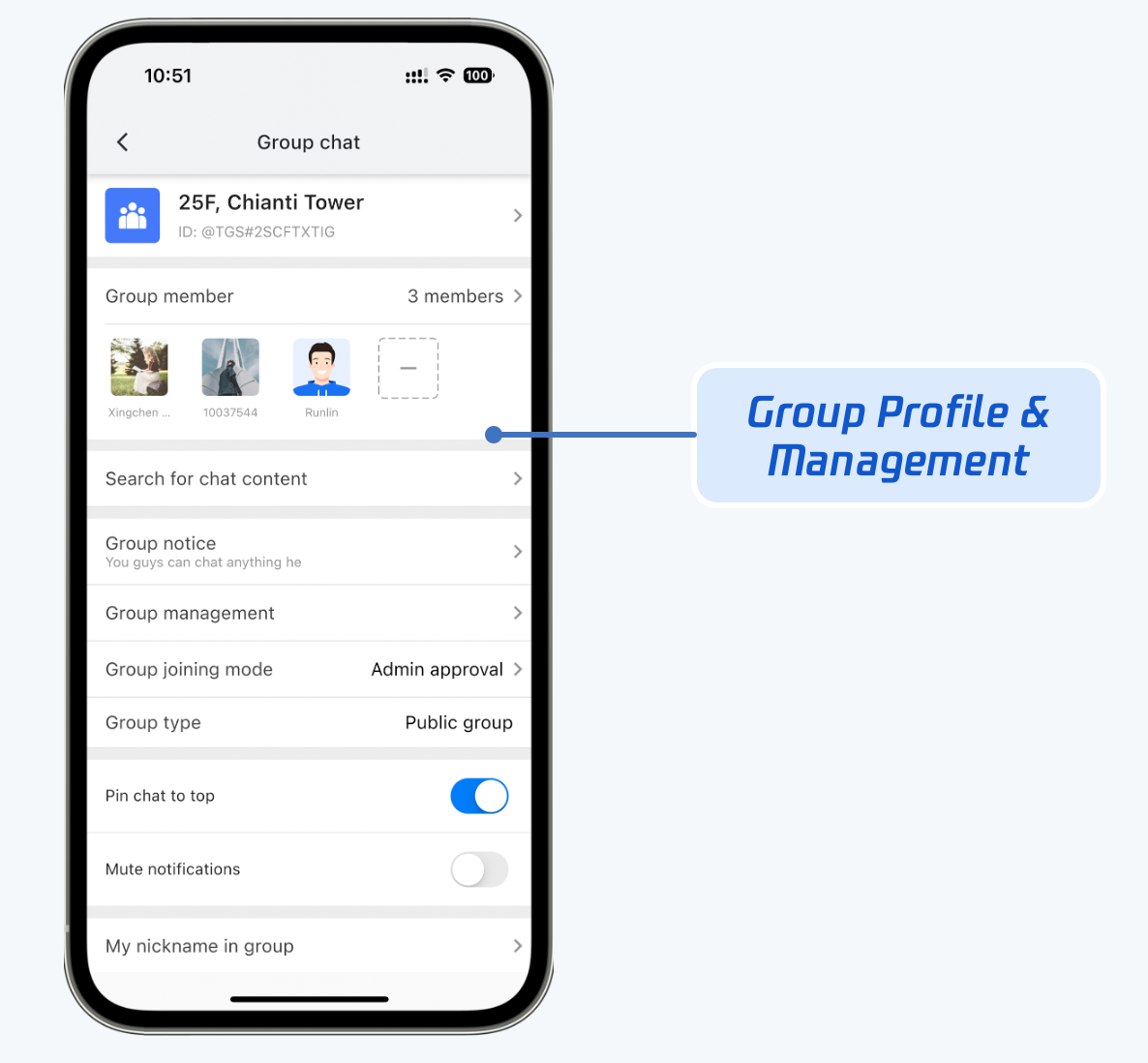
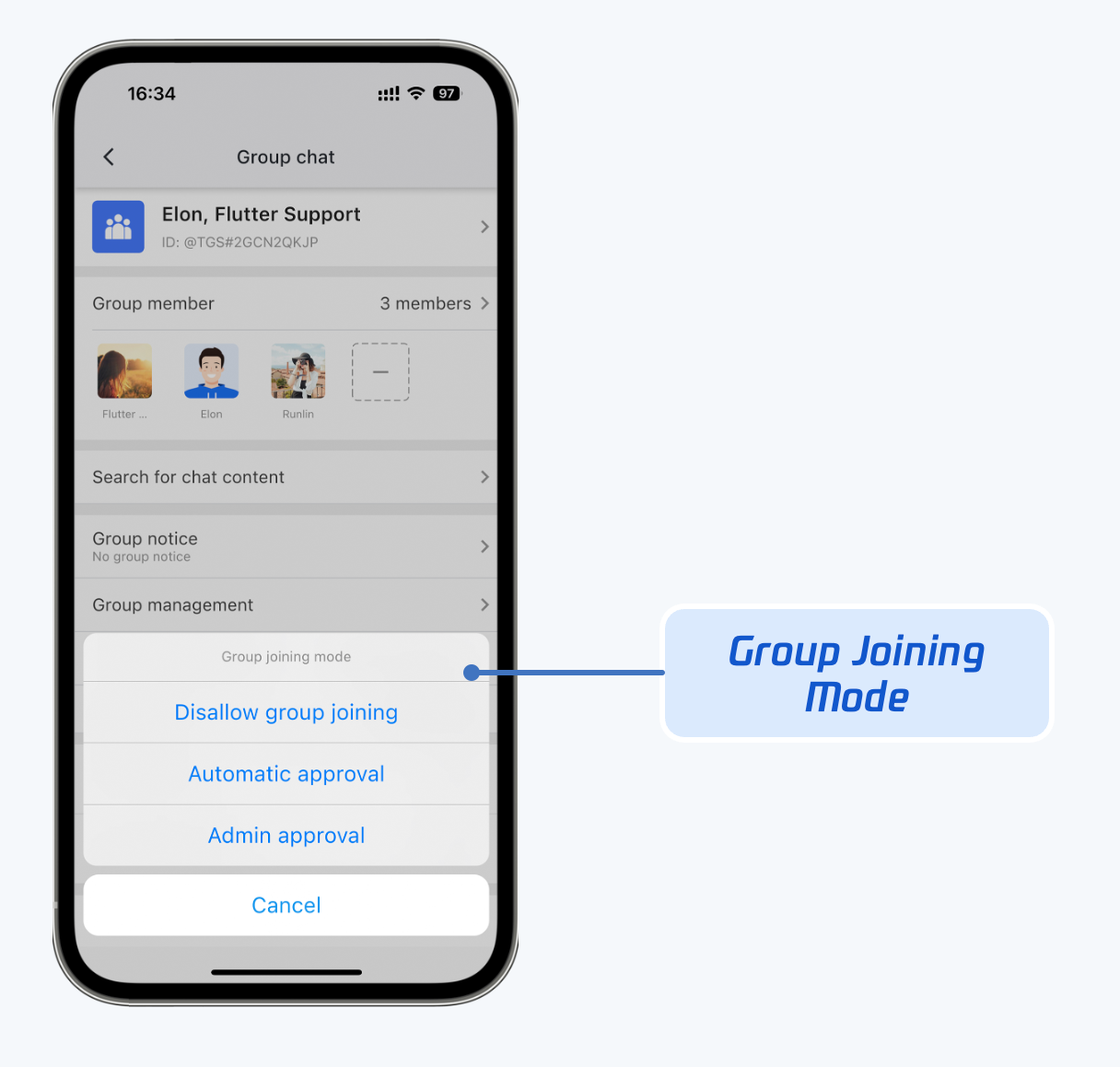
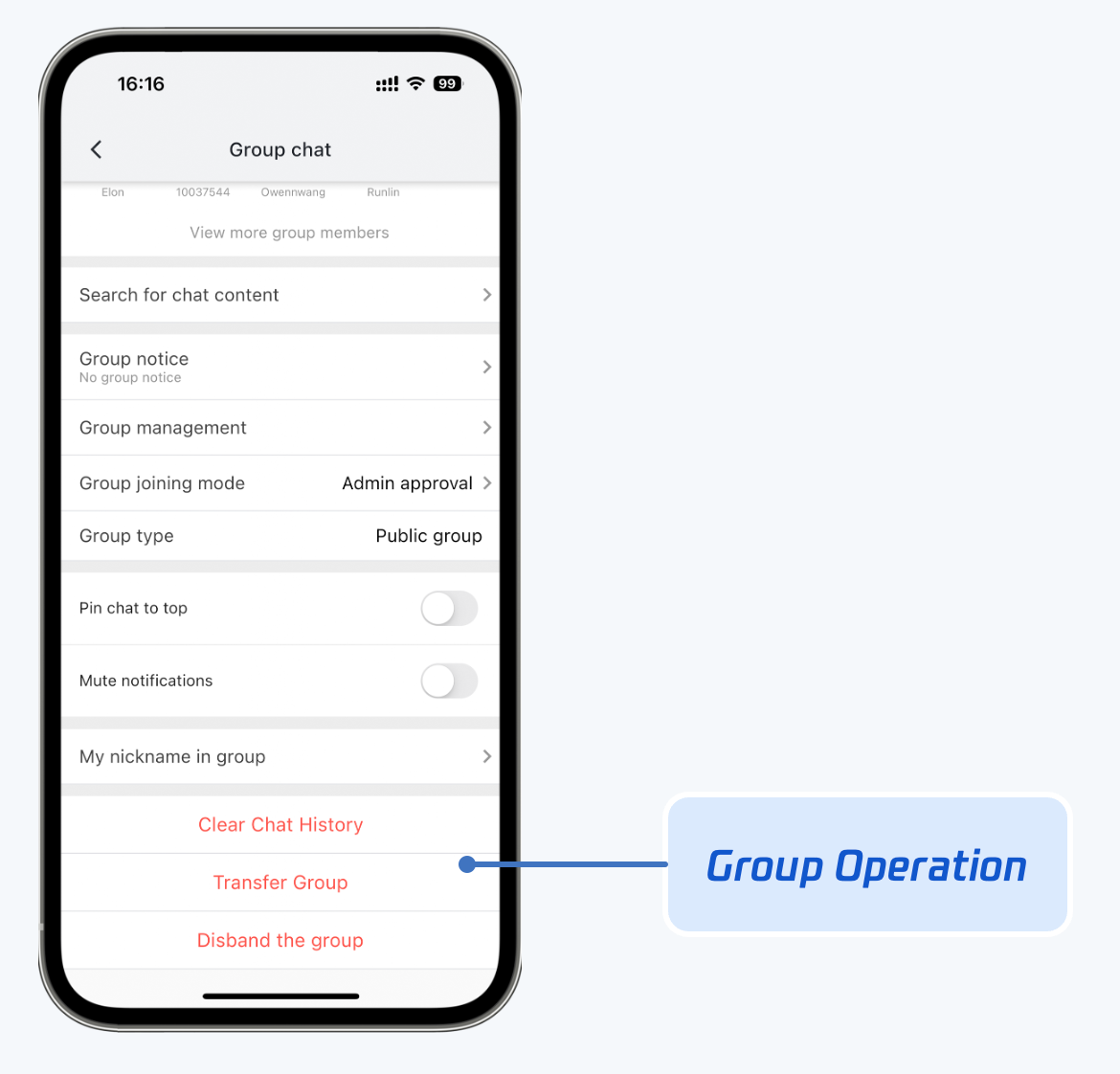
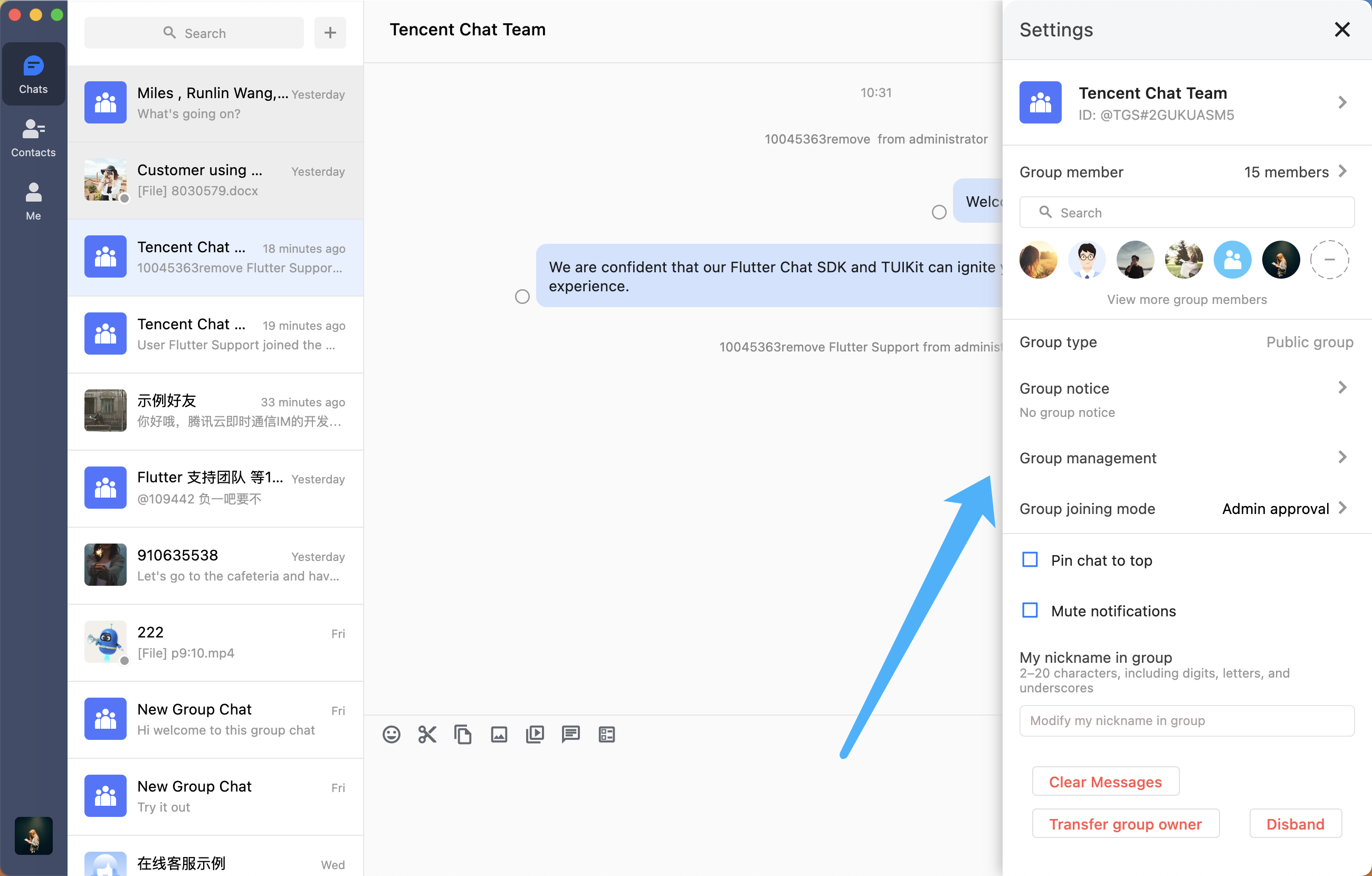
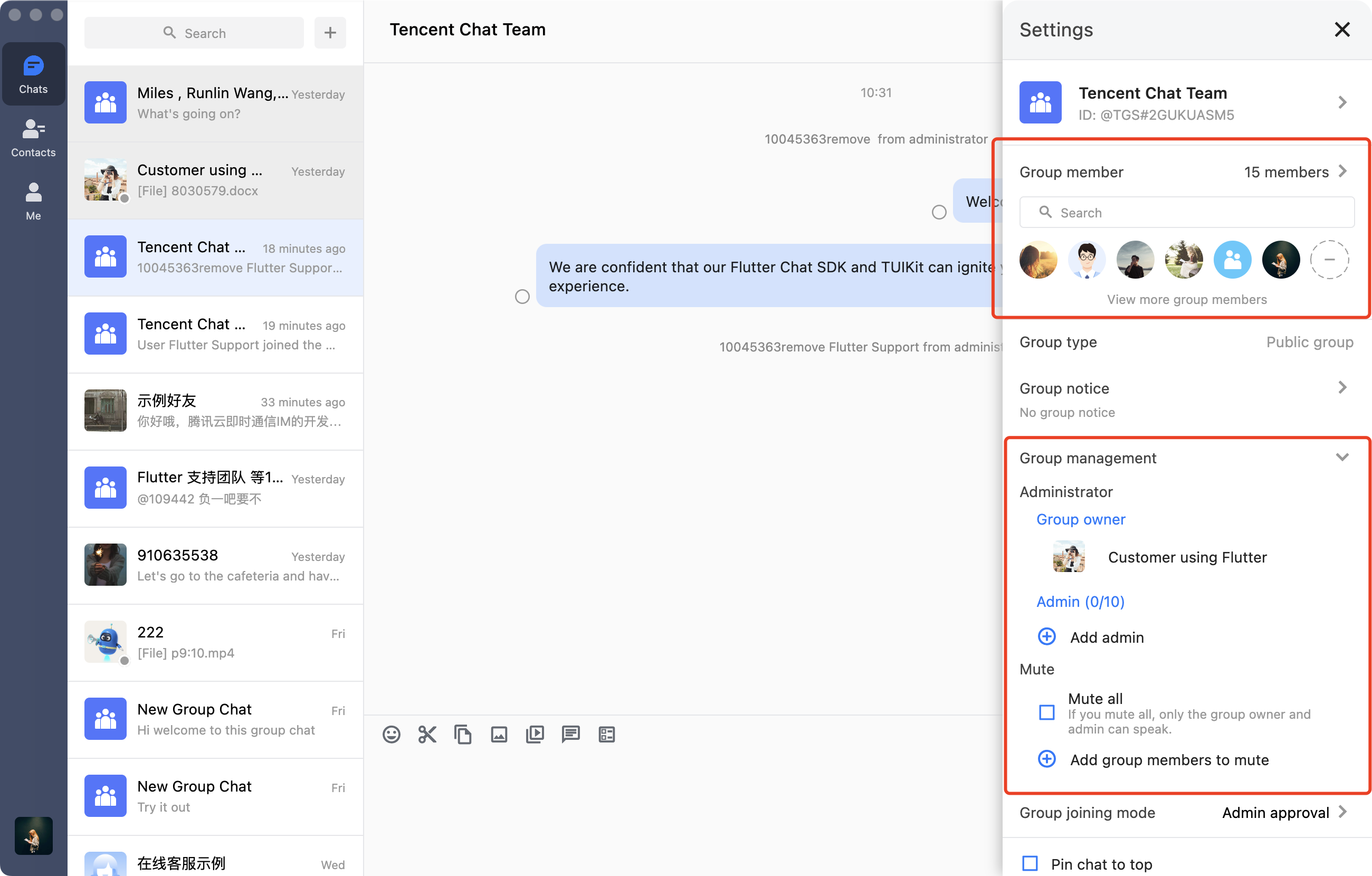
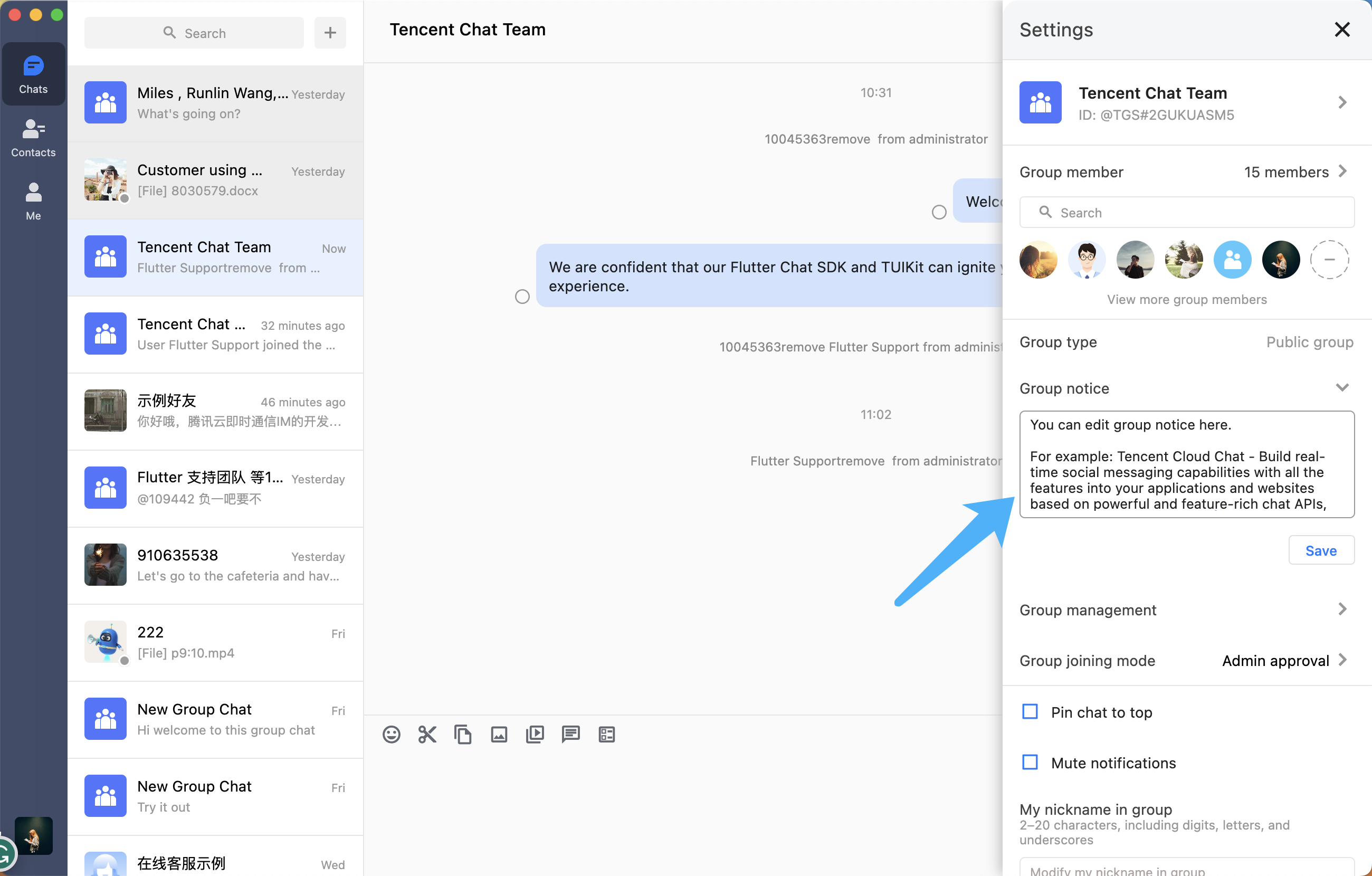
TIMUIKitGroupProfile is responsible for displaying and managing group profiles, group members, and permissions. The UI effect is shown below:
Mobile
Desktop
Group profile and management
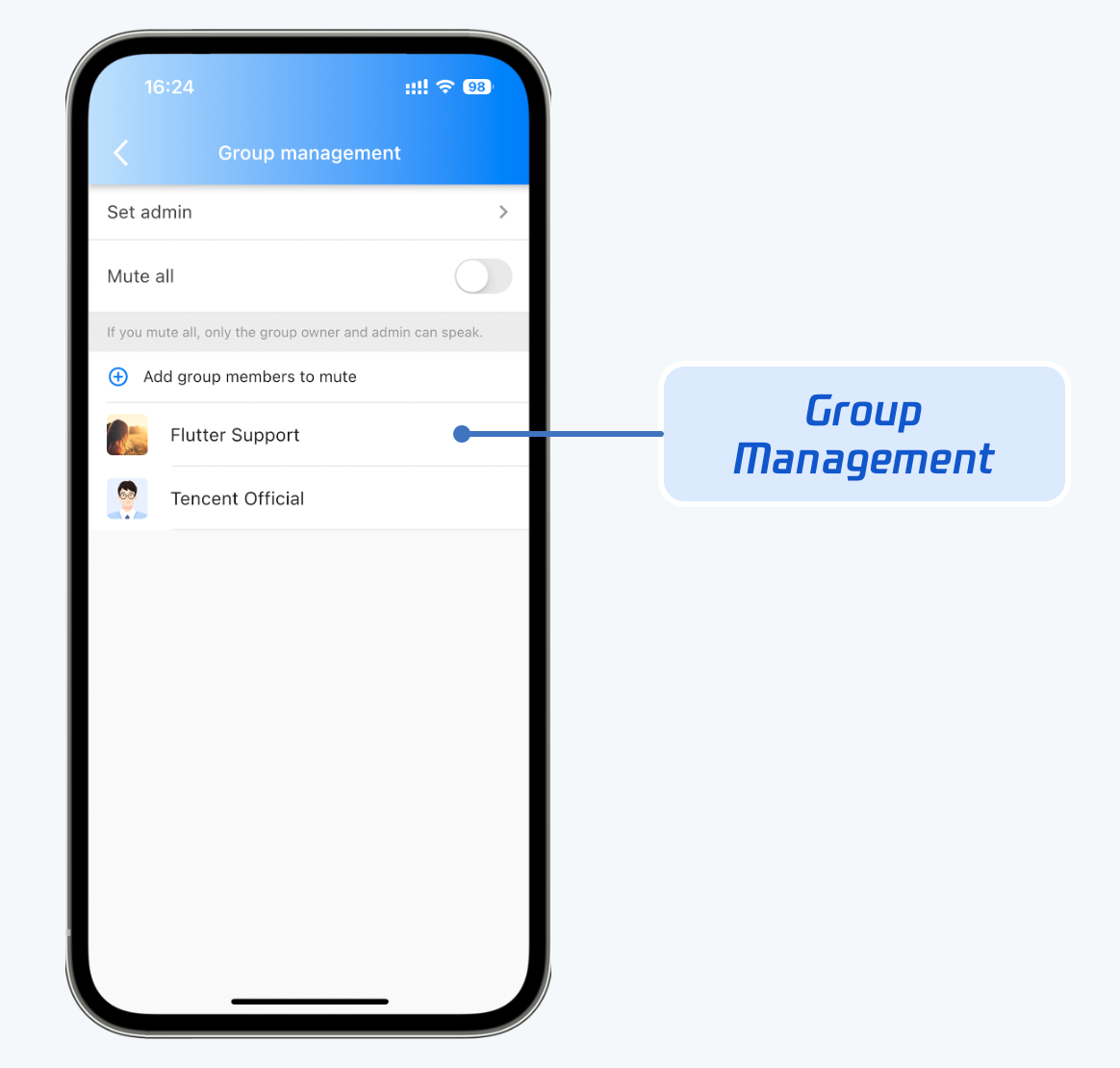
Group member management
Group joining mode management
Group operations
Group profile and management. Group profile is displayed on the right side of the group chat. It has different UI interfaces on Mobile and Desktop, but the features are same.
Group member management. View all group members, add and remove group members in the group member section. Specify group admin, mute all group members or mute a specific group member in the group management section.
Group notice. Click the group notice section to edit and post a group notice.
Local search components
There are two components for local search capabilities: TIMUIKitSearch and TIMUIKitSearchMsgDetail.
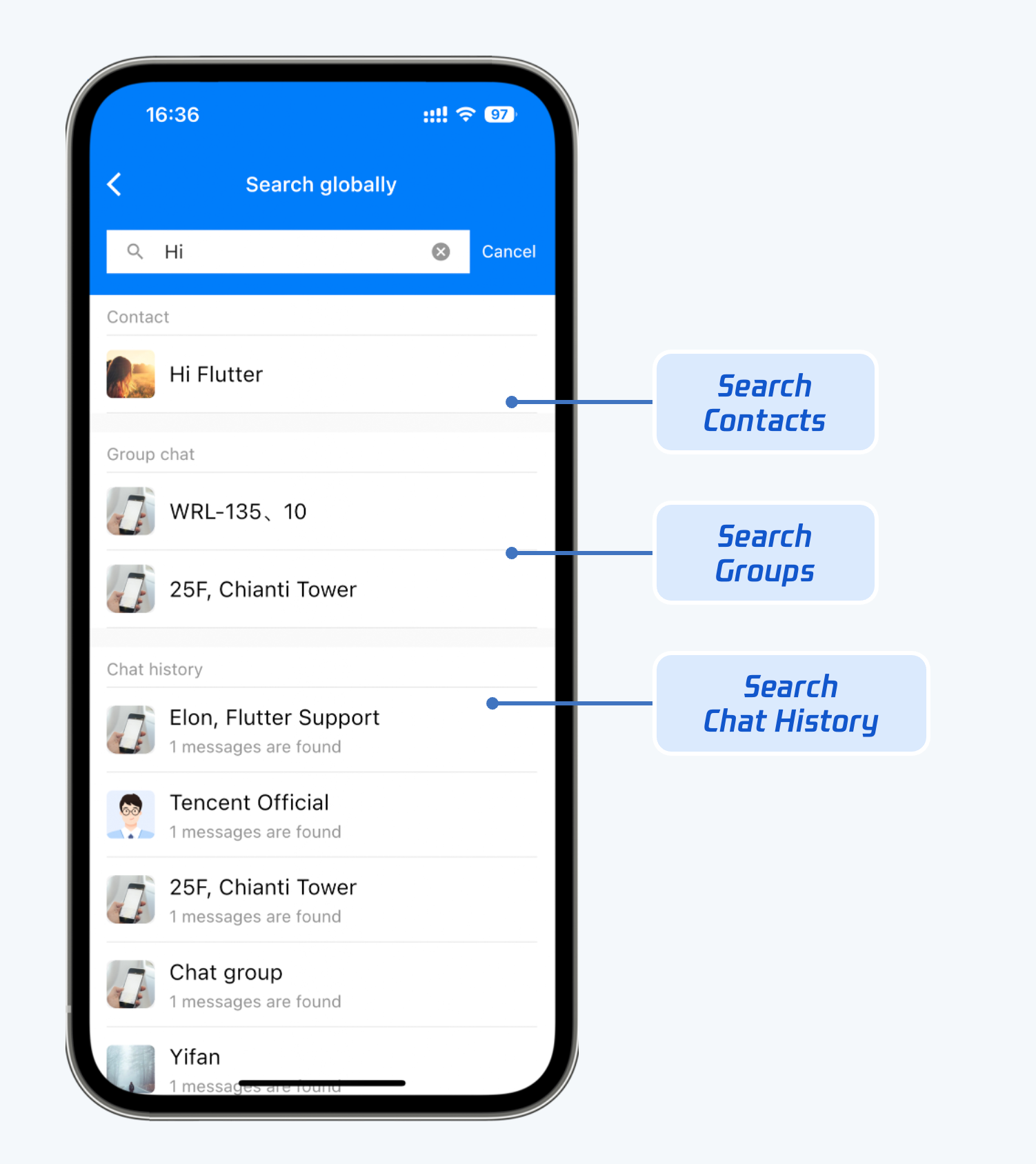
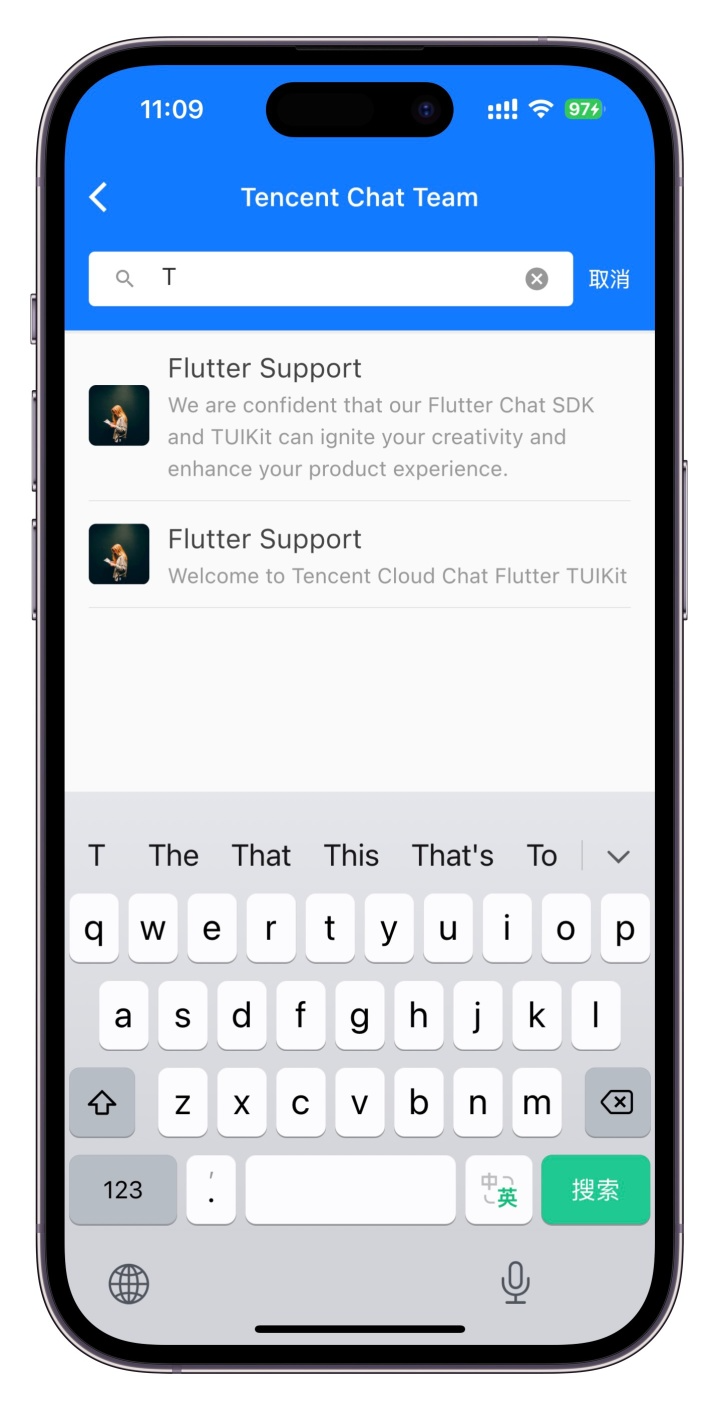
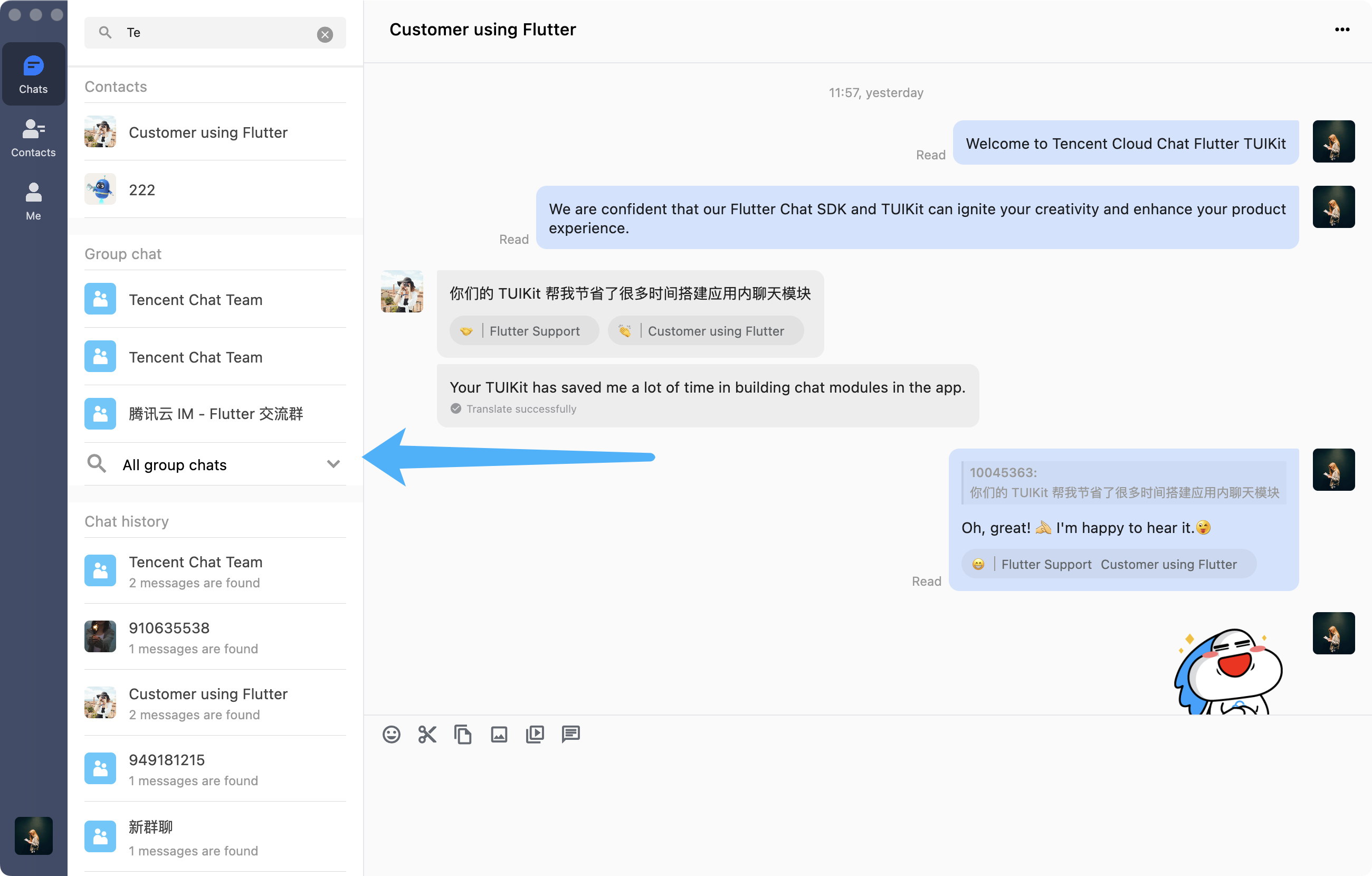
TIMUIKitSearch is responsible for local global search, including contacts, group chat, and chat record search. TIMUIKitSearchMsgDetail is responsible for searching for chat records in a conversation.
Mobile
Desktop
Global search - TIMUIKitSearch
In-conversation search - TIMUIKitSearchMsgDetail
Global search - TIMUIKitSearch
In-conversation search - TIMUIKitSearchMsgDetail
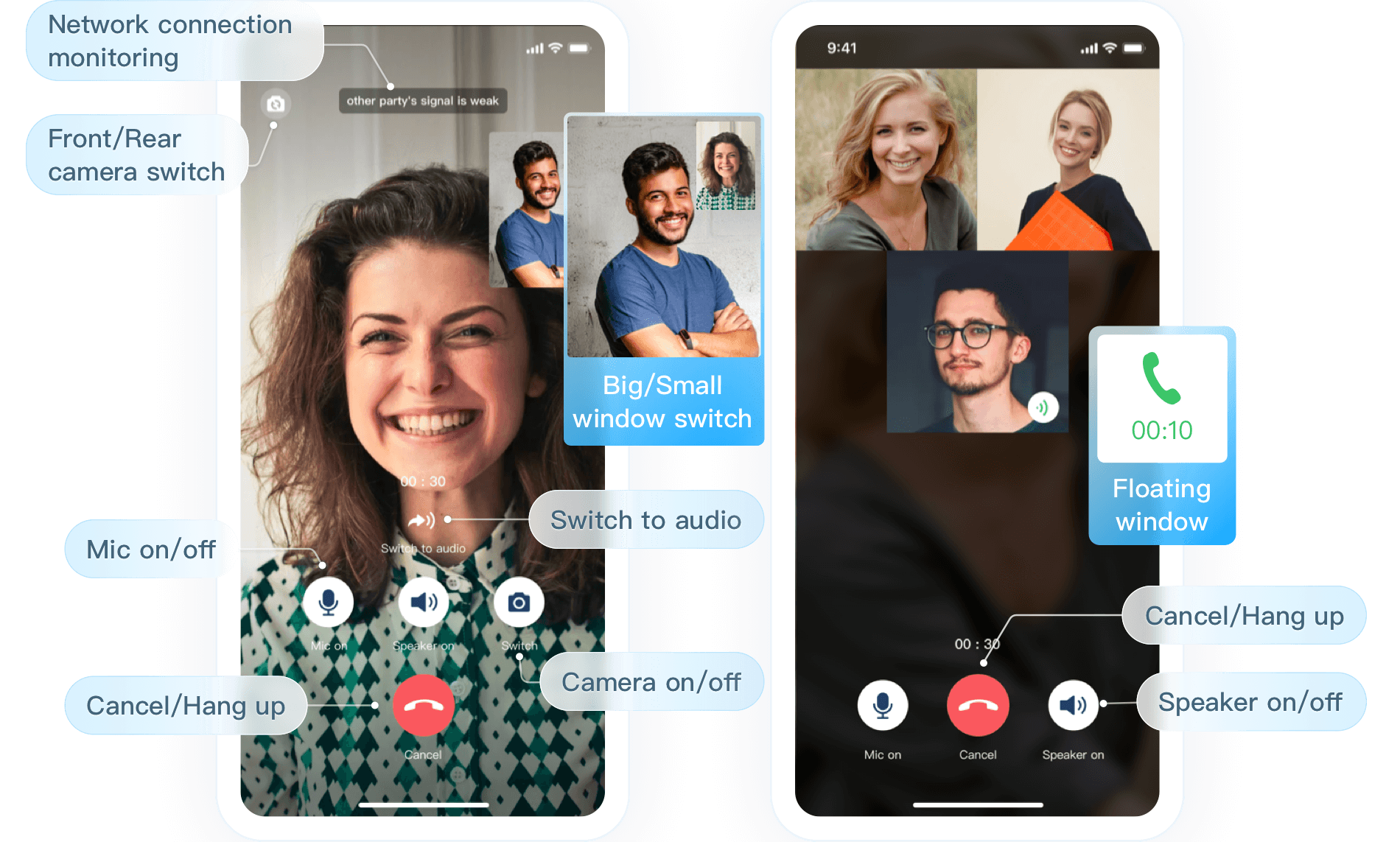
Audio/Video call
TUICallKit provides audio and video call features and is only supported on mobile clients.
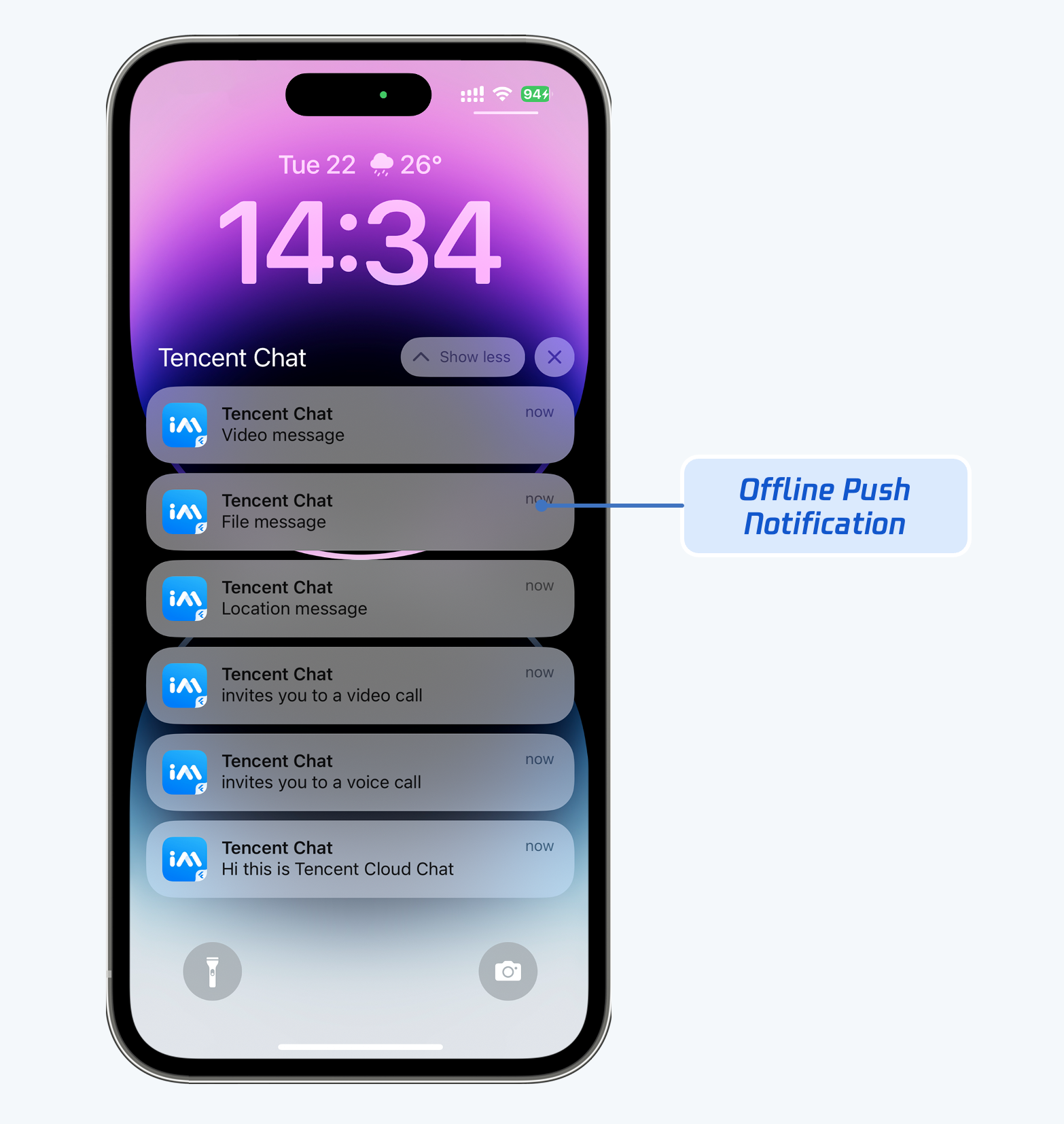
Message push
You can use Tencent's Flutter push plugin to integrate message push capabilities, including offline and online push capabilities.