Calling Atomic Services for Inference
Unduh
Mode fokus
Ukuran font
Tencent Cloud ES provides a rich set of atomic services (see here). You can view them by clicking "Atomic Services" under "Intelligent Search Development" in the left sidebar of the ES console. They can be called directly through APIs.
Among them, atomic services such as Embedding, Rerank, and LLM can be created as inference endpoints through the Elasticsearch inference feature.
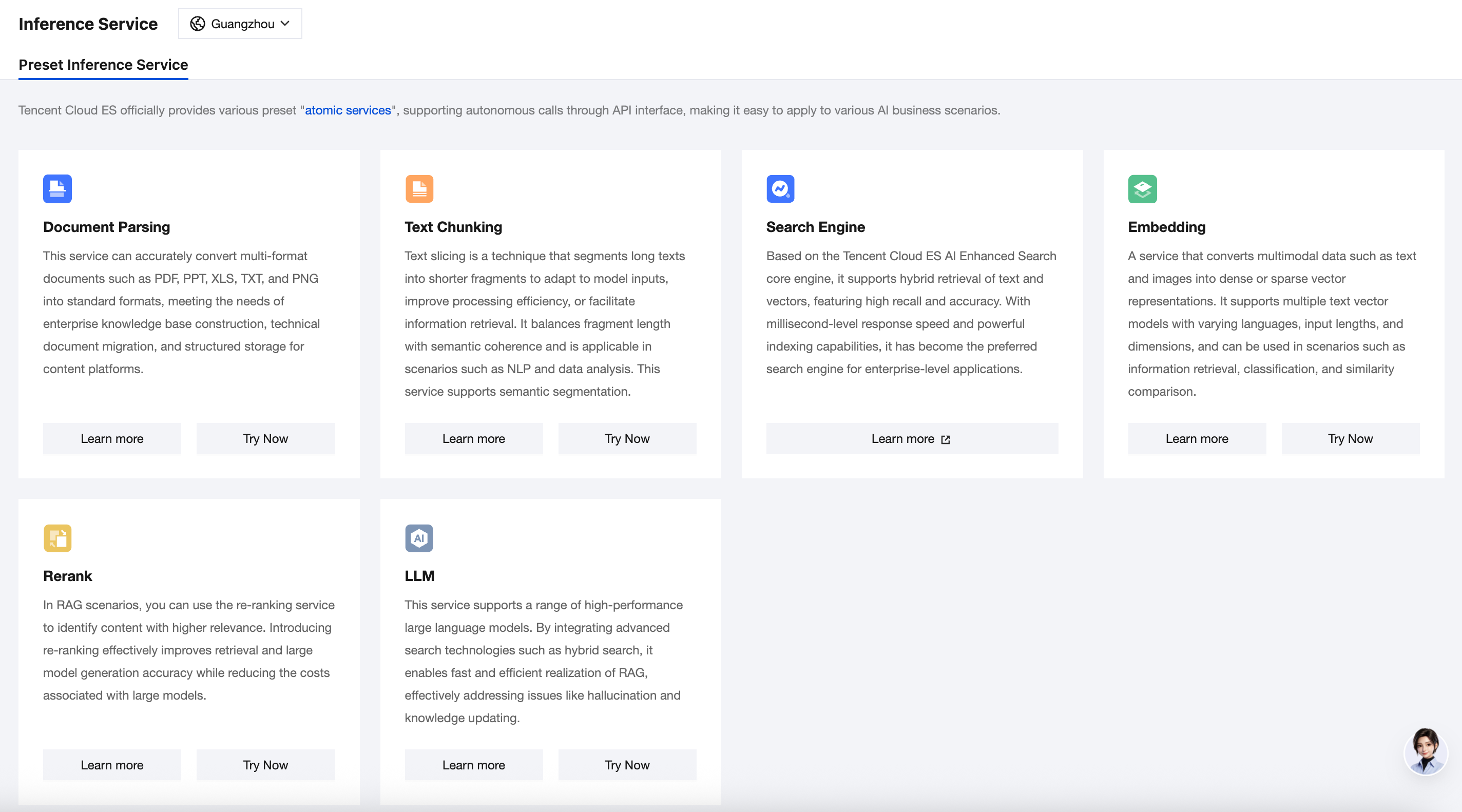
Creating an Inference Endpoint from an Atomic Service
You can create an atomic service as an Elasticsearch inference endpoint. This allows you to call it directly through inference APIs in Elasticsearch when needed, for example, when writing data through an ingest pipeline or performing searches using k-nearest neighbor (kNN) or semantic search.
PUT /_inference/text_embedding/tencentcloudapi_bge_base_zh-v1.5"{"service": "tencent_cloud_ai_search","service_settings": {"secret_id": "AKIDI***********************","secret_key": "BQa*************************","url": "https://es.internal.tencentcloudapi.com","model_id": "bge-base-zh-v1.5","region": "ap-beijing","language": "zh-CN","action": "GetTextEmbedding","version": "2025-01-01"}}Remark 1: Keys use the secret_id and secret_key format. Ensure that permissions of the TencentCloud API key include the permissions for calling Elasticsearch APIs.Remark 2: For url, it should start with http/https. By default, you do not need to modify it.Remark 3: Fill in the model name for model_id, for example, bge-base-zh-v1.5 or Conan-embedding-v1. Support for custom models will be added later.Remark 4: You can fill in ap-beijing for region. Currently, atomic services are deployed only in the Beijing region.Remark 5: Other fields usually do not need to be changed.
Reference: Overview of Atomic Services
Embedding Service
Embedding is a technique that maps high-dimensional data into a low-dimensional space. It is typically used to convert unstructured data, such as text, images, or audio, into vector representations. This makes it easier to input the data into machine models for processing. Furthermore, the distance between vectors can reflect the similarity between the objects.
Atomic Service | Token Limit | Dimension | Language | Remarks |
bge-base-zh-v1.5 | 512 | 768 | Chinese | Classic BGE model. |
KaLM-embedding-multilingual-mini-v1 | 131072 | 896 | Multilingual | Self-developed embedding model of WeChat based on an autoregressive LLM with high-quality training data, suitable for scenarios involving ultra-long texts, Chinese-English mixed queries, and multilingual document matching. |
bge-m3 | 8194 | 1024 | Multilingual | Classic BGE model. |
conan-embedding-v1 | 512 | 1792 | Chinese | Self-developed by Tencent, this model once ranked first overall on the MTEB leaderboard for Chinese scenarios last year. |
Rerank Service
Reranking refers to the process of evaluating the relevance between documents and queries during Retrieval-Augmented Generation (RAG), placing the most relevant documents at the top of the ranking list. This ensures that the LLM prioritizes the top-ranked context when generating responses, improving the accuracy and credibility of the generated results. This method can also be used for filtering to reduce large model costs.
Atomic Service | Token Limit | Language | Remarks |
bge-reranker-large | 514 | Chinese, English | Classic BGE model. |
bge-reranker-v2-m3 | 8194 | Multilingual | Classic BGE model. |
Reference: Inference API Call Guide
Embedding API
Create an atomic service Embedding model in Elasticsearch, for example, named tencentcloudapi_bge_base_zh-v1.5. (for which keys can be fully overwritten during updates) | curl -H "Content-Type: application/json" -XPUT "http://127.0.0.1:9200/_inference/text_embedding/tencentcloudapi_bge_base_zh-v1.5" -d '{ "service": "tencent_cloud_ai_search", "service_settings": { "secret_id": "AKIDI***********************", "secret_key": "BQa*************************", "url": "https://es.internal.tencentcloudapi.com", "model_id": "bge-base-zh-v1.5", "region": "ap-beijing", "language": "zh-CN", "action": "GetTextEmbedding", "version": "2025-01-01" } }' Note 1: Use secret_id and secret_key for the key. Ensure that the TencentCloud API key permission includes ES API calls. Note 2: The url must start with http/https. No modification is needed by default. Note 3: For model_id, enter the model name, such as bge-base-zh-v1.5 or Conan-embedding-v1. Custom models will be supported later. Note 4: For region, you can enter ap-beijing. Currently, the atomic service is deployed only in the Beijing region. Remark 5: Other fields usually do not need to be changed. |
Call the atomic service model to perform vectorization separately | curl -H "Content-Type: application/json" -XPOST "http://127.0.0.1:9200/_inference/text_embedding/tencentcloudapi_bge_base_zh-v1.5" -d '{ "input": ["China", "United States", "United Kingdom"] }' |
View models | Obtain all models: GET /_inference/_all. Or obtain a single model: curl -XGET "http://127.0.0.1:9200/_inference/text_embedding/tencentcloudapi_bge_base_zh-v1.5" The following information is returned: (The api_key is hidden). { "models" : [ { "model_id" : "tencentcloudapi_bge_base_zh-v1.5" "task_type" : "text_embedding", "service" : "tencent_cloud_ai_search", "service_settings" : { "model_id" : "bge-base-zh-v1.5" "url" : "https://aisearch.test.tencentcloudapi.com", "Language" : "zh-CN" "region": "ap-guangzhou", "action" : "GetTextEmbedding" "version": "2025-01-01" }, "task_settings" :{ } } ] } |
Create a pipeline based on the atomic service model. | curl -X PUT "localhost:9200/_ingest/pipeline/tencentcloudapi_bge_base_zh-v1.5_embeddings?pretty" -H 'Content-Type: application/json' -d' { "processors": [ { "inference": { "model_id": "tencentcloudapi_bge_base_zh-v1.5", "input_output": { "input_field": "content", "output_field": "content_embedding" } } } ] } ' |
Call atomic services for bulk writes. | curl -u "elastic:changeme" -H "Content-Type: application/x-ndjson; charset=UTF-8" -XPOST "127.0.0.1:9200/vector_index/_bulk?pipeline=tencentcloudapi_bge_base_zh-v1.5_embeddings" -d ' { "index" : {} } { "title" : "value1","content": "good day" } ' |
Call the atomic service to perform vector similarity search | curl -H "Content-Type: application/x-ndjson; charset=UTF-8" -XPOST "127.0.0.1:9200/vector_index/_search" -d '{ "knn": { "field": "content_embedding", "query_vector_builder": { "text_embedding": { "model_id": "tencentcloudapi_bge_base_zh-v1.5", "model_text": "The original text you need to vectorize" } }, "k": 10, "num_candidates": 100 }}' |
Rerank API
Create an atomic service rerank model. (for which keys can be fully overwritten during updates) | curl -H "Content-Type: application/json" -XPUT "http://127.0.0.1:9200/_inference/rerank/tencentcloudapi_bge-reranker-large" -d '{ "service": "tencent_cloud_ai_search", "service_settings": { "secret_id": "AKIDI***********************", "secret_key": "BQa*************************", "url": "https://es.internal.tencentcloudapi.com", "model_id": "bge-reranker-large", "region": "ap-beijing", "language": "zh-CN", "action": "RunRerank", "version": "2025-01-01" }, "task_settings": { "top_n": 10, "return_documents": true } }' Note 1: Use secret_id and secret_key for the key. Ensure that the TencentCloud API key permission includes ES API calls. Note 2: The url must start with http/https. No modification is needed by default. Note 3: For model_id, enter the model name, such as bge-reranker-large. Custom models will be supported later. Note 4: For region, you can enter ap-beijing. Currently, the atomic service is deployed only in the Beijing region. |
Call the atomic service rerank model for reranking. | curl -H "Content-Type: application/json" -XPOST "http://127.0.0.1:9200/_inference/rerank/tencentcloudapi_bge-reranker-large" -d '{ "query": "China", "input": ["United States", "China", "United Kingdom"] }' |
Query and rerank integrated request | curl -H "Content-Type: application/json" -XGET "http://127.0.0.1:9200/vector_index/_search?pretty" -d ' { "retriever": { "tencent_cloud_ai_reranker": { "retriever": { "standard": { "query": { "match_all": { // Query condition } } } }, "model_id": "tencentcloudapi_bge-reranker-large", "rank_field": "content", "rank_text": "nice day", "rank_window_size": 10, "min_score": 0.6 } } }' curl -H "Content-Type: application/json" -XGET "http://127.0.0.1:9200/vector_index/_search?pretty" -d ' ' |
Reference: Getting and Updating Inference APIs in Batches (8.16)
Batch capabilities | Basic usage: Use the official get and update APIs. Refer to the official documentation above. Batch capability usage: The batch capability is added through self-development. Refer to the examples below. |
Example of getting inference endpoints in batches | curl -H "Content-Type: application/json" -XGET "http://127.0.0.1:9200/_inference/completion/a*,b*" curl -H "Content-Type: application/json" -XGET "http://127.0.0.1:9200/_inference/a*,b*" |
Example of updating inference endpoints in batches | curl -H "Content-Type: application/json" -XPUT "http://127.0.0.1:9200/_inference/rerank/a*,b*/_update" -d '{ "service_settings": { "secret_id": "AKI3*************", "secret_key": "GZ4*********" } }' Note 1: Use secret_id and secret_key for the key. Ensure that the TencentCloud API key permission includes ES API calls. |
Bantuan dan Dukungan
Apakah halaman ini membantu?
Anda juga dapat Menghubungi Penjualan atau Mengirimkan Tiket untuk meminta bantuan.
masukan