AI Real-Time Translation
下载
聚焦模式
字号
TUICallKit provides users with the ability to convert speech to text in real-time and translate it into other languages. During use, users can update their AI real-time translation settings, with multiple translation options available. This article will guide you on how to quickly integrate AI real-time translation.
Effect Demonstration
AI Real-Time Translation Subtitles | AI Real-Time Translation Settings | AI Translation Language Selection |
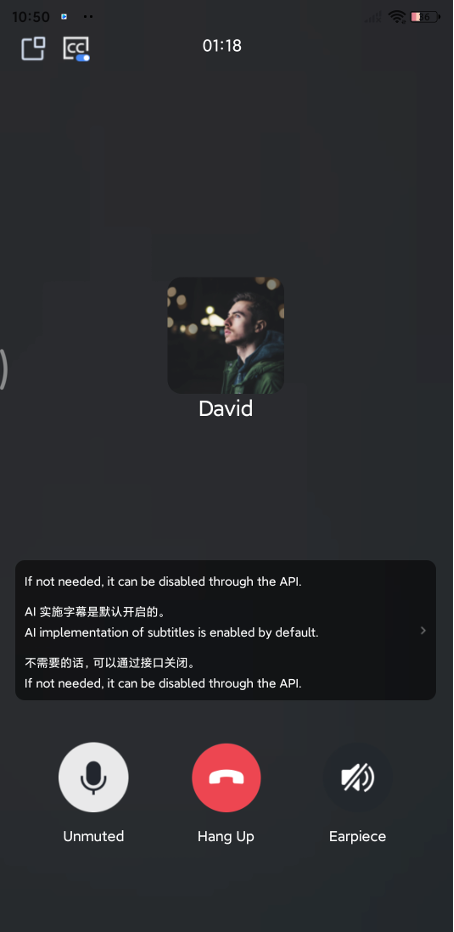 | 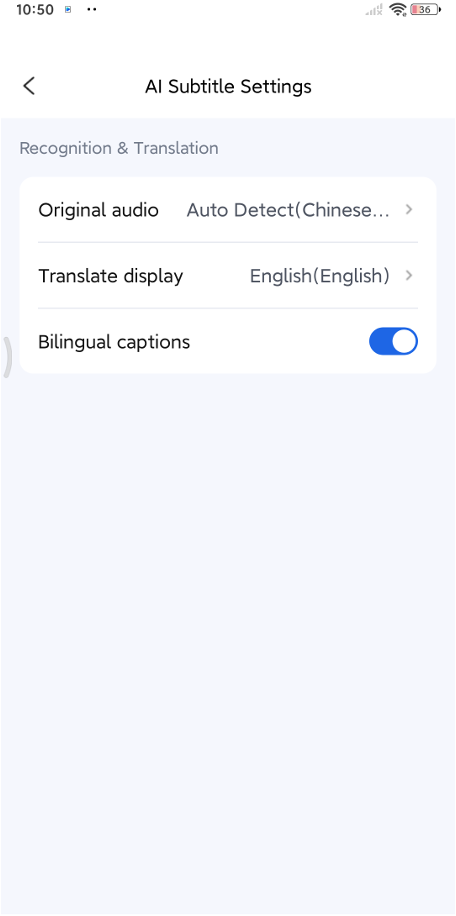 | 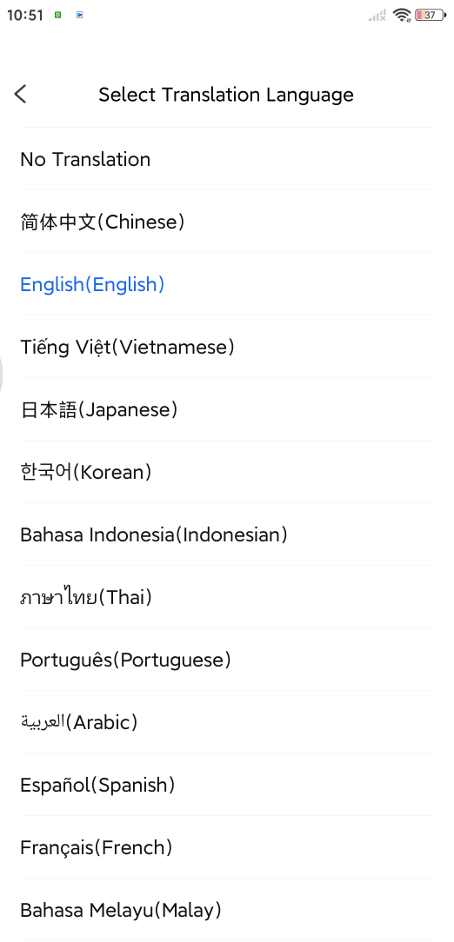 |
Application Scenarios
AI real-time translation is specifically designed for diverse calling needs. You can implement the following application scenarios:
Scenario Type | Description |
Telemedicine | Displays real-time voice subtitles for doctors and patients to facilitate mutual understanding, and provides consultation records for doctors after the call ends. |
Online Customer Service | In multilingual environments, customers can ask questions in their native language while customer service agents promptly view the translated subtitles, eliminating communication barriers. |
Online Education | Students can fully immerse themselves in the interaction without the distraction of taking notes. After the session, they can directly export complete class notes along with the translations. |
More Scenarios | Any scenario requiring real-time speech-to-text and translation can be achieved using AI translation. More possibilities await your exploration. |
Integrating the Feature
This section will introduce how to integrate AI real-time translation into your project, equipping it with the ability to convert speech to text in real-time and translate it into other languages.
Step 1: Activate the Service
The trial version of TUICallKit includes AI real-time translation by default. After activating the official version of TUICallKit, if you still wish to use AI real-time translation, you will need to purchase the corresponding service. For specific steps, please refer to Activating the AI Translation Service.
Step 2: Code Integration
TUICallKit >= 4.0.0 includes the AI real-time translation capability by default. You simply need to integrate or update your TUICallKit(Android)/ TUICallKit(iOS)version to 4.0.0+.
Step 3: Experience AI Real-Time Translation
After the call starts, the AI real-time translation feature will automatically be enabled:
Subtitle Display: Real-time translation subtitles are automatically presented on the call interface.
Display Control: Click the switch in the upper left corner to turn the subtitles on or off.
Translation Settings: Click anywhere in the subtitle area to enter the AI translation settings page.
Disabling the Feature
If you do not need this feature, you can turn off AI real-time translation before starting a call using the following code.
TUICallKit.createInstance(context).enableAITranscriber(false);
TUICallKit.createInstance().enableAITranscriber(enable: false)
文档反馈