Creating Custom Policies through Policy Syntax
下载
聚焦模式
字号
Overview
This document describes the process of creating customized policies through policy syntax, a method that involves the user crafting the policy syntax to generate corresponding policies. This approach offers flexible permission granularity, effectively meeting the demands of users who require a meticulous delineation of permissions. For definitions related to policies, please refer to Concepts.
Directions
1. On the Policies page of the Cloud Access Management Console, click Create Custom Policy in the upper left corner.
2. In the pop-up window for selecting the creation method, click Create by Policy Syntax to proceed to the Select Policy Template page.
3. On the Select Policy Template page, you can enter keywords to search. For instance, if the template type is set to All Templates, you can enter the keyword 'a' to select the AdministratorAccess template.
4. Click Next to proceed to the Edit Policy page.
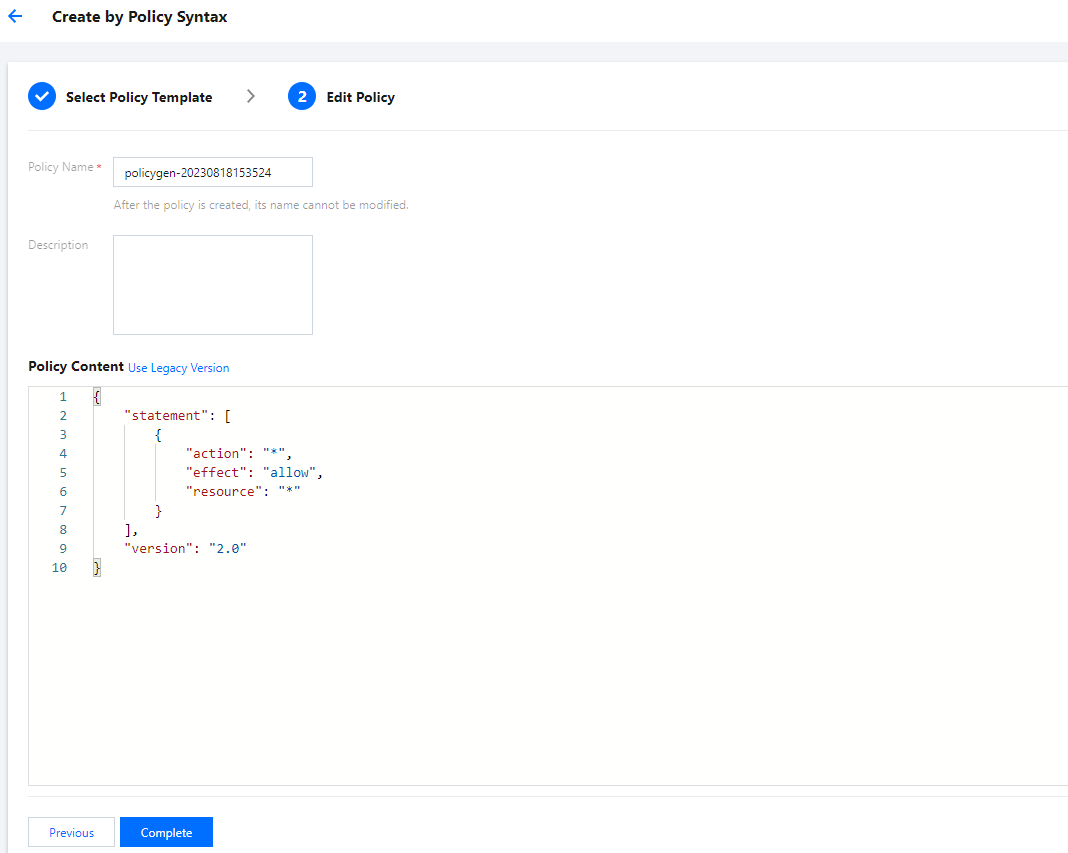
5. On the Edit Policy page, confirm the policy name and policy content, then click Complete to finish creating the customized policy. The default policy name and policy content are automatically generated by the console. The default policy name is policygen, with a suffix number generated according to the creation date.
Subsequent Procedures
文档反馈