Modifying Log Retention Period
Unduh
Mode fokus
Ukuran font
This document describes how to modify the log retention period after the database audit service is activated.
Directions
1. Log in to the TencentDB for MariaDB console, select Database Audit on the left sidebar, select a region at the top, and click the Audit Log tab.
2. In the top-right corner of the Audit Log tab, click Configure.
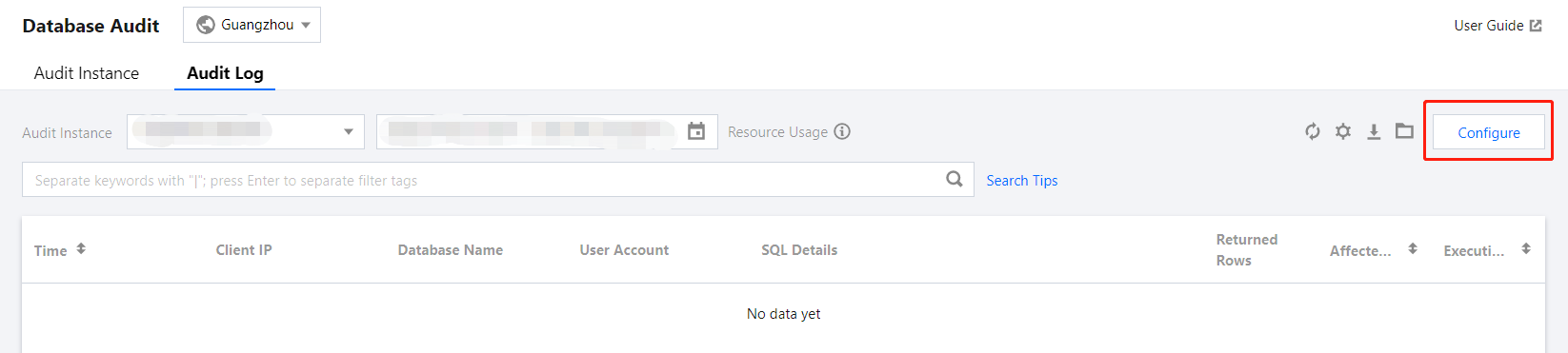
3. In the pop-up window, modify the log retention period and click Submit.
Bantuan dan Dukungan
Apakah halaman ini membantu?
Anda juga dapat Menghubungi Penjualan atau Mengirimkan Tiket untuk meminta bantuan.
masukan