This document introduces how to set the user's avatar and nickname in TUIRoomKit.
Setting Avatar, Nickname
If you need to customize your nickname or avatar, you can use the following API to update:
await TUIRoomEngine.setSelfInfo({ userName: 'jack', avatarUrl: 'http://xxx' });
TUIRoomEngine.setSelfInfo("userName", "avatarUrl", null);
import TUIRoomEngine
TUIRoomEngine.setSelfInfo(userName: "xxx", avatarUrl: "xxx") {
print("setSelfInfo success")
} onError: { code, message in
print("setSelfInfo failed, code:\\(code),message:\\(message)")
}
import 'package:rtc_room_engine/rtc_room_engine.dart';
TUIRoomEngine.setSelfInfo("userName", "avatarURL");
await TUIRoomEngine.setSelfInfo({ userName: 'jack', avatarUrl: 'http://xxx' });
Note:
Due to user privacy restrictions, updates to the nickname and profile picture may be delayed. If you require higher real-time updates, you can use the Rename during the conference feature. Rename during the conference
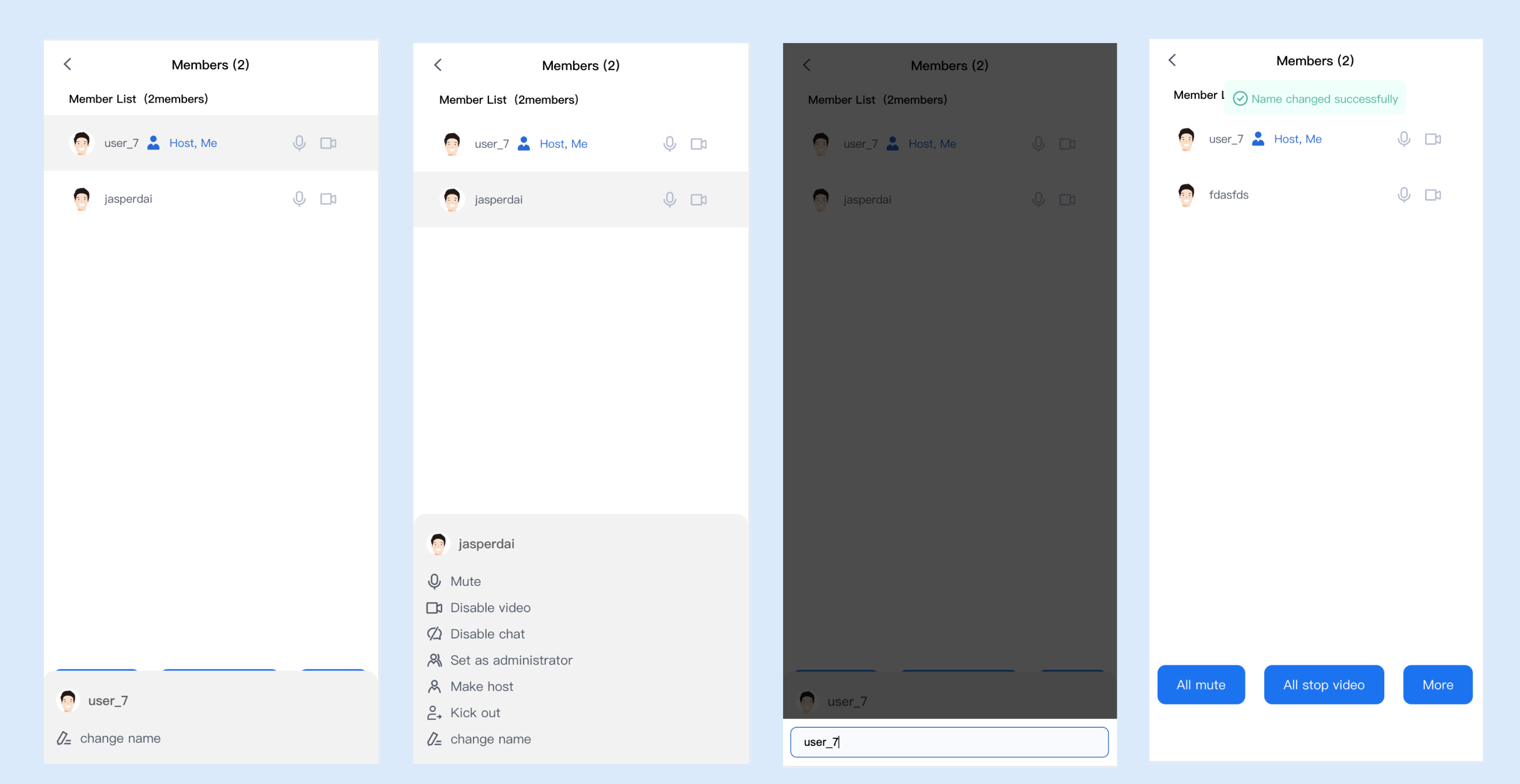
In a meeting, participants can change their nicknames in real time to suit different scenarios. The updated nickname takes effect immediately, but is limited to the current conference only.
Note:
The Rename During Meeting feature requires TUIRoomKit v2.5.0 or higher. Currently, this feature supports Web, Electron and H5 platforms only.
Flowchart
1. Within TUIRoomKit, during the meeting, click the bottom toolbar Member Management > select yourself or the user you want to rename > More > change name;
2. In the pop-up window, enter the new name and click OK to apply the changes immediately.
Permission to Operations
Ordinary users can only change their own nickname.
The host or admin can change their own or other users' nicknames.
Sample code
If you need to modify it yourself in your project to support the feature of changing nicknames during meetings, you can use the following TUIRoomEngine interface:
const roomEngine = TUIRoomEngine.getInstance();
await roomEngine.changeUserNameCard({
userId: 'user_1234',
nameCard: 'jack',
});
const roomEngine = TUIRoomEngine.getInstance();
await roomEngine.changeUserNameCard({
userId: 'user_1234',
nameCard: 'jack',
});