When users visit your website with an expired certificate, there will be a warning sign displayed; if an API has been called by your domain name, an error will be reported. To avoid business interruption, update your certificate on the console in a timely manner.
Directions
Example 1: External certificate
1. Log in to the WAF console and select Asset center > Domain name list on the left sidebar.
2. On the Domain name list page, select the target domain name and click Edit.
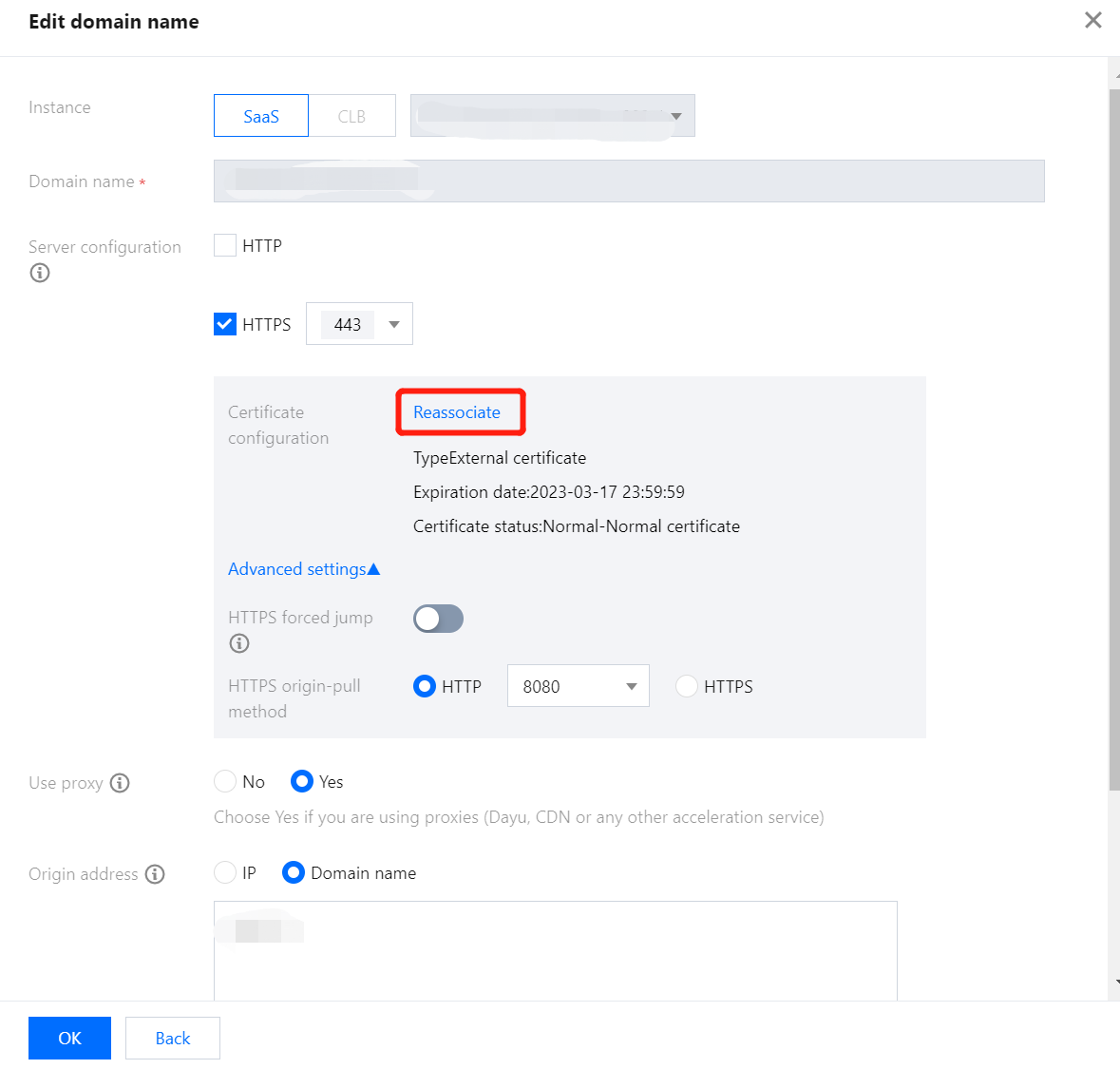
3. On the Edit domain name page, click Reassociate in Server configuration to pop up the Certificate configuration window.
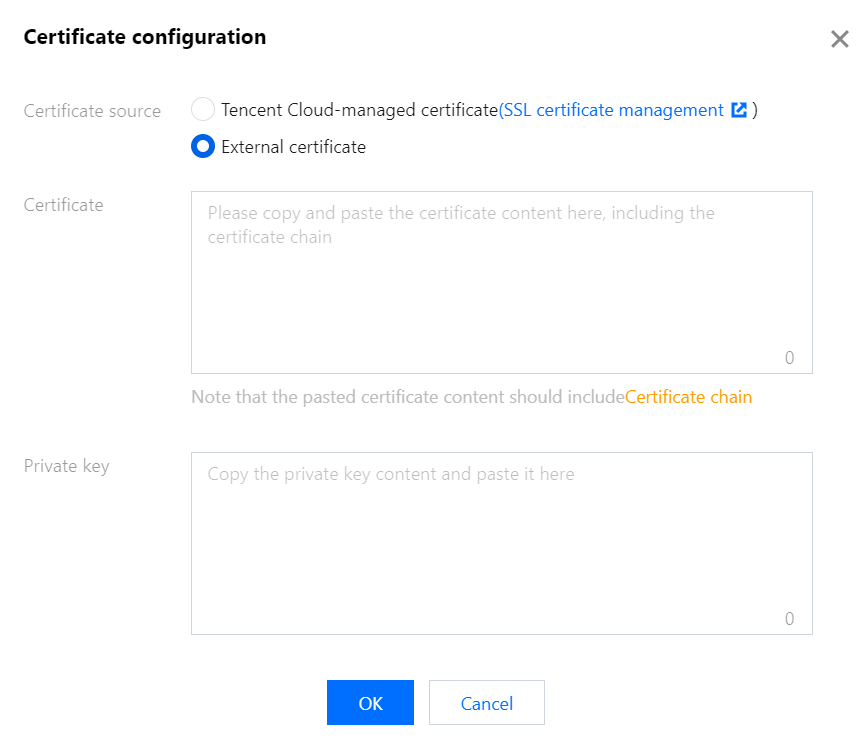
4. In the Certificate configuration pop-up window, select External certificate for Certificate source, enter the certificate and private key, and click OK.
Example 2: Tencent Cloud-managed certificate
1. On the Domain name list page, select the target domain name and click Edit.
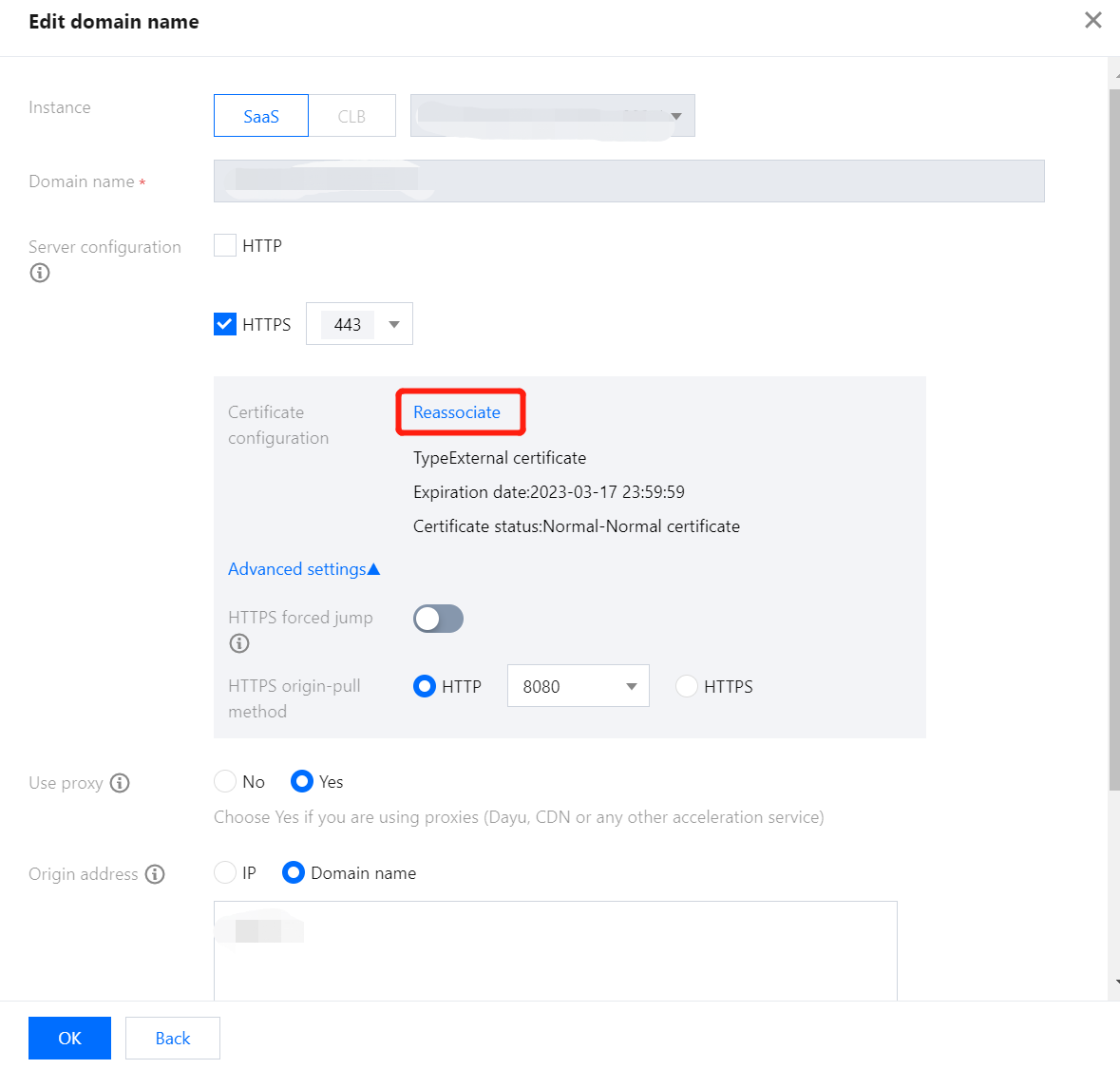
2. On the Edit domain name page, click Reassociate in Server configuration to pop up the Certificate configuration window.
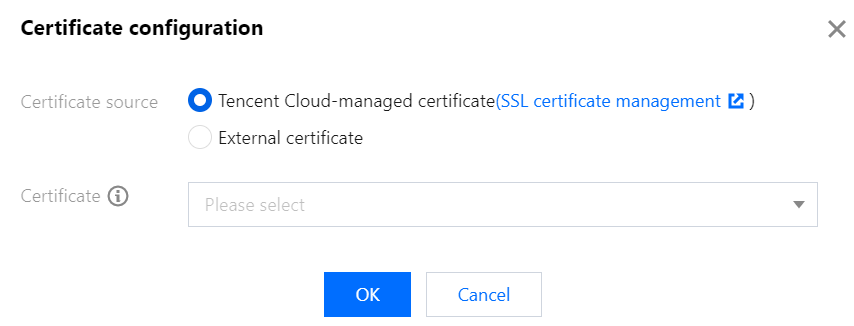
3. In the Certificate configuration pop-up window, select Tencent Cloud-managed certificate for Certificate source and click OK.
Note:
This method only applies to certificates that have been uploaded to SSL Certificate Service.
Certificate Validity Check
You can check the effective and expiration dates of the certificate by accessing the domain name via a browser. If the certificate does not take effect, contact us for help.