MySQL/MariaDB/Percona/TDSQL-C for MySQL/TDSQL for MySQL check requirements
The target instance cannot have objects with the same name as those in the source database. If a conflict causes an error, you can fix it in one of the following methods:
During entire instance migration, the target instance must be empty. If a conflict causes an error, you need to delete the instance content.
If advanced objects are selected, the target database cannot have conflicting advanced objects. If a conflict causes an error, you need to delete the conflicting objects.
PostgreSQL check requirements
The target instance cannot have objects with the same name as those in the source database.
During entire instance migration, the target instance must be empty. If a conflict causes an error, you need to delete the instance content.
MongoDB check requirements
The target instance can have tables with the same name as those in the source database, but they must be empty tables. If a conflict causes an error, you can fix it in one of the following methods:
Option 1: Delete tables with the same name in the target database or clear their data.
The target instance cannot have databases with the same name as those in the source database; otherwise, an error will be reported.
If an error is reported, you need to delete or rename databases with the same name from the target database.
Redis check requirements
The target instance must be empty; otherwise, an error will be reported.
If an error is reported, delete the content in the target instance and restart the verification task.
Troubleshooting
Using table mapping (for MySQL/MariaDB/Percona/TDSQL-C for MySQL/TDSQL for MySQL only)
You can use the DTS table mapping feature to map the names of the objects to be migrated with the same name to other names in the target database.
1. Log in to the DTS console, select the corresponding migration task, and click More > Modify in the Operation column.
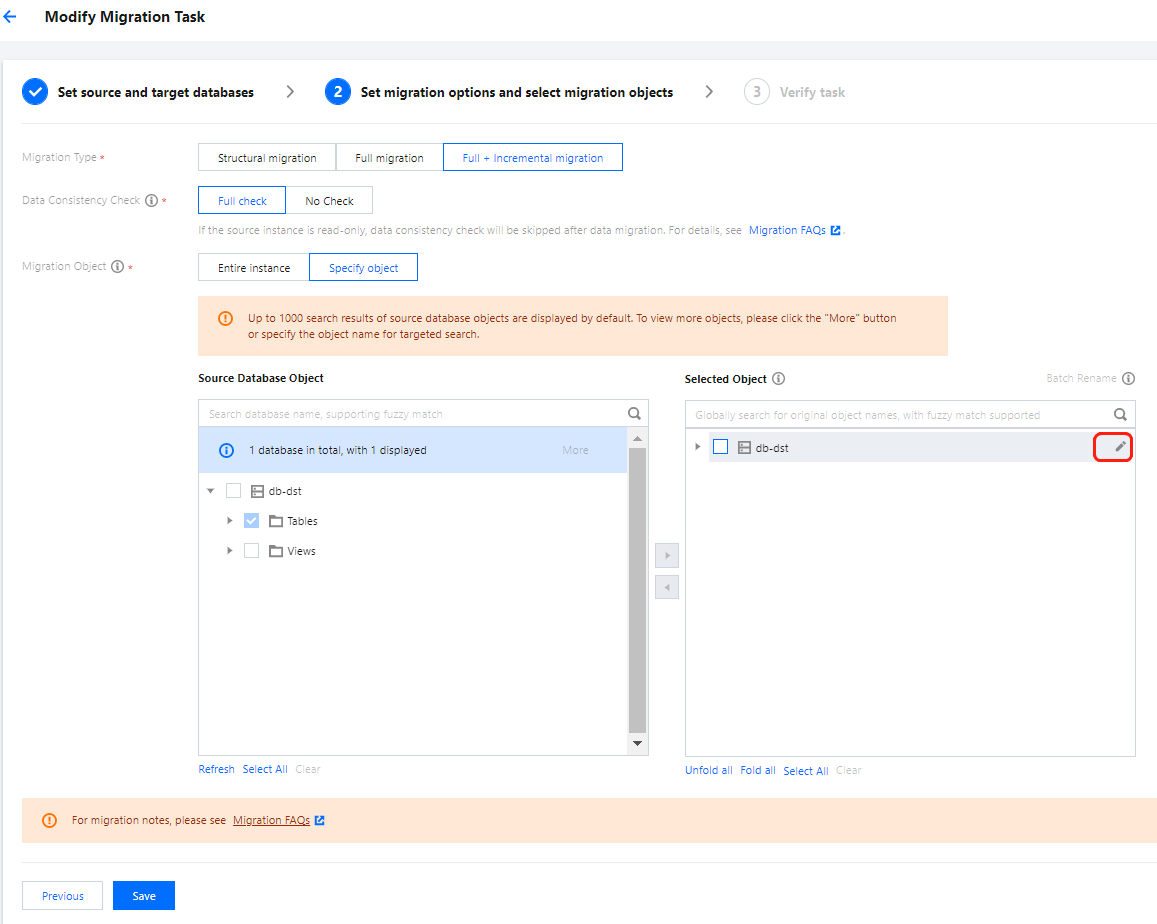
2. In Selected Object on the right, hover over an object to be modified, click the displayed Edit icon, and rename the object.
3. Run the verification task again.
Modifying objects with the same name in target database
Log in to the target database, rename or delete the objects with the same name as the migration objects.
Removing objects with the same name from migration objects
Modify the migration task configuration to remove the objects with the same name from the migration objects. The removed objects cannot be migrated.
1. Log in to the DTS console, select the corresponding migration task, and click More > Modify in the Operation column.
2. Remove the objects with the same name from the migration objects.
3. Run the verification task again.
Deleting the target database content
Log in to the target database, delete the objects with the same name as those in the source database or the entire database, and run the verification task again.