By default, Kube-proxy uses iptables to balance the load between Service and Pod. TKE supports fast enabling of IPVS-based traffic distributing and load balancing. IPVS is suitable for large-scale clusters by providing better scalability and performance.
Precautions
This feature can be enabled only when the cluster is created but not for an existing cluster.
After enabling, IPVS takes effect for the entire cluster. It is recommended not to manually modify the IPVS in the cluster or use it together with iptables.
IPVS cannot be disabled once enabled in the cluster.
IPVS is only available for TKE clusters running Kubernetes v1.10 or higher.
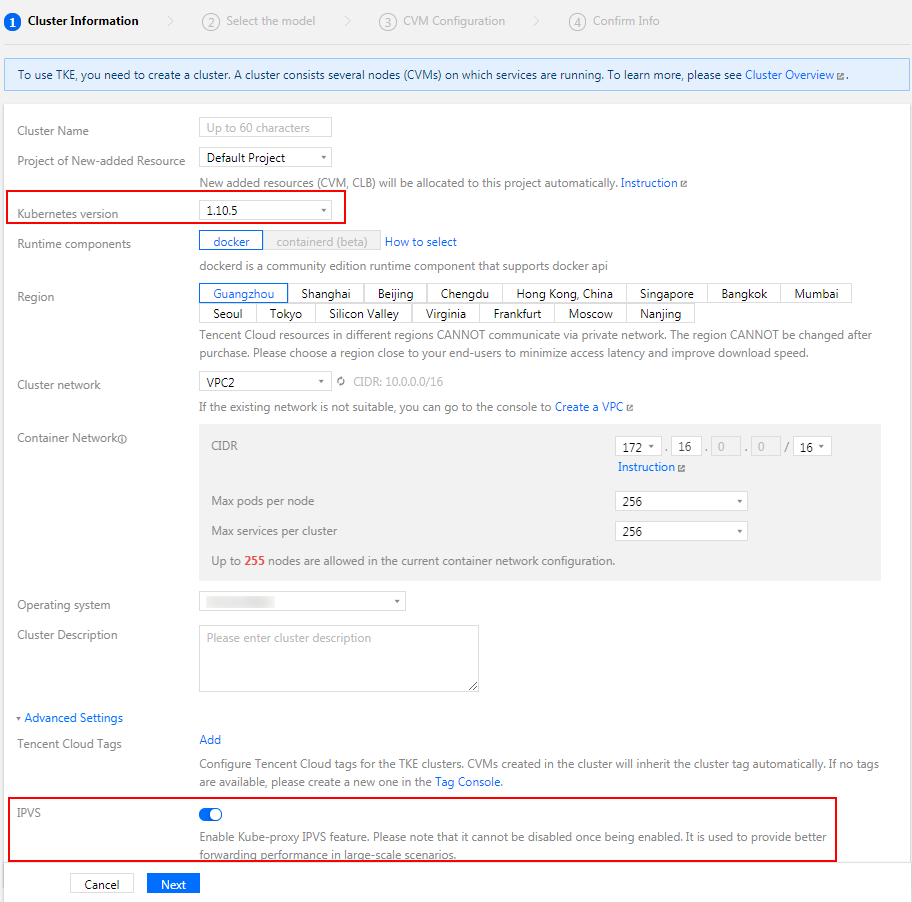
2. Follow the steps in Creating a Cluster.On the "Create a cluster" page, set the "Kubernetes version" to v1.10 or higher, click Advanced settings, and enable "IPVS support". See the figure below:
3. Follow the on-screen prompts to complete the cluster creation.